
Description
Memory Limit Manager makes it incredibly easy to configure your memory limits without manually editing wp-config.php. With a beautiful, user-friendly interface and powerful features, you can increase memory limits with a single click.
Key Features
- One-Click Updates – Change memory limits with a single button click
- Quick Presets – Common configurations (128M/256M, 256M/512M, 512M/1G, 1G/2G)
- Automatic wp-config.php Backups – Creates timestamped backups of your wp-config.php file before any changes (format: wp-config.php.backup-YYYY-MM-DD-HHMMSS). Keeps 5 most recent backups and auto-restores on failure
- Conflict Detection – Identifies if memory limits are defined elsewhere
- System Diagnostics – File permissions and writability checks
- Manual Fallback – Copy-paste code if automatic updates don’t work
- Opcode Cache Clearing – Immediate effect after changes
- Beautiful UI – Modern, card-based layout with real-time validation
Why Use This Plugin?
Manually editing wp-config.php can be:
– Intimidating for non-technical users
– Error-prone (syntax errors can break your site)
– Difficult to verify if changes took effect
Memory Limit Manager solves all these problems with a safe, user-friendly interface that handles everything automatically.
What It Does
This plugin allows you to configure two WordPress memory limit constants:
1. WP_MEMORY_LIMIT – Controls memory available on the frontend (default: 40M)
2. WP_MAX_MEMORY_LIMIT – Controls memory available in admin area (default: 256M)
Increasing these values can help resolve:
– “Memory exhausted” errors
– Plugin/theme activation failures
– Image upload problems
– Slow admin performance
Automatic Backup System
For your safety, the plugin automatically backs up your wp-config.php file before making any changes:
- Backup File Format: wp-config.php.backup-2026-01-15-223045 (timestamped)
- Location: Same directory as your wp-config.php file
- Number of Backups: Keeps the 5 most recent backups, auto-deletes older ones
- Automatic Restore: If any error occurs during update, your original wp-config.php is automatically restored
- Manual Restore: You can manually restore any backup file via FTP/cPanel if needed
This means you can update memory limits with confidence, knowing your configuration is always protected.
Security
- Nonce verification for CSRF protection
- Capability checks (administrator-only access)
- Input sanitization and validation
- Secure file operations with error recovery
Documentation
Documentation is available here: https://muhammadshakeel.com/memory-limit-manager-documentation/
Support
For support, please visit: https://wordpress.org/support/plugin/memory-limit-manager/
Developer
Memory Limit Manager is developed and maintained by Muhammad Shakeel.
Website: https://muhammadshakeel.com/
Screenshots

Update Memory Limits form with input fields, quick preset buttons, and clear warnings before making changes 
Current Memory Status dashboard showing WP_MEMORY_LIMIT, WP_MAX_MEMORY_LIMIT, and PHP_MEMORY_LIMIT with beautiful color-coded cards 
System Diagnostics showing wp-config.php location, file permissions, writability status, and real-time values comparison 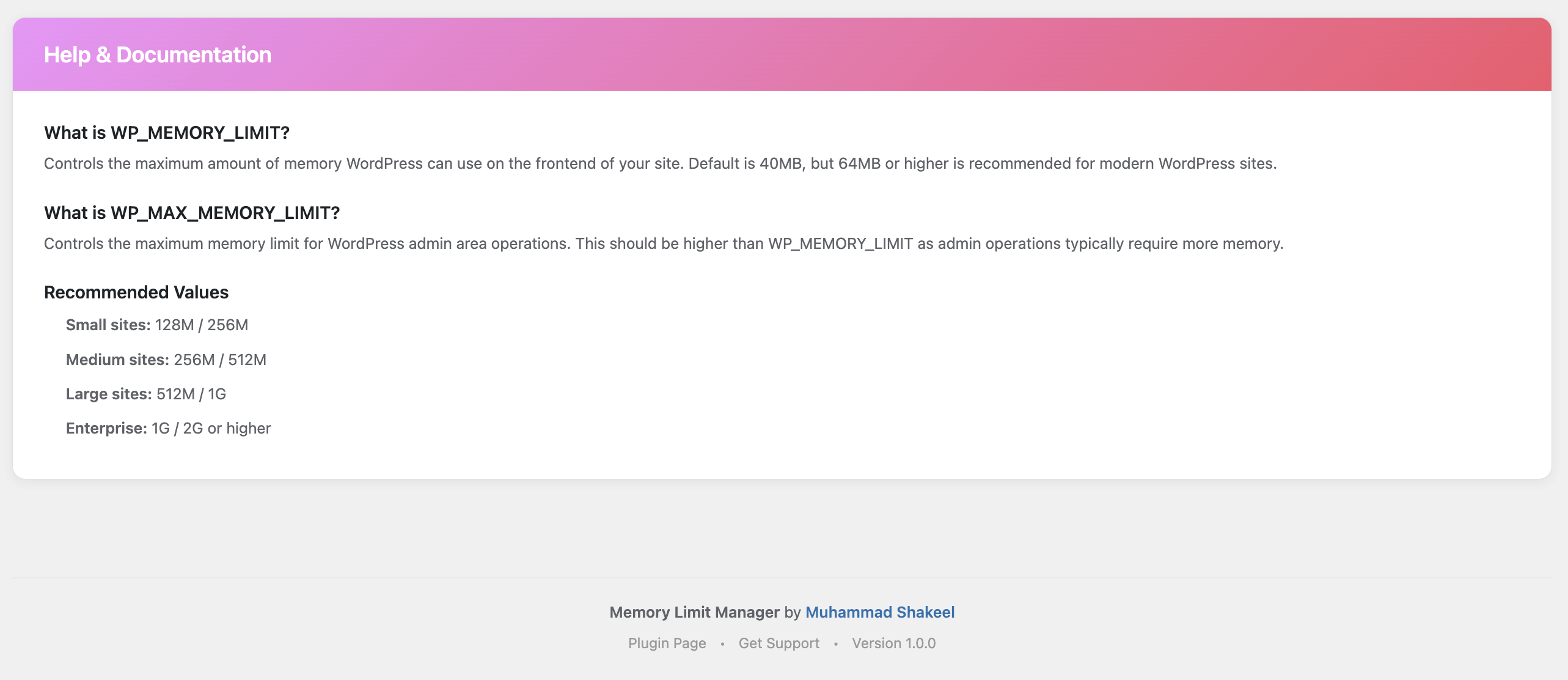
Help & Documentation section explaining what each memory constant does and recommended values for different site sizes
Installation
Automatic Installation
- Log in to your admin panel
- Navigate to Plugins Add New
- Search for “Memory Limit Manager”
- Click Install Now and then Activate
Manual Installation
- Download the plugin ZIP file
- Log in to your WordPress admin panel
- Navigate to Plugins Add New Upload Plugin
- Choose the downloaded ZIP file and click Install Now
- Click Activate
After Activation
- Go to Settings Memory Manager
- Set your desired memory limits or use Quick Presets
- Click “Update Memory Limits”
- Done! Your new memory limits are active immediately
FAQ
-
Is this plugin free?
-
Yes! Memory Limit Manager is 100% free and open source.
-
Will this work with my hosting?
-
Yes, as long as your wp-config.php file is writable. Most hosting providers allow this.
-
Can I undo changes?
-
Absolutely! The plugin automatically backs up your wp-config.php file (not your entire site) before making any changes.
Backup files are named like: wp-config.php.backup-2026-01-15-223045
You can find them in the same directory as your wp-config.php file. The plugin keeps the 5 most recent backups. To restore manually, simply rename a backup file back to wp-config.php via FTP or cPanel File Manager.
-
What if automatic updates don’t work?
-
No problem! The plugin provides a manual configuration option with copy-paste code that you can add to wp-config.php via FTP or cPanel.
-
What exactly gets backed up?
-
Only your wp-config.php file is backed up – NOT your entire site, database, or other files. This is a safety measure specific to the configuration file that gets modified. The backup happens automatically every time you update memory limits.
-
Is it safe to use?
-
Absolutely! The plugin follows WordPress security best practices, creates automatic wp-config.php backups, and validates all input before making changes. If anything goes wrong during an update, your original wp-config.php is automatically restored.
-
Does it work with multisite?
-
Yes, the plugin is multisite compatible.
-
Will it conflict with other plugins?
-
No, the plugin includes conflict detection and will warn you if memory limits are defined elsewhere (themes, mu-plugins, or other plugins).
-
What values should I use?
-
Use the Quick Presets as a starting point:
* Small sites (blogs): 128M / 256M
* Standard sites: 256M / 512M
* Large sites (e-commerce): 512M / 1G
* Enterprise sites: 1G / 2G
Reviews
There are no reviews for this plugin.
Contributors & Developers
“Memory Limit Manager” is open source software. The following people have contributed to this plugin.
Contributors
Translate “Memory Limit Manager” into your language.
Interested in development?
Browse the code, check out the SVN repository, or subscribe to the development log by RSS.
Changelog
1.0.1 – 2026-01-15
- Updated all plugin links to point to official WordPress.org pages
- Plugin Page now links to wordpress.org/plugins/memory-limit-manager/
- Support links now direct to wordpress.org support forum
- Improved banner quality for retina displays
- Enhanced automatic backup feature documentation (clarifies wp-config.php backup, not entire site)
- Added detailed backup file naming format and retention policy (5 most recent)
- New “Automatic Backup System” section in description
- Updated FAQ with backup-specific questions
- Added prominent “Automatic Safety Backup” info box in admin interface
- Updated admin warning message to mention automatic backup creation
1.0.0 – 2026-01-07
- Initial public release
- One-click memory limit updates
- Quick preset configurations
- Automatic backup creation
- Opcode cache clearing
- Conflict detection system
- System diagnostics
- Manual configuration fallback
- Real-time input validation
- Beautiful, modern UI
- Comprehensive documentation
- Security-hardened (nonce verification, capability checks, input sanitization)
- PHP 7.4+ and WordPress 6.0+ support