

Deskripzioa
We created Stream Manager with news editors in mind. Admins wanted the latest headlines to show up on the front page automatically, but didn’t want to give up the flexibility of pinning a major story in a featured spot or pushing a smaller item down below the fold.
Stream Manager provides a simple interface for curating feeds of new posts from the WordPress Admin. New posts show up automatically at the top of a stream, but content can easily be added, removed, or repositioned on the page via the stream editor. Admins also have the option of pinning a post, which will lock it in its current position regardless of new content.
Stream Manager is designed to work with Twig templating plugin Timber, as detailed in the installation instructions. Check out the Timber project page for more info.
Loturak
- Github repo (includes user guide)
- Walkthough Screencast
- Developer docs
- Timber docs
Pantaila-argazkiak

Adding a new stream. 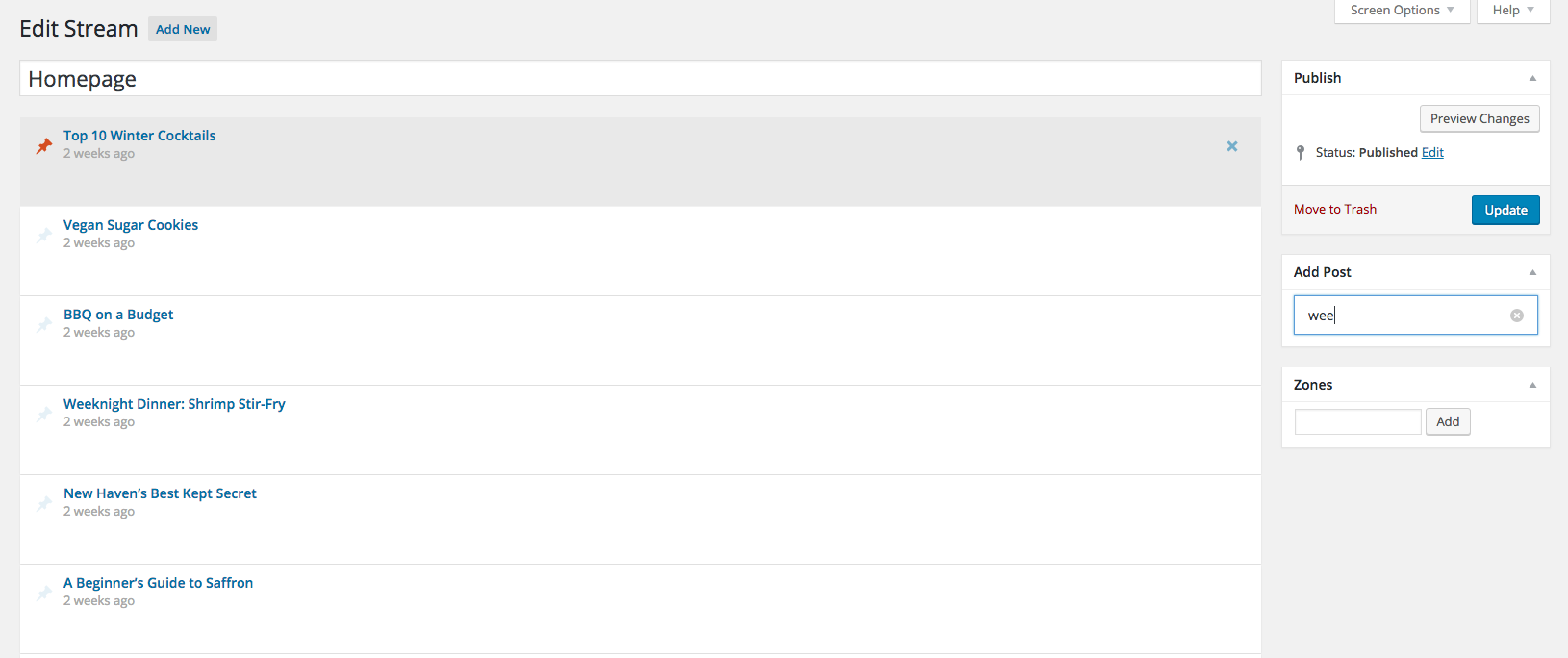
Pinning a stream to the top of
Instalazioa
- Install and activate Timber, then install and activate this plugin.
- Create a new stream from the WordPress admin.
-
Add the following to your template file, replacing ‘new-stream’ with the slug of your stream.
$context[‘stream’] = new TimberStream(‘new-stream’);
-
Finally, add this to your twig file.
{% for post in stream.get_posts %}
{{ post.title }}{% endfor %}
MEG
- Installation Instructions
-
- Install and activate Timber, then install and activate this plugin.
- Create a new stream from the WordPress admin.
-
Add the following to your template file, replacing ‘new-stream’ with the slug of your stream.
$context[‘stream’] = new TimberStream(‘new-stream’);
-
Finally, add this to your twig file.
{% for post in stream.get_posts %}
{{ post.title }}{% endfor %}
- Can streams be filtered by post type or category?
-
Yes! Streams can be filtered by post type, taxonomy, or just about anything else that can be passed into a wp_query array. Check out the github readme for details on filter hooks.
Berrikuspenak


Laguntzaileak eta Garatzaileak
“Stream Manager” software librea da. Ondoko pertsonek egin dizkiote ekarpenak plugin honi.
Laguntzaileak

Itzul zaitez Stream Manager zure hizkuntzara.
Garapena interesatzen zaizu?
Araka kodea, begiratu SVN biltegia edo harpidetu garapen erregistrora RSS bidez.