

Deskripzioa
Lead Generation Form helps you create and manage lead forms on your WordPress website without writing any code. The drag-and-drop form builder makes it simple to design forms that match your needs, whether you’re collecting customer inquiries, booking requests, or registration details.
View Pro Demo: Lead Generation Form Pro
More About Pro: Lead Generation Form Pro Details
Where To Buy: Buy Lead Generation Form Pro
Video Tutorial
Why Use This Lead Form Builder?
Building effective lead forms shouldn’t require technical knowledge. This form builder gives you a straightforward way to create forms, manage captured leads, and get notified when someone submits an inquiry. Everything works from your WordPress dashboard with no external dependencies.
What Can You Build?
The flexible lead form generator supports various use cases:
- Contact and inquiry forms
- Booking and reservation forms
- Registration forms for events, classes or courses
- Appointment scheduling forms
- Feedback and survey forms
- Document upload forms
- Customer interest forms
Supported Form Fields
Build your lead forms using these field types:
- Text fields (single line, password, email, phone, URL)
- Date and number inputs
- Textarea for longer responses
- Dropdown select menus
- Radio buttons and checkboxes
- File upload fields
- Heading tags (H1-H6) and paragraph text
- Color picker and range slider
- Submit button with custom styling
How The Lead Form Builder Works
- Go to the plugin dashboard and click ‘Create New Form’
- Enter a name for your lead form
- Drag and drop the fields you need from the right sidebar
- Configure each field’s settings (label, placeholder, required, etc.)
- Add a Submit button to your form
- Click “Save Form” to generate a shortcode
- Paste the shortcode like [WLFG id=’1′] into any page or post
Free Version Features
Form Building
- Drag-and-Drop Builder – Create lead forms visually without coding
- Unlimited Forms – No restrictions on how many forms you create
- 16+ Field Types – Text, email, date, select, checkbox, file upload, and more
- Clone Forms – Duplicate existing forms with one click
- Form Import/Export – Move forms between sites or create backups
- Combine Forms – Merge two forms into one
Lead Management
- Analytics Dashboard – View submission stats and track form performance
- Query Management – Organize and search through all captured leads
- Search and Sort – Find specific submissions quickly
- Export to Excel/CSV – Download lead data for external use (100 leads limit)
- 100 Leads Display – View recent submissions in dashboard
Notifications & Security
- Email Notifications – Get alerts when new leads are submitted
- Admin Notifications – Automatic alerts for form submissions
- Honeypot Protection – Block spam bots without affecting real users
- Blacklist Emails/Domains – Block specific addresses from submitting
- Google reCAPTCHA v3 – Coming soon for additional spam protection
Design & Compatibility
- Responsive Forms – Works on all screen sizes and devices
- Theme Adaptive – Forms match your active theme styling automatically
- Widget Support – Add lead forms to sidebars and widget areas
- Works with Page Builders – Compatible with Elementor, Gutenberg, and others
- Custom Shortcode Parameters – Configure form behavior per instance
- Custom Submit Messages – Show personalized confirmation after submission
Pro Version Features
Upgrade to Lead Generation Form Pro for additional capabilities:
Unlimited Everything
- Unlimited Lead Capture – No cap on number of leads stored
- Unlimited Export – Download all leads without restrictions
- Prebuilt Form Templates – Start with ready-made form designs
Advanced Features
- CC Email Support – Send form submissions to multiple email addresses
- Automated Spam Protection – Enhanced bot detection and blocking
- Priority Support – Faster response through dedicated helpdesk
- Lifetime Updates – Receive all future updates at no extra cost
- SMTP Email – Configure custom email delivery settings
3rd Party Services
Google reCAPTCHA v3
This plugin integrates Google reCAPTCHA v3 to protect forms from spam submissions. Users can configure reCAPTCHA using their own API credentials in the plugin settings.
License
This file is part of the plugin.
Lead Generation Form is free software: you can redistribute it and/or modify it under the terms of the GNU General Public License as published by the Free Software Foundation, either version 3 of the License, or (at your option) any later version.
Lead Generation Form is distributed in the hope that it will be useful, but WITHOUT ANY WARRANTY; without even the implied warranty of MERCHANTABILITY or FITNESS FOR A PARTICULAR PURPOSE. See the GNU General Public License for more details.
Get a copy of the GNU General Public License at http://www.gnu.org/licenses/.
Pantaila-argazkiak
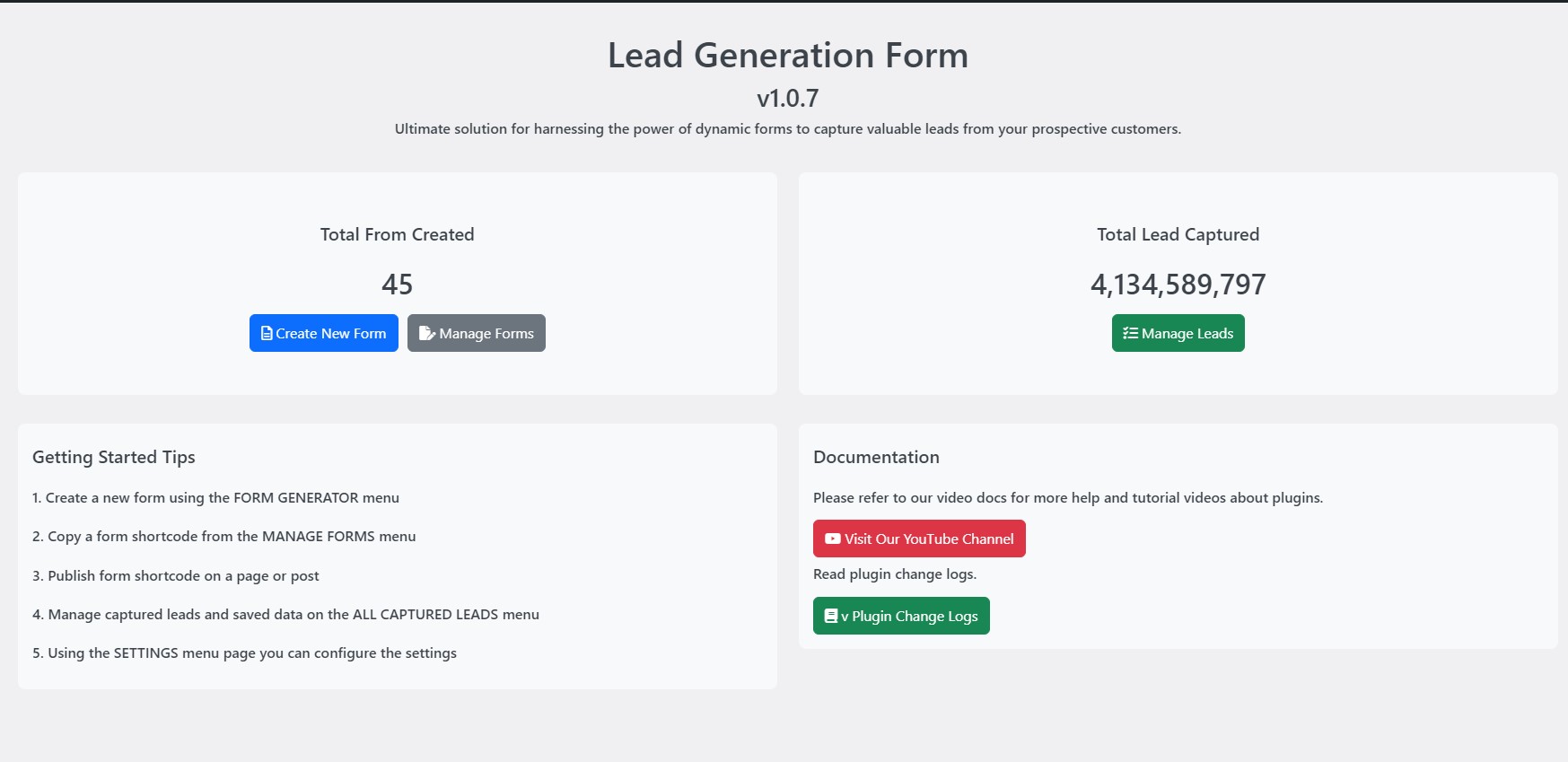
Analytics Dashboard – Track your leads and form performance 
Forms Management – Create, edit, clone, and manage all your lead forms 
Drag-and-Drop Form Builder – Add and arrange form fields visually 
Customer Query Management – View and search through captured leads 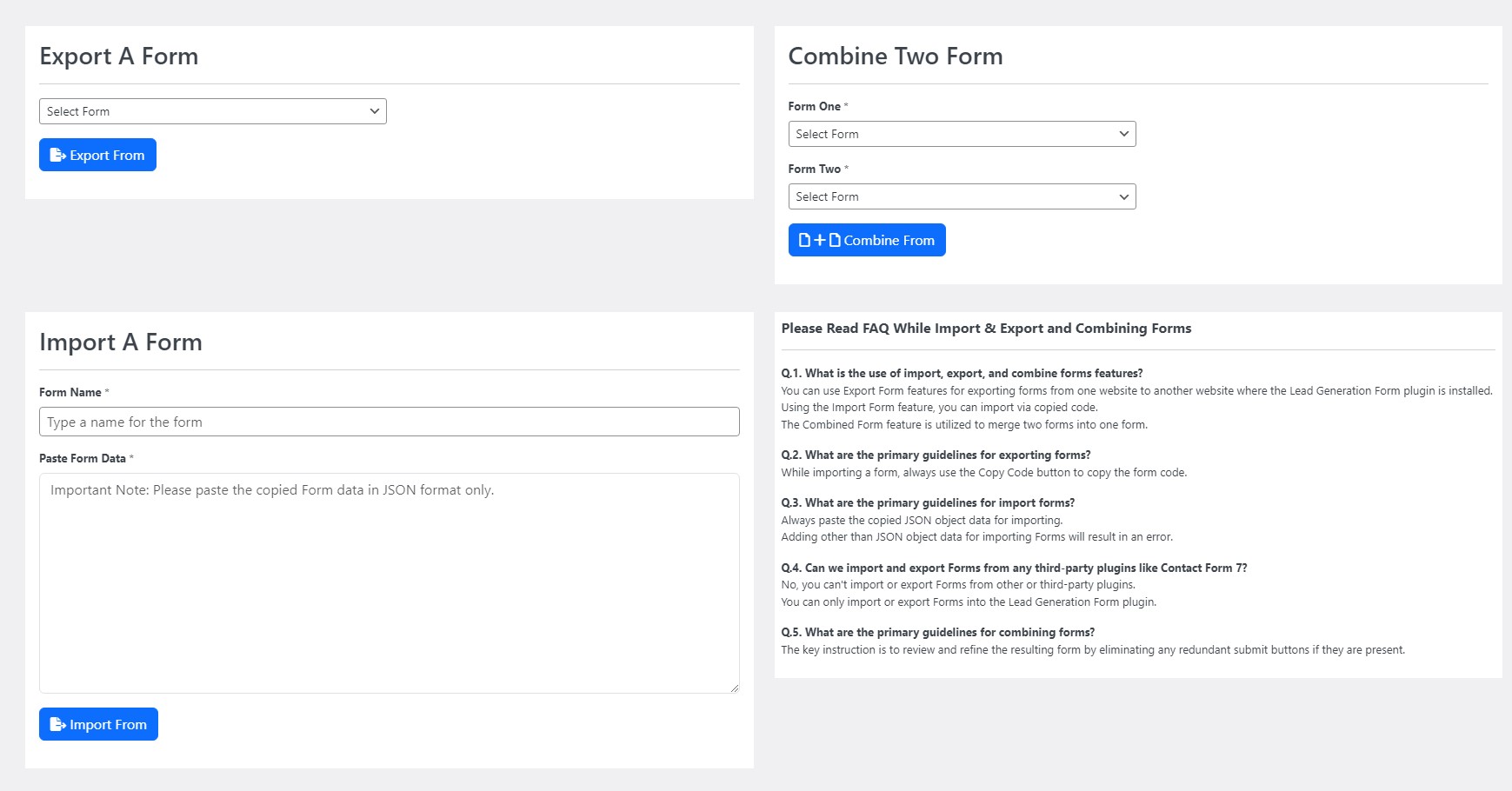
Form Import Export – Backup forms and combine multiple forms 
Settings Panel – Configure notifications, spam protection, and more 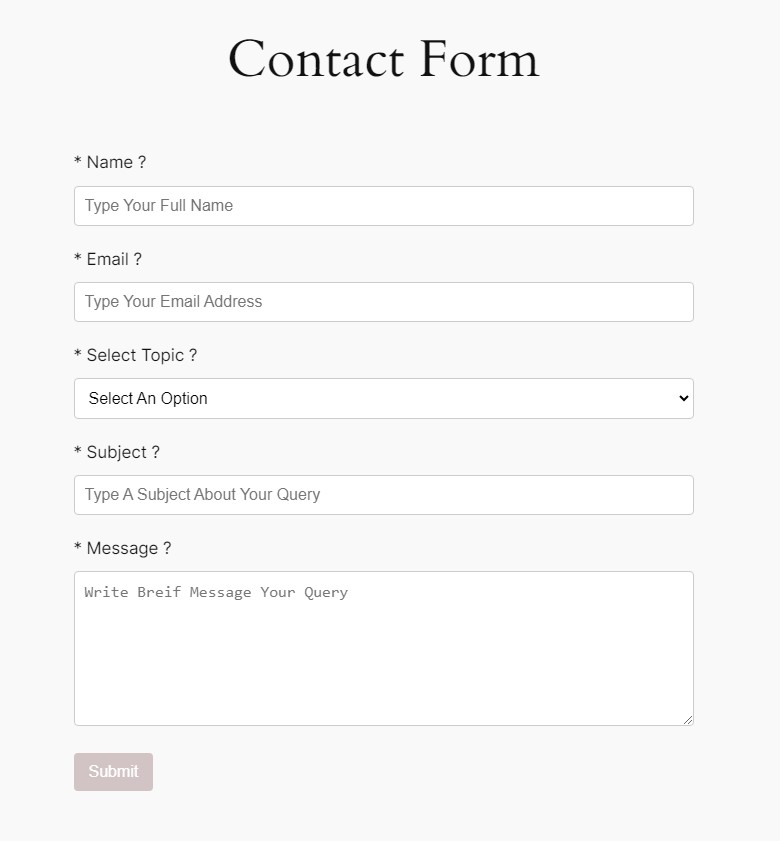
Frontend Form Display – Forms adapt to your theme styling
Instalazioa
- Upload plugin files to your plugins folder, or install using WordPress built-in Add New Plugin installer
- Activate the plugin
- Navigate to Lead Generation Form in your admin menu
- Click ‘Create New Form’ to build your first lead form
- Copy the generated shortcode and paste it into any page or post
MEG
-
How do I add a lead form to my page?
-
After creating your form, copy the shortcode (looks like [WLFG id=’1′]) and paste it into any page, post, or text widget where you want the form to appear.
-
Can I create multiple forms?
-
Yes, you can create unlimited lead forms. Each form gets its own unique shortcode for embedding.
-
How do I receive notifications for new leads?
-
Go to plugin Settings and enable admin notifications. Enter the email address where you want to receive alerts. The plugin uses WordPress mail or SMTP for sending notifications.
-
Can I export the captured leads?
-
Yes, go to the leads management section and use the export feature to download data in Excel or CSV format. The free version allows exporting up to 100 leads.
-
What spam protection is available?
-
The plugin includes honeypot spam protection and email/domain blacklisting. Google reCAPTCHA v3 integration is coming soon for additional protection.
-
Are the forms mobile responsive?
-
Yes, all forms adapt to different screen sizes automatically. They work on desktop, tablet, and mobile devices.
-
Can I customize how forms look?
-
Forms automatically inherit your theme styling for consistent appearance. You can also add custom CSS classes to form fields for additional styling control.
-
What field types can I add to forms?
-
You can add text fields, email, phone, date, number, textarea, dropdown select, radio buttons, checkboxes, file upload, color picker, range slider, and heading elements.
-
How do I block spam submissions from specific emails?
-
Use the blacklist parameter in your shortcode: [WLFG id=’1′ blacklist=’[email protected], spammer.com’] to block specific emails or entire domains.
-
Can I duplicate an existing form?
-
Yes, use the Clone feature in the forms management section to create a copy of any existing lead form.
-
How do I merge two forms together?
-
The Combine Forms feature lets you merge fields from two different forms into one. Access this from the forms management section.
-
Is the plugin compatible with Elementor and Gutenberg?
-
Yes, the shortcode works in all page builders including Elementor, Gutenberg, Divi, and others.
-
How do I send form submissions to multiple email addresses?
-
The Pro version includes CC email support. Use the shortcode parameter: [WLFG id=’1′ carbon_copy=’[email protected], [email protected]’]
-
Where can I get support?
-
Free version users can get help through the WordPress.org support forum. Pro users receive priority support through the dedicated helpdesk.
Berrikuspenak
Ez dago berrikuspenik plugin honentzat.
Laguntzaileak eta Garatzaileak
“Lead Generation Form” software librea da. Ondoko pertsonek egin dizkiote ekarpenak plugin honi.
Laguntzaileak


Lead Generation Form 4 eskualde-ezarpenetara itzuli da. Eskerrik asko itzultzaileei beraien ekarpenengatik.
Itzul zaitez Lead Generation Form zure hizkuntzara.
Garapena interesatzen zaizu?
Araka kodea, begiratu SVN biltegia edo harpidetu garapen erregistrora RSS bidez.
Aldaketen loga
v1.0.9
- Typos fixed
- Readme updated to list new features
v1.0.8
- Form submission time limit added 9 seconds (new feature)
- Readme features points elaborated
- Google reCAPTCHA enabled
v1.0.7
- 28th October 2024
- Notify admin setting enabled in this version by default
- Google reCAPTCHA disable for testing
- Copy to clipboard button with shortcode while form creation (new feature added)
- Submit Button CSS (new feature added)
- Free version restriction message on All Captured Leads page
- Date field accepting invalid values fixed
- Disable date field Step attribute (fixed)
v1.0.6
- 17th October 2024
- Form Submission changed to Ajax
- Form UI issues fixed
- Input type range filed added
- Input field range dynamic value display fixed
- Prevent resubmit data on page refresh, CTRL+F5, and F5 key pressed fixed
- Color field posting value fixed
- Form Generator tooltip and required asterisk UI fixed admin dashboard
- Form submit message fixed
v1.0.5
- 10th October 2024
- SMTP setting issue fixed
v1.0.4
- 4th August 2024
- Missing sanitization, escaping and validating fixed
- Used proper wp_json_encode function
- Translate string with escaping esc_html_e
- Language file update
- File upload fixed
- File filed preview in tabled fixed
- Query submit message fixed
- Multi delete leads fixed
- A default Contact form, ready to add on your website using shortcode [WLFG id=’1′].
v1.0.3
- Loading icon all captured leads
- Honeypot method added to protect spam bots and scripts
- Assets library updated
- Form generator page CSS fixed
- Prefix changes to “wlgf”
- Lead tables records are unresponsive fixed
- Blacklist Emails and domain parameter added
- JS and CSS assets loaded properly accordingly guidelines
1.0.2
- Remove external PHPMailer support and use inbuilt core version
- Add date and time field in records tables.
- Import export fix
- File preview in “All Captured Leads”
- Custom reply to shortcode parameter ‘reply_name’ and ‘reply_email’
1.0.1
- Tested through “Plugin Check” plugin
- Plugin Check: General error fix
- Plugin Check: Plugin repo error fix
- Plugin Check: Security error fix
1.0.0
- First version