
Descripción
MUDRAVA Admin Tweaks packs over 30 individually toggleable tweaks into a single, lightweight plugin. Instead of installing a dozen micro-plugins for small admin changes, flip a switch and move on.
Every tweak is off by default – activate only what you need.
General
- Custom login redirect – send users to any URL after they log in
- Custom logout redirect – redirect users after logout
- Change admin email without confirmation – skip the verify-new-email step
- Change user email without confirmation – same for regular users
- Allow username changes – unlock the username field on profile pages (WP 6.7+)
- Disable fullscreen block editor – prevent Gutenberg from opening in fullscreen mode
Branding
- Custom footer text – replace the default «Thank you for creating with WordPress» with your own message
- Custom footer logo – show your agency / company logo in the admin footer
- Custom admin bar logo – replace the WordPress logo with your own in the toolbar
- Hide WP logo from admin bar – remove the WordPress icon entirely
- «Visit Site» in new tab – open the front-end link from the admin bar in a new browser tab
Columns
- ID column – show a sortable ID column on all post-type list tables
- Featured image column – display a thumbnail column for selected post types
- Modified date column – add a «Last Modified» column to post lists
Media
- Disable big image scaling – prevent WordPress from down-scaling images above 2560 px
- Disable year/month upload folders – upload all media to a flat directory
- Randomize upload filenames – rename uploaded files to random strings for privacy
- Rename file to post title – automatically rename uploads to match the parent post title
- Disable Gravatars – turn off avatar loading from Gravatar servers
Security
- Hide WordPress version – remove the generator meta tag and version query strings
- Disable file editor – prevent editing of plugin and theme files from the admin
- Disable REST API users endpoint – block
/wp-json/wp/v2/usersto prevent username enumeration - Remove REST API link header – strip the
Link: <.../wp-json/>HTTP header and<link>tag - Remove X-Pingback header – stop advertising the XML-RPC pingback URL
- Disable front-end search – block
?s=queries on the public site
Notifications
- Disable Site Health emails – stop weekly Site Health status emails
- Disable auto-update emails – suppress plugin/theme/core update notification emails
- Disable email verification screen – remove the periodic «please verify your admin email» interstitial
- Disable new-user admin email – prevent the «a new user has registered» notification
- Disable password-change admin email – stop emails when a user changes their password
Cleanup
- Limit post revisions – set a maximum number of revisions per post (or disable entirely)
- Auto-delete trash – change the number of days before trashed items are permanently removed
- Hide admin bar on front-end – hide the toolbar for all users or non-admins
- Disable RSS feeds – return a 404 for all feed URLs
- Remove category/tag/author URL prefixes – clean up archive permalinks
- Force-logout all users – one-click button to destroy every active session
- Send test email – verify that WordPress mail delivery is working
About MUDRAVA
Developed and maintained by MUDRAVA – professional-grade WordPress tools.
Privacy
This plugin does not collect personal data for telemetry or marketing.
This plugin does not send data to MUDRAVA servers.
If the plugin performs external requests as part of its core feature set, those requests are initiated by site administrators through plugin actions and are described in this readme.
Capturas
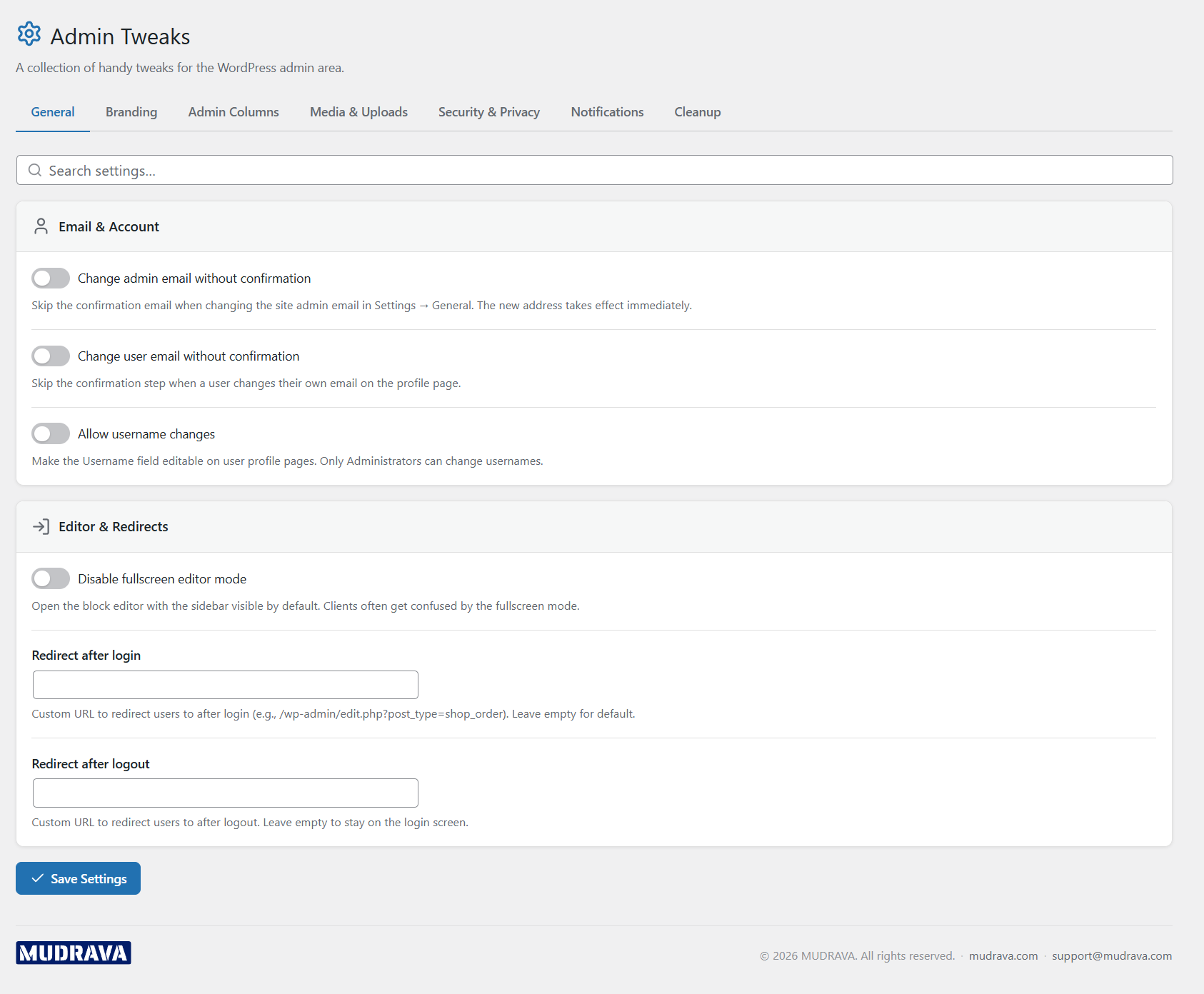
General tweaks tab with login/logout redirect and email confirmation toggles 
Branding settings – custom footer text, admin bar logo 
Admin columns settings for IDs, featured images, and modified dates 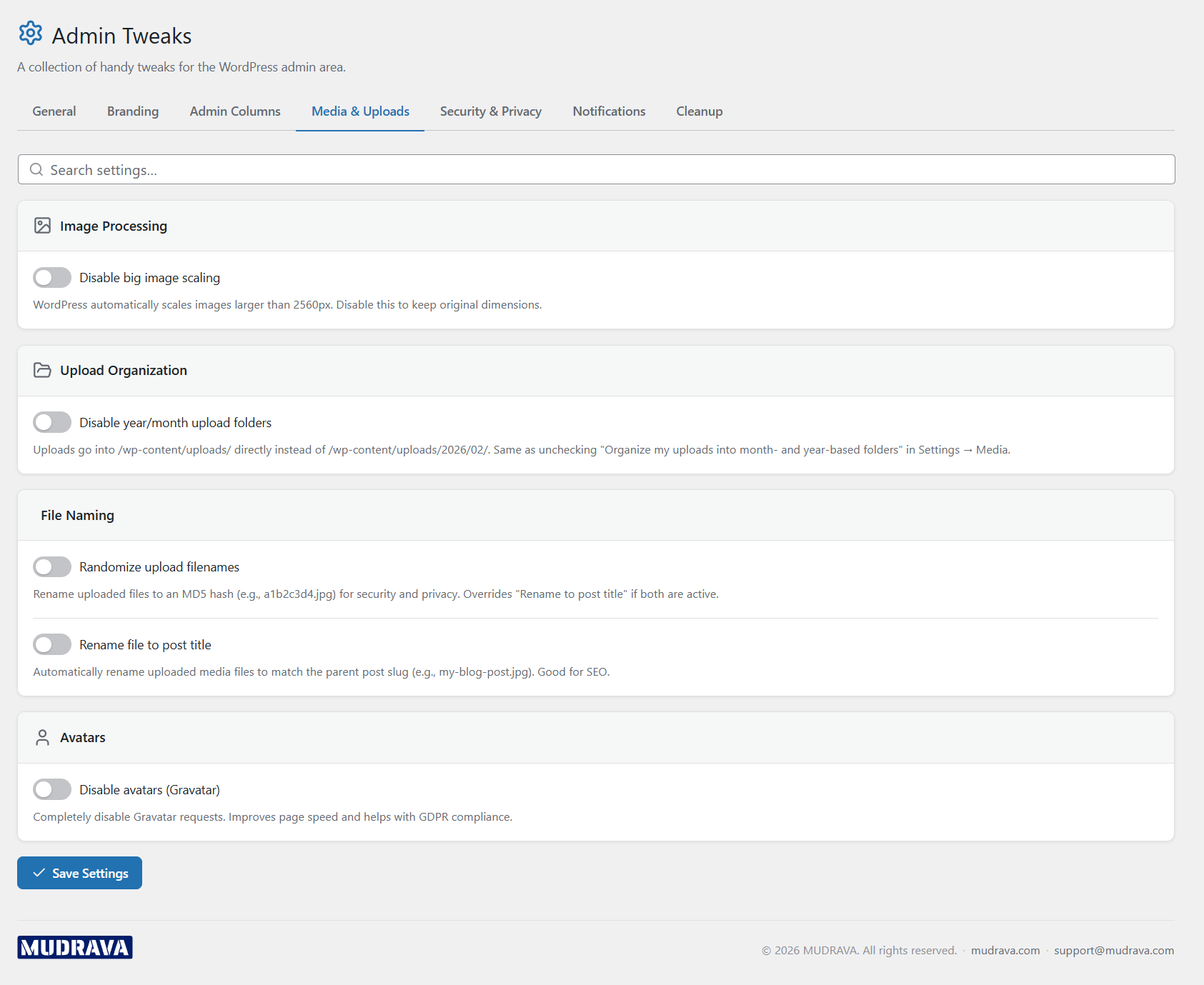
Media and uploads settings 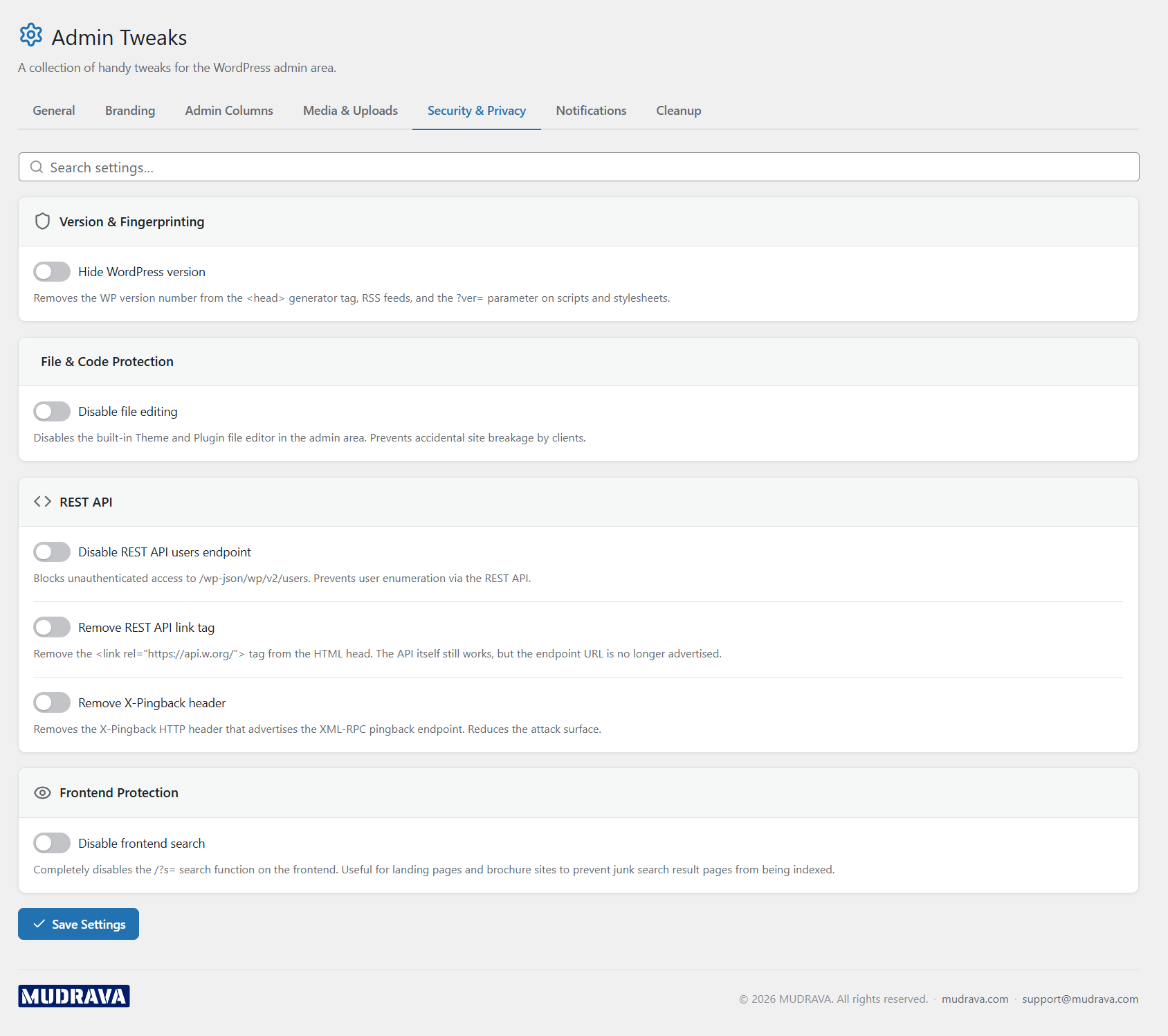
Security and privacy hardening options 
Notification control panel 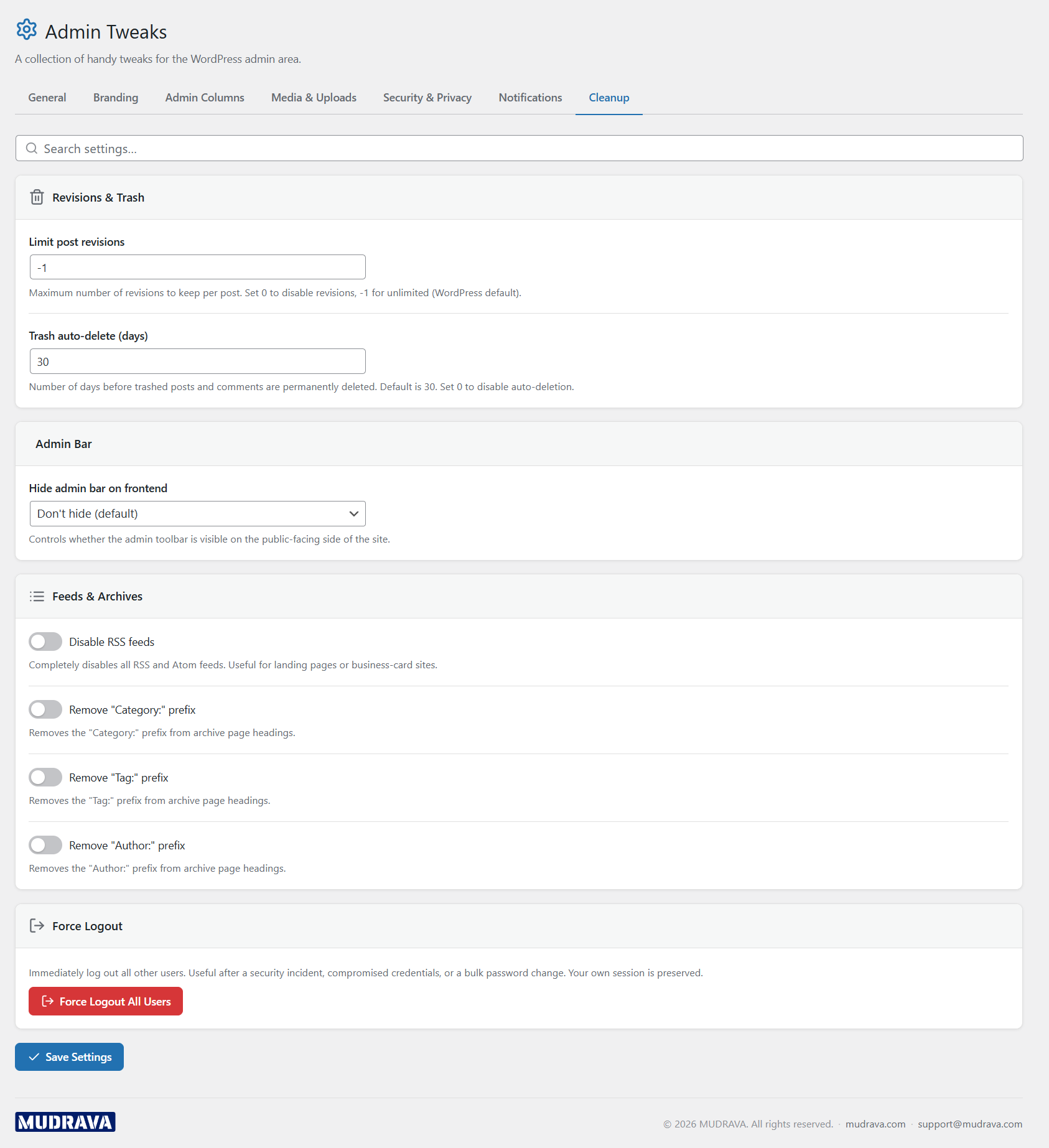
Cleanup utilities and maintenance actions
Instalación
- Upload the
mudrava-admin-tweaksfolder to/wp-content/plugins/. - Activate the plugin through the Plugins menu in WordPress.
- Navigate to the Admin Tweaks settings page in the admin menu.
- Toggle the tweaks you need and click Save.
FAQ
-
Can I enable just one or two tweaks?
-
Yes. Every tweak has its own independent toggle. Disabled tweaks add zero overhead – no hooks registered, no queries made.
-
Will hiding the WP logo break anything?
-
No. It only hides the WordPress icon from the admin bar. All menu items and functionality remain intact.
-
Does the «disable file editor» tweak prevent plugin updates?
-
No. It only blocks the built-in Theme Editor and Plugin Editor screens (Appearance -> Theme File Editor, Plugins -> Plugin File Editor). Normal plugin and theme updates through the WordPress updater are unaffected.
-
Can I limit revisions to zero?
-
Yes. Setting the revision limit to 0 disables revisions entirely for all post types. Existing revisions stay in the database – use a database cleaner to remove them.
-
Does disabling RSS feeds affect my sitemap?
-
No. XML sitemaps are separate from RSS/Atom feeds. Disabling feeds only affects URLs like
/feed/,/comments/feed/, etc. -
Is «Randomize upload filenames» reversible?
-
The setting only affects newly uploaded files. Files already uploaded keep their current names. Disabling the option restores normal naming for future uploads.
-
What does «Remove category/tag prefixes» do exactly?
-
It removes the
/category/and/tag/base from archive URLs. For example,/category/news/becomes/news/. Make sure to flush permalinks after toggling this option.
Reseñas
No hay valoraciones para este plugin.
Colaboradores y desarrolladores
«MUDRAVA Admin Tweaks» es un software de código abierto. Las siguientes personas han colaborado con este plugin.
Colaboradores
Traduce «MUDRAVA Admin Tweaks» a tu idioma.
¿Interesado en el desarrollo?
Revisa el código , echa un vistazo al repositorio SVN o suscríbete al registro de desarrollo por RSS.
Registro de cambios
1.0.2
- Fixed standalone plugin text domain metadata for WordPress.org profile and translation indexing.
1.0.1
- Fixed companion loading when the full MUDRAVA Kit plugin is active
- Updated WordPress.org screenshots
1.0.0
- Initial release
- 30+ individually toggleable admin tweaks
- Organised into six categories: General, Branding, Columns, Media, Security, Notifications & Cleanup
- AJAX-powered settings with instant save
- Force-logout and test-email utilities
- Clean uninstall removes all stored options