

Descripción
Build smarter websites with Dynamic Visibility for Elementor
Create personalized experiences by showing the right content to the right users at the right time. Perfect for membership sites, WooCommerce stores, landing pages, and content personalization.
Key Features
User-Based Visibility
* User roles & capabilities
* Logged-in or logged-out users
* User metadata
* IP address restrictions
Time & Date Conditions
* Schedule content (from-to dates)
* Day of the week
* Time of day (hour range)
* Perfect for limited-time offers and events
Content & Context
* Custom field values
* Specific pages or post types
* Referral source (where users come from)
* Browser & device detection
WooCommerce Integration
* Product visibility based on cart content
* Product types
Flexible Display Options
* Hide via CSS or remove from DOM completely
* Fallback content (e.g., «Coming soon», login form)
* AND/OR logic for multiple conditions
* Works with Events trigger for interactive reveals
Perfect For
- Membership Sites: Show content only to subscribers
- WooCommerce: Display special offers to specific customers
- Landing Pages: A/B testing and personalization
- Maintenance Mode: Hide sections under development
- GDPR Compliance: Show cookie notices based on location
Cómo funciona
- Edit any page with Elementor
- Select your widget, section, container or column
- Open the Visibility tab in Advanced settings
- Enable Dynamic Visibility and configure your conditions
- Save and preview!
More info
Try now on a sandbox
Upgrade to Dynamic Content for Elementor
Get 150+ advanced features including:
- Custom PHP Conditions: Write unlimited custom logic
- Advanced Dynamic Tags: Post data, user data, ACF fields, and more
- Template System: Create reusable content templates
- Dynamic Posts Widget: Advanced query builder
- Integrations: ACF, JetEngine, Meta Box, Toolset, WooCommerce, WPML, Search and Filter Pro
- Premium Support: Priority email support
Documentation & Support
- Documentation
- Facebook Community
- Free support via WordPress.org forums
Capturas

Dynamic Visibility for Elementor es sencillo de usar. Consigue mejores resultados con Dynamic.ooo – Dynamic Content for Elementor 
En el modo de edición, verás si un widget está oculto y si el plugin está activado en este elemento 
En la vista pública, los visitantes no ven nada 
Solo verán lo que decidas mostrarles 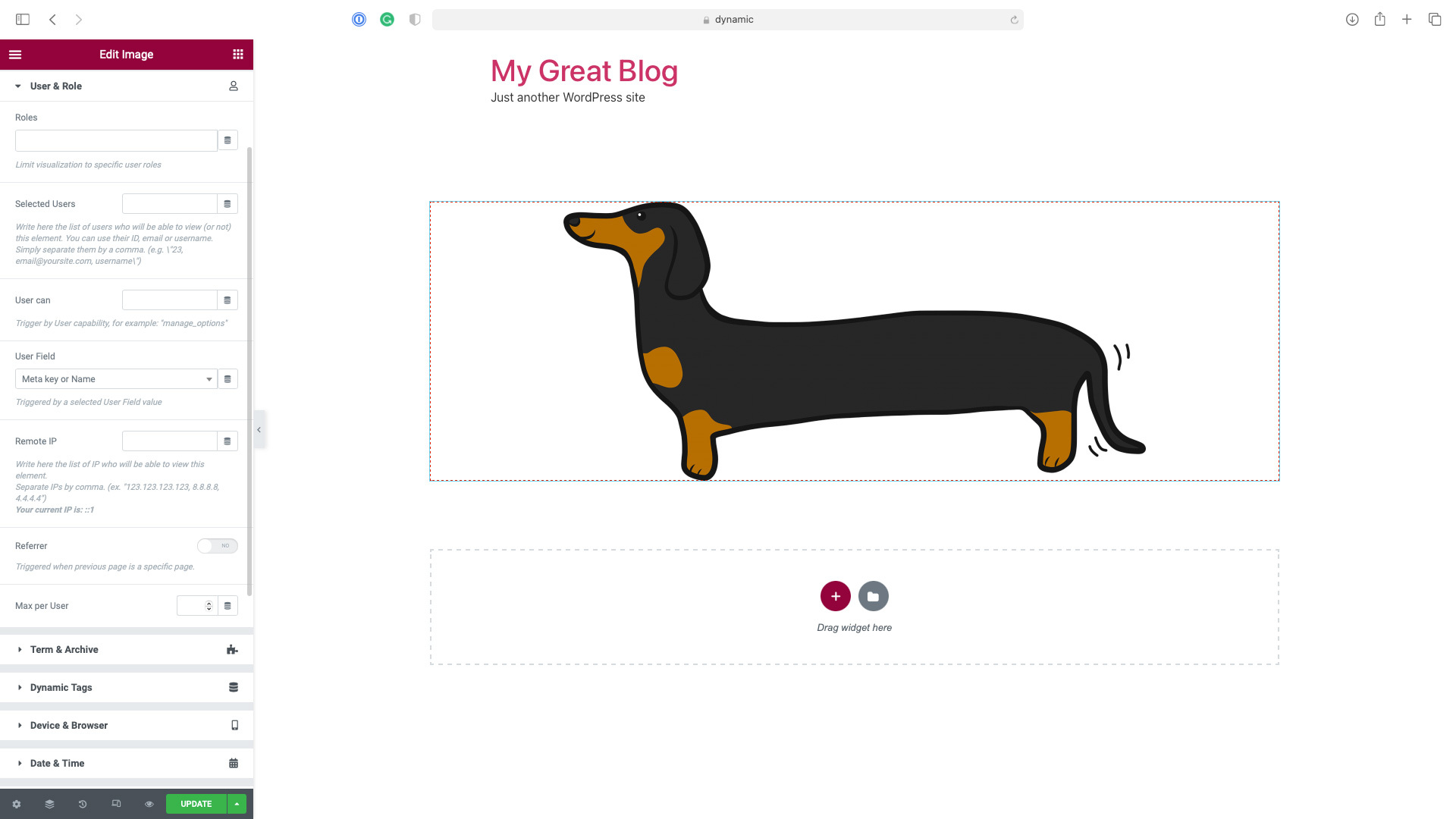
Integrado con Elementor Navigator y el menú contextual
Instalación
Esta sección explica cómo instalar el plugin y hacerlo funcionar.
- Sube los archivos al directorio
/wp-content/plugins/dynamic-visibility-for-elementoro instala el plugin directamente desde la pantalla de plugins de WordPress. - Activa el plugin desde la pantalla de «Plugins» de WordPress
- No hay nada que configurar. Es necesario tener instalado y activado Elementor en su versión gratuita
FAQ
-
¿Es Dynamic Visibility for Elementor gratuito?
-
¡Sí! Las características del núcleo de Dynamic Visibility for Elementor son y siempre serán gratuitas.
-
¿No funciona, has encontrado un fallo o tienes alguna sugerencia?
-
We provide support for the free version only via the plugin page itself; we are continuously working to make a better plugin.
-
¿Te encanta y quieres usarlo en cada sitio?
-
Por favor, déjanos una buena valoración. Apreciamos tu apoyo.
Reseñas


Colaboradores y desarrolladores
«Dynamic Visibility for Elementor» es un software de código abierto. Las siguientes personas han colaborado con este plugin.
Colaboradores
«Dynamic Visibility for Elementor» está traducido en 3 idiomas. Gracias a los traductores por sus contribuciones.
Traduce «Dynamic Visibility for Elementor» a tu idioma.
¿Interesado en el desarrollo?
Revisa el código , echa un vistazo al repositorio SVN o suscríbete al registro de desarrollo por RSS.
Registro de cambios
6.0.1
- Tweak: compatibility tags for Elementor 3.33.0 and Elementor Pro 3.33.0
- Fix: input controls in editor showing «The results could not be loaded» error
- Fix: infinite loading spinner on controls with previously saved values
6.0.0
- Notice: from this version is required PHP 7.1 or greater
- Notice: from this version is required Elementor >= v3.3.0
- Tweak: compatibility tags for Elementor 3.32.5 and Elementor Pro 3.32.3
- Tweak: added «Deselect All Triggers» button
- Tweak: anchor links can work together with JS Events triggers
- Tweak: added PHP filter dynamicooo/dynamic-visibility/triggers to filter the list of the available triggers
- Fix: User and Role trigger, IP detection now works correctly with CDN, proxy, and load balancer configurations
- Minor fixes
5.0.16
- Tweak: Dynamic Visibility is now compatible with Elementor’s Element caching feature
5.0.15
- Fix: Warning about textdomain being loaded too early
5.0.14
- Fix: JS error in some cases
5.0.13
- Fix: PHP error (validation.php missing)
5.0.12
- Fix: Elementor’s Loop Grid widget styles might be missing with visibility enabled
- Fix: PHP Error (get_class on Null) in some cases
5.0.11
- Tweak: the Event Trigger now has a transition delay setting
- Fix: Event Trigger, display issue with a trigger managing more than one element and the Hide Other option set
- Fix: warning when used PHP 8.2
- Fix: ‘Greather than’ and ‘Less than’ conditions didn’t work with numeric fields
- Fix: Keep HTML on was not working in some situations
- Minor fixes
5.0.10
- Fix: PHP Error in version 5.0.8
5.0.8
- Fix: Visibility, Geo-targeting incorrectly requiring the User & Role conditions to be active
- Fix: Visibility: Event triggers where not working in some cases
5.0.6
- Tweak: Improve security by removing obsolete code
5.0.5
- Fix: Visibility Tab icon missing since Elementor version 3.13.0
- Minor fixes
5.0.4
- Fix: other PHP errors appearing in some cases with recent versions of Elementor
5.0.3
- Notice: from February 28, 2023 the plugin will require Elementor > v3.0.0
- Tweak: Ensure compatibility with Elementor 3.10.0
- Tweak: add switcher «Check Host only» for referrer
- Fix: PHP error appearing in some case with recent versions of Elementor
- Minor fixes
5.0.2
- Tweak: uou can now use data-visibility-ok html attribute to force hiding custom style elements
- Tweak: add an option to require matching all User Roles provided
- Fix: event when Visibility is set in Hide mode now hides the element instead of showing it
- Fix: style missing when style tag was more than one line long on pages with more than on widget of the same type
- Fix: make Taxonomy and Terms a unique trigger, to avoid any problem with connectives
- Minor fixes
5.0.1
- Fix: Event Trigger compatibility with Elementor’s containers
- Fix: Visibility style problems when elements of the same type are at the same time visibile and hidden
- Minor fixes
5.0.0
- New: Dynamic Visibility for Containers. Now you can hide containers
- New: Dynamic Visibility for Pages. Now you can hide the content of an entire page
- Tweak: added tab «Geotargeting»
- Tweak: now supports Time From > Time To, for example, to show elements between 18.00 – 7.00
- Tweak: now supports Period From > Period To, for example, to show elements between 20 Dec – 11 Jan
- Tweak: WPML support for Fallback Text
- Fix: Dynamic Visibility could break the style of a page with more than one widget of the same type if the first of them was hidden
- Fix: events trigger, show on page load was not working in some cases
- Minor fixes
4.1.2
- Tweak: now can check WooCommerce Product Type
- Minor fixes
4.1.1
- Trigger Events didn’t work correctly when applied to sections
- Minor fixes
4.1.0
- Tweak: speed optimization on editor mode
- Tweak: added the condition «Cart is empty»
- Tweak: now supports Product Category in the cart for WooCommerce
- Fix: the Dynamic Visibility icon in the Navigator was not positioned correctly for RTL sites
4.0.4
- Fix: solved a fatal error in some installations
4.0.3
- Tweak: enabled debug
- Tweak: Referer Triggers now allows referrers from specific pages instead of just from generic domains
- Tweak: compatibility check for Elementor 3.4.x
- Tweak: compatibility check for Elementor Pro 3.4.x
- Fix: infinite loading spinner on Page/Post Selection after first choice
- Fix: Weglot didn’t work correctly on Dynamic Visibility
- Fix: Dynamic Visibility now can check terms in the current language with WPML activated
- Minor fixes
4.0.2
- Fix: Triggers not hiding in editor mode
- Tweak: compatibility check for Elementor Pro 3.2.x
- Tweak: compatibility check for Elementor Pro 3.3.x
- Minor fixes
4.0.1
- Fix: Visibility tab not clickable on a new post
- Fix: Promo Notice always visible
- Minor fixes
4.0.0
- Enabled Post trigger on the free version
- Support for OR/AND conditions
- Support for Columns
- Supports for new events: mouseover and double click
- Events condition now works on a loop if you set a custom CSS ID or CSS Class
- Added Term Trigger
- Added Dynamic Tag Trigger
- Added WooCommerce Trigger
- Added support for Context COOKIE and SERVER parameters
- Added support for Language trigger (WPML, PolyLang, TranslatePress, and WeGlot)
- Added compatibility check for Elementor 3.1.x
- Added compatibility check for Elementor Pro 3.2.x
- Minor fixes
3.0
- Trabajando como una pestaña de Elementor, más condiciones y corrección de errores
- Fully compatibility with previous version, but test it before use in production environment
2.0
- Trabajando con secciones, más condiciones y corrección de errores
1.1
- Instant view in editing mode and bugfix
1.0
- Versión inicial.