

Descripción
La solución de migración y copias de seguridad de WordPress más confiable desde 2013
All-in-One WP Migration is the gold standard for WordPress site migration, used by over 60 million websites worldwide – from small blogs to Fortune 500 companies and government agencies. Our plugin offers enterprise-grade reliability with beginner-friendly simplicity.
¿Por qué elegir All-in-One WP Migration?
- Effortless Migration: Export your entire site with a single click – including database, media, themes, and plugins
- Zero Downtime: Complete your migration with no service interruptions
- Universal Compatibility: Works across all hosting providers, from budget shared hosting to high-end dedicated servers
- Technical Excellence: Engineered for reliability with memory-efficient processing (512KB chunks), ideal for resource-limited environments
- No Technical Skills Required: Intuitive interface designed for users of all skill levels
- Cross-Database Support: Seamlessly move between MySQL, MariaDB, and SQLite databases
- Secure & Reliable: Trusted by Boeing, NASA, Harvard, Stanford, Automattic, and government agencies worldwide
Cómo funciona – Tan simple como 1-2-3:
- Install the plugin on your source and destination sites
- Exporta tu sitio a un archivo .wpress con un solo clic.
- Import using our drag-and-drop importer on your destination site
Para desarrolladores y usuarios avanzados:
- Advanced Find & Replace: Control exactly what changes during migration
- Selective Content Migration: Include/exclude specific content types
- PHP 5.3-8.4 Compatibility: Works across virtually all hosting environments
- Custom WPress Format: Our optimized archive format ensures data integrity
- Hook System: Extensive API for custom integration and workflows
- Command-Line Support: Automate migrations via WP-CLI
Extensiones Premium:
Mejora tu flujo de trabajo de migración con nuestras extensiones premium para:
- Unlimited Site Size: Migrate sites of any size
- Cloud Storage Integration: Direct migration to/from Dropbox, Google Drive, OneDrive, and more
- Multisite Support: Migrate complex WordPress networks
- Scheduled Backups: Automated, recurring backups
- Database Filtering: Exclude specific tables or data
Características destacadas:
- WCAG 2.1 AA Level accessibility compliance
- Mobile-responsive interface
- Browse WPRESS files online or extract locally
- Automatic URL and path replacement
- WordPress Playground integration for SQLite/MySQL migration
- Regular bi-weekly updates ensuring compatibility with the latest WordPress versions
- Disponible en más de 50 idiomas incluyendo japonés
Avalado por el gobierno y grandes empresas:
Muchos clientes empresariales, organizaciones gubernamentales y universidades utilizan,
aman y confían en All-in-One WP Migration. Estos son algunos: Boeing, NASA, VW, IBM, Universidad de Harvard, Universidad de Stanford, Lego, P&G, Automattic, Estado de California, Estado de Hawái.
Esta amplia adopción y uso de All-in-One WP Migration demuestra cuán seguro, confiable y adaptable es el plugin para casi cualquier necesidad de migración de webs.
Update Frequency:
Our team is dedicated to keeping All-in-One WP Migration up-to-date and secure. We release updates every two weeks or at least once a month, ensuring compatibility with the latest WordPress versions, including beta releases. Our proactive testing and feedback to the WordPress core team help in preemptively addressing any potential issues, providing our users with a reliable and forward-compatible migration and backup solution.
Compatibilidad completa y soporte:
All-in-One WP Migration se ha probado exhaustivamente y se ha confirmado que es compatible con la mayoría de plugins y temas de WordPress.
Esto significa que no experimentarás problemas de compatibilidad entre plugins que pueden ralentizar, fallar o dañar tu web de WordPress cuando instalas y usas All-in-One WP Migration.
De hecho, All-in-One WP Migration se ha asociado con múltiples vendedores de temas/plugins para distribuir sus temas/plugins con nosotros como un paquete único, fácil de usar y fácil de instalar.
Estos vendedores confían en nosotros y en nuestro plugin para brindar a sus clientes productos, soporte, migraciones y copias de seguridad confiables.
Compatible con almacenamiento en la nube:
All-in-One WP Migration es compatible y se sincroniza a la perfección con los mejores servicios de almacenamiento en la nube.
El plugin viene preinstalado en todos los sitios de Bitnami WordPress que se ejecutan en AWS, Google Compute Cloud y Microsoft Azure.
Case Studies:
- Small Business Growth: A small online retailer was able to seamlessly migrate to a more robust hosting solution to handle increasing traffic during peak shopping seasons, ensuring smooth customer experiences without downtime.
- Educational Institutions: A prominent university utilized All-in-One WP Migration to consolidate multiple departmental sites into a single, unified WordPress network, simplifying management and enhancing site security.
- Government Reliability: Following a directive to improve digital accessibility, a government agency used our plugin to migrate their content to a new, compliant platform without impacting public access to critical information.
Contacta con nosotros
- Report a security vulnerability
- Obten ayuda gratuita nuestra aquí
- Informar de un error o solicitar una función
- Más información sobre nosotros
Política de Privacidad
All-in-One WP Migration está diseñado para respetar y proteger completamente la información personal de sus usuarios. Solicita consentimiento para recopilar la dirección de correo electrónico del usuario al completar el formulario de contacto del plugin.
All-in-One WP Migration cumple totalmente con el Reglamento General de Protección de Datos (RGPD).
Consulta nuestra Política de privacidad conforme al RGPD aquí.
Capturas
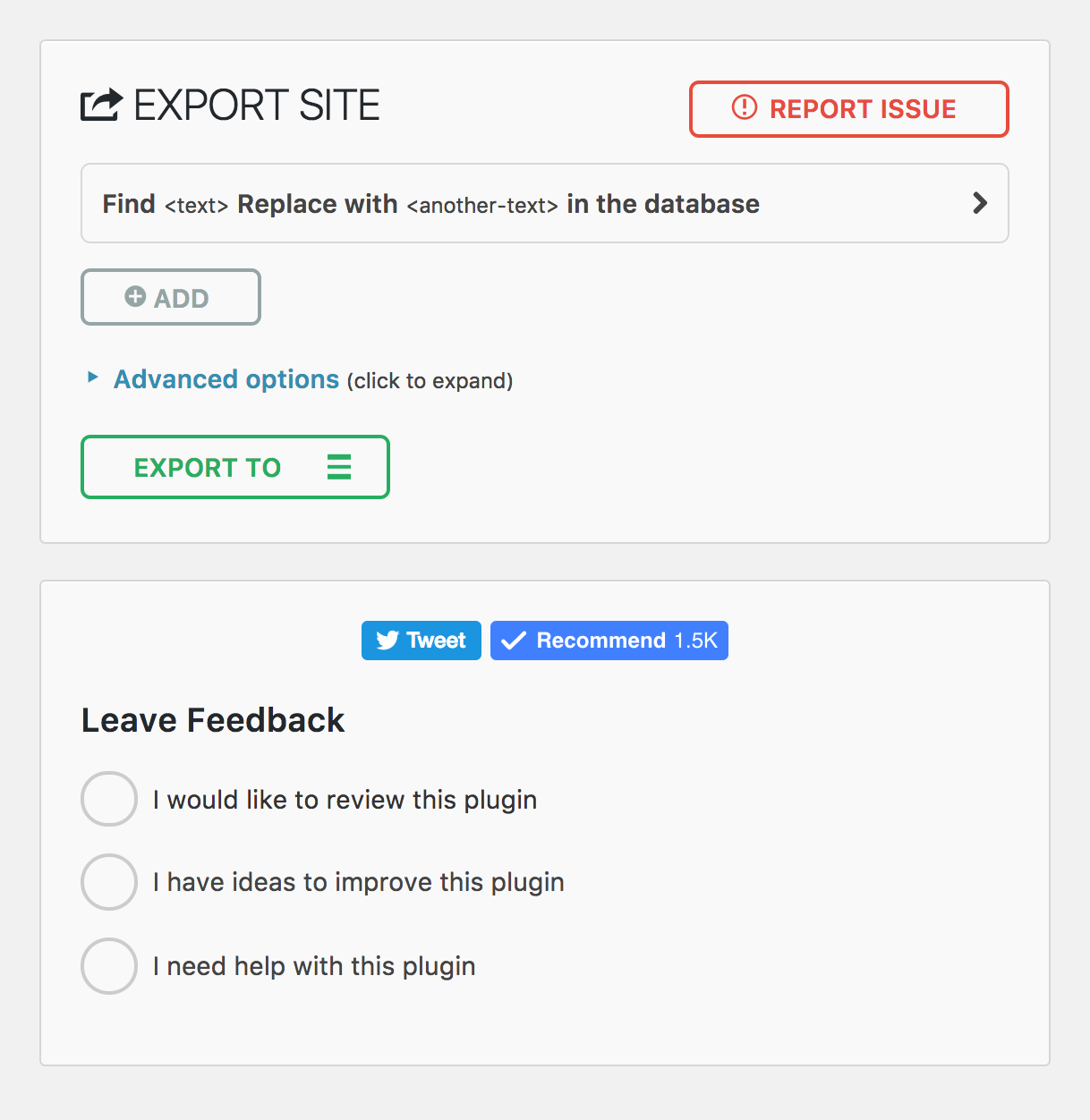
Página de exportación dispositivos móviles 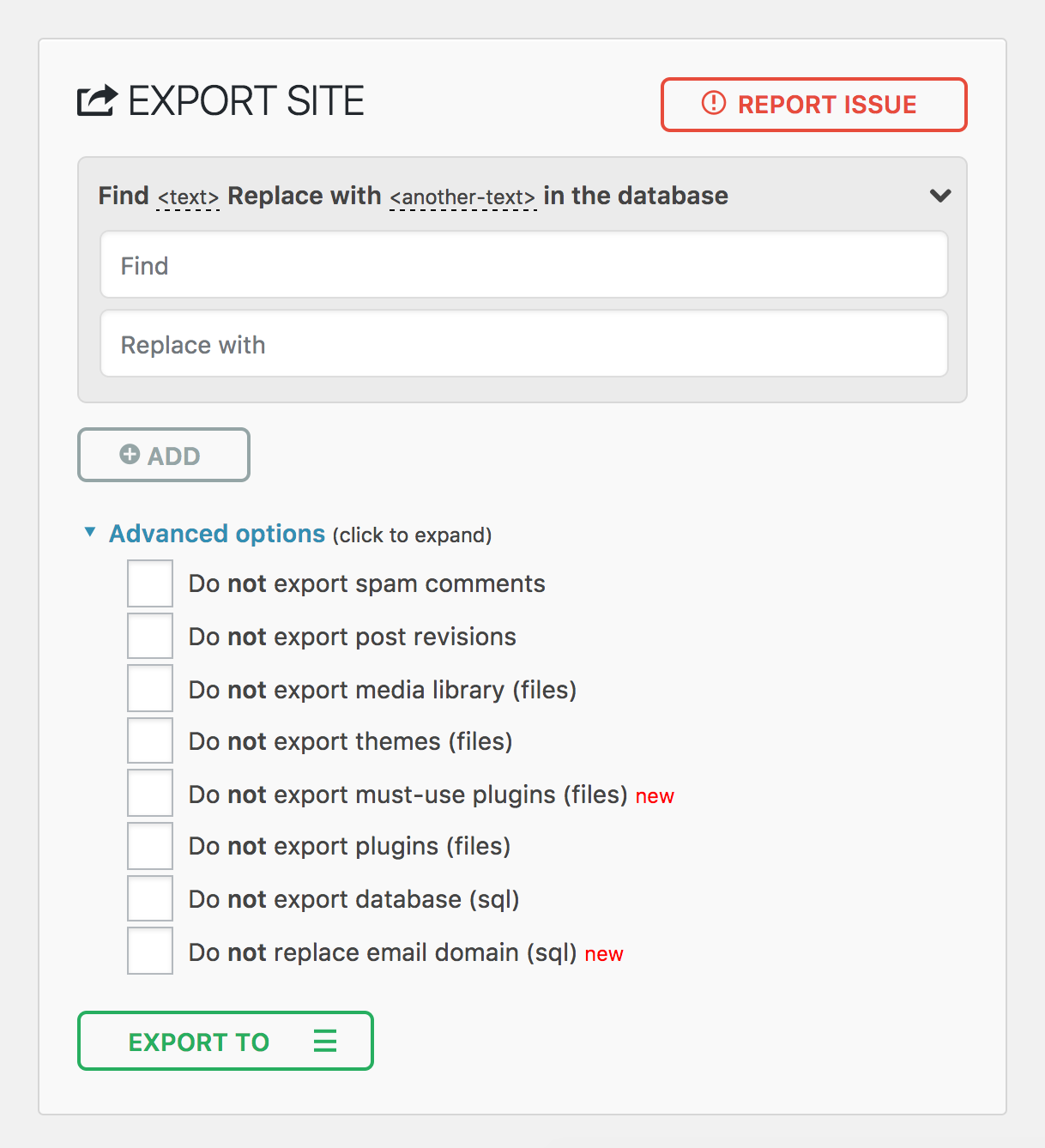
Página de importación dispositivos móviles 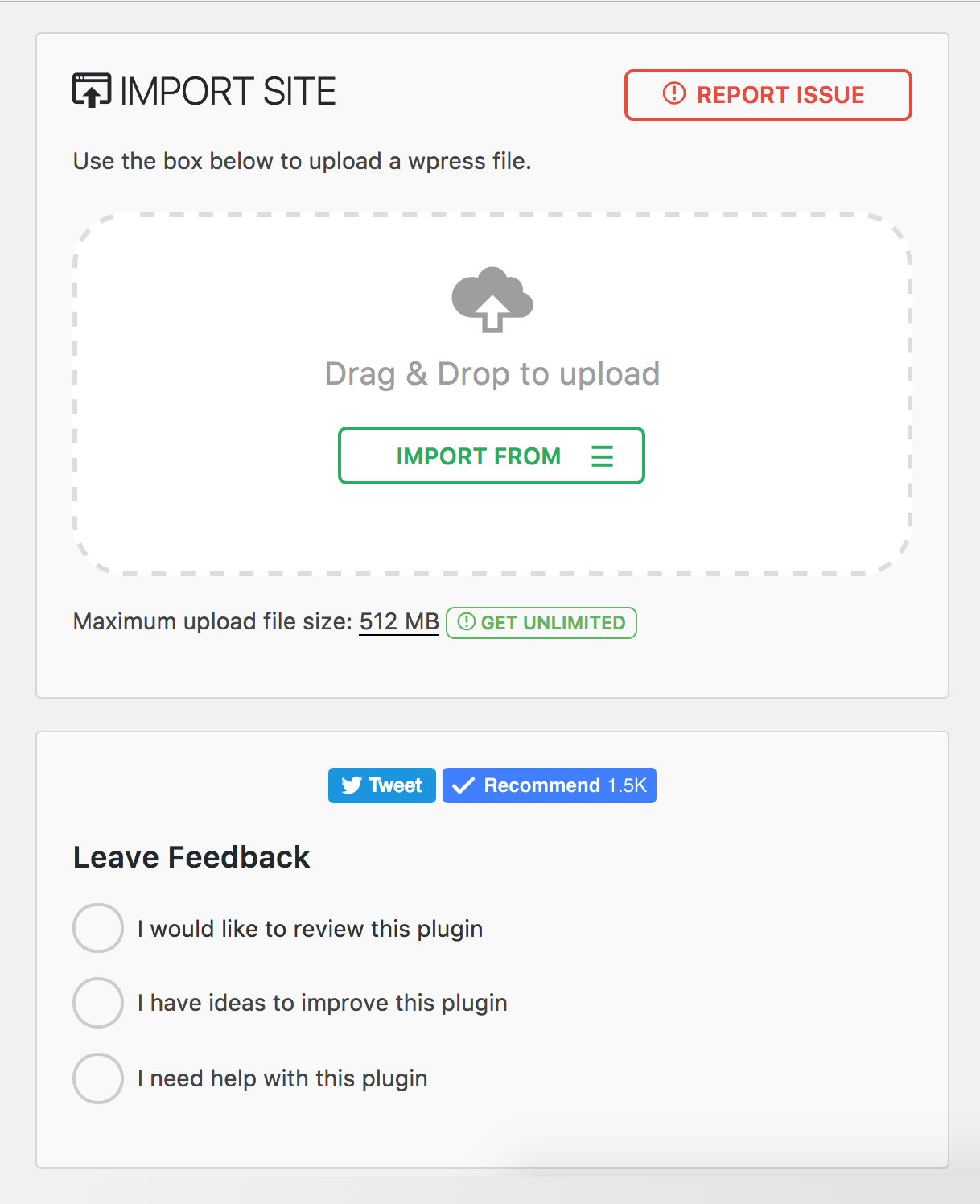
Menú del Plugin 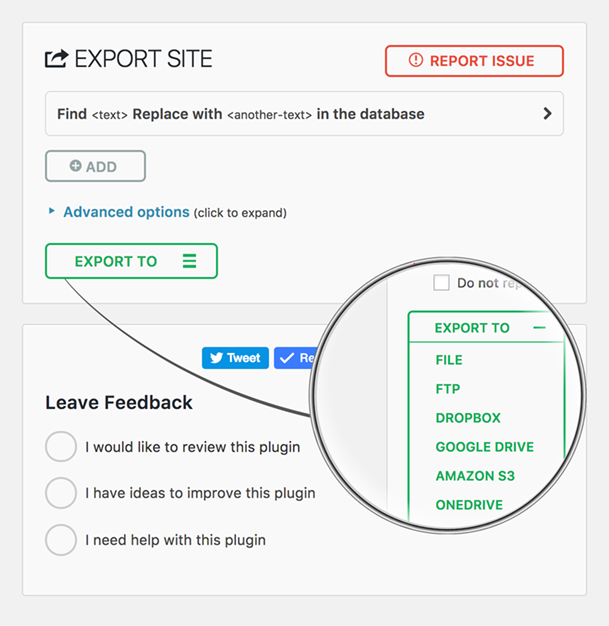
Instalación
- All-in-One WP Migration puede instalarse directamente a través de la sección plugins del escritorio de WordPress.
- Haz clic en «Añadir nuevo» y busca «All-in-One WP Migration»
- Instalar y activar
Alternativamente, puedes descargar el plugin usando el botón de descarga de esta página y, después, subir la carpeta «all-in-one-wp-migration» al directorio «/wp-content/plugins/» y activarlo a través del escritorio de plugins en WordPress
Reseñas


Colaboradores y desarrolladores
«All-in-One WP Migration and Backup» es un software de código abierto. Las siguientes personas han colaborado con este plugin.
Colaboradores


«All-in-One WP Migration and Backup» está traducido en 58 idiomas. Gracias a los traductores por sus contribuciones.
Traduce «All-in-One WP Migration and Backup» a tu idioma.
¿Interesado en el desarrollo?
Revisa el código , echa un vistazo al repositorio SVN o suscríbete al registro de desarrollo por RSS.
Registro de cambios
7.102
Añadido
- Clean storage folder option on backups page
- Archive validation before listing files for improved reliability
- Minimum required versions check
Corregido
- Offset handling in archiver for correct data processing
- File extractor offset and file read operations
- Missing esc_html() function call for improved security
- FDP must-use plugin disabled to prevent plugin activation issues during import
Mejorado
- CSS styling alignment with schedules page
- WordPress 6.9 compatibility
7.101
Corregido
- File size and modification time type handling in archive for improved compatibility with PHP strict mode
- Post revisions exclusion to properly exclude associated postmeta entries during export
Mejorado
- Upgraded to full Vue 3 framework for enhanced performance and reduced bundle size
7.100
Mejorado
- Upgraded PHP and JavaScript dependencies to their latest versions
7.99
Añadido
- Gzip compression support for file operations to improve backup file handling
Corregido
- jQuery deprecated bind() method replaced with on() for better compatibility
- File upload security by removing stripslashes_deep on $_FILES input
Mejorado
- Stream operations replaced with ai1wm_write() for enhanced reliability
- Update javascript dependencies to use latest versions
7.98
Añadido
- WP_IMPORTING constant for better hosting providers compatibility
Corregido
- Stored Cross-Site Scripting vulnerability in file upload (CVE-2025-8490). Thank you WordFence and Jack Pas for reporting this. What you need to know.
- File upload exceptions handling for better error reporting
Mejorado
- PHP 8 compatibility issues in MySQLi database handler
- File uploader refactored for enhanced security and reliability
7.97
Añadido
- SQLite support in AUTO_INCREMENT check
Corregido
- Database replacement for serialized values to handle edge cases with string length validation
7.96
Añadido
- Admin notice warning when AUTO_INCREMENT is missing on wp_options table
7.95
Añadido
- New action hook ai1wm_status_export_init for developers on export initialization
Corregido
- Theme export progress display showing incorrect percentage
- Uninstall.php script functionality
- Export and import button ordering
- Dropdown height styling issues
7.94
Añadido
- Actualizar la caché del plugin Elementor al importar
7.93
Corregido
- Problema de compatibilidad con PHP 7 y PHP 5 debido a una coma final en el registro de estilos.
7.92
Mejorado
- Passed Plugin Check Plugin (PCP) validation
- Archive name generation
7.91
Añadido
- CiviCRM for WordPress support
7.90
Añadido
- Introduced a constant to disable MySQL late row lookups for enhanced database performance
Mejorado
- Enhanced SQLite database integration for improved stability and efficiency
- Strengthened serialization replacement mechanism to address an unauthenticated PHP Object Injection vulnerability (CVE-2024-10942). Special thanks to Webbernaut for responsibly disclosing this issue
- Preserved the wp_rocket_settings option during exports for improved user experience
Corregido
- Resolved PHP 8.4 deprecation warnings
7.89
Mejorado
- Upgraded to Node.js 22 for better performance and security
- Updated all plugin dependencies to keep things running smoothly and securely
7.88
Corregido
- Fixed an issue where the upload progress was stuck at 100%
- Fixed an issue where the upload could not be cancelled before it was completed
Mejorado
- Improved user-facing messages to be friendlier, direct, consistent, and more informative.
7.87
Corregido
- Resolved a vulnerability where error logs were publicly accessible with a known name by appending random affixes to error log filenames, making them unguessable. Error logs are now automatically deleted daily and during plugin updates. Special thanks to villu164 for responsibly disclosing this issue.
- Resolved a vulnerability where an administrator user could inject arbitrary PHP code through specific inputs. This vulnerability requires administrator-level access to exploit, ensuring that unauthorized users cannot perform this action. Special thanks to Ryan Kozak for responsibly disclosing this issue.
7.86
Corregido
- Se resolvió un problema de compatibilidad con PHP 8.4 y la restauración de archivos de respaldo mediante WP-CLI
7.85
Añadido
- Compatibilidad con PHP 8.4
7.84
Añadido
- New hooks during the export and import processes to allow for custom actions and integrations
7.83
Corregido
- Resolved an issue where downloading backup files was failing on WordPress Playground environments
7.82
Añadido
- SQLite support
- WordPress Playground support
7.81
Añadido
- Reset Hub Page: Introducing a new reset hub page, providing users with powerful reset tools for efficient site management. This feature allows for easier resets of WordPress environments, facilitating smoother development and testing workflows.
Mejorado
- Better W3TC Support
- PHP Compatibility Checks: Display a warning notification, when you move/restore your site to a different PHP version.
7.80
Añadido
- Support for update-services plugin
- Domain name conversion to dashes from dots in the backup name for improved hosting providers compatibility
Mejorado
- Better support for Multisite to Standalone and Standalone to Multisite exports and imports, streamlining the migration process
7.79
Añadido
- Compatibilidad con WordPress v6.4
7.78
Añadido
- Implementación de una nueva página de programación dentro del plugin, que muestra varias funciones exclusivas de las extensiones premium.
7.77
Añadido
- Probada la nueva versión de WordPress 6.3
7.76
Corregido
- Eliminada la etiqueta [beta] de los ajustes