

Descripción
Animated Message Scheduler for Elementor (Lite Extended) lets you display dynamic messages using typewriting effects and powerful time-based controls:
🔥 Key Features in Lite Extended:
- 🖋️ Display Modes: Normal or Typewriting animation
- ⏰ Daily Scheduling: Set start/end hours and choose weekdays
- 📅 Calendar Scheduling: Schedule messages based on start/end date and time
- 🌍 Timezone Offset: Set GMT offset to control visibility across time zones
- 🔗 Fallback Message & Link: Display an alternate message or URL if no schedule matches
- 🧩 Elementor Integration: Seamless integration using a custom widget
- 🧾 Shortcodes Supported:
[current_date format="d M Y"]– Current date[current_time format="H:i" gmt="2"]– Current time with GMT offset[latest_post_title_raw cat="category-slug"]– Latest post title and link from a selected category
👨💻 Ideal for: call-to-action buttons, marketing banners, dynamic headings, announcements, and landing pages.
🚀 Premium Features Available
Need glow/shadow effects, colorful typing, slide/fade transitions, or countdown timers? Try the Pro version here.
Capturas

Elementor Widget Panel pic. 1 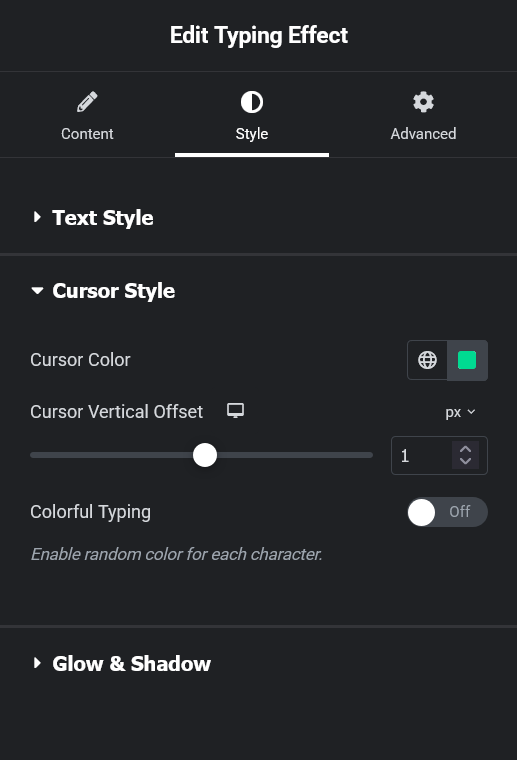
Elementor Widget Panel pic. 2 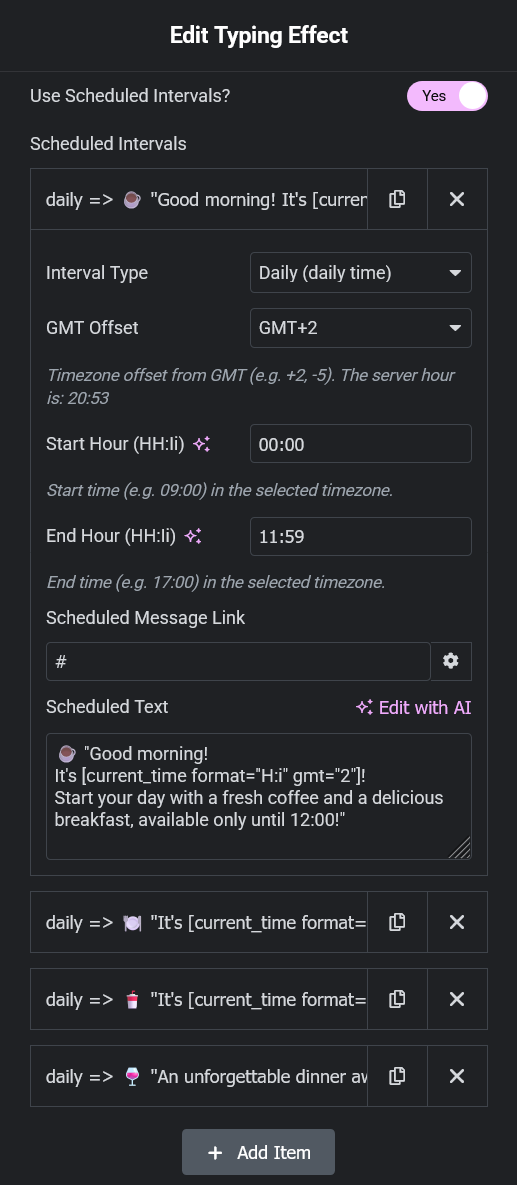
Elementor Widget Panel pic. 3
Instalación
- Upload the
animated-message-scheduler-for-elementorfolder to/wp-content/plugins/. - Activate the plugin via the “Plugins” menu in WordPress.
- In Elementor, locate the widget “Animated Message Scheduler for Elementor (Lite Extended)”.
- Drag it into your page and configure your scheduling options and effects.
Preguntas frecuentes
-
Does this plugin require Elementor Pro?
-
No. It only requires the free version of Elementor.
-
Can I use both daily and calendar-based scheduling?
-
Yes. You can add multiple intervals. The plugin will display the first matching one; otherwise, it shows a fallback message.
-
Can I use shortcodes in my messages?
-
Yes. You can use built-in shortcodes like
[current_date],[current_time], or[latest_post_title_raw].
Reseñas
No hay reseñas para este plugin.
Colaboradores y desarrolladores
Este software es de código abierto. Las siguientes personas han contribuido a este plugin.
Colaboradores
Traduce “Animated Message Scheduler for Elementor (Lite Extended)” a tu idioma.
¿Interesado en el desarrollo?
Revisa el código, echa un vistazo al repositorio SVN o suscríbete al registro de desarrollo por RSS.
Registro de cambios
1.1
- Added weekday selection for daily scheduling (e.g., Monday, Friday)
- Improved scheduling logic and fallback behavior
- Tested with WordPress 6.7
1.0
- Initial release of the Lite Extended version
- Typewriting and normal display modes
- Basic daily and calendar-based scheduling
- Shortcode support (date, time, latest post title)