

Description
EZ Countdown Timer is a lightweight and easy-to-use WordPress plugin that lets you add customizable countdown timers anywhere on your website. Whether you’re running a promotion, launching a product, or creating urgency for an event, this plugin makes it simple to display beautiful countdown timers using a shortcode.
The plugin is designed to be fast, simple, and beginner-friendly. Create timers directly from your WordPress dashboard, customize their appearance, and embed them on any page or post in seconds.
Perfect for marketers, store owners, bloggers, and anyone looking to increase engagement and conversions with time-based campaigns.
Key Features
- Create and manage countdown timers directly in the WordPress dashboard
- Simple shortcode integration for posts, pages, or widgets
- Customize timer colors and styling
- Adjust font size, font weight, and font family
- Live preview while building your timer
- Lightweight and optimized for performance
- Works with any WordPress theme
Upgrade to EZ Countdown Timer Pro
The Pro version unlocks powerful additional features and advanced customization options.
Upgrade to EZ Countdown Timer Pro to get access to:
* Multiple countdown timer styles and layouts
* Advanced customization options
* More design controls and display settings
* Additional placement options
* Enhanced timer management features
* Ongoing feature updates and improvements
If you want more flexibility and advanced functionality, the Pro version makes it easy to unlock the full power of EZ Countdown Timer.
Click here to upgrade to Pro:
EZ Countdown Timer Pro
How It Works
- Install and activate the plugin
- Create a countdown timer from the WordPress dashboard
- Customize the timer settings and design
- Copy the generated shortcode
- Paste the shortcode anywhere on your site
The countdown timer will instantly appear on your page.
Use Cases
EZ Countdown Timer is perfect for:
* Sales countdowns
* Product launches
* Limited-time offers
* Event countdowns
* Webinar registrations
* Holiday promotions
* Landing pages
Countdown timers help create urgency and encourage visitors to take action before time runs out.
Support
If you need help using the plugin, please visit the contact us through our website at: Support
License
This plugin is licensed under the GPL v2.0 or later. For more details, see GNU GPL.
Screenshots
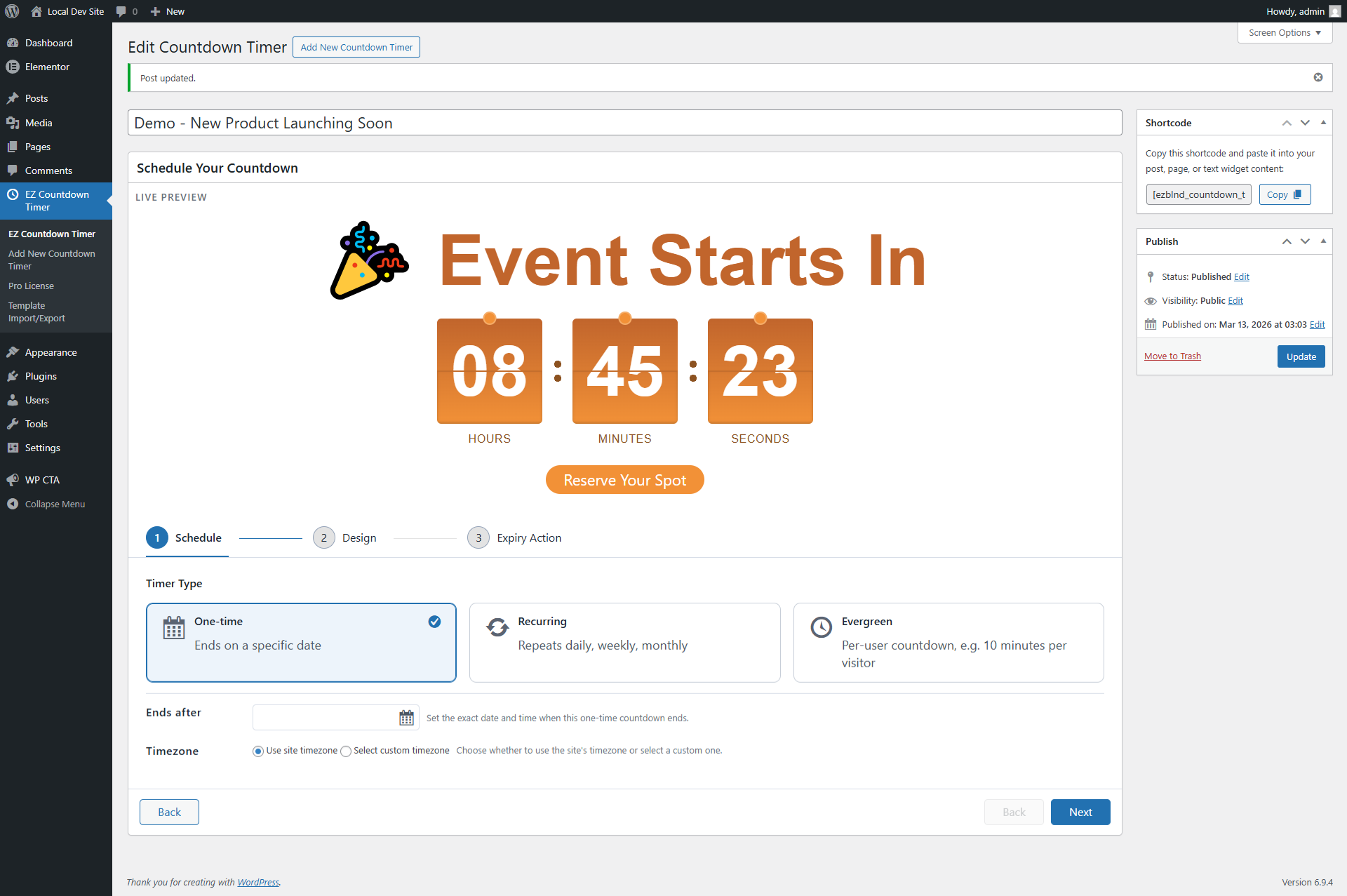
Countdown Timer Setup Interface – This screenshot shows the countdown timer configuration page in the WordPress admin dashboard for a “New Event Launching Soon” campaign. Users can create a one-time countdown by specifying the exact end date and time. The interface includes a live preview area where the timer design, headline, and call-to-action button can be viewed instantly. This helps users visualize how the timer will appear on the website before publishing. The setup section also allows selecting the timer type (One-time, Recurring, or Evergreen) and configuring the timezone settings. This makes it easy to create countdowns for product launches, announcements, or upcoming events directly from the WordPress admin panel.
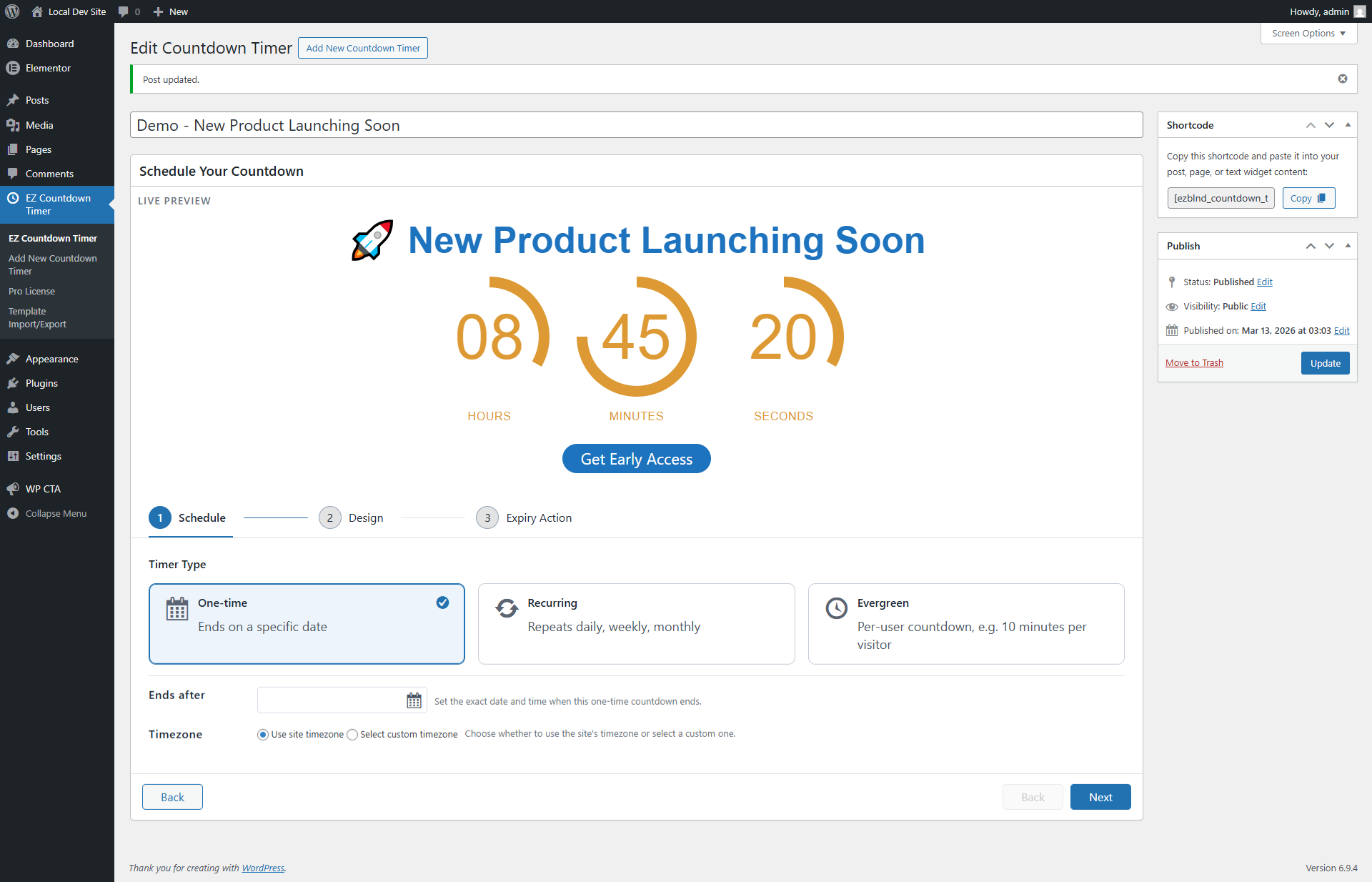
Circular Countdown Timer Style – This screenshot demonstrates a countdown timer with a modern circular progress design used for a product launch campaign. The live preview displays hours, minutes, and seconds in a circular layout along with a headline and a call-to-action button (“Get Early Access”). The preview helps users instantly evaluate the visual layout and spacing of the timer while configuring it. This design is ideal for product launches, early access promotions, and event announcements, providing a visually engaging way to highlight the remaining time.
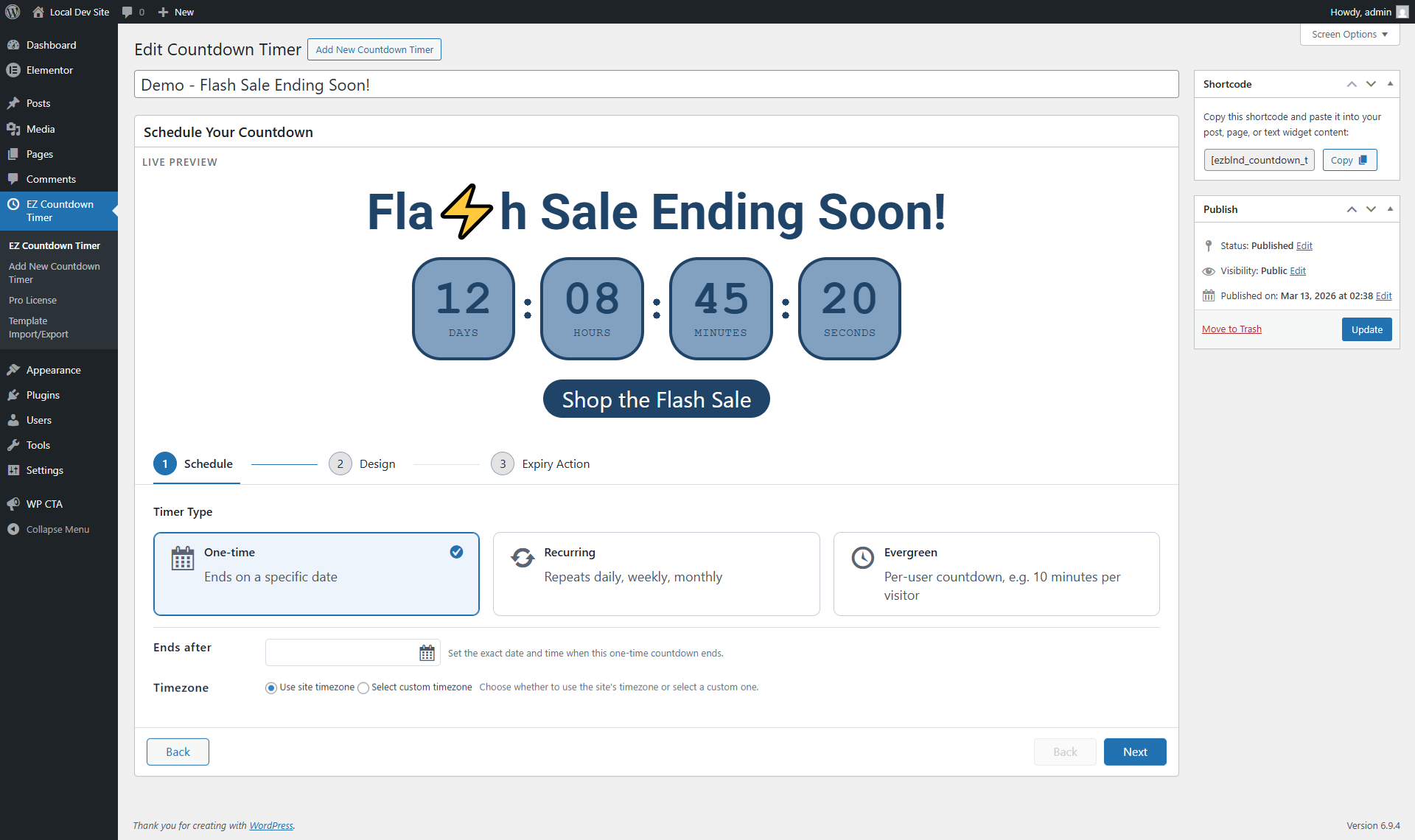
Flash Sale Countdown Example – This screenshot displays a countdown timer created for a Flash Sale campaign within the WordPress admin interface. The timer shows days, hours, minutes, and seconds remaining until the sale ends. A prominent headline and call-to-action button (“Shop the Flash Sale”) are included to encourage visitors to act before the promotion expires. The live preview allows users to quickly see how the countdown will appear on the front end, making it easy to design urgency-driven campaigns such as flash sales, limited-time offers, or seasonal promotions.
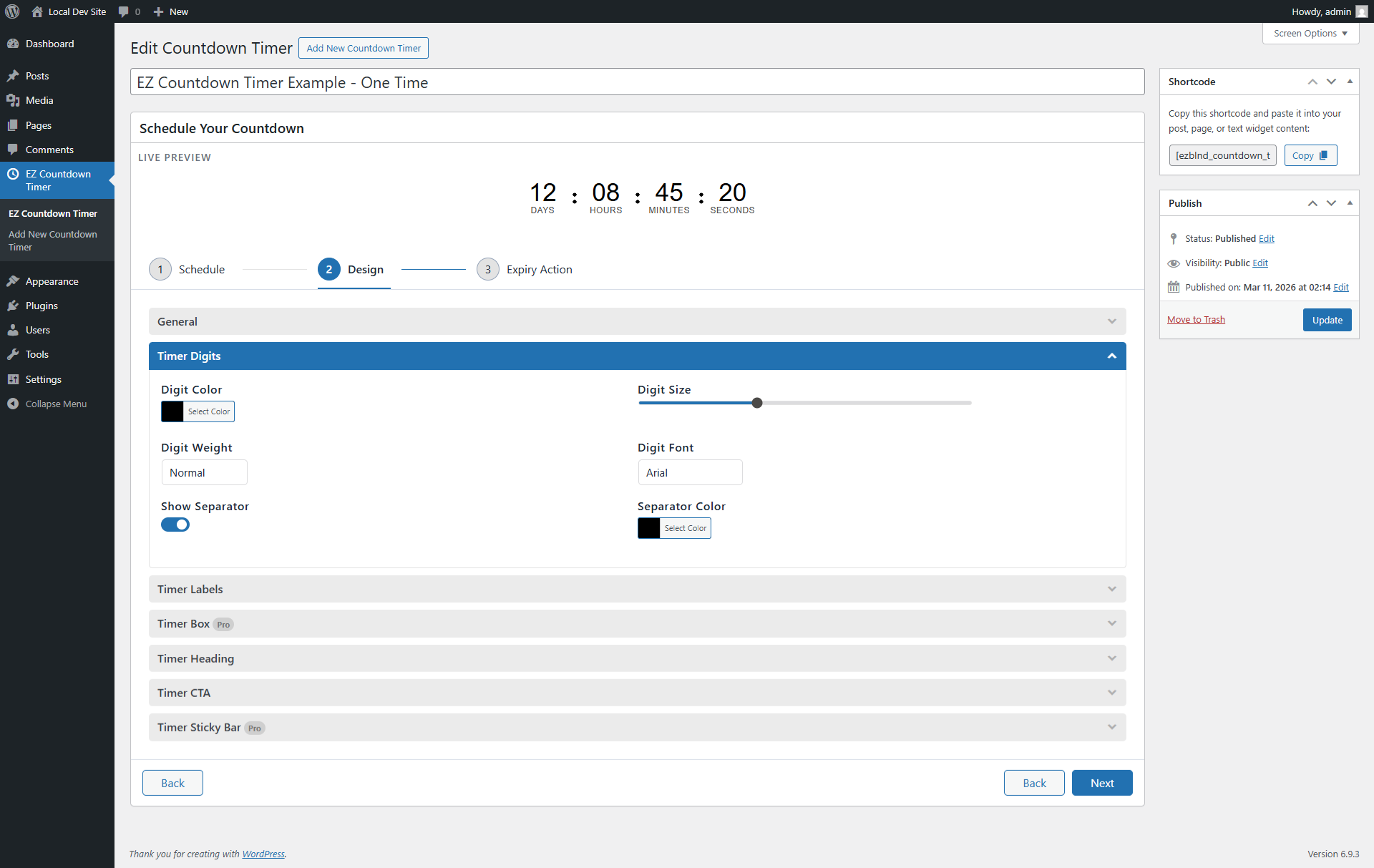
Countdown Timer Digit Styling Options – This screenshot shows the Timer Digits design settings in the countdown timer editor within the WordPress admin dashboard. Users can customize the appearance of the countdown numbers by selecting a digit color, adjusting the digit size using a slider, and choosing the font family used for the timer. Additional settings allow users to control the digit weight and enable or disable separators between the time units.
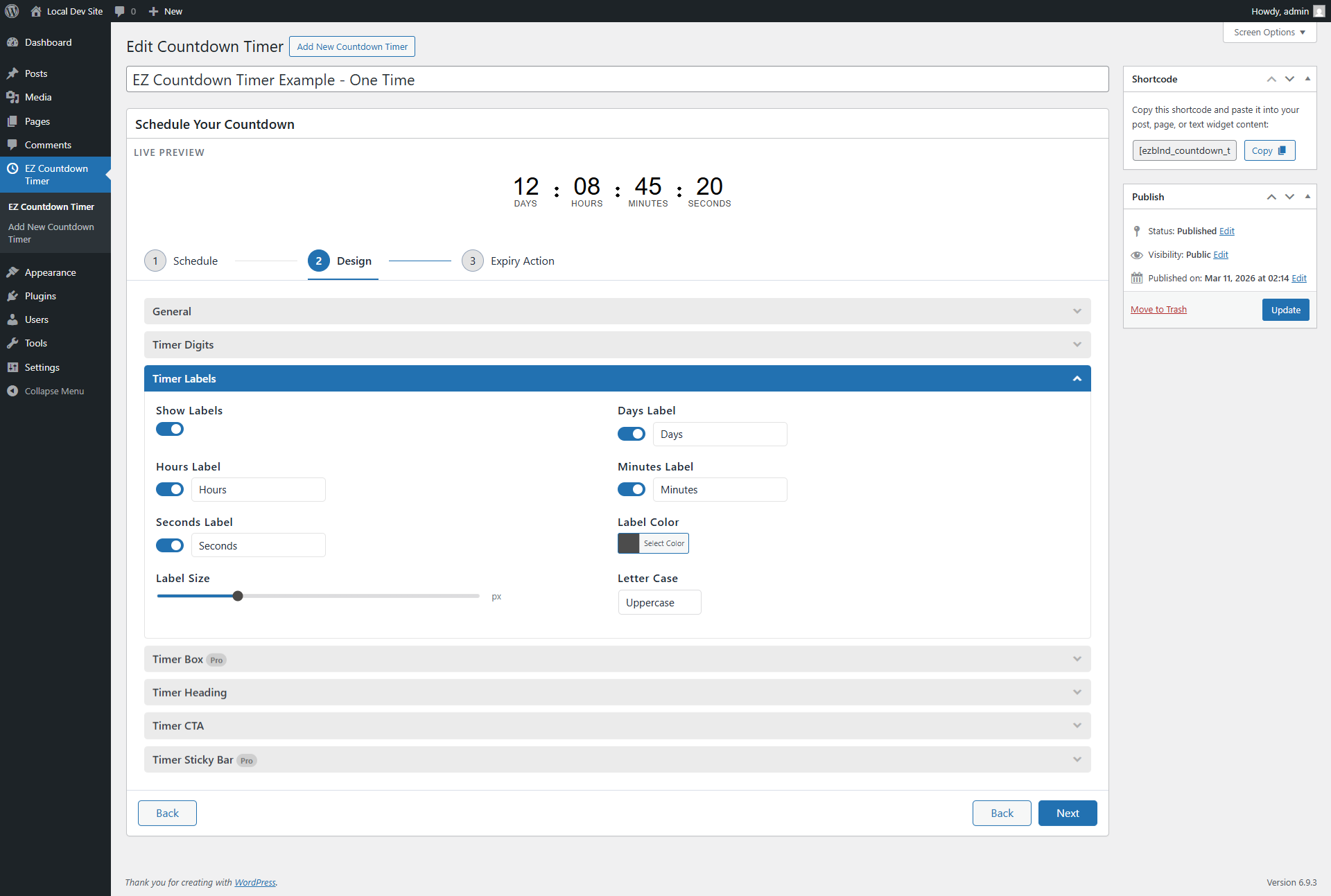
Countdown Timer Label Customization – This screenshot displays the Timer Labels customization panel in the countdown timer design section. Here, users can control how the time labels such as Days, Hours, Minutes, and Seconds appear below the countdown digits. Each label can be individually enabled or disabled, and the label text can be edited to match different languages or wording preferences.
Installation
- Upload the plugin files to the
/wp-content/plugins/ez-countdown-timerdirectory, or install the plugin through the WordPress plugins screen directly. - Activate the plugin through the ‘Plugins’ screen in WordPress.
- Navigate to EZ Countdown Timer in the WordPress admin menu to create and configure timers.
- Use the provided shortcode
[ezblnd_countdown_timer id="YOUR_TIMER_ID"]to display the countdown timer on your site.
FAQ
-
How do I use the countdown timer shortcode?
-
To display a countdown timer, use the shortcode
[ezblnd_countdown_timer id="YOUR_TIMER_ID"], replacingYOUR_TIMER_IDwith the ID of the timer you want to display. -
Can I customize the appearance of the countdown timer?
-
Yes, you can customize the text color, background color, font size, font weight, font family, and alignment of the countdown timer through the timer settings in the WordPress admin.
If you need more design flexibility, advanced timer styles, and additional customization options, explore EZ Countdown Timer Pro.
-
How can I preview the countdown timer settings?
-
The plugin provides a live preview feature in the admin panel, allowing you to see how your countdown timer will look with the current settings.
-
What should I do if the timer does not display properly?
-
Ensure that you are using the correct timer ID in the shortcode. If the issue persists, check the plugin settings and ensure that the plugin is activated.
-
Who should I contact for support?
-
For help and troubleshooting, please use the contact us through our website at support
Reviews
There are no reviews for this plugin.
Contributors & Developers
“EZ Countdown Timer” is open source software. The following people have contributed to this plugin.
Contributors
Translate “EZ Countdown Timer” into your language.
Interested in development?
Browse the code, check out the SVN repository, or subscribe to the development log by RSS.
Changelog
2.0
- New dashboard UI for creating and managing countdown timers.
- Enhanced live preview during timer setup.
- Added import/export for timer templates.
- Pro version launch with upgrade pathway.
- General UI polish and minor fixes.
1.5
- Live preview fixes
- Timezone fixes for admin & frontend
- Pro features injection added
1.4
- Added font family selection to the countdown timer settings.
- Improved admin preview and settings functionality.
1.3
- Added font weight customization options.
- Fixed minor bugs related to color picker functionality.
1.2
- Introduced live preview feature for countdown timers in the admin panel.
- Improved styling options for better customization.
1.1
- Added additional settings for text color and background color.
1.0
- Initial release with basic countdown timer functionality.