
Descripción
Easy Photo Publisher complements the Adobe Lightroom Classic add-on Easy WordPress Publisher.
Together they form a full publishing pipeline: send images directly from Lightroom to your WordPress site,
update or replace them later, and (optionally) create blog posts using those images.
Highlights
– Direct publish from Lightroom Classic via the companion LrC module
– Create / update / delete media via a simple REST API
– Optional post creation with visibility control and Featured Image
– Gallery Shortcode: [wpdet_gallery] with taxonomy filters, sizing and a11y-friendly captions
– Accessible lightbox (keyboard/ARIA aware), toggled per shortcode
– Media taxonomies: enable Categories and Tags on attachments
– Theme template overrides (HTML-only)
– i18n-ready (easy-wp-publisher)
Quick Start
- In Lightroom Classic, publish an image using the «Easy WordPress Publisher» service.
- The image appears in your WordPress Media Library.
- On any page or post, insert the gallery shortcode:
[wpdet_gallery category=»Portugal» limit=»-1″ order=»DESC» min_width=»240px» gap=»1.5rem» size=»large» class=»» showcaption=»true» lightbox=»true»]
- limit=»-1″ shows all matching images
- showcaption=»true|false» toggles captions
- lightbox=»true|false» enables the accessible lightbox
Shortcode Reference: [wpdet_gallery]
Attributes
– category — Category ID or slug to filter attachments (requires media taxonomies)
– tags — CSV of tag slugs (e.g. tags="portugal,coast")
– limit — Number of images (default 12). Use -1 for all.
– order — ASC or DESC (default DESC)
– size — thumbnail|medium|large|full (or any registered image size)
– min_width — Grid minimum width (CSS value, default 200px)
– gap — Grid gap (CSS value, default 1.5rem)
– class — Extra CSS classes on the wrapper
– showcaption — true|false (default true)
– lightbox — true|false (default true)
Markup & Styles
- Wrapper template:
templates/wrapper.php - Item template:
templates/gallery.php - CSS:
templates/css/wpdet-gallery.css - Lightbox CSS/JS autoload when
lightbox="true"
Theme overrides (HTML-only)
your-theme/
└── wpdet/
└── templates/
├── wrapper.php (uses tokens: {items}, {min_width}, {gap}, {extra_class})
└── gallery.php (uses tokens: {link_open}, {img}, {link_close}, {caption})
If present in a child theme, it’s used first; then the parent theme; finally the plugin fallback.
Accessibility
- Lightbox uses proper roles (role=»dialog»), aria-modal, labelled controls, focus trapping, and Esc to close.
- Close button is keyboard-operable (Enter/Space) and returns focus to the trigger.
- Captions are announced via a polite live region.
Media Taxonomies (Categories/Tags on Attachments)
Enable in Settings From Image to WordPress to use core Categories and Tags on media items. This allows taxonomy-filtered galleries.
– Works with the shortcode filters (category, tags)
– Adds taxonomy UI to the Media screens (without duplicating existing columns)
Validation
- MIME types: image/jpeg, image/png, image/webp, image/avif
- Max size: ~25 MB (configurable in code)
Support & Documentation
- Documentation: https://medienkonzepte.de/easy-wordpress-publisher-a-lightroom-extension/
- Donate: https://buymeacoffee.com/webline
Credits
Made with ❤️ by Detlef Beyer.
Capturas

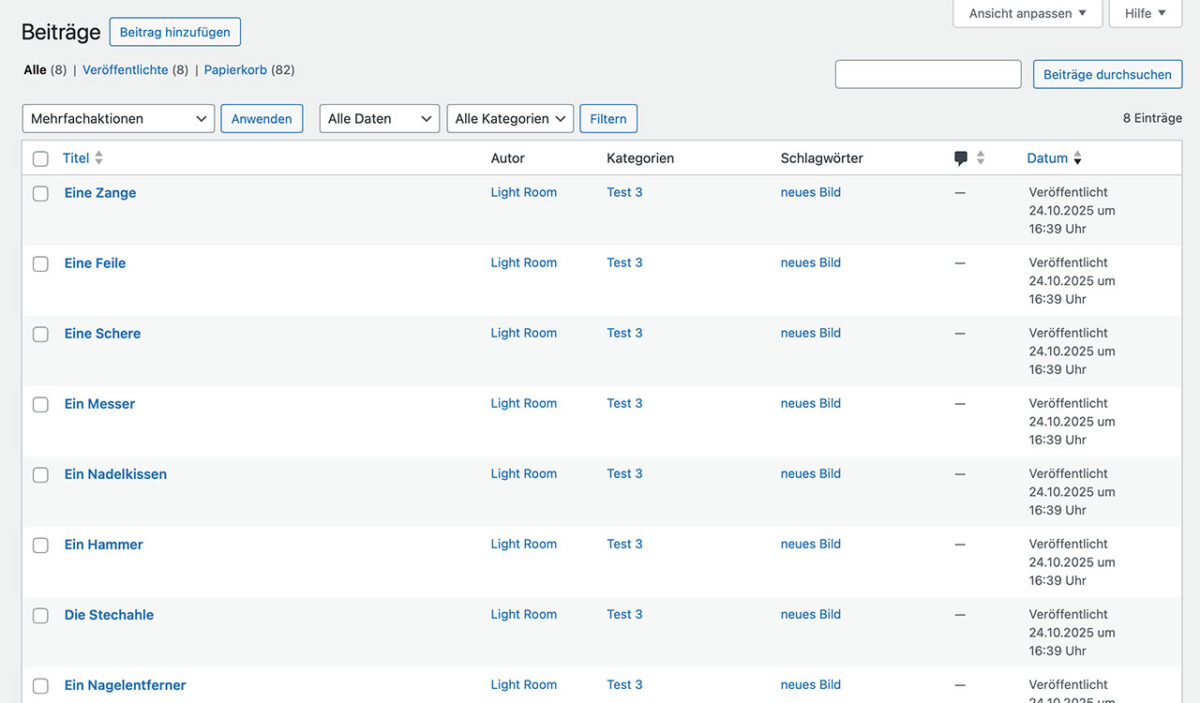



Instalación
- Upload the plugin to
/wp-content/plugins/or install via Plugins Add New. - Activate the plugin.
- (Optional) In Settings From Image to WordPress, enable Categories/Tags for media (on by default after activation).
- Install the companion Lightroom Classic module Easy WordPress Publisher and enter your site URL, username, and an Application Password.
FAQ
-
Do I need the Lightroom Classic module?
-
Yes. This WordPress plugin exposes REST endpoints and gallery features; the LrC module performs the upload.
-
Can I show all images in a category?
-
Yes, set
limit="-1"in the shortcode. -
How do captions work?
-
Captions come from the attachment’s “Caption” (post excerpt). Toggle with
showcaption="true|false". -
Can I change the HTML without touching PHP?
-
Yes. Override the template files in your theme using the placeholder tokens described below.
Reseñas
No hay reseñas para este plugin.
Colaboradores y desarrolladores
«Easy Photo Publisher» es un software de código abierto. Las siguientes personas han colaborado con este plugin.
Colaboradores
Traduce «Easy Photo Publisher» a tu idioma.
¿Interesado en el desarrollo?
Revisa el código , echa un vistazo al repositorio SVN o suscríbete al registro de desarrollo por RSS.
Registro de cambios
1.0.0.
• Initial public version with REST create/update/delete, taxonomy support, gallery shortcode, accessible lightbox, and theme overrides.
1.0.3.
Added support for AVIF format