
Descripción
This lightweight plugin enhances the WooCommerce checkout experience by enabling quantity updates and product removal options directly on the checkout page.
Key Features
Quantity Management: Add WooCommerce standard quantity fields directly on the checkout page.
Product Removal: One-click product deletion from checkout.
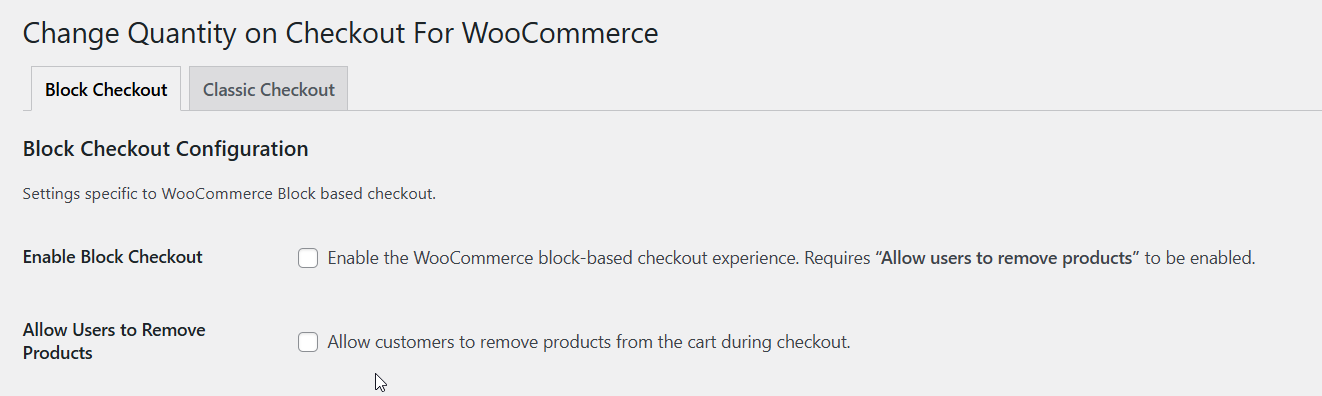
Dual Compatibility: Supports both Classic and Block-based WooCommerce checkout.
Seamless Integration: Uses native WooCommerce styling and functionality.
Mobile Friendly: Responsive design that works on all devices.
Note on Compatibility: This plugin works with the default WooCommerce quantity input. If your theme replaces or customizes the quantity selector (e.g., with plus/minus buttons), the functionality may not work as expected.
Important Compatibility Note
This plugin is designed to work exclusively with the standard WooCommerce Checkout page (including the new Checkout Blocks and the Classic shortcode). It is not compatible with custom checkout pages built using third-party page builders like:
-
Elementor (WooCommerce Builder)
-
Divi BodyCommerce
-
WooLentor / CoBlocks
Perfect For
- Stores wanting to reduce checkout abandonment.
- Improving user experience by removing the "back to cart" step.
- Modern WooCommerce stores using block-based checkout.
Upgrade to Pro
Need better compatibility with custom themes or advanced filtering options?
Upgrade to Change Quantity on Checkout Pro for:
- Advanced Compatibility: Works with themes that use custom plus/minus quantity buttons.
- Category Filters: Choose exactly which product categories show quantity selectors.
- Premium Support: Get faster response times and direct technical assistance.
- AJAX Updates: Faster, refresh-free experience for your customers.
Support
For support, feature requests, or bug reports, please visit Support.
Capturas
The Quantity selector and Product delete icon on the checkout page of your store. 


Bloques
Este plugin proporciona 1 bloque.
- CQOC Cart Summary
Instalación
Automatic Installation
- Log in to your WordPress admin panel
- Navigate to Plugins > Add New
- Search for "Change Quantity on Checkout for WooCommerce"
- Click "Install Now" and then "Activate"
Manual Installation
- Ensure you have the latest version of WooCommerce plugin installed
- Download the plugin zip file
- Upload and extract contents to your /wp-content/plugins/ directory
- Activate the plugin through the 'Plugins' menu in WordPress
- Go to CQOC menu and enable the plugin functionality
FAQ
-
Does this work with WooCommerce Checkout Blocks?
-
Yes! Version 4.0 added full support for the new WooCommerce Block-based checkout. It also works perfectly with the traditional Classic checkout page.
-
Can I use it with High-Performance Order Storage (HPOS)?
-
Yes, the plugin is fully compatible with WooCommerce HPOS (High-Performance Order Storage), ensuring your store remains fast and future-proof.
-
This plugin is built to work with the native WooCommerce quantity input. If your theme uses custom plus/minus buttons or a heavily modified UI, it may require CSS adjustments. The Pro version includes broader compatibility for custom themes.
-
Does it work with custom Checkout Page Builders?
-
This plugin is designed to work exclusively with the standard WooCommerce Checkout page (including the new Checkout Blocks and the Classic shortcode). It may not function correctly with custom checkout pages built using third-party page builders like Elementor, Divi, or WooLentor.
-
Does it support Product Variations?
-
Yes. If a customer adds a "Blue – Large" shirt to their cart, the plugin will correctly display and update that specific variation directly on the checkout page.
-
Is it mobile responsive?
-
Absolutely. The quantity fields and remove buttons are designed to be touch-friendly and look great on iPhones, Androids, and tablets.
-
How do I upgrade to the Pro version?
-
You can find the "Change Quantity on Checkout Pro" version at navonmeshsolution.com. It includes features like category-specific filters and AJAX-powered instant updates.
Reseñas


Colaboradores y desarrolladores
"Change Quantity on Checkout for WooCommerce" es un software de código abierto. Las siguientes personas han colaborado con este plugin.
Colaboradores

Traduce "Change Quantity on Checkout for WooCommerce" a tu idioma.
¿Interesado en el desarrollo?
Revisa el código , echa un vistazo al repositorio SVN o suscríbete al registro de desarrollo por RSS.
Registro de cambios
4.0
- New: Added support for WooCommerce block-based checkout
- New: Allow users to remove products from the block checkout
- Fix: Cart product names now correctly display variation names
3.1
- Added fix for woocommerce_cart_item_name filter
3.0
- Declared HPOS compatibility with custom order tables for WooCommerce.
- Fixed variation name issue.
- Added setting to enable or disable plugin functionality.
- Added setting to hide the product delete icon on checkout page.
2.1
- Fixed the notice displayed on the checkout page
2.0
- Fixed the issue with WooCommerce 5.2, where the quantity selector was not displayed.
1.0
- Initial release.