
Descripción
Improve your SEO with real-time feedback, schema, and clear guidance. Upgrade for AI tools, Google Docs integration, and 24/7 support, no hidden fees.
Yoast SEO: The #1 WordPress SEO Plugin
Since 2008, Yoast SEO has helped millions of websites worldwide improve their visibility and SEO performance.
Our mission is SEO for Everyone — from small local businesses to some of the most visited sites on the web.
Yoast SEO gives you everything you need to manage your on-site SEO effectively.
The Yoast SEO Premium plugin and its extensions unlock even more advanced and AI-powered tools.
Handing you the competitive edge
SEO is the most consistent and cost-effective source of website traffic — but it can be complex. Whether you’re just starting out or an advanced user, Yoast SEO helps you handle SEO confidently and efficiently.
Don’t have time to stay on top of AI search and best practices? Keeping Yoast SEO updated means you automatically benefit from ongoing technical improvements, schema updates, and AI advancements — all guided by our signature traffic light approach.
Empower search engines to better understand your website using Schema.org structured data integration, and access in-depth content and readability analysis tools that help you create content designed to perform well in search.
Quick and easy setup
Setting up Yoast SEO is quick and straightforward — no technical background required.
Our step-by-step configuration wizard walks you through essential setup details so Yoast SEO can generate accurate structured data that helps search engines understand your site.
Switching from another SEO plugin like Rank Math or AIOSEO? Migration is seamless.
Import your existing SEO data and settings safely with our built-in import/export tools.
Content and AI features
Unlock your content’s full potential with Yoast SEO’s advanced content analysis and AI-powered tools.
Content optimization features:
– Detailed SEO analysis to guide keyword targeting and site performance.
– Readability analysis for clear, engaging, and user-friendly writing.
– SERP previews for both desktop and mobile results.
– HowTo and FAQ blocks with built-in schema support.
– Breadcrumbs block for improved navigation.
– Inclusive Language Analysis to make your content more considerate and accessible.
– Semrush integration for keyword research directly in Yoast SEO.
– Wincher integration to track keyword performance inside your dashboard.
– Elementor integration for seamless optimization within your favorite builder.
AI features (included in Premium):
– Yoast AI Generate – Instantly create five SEO-friendly titles and meta descriptions, with one-click regeneration for more options.
– Yoast AI Optimize – Improve keyphrase placement (introduction, distribution, density) automatically.
– Yoast AI Summarize (New 2025) – Generate quick content summaries for briefs or social posts.
– All AI tools included – No extra accounts, limits, or hidden costs.
These tools help you craft optimized, helpful content that resonates with readers and performs strongly across search platforms.
Taking care of your technical SEO
Yoast SEO automatically handles much of your site’s technical SEO, freeing you to focus on your content.
Key technical SEO features:
– Automated meta tag optimization right out of the box.
– Canonical URLs to prevent duplicate content issues.
– Advanced XML sitemaps for clear site indexing.
– Best-in-class Schema.org integration to improve search understanding and appearance.
– Complete breadcrumb control for visitors and crawlers.
– Performance improvements that help reduce load times.
– Crawl settings to manage how bots access your site and reduce environmental impact.
– LLMs.txt management to guide how large language models interact with your content.
Every update delivers ongoing technical SEO enhancements automatically.
Keep your website in perfect shape
Whether you’re a creator, business owner, or developer, Yoast SEO helps maintain your website’s SEO health:
- Cornerstone content tools to organize and prioritize key pages.
- Front-end SEO inspector to view and edit titles, descriptions, and schema live.
- SEO roles to delegate plugin access securely across teams.
- Regular 2-week update cycle to ensure compatibility with the latest SEO standards and search engine changes.
Powerful integrations
Yoast SEO works seamlessly with popular WordPress tools to enhance your workflow and results:
- Google Site Kit: Access insights from Search Console, Analytics, and PageSpeed directly inside WordPress.
- Advanced Custom Fields (ACF): Combine with ACF Content Analysis for Yoast SEO for advanced field optimization.
- Elementor: Use full Yoast SEO functionality inside Elementor’s editor.
- Algolia: Enhance internal search accuracy and performance.
- Semrush: Discover and optimize for high-value keywords.
- Wincher: Track keyword positions and trends in Google Search.
- Jetpack: Manage SEO and social previews all in one place.
- Easy Digital Downloads (EDD): Improve digital product visibility with integrated schema.
- Mastodon: Verify your website on Mastodon with Yoast SEO Premium.
- WooCommerce: Optimize ecommerce SEO with the dedicated WooCommerce extension.
Yoast SEO Premium – AI-powered SEO for WordPress
Yoast SEO Premium enhances everything in Yoast SEO with advanced automation, AI tools, and professional support.
Trusted by millions, it helps you optimize efficiently for both traditional and AI-driven search.
Tackle your SEO challenges:
– Keep pace with algorithm and AI search updates.
– Target the right audience effectively.
– Automate redirects, crawl controls, and internal linking.
– Identify orphaned content and improve site structure.
– Get support when you need it.
Premium highlights:
– AI-generated titles and meta descriptions.
– Smart internal linking suggestions.
– Social previews for Facebook and X.
– Redirect Manager with bulk tools and automatic prompts.
– Bot Blocker for AI crawlers (GPTBot, CCBot, Google-Extended).
– IndexNow integration for fast content updates.
– Front-end SEO Inspector for real-time editing.
– SEO Workouts to improve orphaned and cornerstone content.
– Google Docs add-on for seamless SEO writing in Docs.
– 24/7 premium support from SEO specialists.
Includes at no extra cost:
– Yoast Local SEO: Optimize for local audiences and Google Maps.
– Yoast Video SEO: Ensure Google understands your videos with video sitemaps and schema.
– Yoast News SEO: Increase visibility in Google News and Top Stories.
Yoast WooCommerce SEO – Advanced SEO for Online Stores
Yoast WooCommerce SEO builds on Yoast SEO Premium with ecommerce-specific tools to improve your store’s visibility and conversion potential.
Key ecommerce SEO features:
– WooCommerce-specific XML sitemap excluding non-shopping content.
– Product structured data for enhanced rich results (price, reviews, availability).
– Canonical URL management to prevent duplicates.
– Ecommerce-focused content analysis for GTINs, SKUs, and short descriptions.
– AI Generate for ecommerce – Instantly create optimized titles and meta descriptions for product and category pages.
Benefits:
– Improve product visibility with automated structured data.
– Enhance crawl efficiency for large catalogs.
– Save time through metadata templates and automation.
– Increase engagement with AI-optimized ecommerce metadata.
Built for WooCommerce, trusted by thousands of online stores worldwide.
For Developers
Yoast SEO is built with developers in mind. With modern APIs, hooks, and a unified indexables system, you can extend or integrate SEO functionality across custom themes, plugins, or headless setups.
REST API
Retrieve SEO metadata for any post or URL, including meta tags, Open Graph, Twitter Cards, and Schema.org data.
Learn more about the REST API.
Surfaces API
Access SEO data directly in code via YoastSEO()->meta->for_current_page().
Supports titles, descriptions, canonicals, and schema.
Read the Surfaces API documentation.
Metadata API
Use the Metadata API to filter, override, or extend meta tags with WordPress hooks such as wpseo_title, wpseo_metadesc, and wpseo_canonical.
Schema API
The Schema API lets you modify or extend Schema.org graph pieces, including Article, Organization, Person, Breadcrumb, and WebPage entities.
Block Editor compatibility
Yoast SEO integrates directly with the WordPress Block Editor (Gutenberg).
It outputs schema for HowTo and FAQ blocks by default, and developers can extend schema for custom blocks.
Indexables
At the core of Yoast SEO lies the indexables system, unifying all SEO data for faster queries and consistent metadata across outputs.
Ongoing support and education
Yoast is powered by expert developers, testers, and SEO specialists who keep improving the plugin.
We’re committed to helping users grow their SEO skills with resources such as:
- Yoast SEO Academy: Free and premium SEO courses (included in all paid plans).
- Yoast SEO blog, newsletter, and webinars.
- Yoast SEO Update podcast for the latest SEO insights.
- Bug reports on GitHub (for issue tracking, not support).
Yoast SEO — built to make search optimization accessible, reliable, and ready for the future of AI search.
Capturas
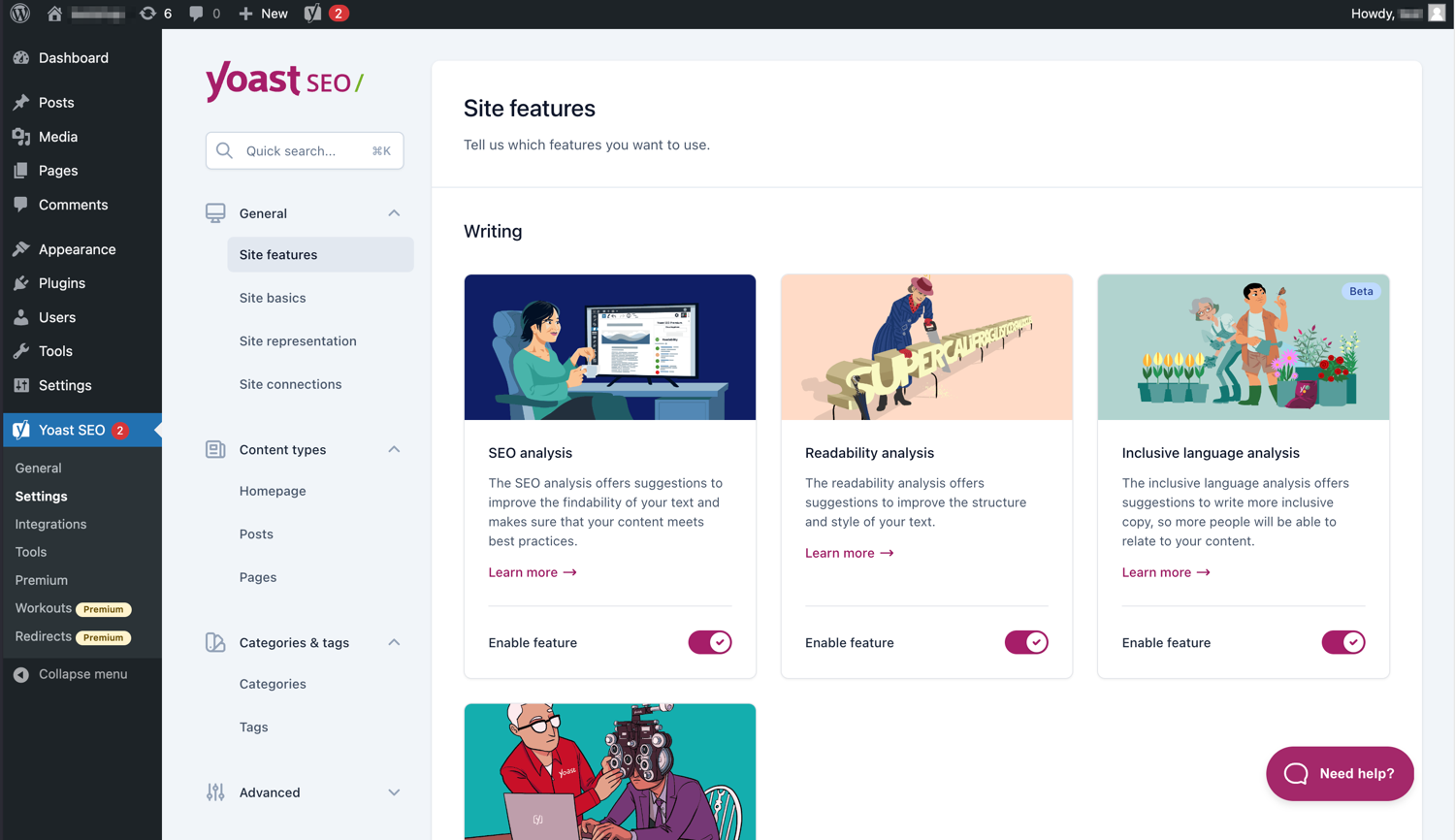
The modern interface makes Yoast SEO easy to work with. 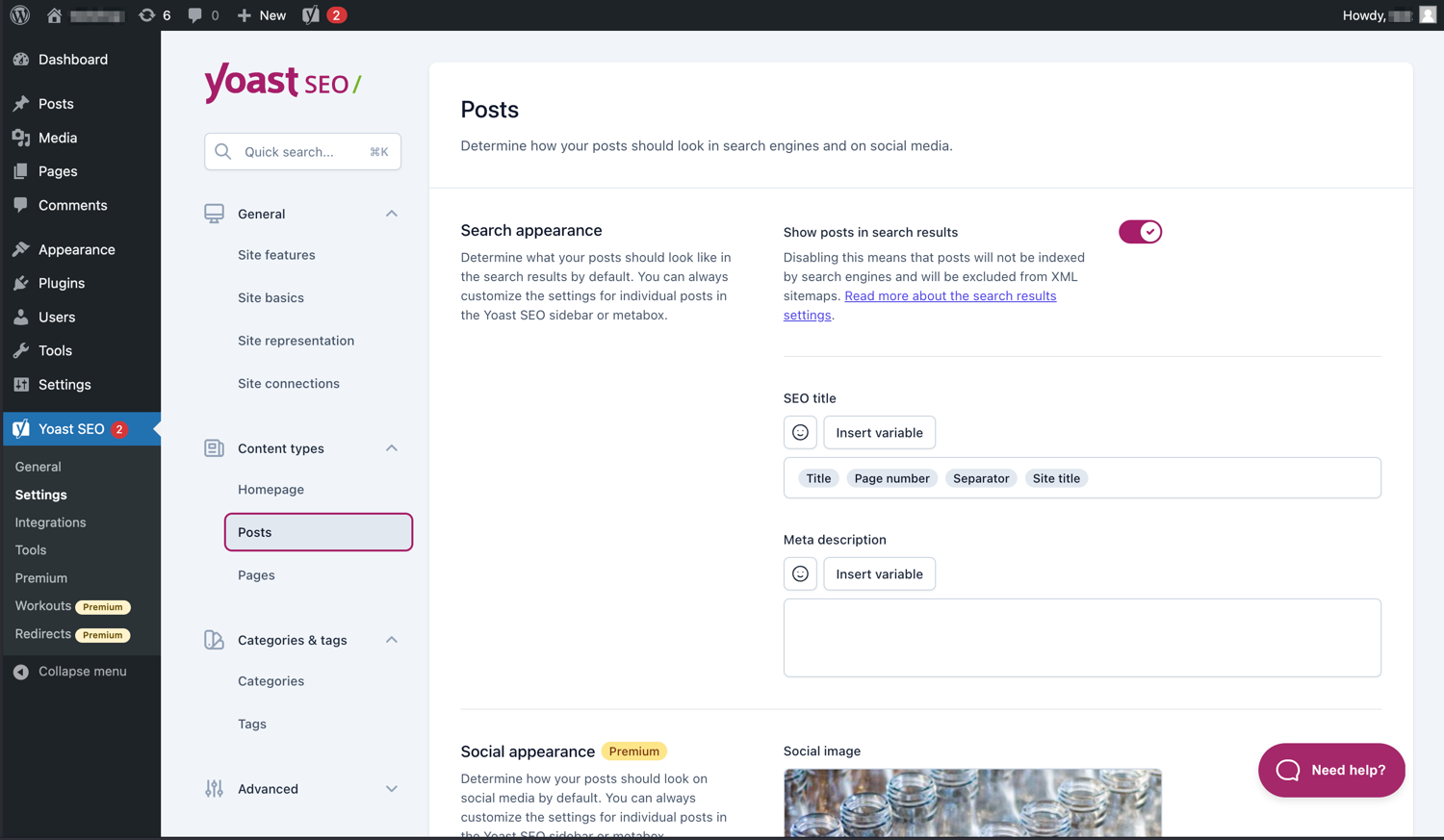
Easily manage how your posts and pages appear in SERPs. 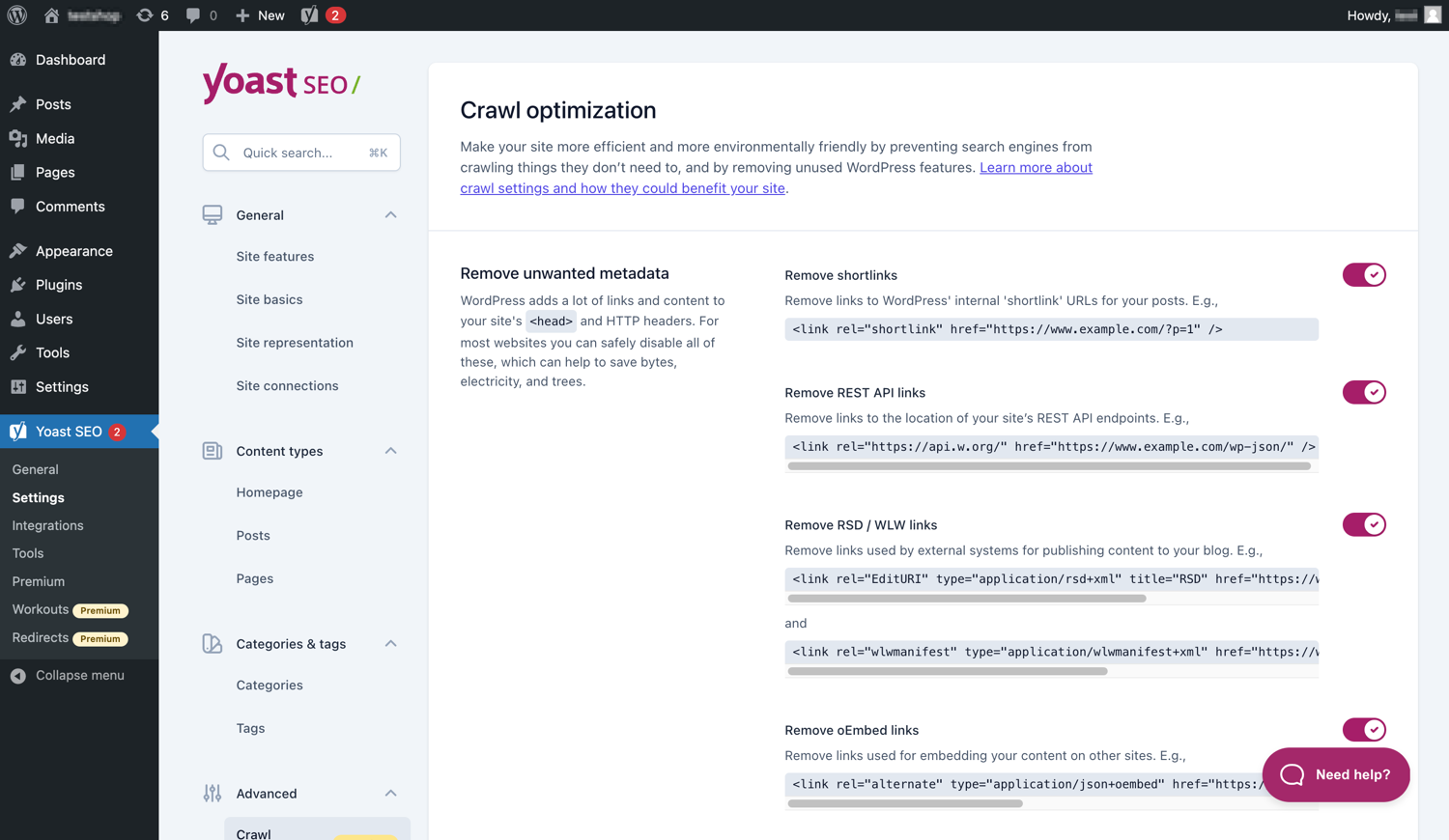
Yoast SEO Premium has extra crawl optimization options. 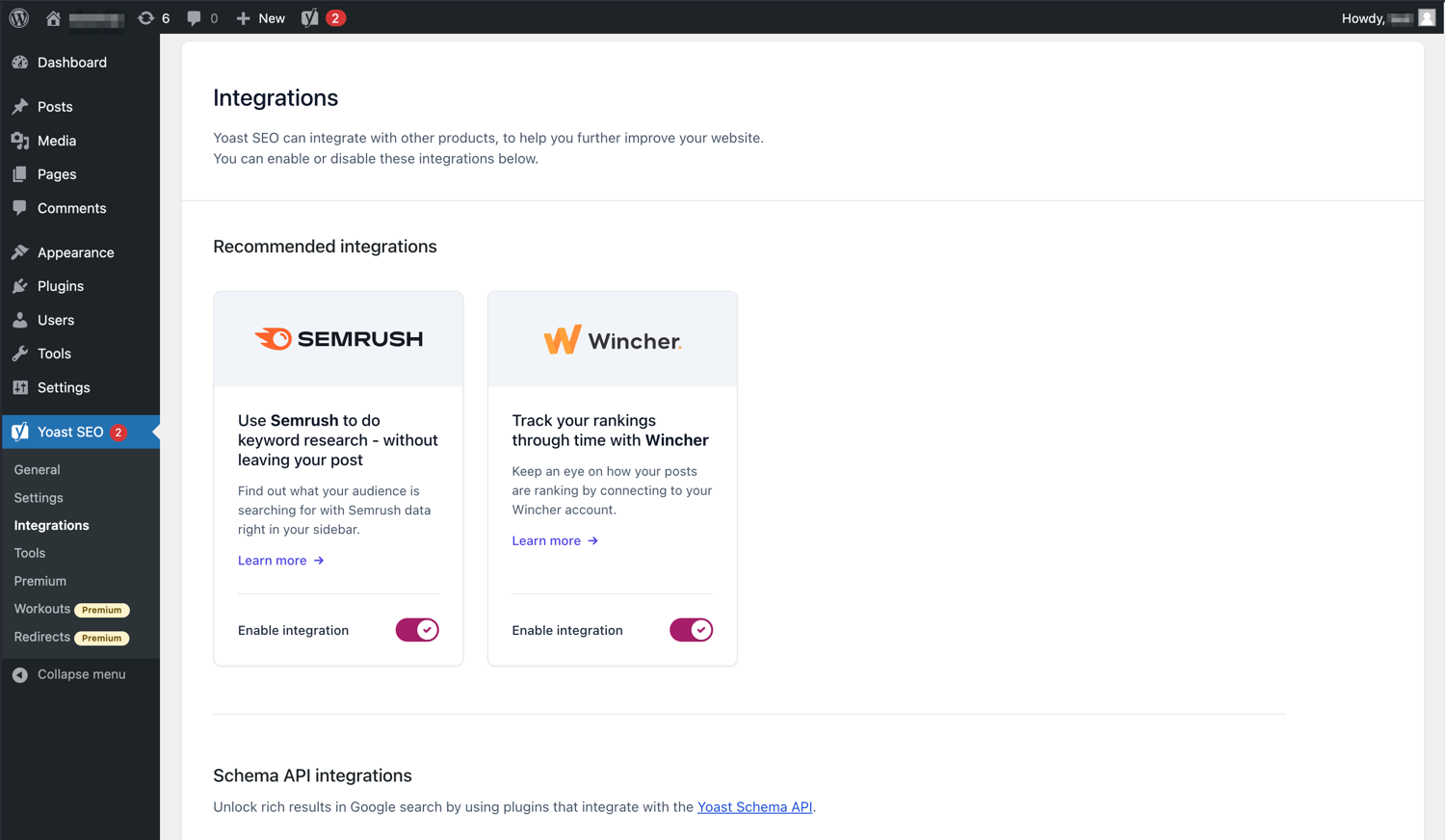
Yoast SEO integrates with tools like Semrush and Wincher. 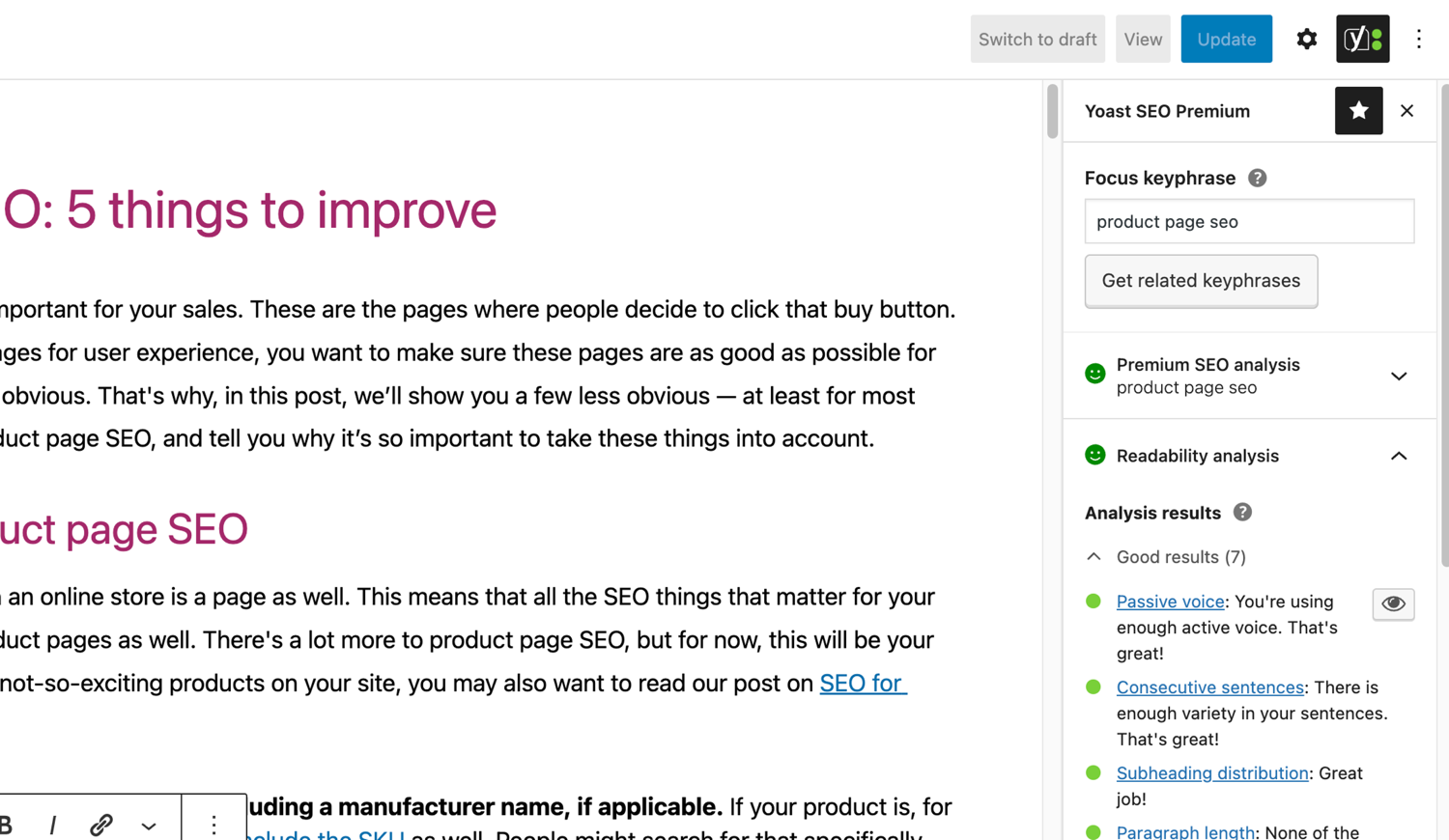
The famous SEO and readability analyses in Yoast SEO. 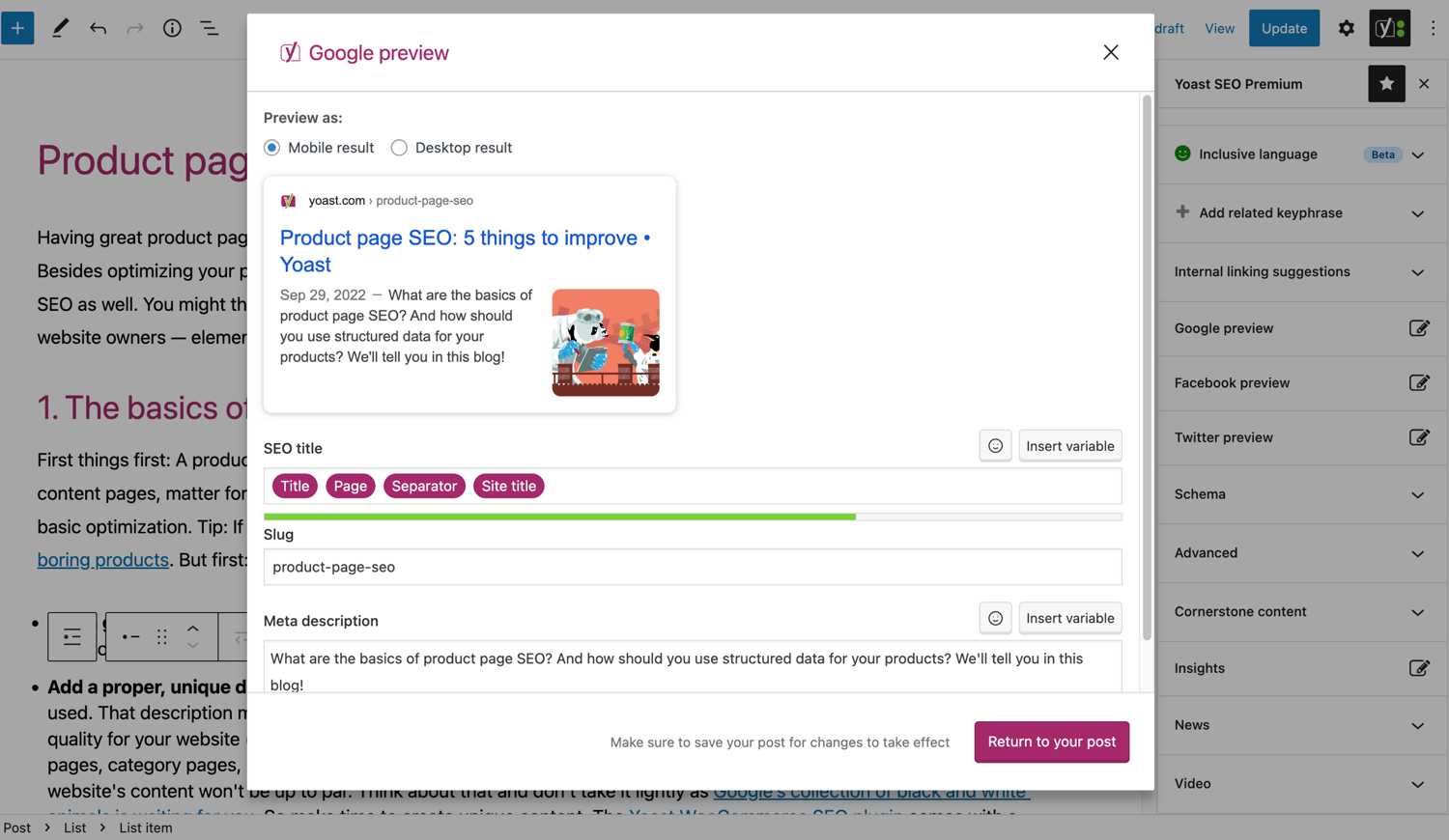
See what your post looks like in Google. 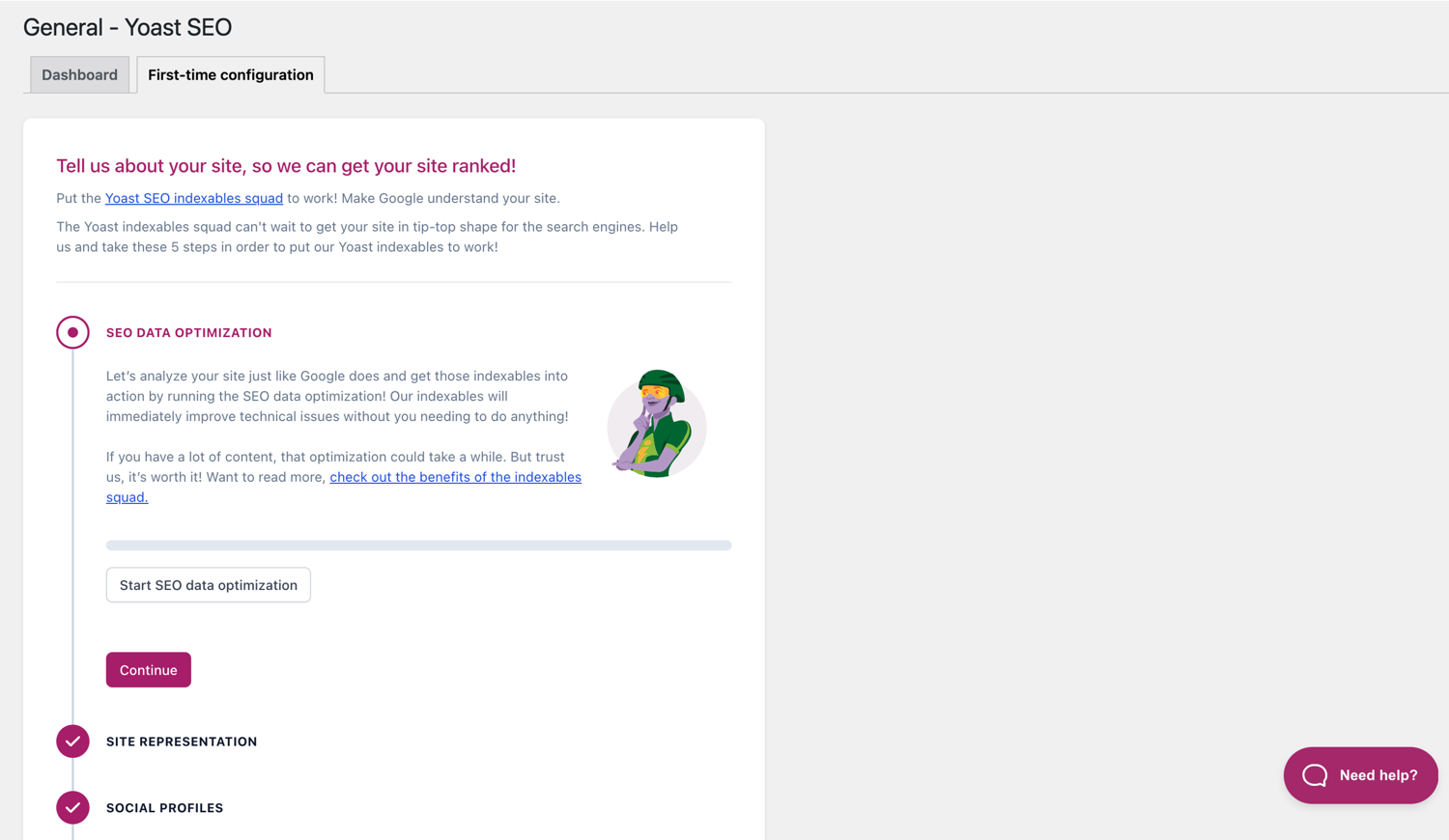
The First-time configuration helps you get started quickly. 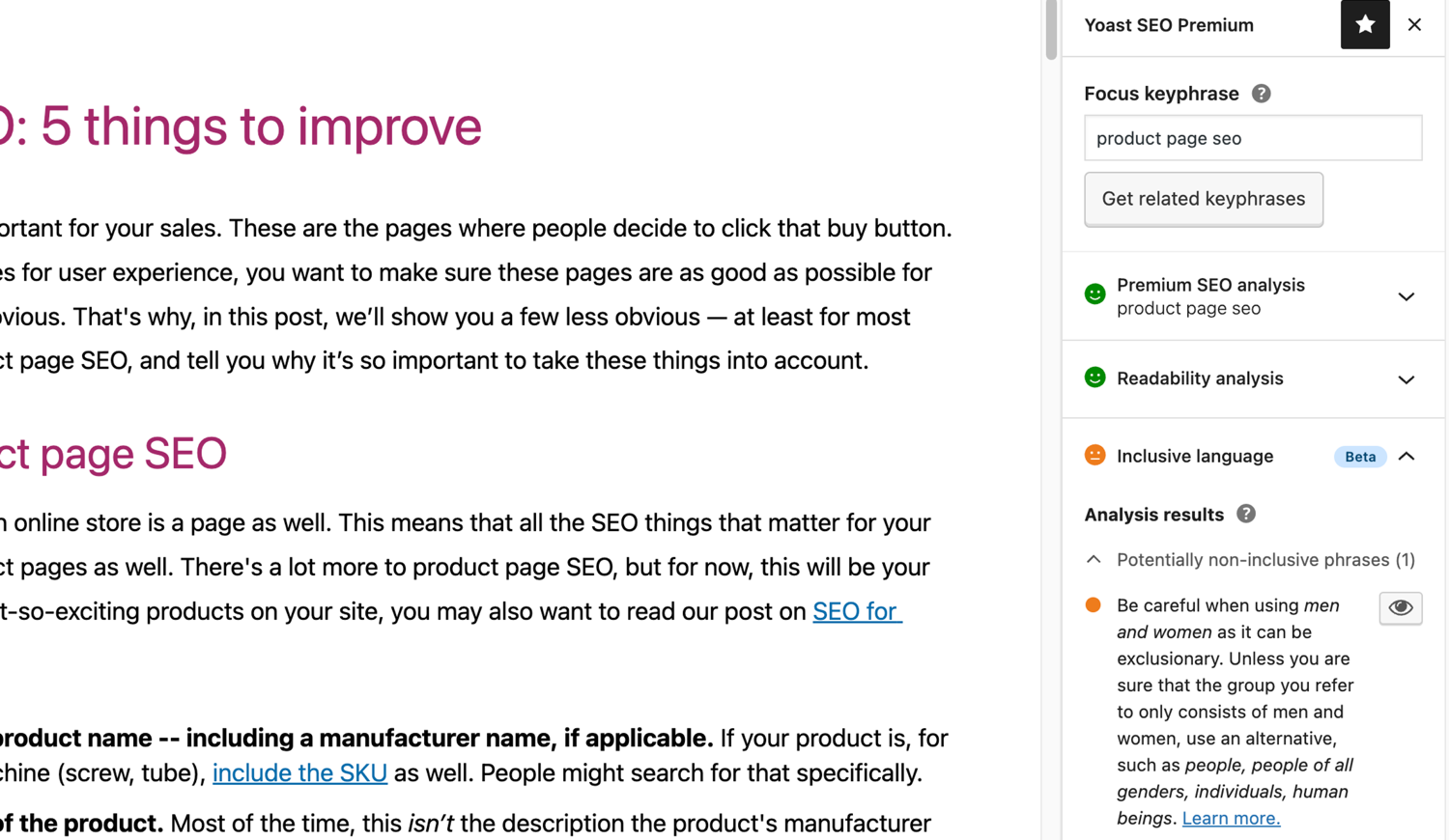
The inclusive language analysis in Yoast SEO. 
Bloques
Este plugin provee 2 bloques.
- Yoast How-to Create a How-to guide in an SEO-friendly way. You can only use one How-to block per post.
- Yoast FAQ List your Frequently Asked Questions in an SEO-friendly way.
Instalación
Starting with Yoast SEO consists of just two steps: installing and setting up the plugin. Yoast SEO is designed to work with your site’s specific needs, so don’t forget to go through the Yoast SEO first-time configuration as explained in the ‘after activation’ step! For the most up-to-date guidance on how to install Yoast SEO products, please visit our help center.
Preguntas frecuentes
-
¿Cómo funcionan los mapas del sitio XML en el plugin Yoast SEO?
-
Tener un mapa del sitio XML puede ser beneficioso para el SEO, ya que Google puede recuperar muy rápidamente páginas esenciales de una web, incluso si los enlaces internos de un sitio no son perfectos.
El índice del mapa del sitio y los mapas del sitio individuales, son actualizados automáticamente cuando añadís o eliminás contenidos, e incluirán los tipos de contenido que quieras que el motor de búsqueda indexe. Los tipos de contenido marcados como noindex, no van a aparecer en el mapa del sitio. Aprendé más sobre los mapas del sitio XML. -
¿Cómo puedo agregar mi web a la Google Search Console?
-
Es sencillo agregar tu web a la Google Search Console.
1. Creá una cuenta en la Google Search Console y accedé a ella.
2. Hacé clic en ‘Agregar una propiedad’ en el desplegable de búsqueda.
3. Introducí la URL de tu web en la casilla, y hacé clic en ‘Continuar’.
4. Hacé clic en la flecha junto a ‘Etiqueta HTML’ para abrir la opción.
5. Copiá la etiqueta meta.
6. Accedé a tu web WordPress.
7. Hacé clic en ‘SEO’ en el escritorio.
8. Hacé clic en ‘General’.
9. Hacé clic en la pestaña ‘Herramientas del webmaster’.
10. Pegá el código en el campo de Google y hacé clic en ‘Guardar los cambios’.
11. Volvé a la consola de búsqueda de Google, y hacé clic en ‘Verificar’.Si querés más detalles de los pasos, visitá nuestro artículo en nuestro centro de ayuda.
-
Lo siguientes pasos son una solución temporal, ya que las ediciones manuales hechas en los archivos del tema podrán sobrescribirse con futuras actualizaciones del tema. Por favor, contactá con el desarrollador del tema para una solución permanente. Escribimos un artículo sobre la importancia de los breadcrumbs para el SEO.
Para implementar la función rutas de navegación en Yoast SEO, vas a tener que editar tu tema. Recomendamos que, antes de cualquier edición de los archivos del tema, hagas una copia de seguridad. Tu proveedor de alojamiento puede ayudarte a hacer una copia de seguridad.
Copiá el siguiente código en tu tema, donde quieras que estén las rutas de navegación. Si no estás seguro, vas a tener que experimentar con la colocación:<?php if ( function_exists( 'yoast_breadcrumb' ) ) { yoast_breadcrumb( '<p id="breadcrumbs">','</p>' ); } ?>Los lugares comunes donde podés colocar tu ruta de navegación, están dentro de tu archivo
single.phpy/opage.php, justo encima del título de la página. Otra opción muy fácil en algunos temas es simplemente pegando el código al final del archivoheader.php.En la mayoría de temas que no son de WooTheme, este snippet no deberías agregarlo a tu archivo
functions.php.
Alternativamente, podés agregar manualmente el shortcode de la ruta de navegación a entradas o páginas individuales:[wpseo_breadcrumb]Si necesitás más detalles, o una guía paso a paso, leé nuestra Guía de implementación para Yoast SEO breadcrumbs.
-
¿Cómo hago las URLs noindex?
-
Yoast SEO proporciona múltiples opciones para configurar una URL o un grupo de URLs para noindex. Leé más sobre cómo hacer esto en esta guía.
-
Google muestra la descripción errónea, ¿cómo puedo corregirlo?
-
Si creaste buenas meta description para tus entradas del blog, nada es más molesto que Google muestre para tu sitio una descripción completamente distinta en el snippet de resultados de búsqueda.
Las posibles causas pueden ser:
1. descripción incorrecta en el código
2. El caché de Google está desactualizado
3. Manipulación de términos de búsqueda
4. Google ignoró la meta descripciónPodés leer más sobre cómo resolver el problema con la descripción errónea.
-
¿Con qué frecuencia se actualiza Yoast SEO?
-
Yoast SEO es actualizado cada dos semanas. Si querés saber porqué, por favor, leé esta entrada sobre ¡porqué actualizamos cada dos semanas!
-
¿Cómo consigo soporte?
-
Como nuestro plugin gratuito es usado por millones de personas en todo el mundo, no podemos ofrecerte soporte individual. Si tenés problemas con el plugin Yoast SEO para WordPress, podés obtener ayuda en el foro de soporte en wordpress.org, o revisando nuestro centro de ayuda en yoast.com/help/.
Los plugins que comprás en Yoast son denominados ‘plugins premium’ (incluso si su nombre no es “premium”), e incluyen un año completo de actualizaciones y soporte premium. Esto significa que, puedes contactar con nuestro equipo de soporte si tienes cualquier pregunta respecto a ese plugin.
-
What happens to my data if I enable usage tracking?
-
This page on yoast.com explains what data we collect to improve Yoast SEO. We only collect data when you explicitly opt in. Read more about how we handle your data in our Privacy Policy.
-
Tengo una pregunta diferente de las que aparecen aquí
-
Los más probable es que tu pregunta ya fue respondida en nuestro centro de ayuda: yoast.com/help/.
Reseñas


Colaboradores y desarrolladores
“Yoast SEO – Advanced SEO with real-time guidance and built-in AI” es un software de código abierto. Las siguientes personas han colaborado con este plugin.
Colaboradores


“Yoast SEO – Advanced SEO with real-time guidance and built-in AI” ha sido traducido a 58 idiomas. Gracias a los traductores por sus contribuciones.
Traduce “Yoast SEO – Advanced SEO with real-time guidance and built-in AI” a tu idioma.
¿Interesado en el desarrollo?
Revisa el código , echa un vistazo al repositorio SVN , o suscríbete al log de desarrollo por RSS .
Registro de cambios
27.0
Release date: 2026-02-17
Yoast SEO 27.0 brings more enhancements and bugfixes. Find more information about our software releases and updates here.
Enhancements
- Adds
html-react-parserdependency for improved HTML string handling in React components. - Adds
imagesarray to FAQ and How-to blocks attributes for explicit image handling. - Migrates FAQ block’s question/answer fields from array-based formats to HTML strings for better compatibility with WordPress components.
- Migrates How-to block’s step name/text fields from array-based formats to HTML strings for better compatibility with WordPress components.
- Updates the design for the search appearance mode switcher.
Bugfixes
- Fixes a bug where inline link icon was missing when editing a sync pattern in the block editor with WordPress 6.9.
- Fixes a bug where the AI Optimize buttons remained active even when another button had been pressed.
- Fixes a bug where the subheading distribution assessment threw an error when there was some text with no subheadings plus a block containing a subheading (like the Yoast Table of contents block).
Other
- Changes the AI Generator
Generate 5 morebutton design and preview background. - Modernizes how translations of the plugin work by removing the unneeded
load_plugin_textdomain()calls. - Restores the suggestions title and
Generate 5 morebutton when the suggestions are loading. - Updates the name of the Yoast SEO AI+ card on the plans page.
26.9
Release date: 2026-02-03
Yoast SEO 26.9 brings more enhancements and bugfixes. Find more information about our software releases and updates here.
Other
- Ensures no deprecated props are used for WordPress components
ToggleControlandTextControlfor How-to block. - Improves performance in large sites with lots of inbound links by adding appropriate database indices.
- Improves the general security of the plugin via sanitization and escaping.
- Replaces deprecated standard WordPress components with their modern variants.
- WooCommerce introduced a new logic for permalinks in version 10.5. Since this update could result in mismatching Yoast SEO metadata (such as Schema.org data), this version of Yoast SEO temporarily restores the old behavior. Note that for users of Yoast WooCommerce SEO the new permanent link structure will apply.
- Sets the minimum supported WordPress version to 6.8.
- Updates the OAuth2 Client library for improved compatibility with PHP 8.5.
Earlier versions
Para ver el registro de cambios de versiones anteriores, por favor, revisá el registro de cambios de Yoast SEO en yoast.com