

Priskribo
Analytics Code Option, you can add Google Analytic Code ID here. Also you can select where Analytic code will be inserted (header, footer).Fill value in Analytic code options fields and you can check on front end.
Ekrankopioj
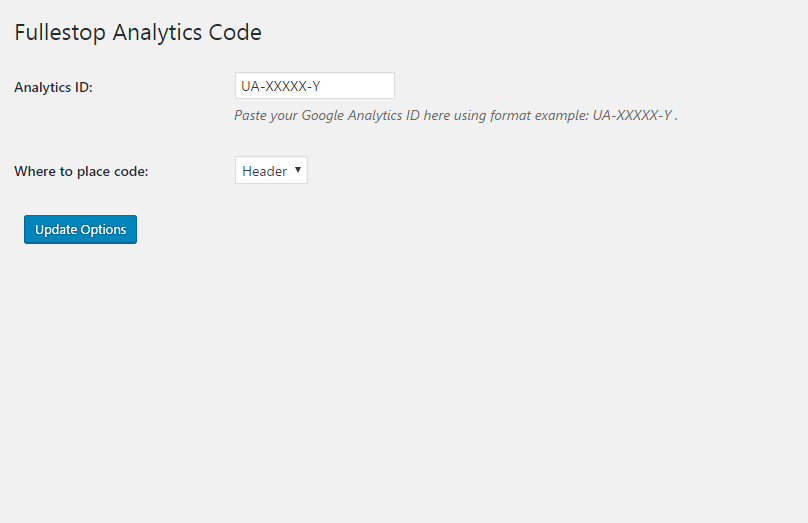
Analytic Code Option – just need to put the Google Analytics code in UA-XXXXX-Y format.
Instalo
From your WordPress dashboard
- Visit ‘Plugins > Add New’
- Search for ‘Analytics Code Option’
- Activate Fullestop Analytics Code Option from your Plugins page.
From WordPress.org
- Download Fullestop Analytics Code Option.
- Upload the ‘fullestop-trackingcode-option’ directory to your ‘/wp-content/plugins/’ directory, using your favorite method (ftp, sftp, scp, etc…)
- Activate Fullestop Analytics Code Option from your Plugins page.
Once Activated
- It creates an Analytics Option menu in admin menu.
- Analytics Code Option, you can add Google Analytic Code ID here. Also you can select where Analytic code will be inserted (header, footer).Fill value in Analytic code options fields and you can check on front end.
Once Configured
It will add the Google Analytic code to the sleeted position.
Pritaksoj
There are no reviews for this plugin.
Kontribuantoj k. programistoj
“Analytics Code Option” estas liberkoda programo. La sekvaj homoj kontribuis al la kromprogramo.
Kontribuantoj
Traduki “Analytics Code Option” en vian lingvon.
Ĉu interesita en programado?
Browse the code, check out the SVN repository, or subscribe to the development log by RSS.