

Description
WebBiz Toolkit is a Gutenberg editor extension designed specifically for bloggers, providing four powerful features:
Features
1. Text Emphasis Styles (3 Types)
Apply professional text emphasis effects with one click in the editor toolbar:
* Highlight – Blue left border + light blue background
* Warning – Red border box + light red background
* Quote – Orange underline
All styles are fully customizable – change colors, borders, and more from the settings page.
2. Spoiler Masks (3 Styles)
Hide text content that readers must click to reveal. Perfect for:
* Movie/TV show plot discussions
* Game walkthrough hints
* Puzzle answers
* Surprise content
Choose from blur, black bar, or dotted styles.
3. Auto-Spacing for CJK Text
Automatically add spaces between CJK characters (Chinese, Japanese, Korean) and English/numbers with one click, making your content more readable and professional.
Example: Hello世界123 Hello 世界 123
4. Q&A Interactive Blocks (2 Styles)
Create interactive question-and-answer content where answers are hidden by default and revealed when clicked.
Perfect for tutorials, FAQ pages, exam reviews, and educational content.
Why Choose WebBiz Toolkit?
- Lightweight & Fast – Only loads features you enable, won’t slow down your site
- Gutenberg Native – 100% built with WordPress Block Editor APIs
- CJK Optimized – Designed with Chinese/Japanese/Korean typography in mind
- No Coding Required – Install and use instantly, intuitive interface
- SEO Friendly – Q&A blocks automatically generate FAQPage Schema markup
Use Cases
- Bloggers – Emphasize key points, hide spoilers, improve typography
- Educators – Create interactive quizzes and reveal answers
- Review Sites – Hide spoilers in movie/game reviews
- Documentation – Highlight warnings, tips, and important notes
Screenshots
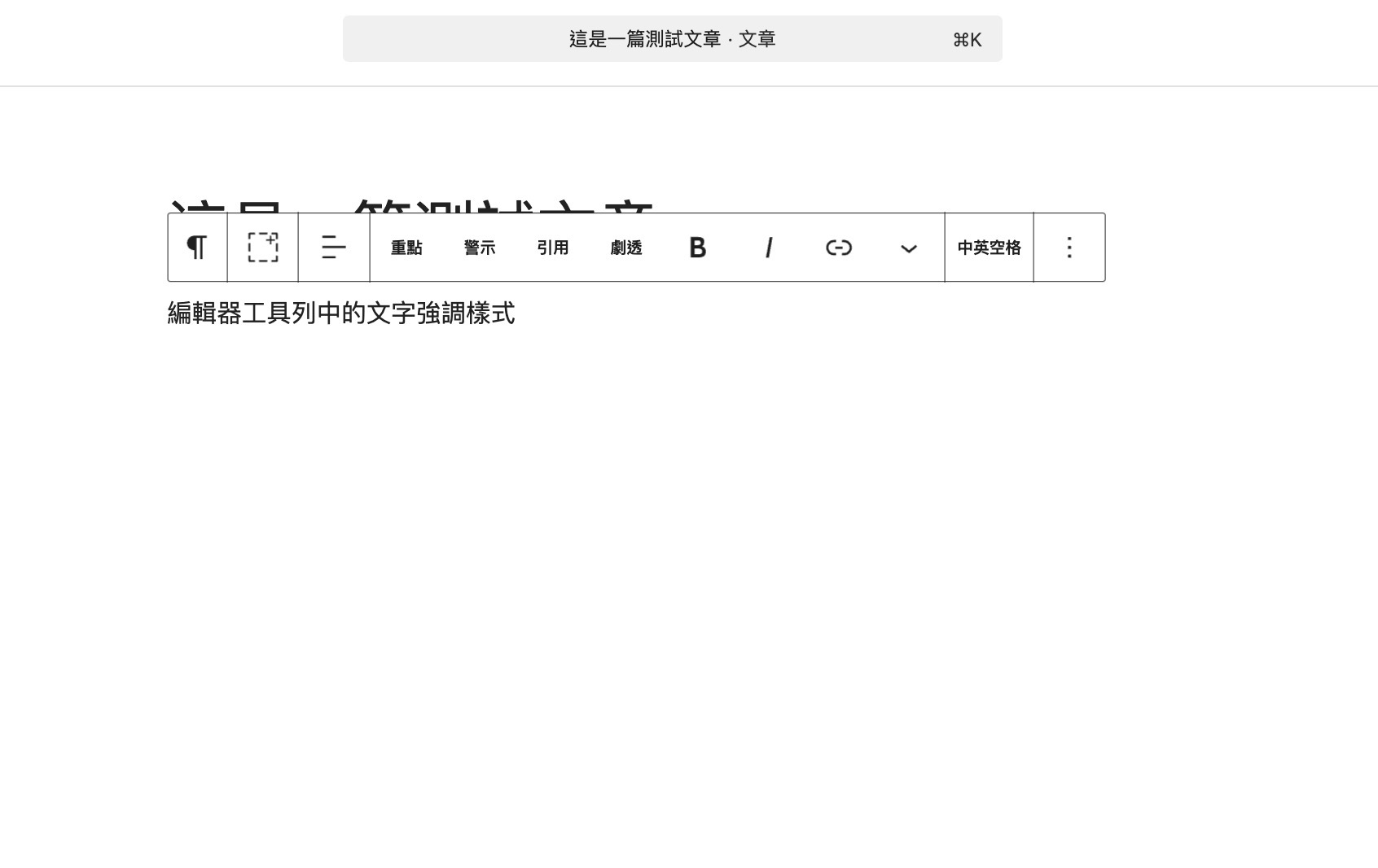
Text emphasis styles in the editor toolbar 
Spoiler mask effect on the frontend 
Auto-spacing for CJK text 
Q&A block – interactive question and answer 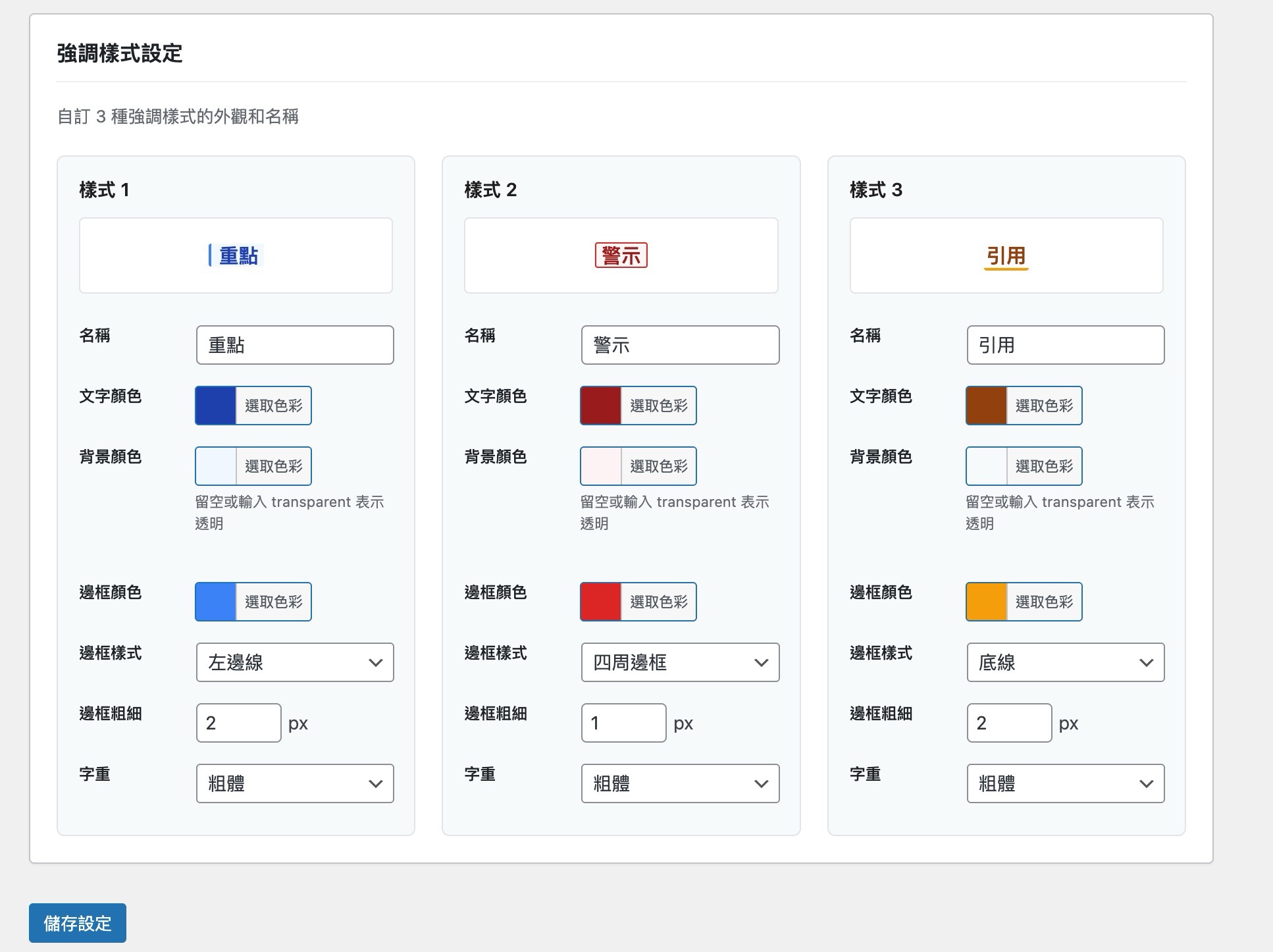
Settings page with live preview 

Blocks
This plugin provides 1 block.
- Q&A 問答
Installation
- Go to “Plugins Add New” in your WordPress admin
- Search for “WebBiz Toolkit”
- Click “Install Now” then “Activate”
- Go to “Settings WebBiz Toolkit” to enable the features you need
Or install manually:
1. Download the plugin ZIP file
2. Go to “Plugins Add New Upload Plugin” in your WordPress admin
3. Select the ZIP file and install
4. Activate the plugin
FAQ
-
What WordPress versions are supported?
-
WebBiz Toolkit requires WordPress 6.0 or higher and the Gutenberg block editor.
-
Will this slow down my website?
-
No. WebBiz Toolkit uses a modular design that only loads the features you enable. Frontend CSS is optimized and minimal.
-
Can I use multiple emphasis styles together?
-
Yes! You can mix different emphasis styles within the same text.
-
Does Spoiler work on mobile devices?
-
Yes, the Spoiler feature fully supports touch interactions and works perfectly on phones and tablets.
-
Will auto-spacing change my original content?
-
Yes, the auto-spacing feature modifies block content directly. We recommend backing up important content before using this feature.
-
Do Q&A blocks support SEO structured data?
-
Yes! WebBiz Toolkit automatically generates FAQPage Schema JSON-LD structured data for Q&A blocks, helping with SEO optimization.
-
Is this plugin translation-ready?
-
Yes, WebBiz Toolkit is fully internationalized and ready for translation.
Reviews
There are no reviews for this plugin.
Contributors & Developers
“WebBiz Toolkit” is open source software. The following people have contributed to this plugin.
Contributors

Translate “WebBiz Toolkit” into your language.
Interested in development?
Browse the code, check out the SVN repository, or subscribe to the development log by RSS.
Change log
1.0.1
- Fixed: Text emphasis styles not displaying on the frontend (CSS was only loaded in admin context)
1.0.0
- Initial release
- Added: 3 customizable text emphasis styles
- Added: Spoiler mask feature with 3 styles (blur, blackbar, dotted)
- Added: Auto-spacing for CJK text (Pangu spacing)
- Added: Q&A interactive blocks with 2 styles
- Added: FAQPage Schema structured data support
- Added: Full settings page with live preview