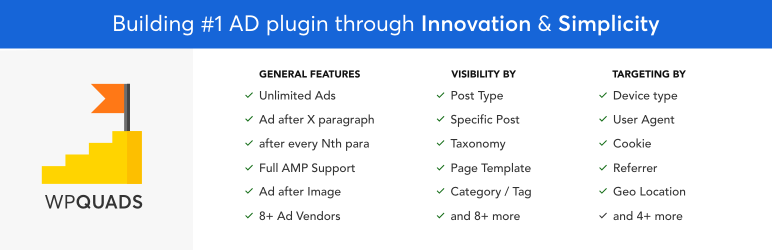

Description
WPQUADS provides a modern approach to ad management. It is well coded, lightweight, and suitable for websites with high traffic volumes.
Home | Documentation | Help | Premium Features
WPQuads is a reliable and extensible ad inserter and AdSense management solution for WordPress.
Features
- NEW – Sellable Ads: Sell your AD space.
- NEW – Hide Ads for Premium Members: Hide Ads for Premium Members.
- NEW – Web Stories Integration: Advertise in AMP Web Stories.
- NEW – Click Fraud Protection: Helps you fight the click fraud and helps you stabilize the ad revenue.
- NEW – GDPR & Privacy tools: We have got the GDPR and other privacy tools planned so that you dont have to worry about complying with privacy laws.
- Easy to use Modern options panel built on React JS.
- Deeply integrates with AMP plugins like AMPforWP, Official AMP by Google.
- Google Adsense support: It gives a deep integration with the ad types of Google Adsense like Display ads, In-feed ads, In-article ads & Auto ads. You can define fixed or responsive sizes for the ads.
- Google AD Manager, formerly Double Click for Publishers (DFP) support.
- 8 Ad vendors support and 20 more on the development roadmap
- 12 Ads positions that helps you control where the ad will appear.
- 10 Post Specific Ads Control: 10 Conditional Ad visibility positions which allows you to control (include/exclude) on which pages would you like the ads to appear.
- 9 Targeting conditions which will allow you to control when an ad should appear.
- Custom Image banner support
- Custom html Code support with auto AMP Sanitization
- Background ad (Full website background ad)
- Group multiple ads into one and rotate them Randomly
- ads.txt support
- Lazy Loading for Adsense ads
- Revenue Sharing Support
- Propeller Ads Support
- WPML Support – Show different ads as per language
- Responsive ads
- Ad Blocker support: It’s the most advanced ad blocker which allows you to add the notice in 4 types. Bar, Popup, Page Redirection & Block Message. You can choose if you want to show only once or on every visit.
- Unlimited Ads – Add an unlimited amount of ads to your website.
- Layout options to help you control Alignment & Margin of the ads.
- Ad Label support: You can add your custom label, you can even choose to display it above or below the ad.
- One-click duplicate ads with the same configuration
- Ajax based search to help you quickly find the ads
- Sidebar Widgets to ads unlimited widget ads in the sidebar
- High Performance – Developed well to keep the speed of your site. It loads only the code it needs at the moment of execution, making it small and fast and with a lot of hooks easy extensible by third party developers.
- Serialized storing of Ad options instead storing every single option as separate table entry all over
- Multi language support
- Remove of small coding issues like “unexpected output” message when plugin is activated on several sites
- Import / Export function makes plugin migrating to other sites easier. Copy your ads code to other sites.
- Caching Power – Supports WP Rocket, W3 Total and any other Caching plugin.
Watch Quads in Action
= Feature Overview (starts at 2:05)
TAKE IT A STEP FURTHER WITH WPQUADS PRO
With WPQUADS PRO you can add as many ads as you like to your WordPress website. There are no limitations.
Get access to more professional Settings, options and positions to really push your ads to the next level.
* New – AD Blindness : Helps you fight the Ad blindness.
* New – Skip Ad : Helps you to make ads Skippable.
* New – AD Logging : Gives you an almost accurate data page, IP, browser, referrer, and dimensions of the user that clicked the ad and gives you reports of that data.
* Group Insertion
* Ad rotator
* Reports & Tracking : Find out which of your ads are performing the best and find out the most performing ad location.
* Geo Targeting : Target the ads based on the city and countries.
Ad Vendors Support
- Google Adsense
- Google AD Manager, formerly Double Click for Publishers (DFP)
- Yandex Direct Ads support
- MGID Ads Support
- Taboola Ads support
- Media.net ads Support
- MediaVine Ads support
- Outbrain Ads support
- Infolinks Ads support
- 20+ more ad vendors coming in the future updates.
Display Positions for Ads
- Beginning of Post
- Middle of Post
- End of the Post
- After Paragraph: You can choose after which paragraph you want to display the ad. You can even choose to display an ad after every X number of paragraph.
- Right after the tag
- Right before the last Paragraph
- After Image: You can choose after which image you want to display the ad.
- By Word Count
- After the Percentage
- Ad After HTML Tag: You can choose between these tags p, img, h1 – h6 & even custom html tag. You can even choose to display after x number of that specific tag.
- Ads Inbetween Loop: You can choose after which post do you want to display the ad and even display after every x number of posts.
- Shortcode & PHP tag placement
- More display positions are coming in the future updates
Visibility
- Post types
- Post: specific one post or multiple posts
- Homepage
- Globally
- Logged-in User Roles Type
- Post Category: specific one category or multiple categories
- Post Tag: specific one tag or multiple tags
- Post Formats
- Page: specific one page or multiple pages
- Taxonomy Terms
- Page Templates
Targeting
- Device Type
- Browser Language
- Logged In
- User Agent
- User Role
- Cookie
- URL Parameter
- Referrer URL Path
- Browser Width
Active Development
We are actively developing this plugin with a focus on improving functionality, stability, and usability for a wide range of use cases. You can Request a Feature or Report a Bug. The code is hosted on Github.
Development Roadmap
- A/B Testing: Find out which ads perform the most and how you can improve the ad revenue further.
- 3rd Party compatibility: Deep integration with BuddyPress, BuddyBoss, bbPress, Paid Membership Pro, WPML, Mailpoet, Multisite, WooCommerce and More.
- Innovation & Disruption: We are constantly evolving our product and going to introduce new features which are not being used by anyone in the world.
- View Full Development Roadmap
Pro version supports additional advanced features:
JOIN CHAT GROUP COMMUNITY: Purpose of this group is to get proper suggestions and feedback from plugin users and the community so that we can make the plugin even better.
Documentation
Documentation & Tutorials are available on Documentation Center.
Technical Support
Support is provided in Forum. You can also Contact us, our turn around time on email is around 12 hours.
Important Notes
This plugin does not do any revenue sharing with your Google AdSense ads. We never show our on ads ads on your website.
We are an active and dedicated member of the WordPress community and we are following strictly the WordPress Codex in terms of code quality and good behave.
External Services
This plugin connects to several third-party/external services to provide its full functionality. These services are only used when the related features are enabled by the site administrator.
Magazine3 Central API
This plugin connects to a Magazine3-owned API to manage plugin-related services such as email subscriptions and centralized feature management.
The plugin sends the site URL, admin email address, and subscription-related information when the admin opts in to email notifications or related services.
This plugin connects to the WP QUADS licensing and update API to validate licenses and manage plugin updates when license-related features are enabled.
The plugin sends the site URL, license key, and plugin version to the service during license activation, validation, or update checks.
This service is provided by “Magazine3”: terms of use privacy policy.
InMobi Consent Management
This plugin loads the InMobi consent management script to handle user consent for ads and tracking, where applicable.
The script is loaded on the frontend to manage consent preferences and does not send personally identifiable information by default.
This service is provided by “InMobi”: terms of use privacy policy.
Google AdSense & Google Ad Manager & Google OAuth Authentication
This plugin integrates with Google AdSense and Google Ad Manager to display and manage advertisements.
API requests may include ad performance data and site identifiers when ad reporting or ad display features are enabled.
This plugin integrates with Google OAuth to allow users to authenticate with their Google account and to revoke access tokens when requested.
When a user connects or disconnects a Google account, authentication tokens are exchanged or revoked directly with Google. The plugin does not store Google account passwords.
This service is provided by “Google”: terms of use privacy policy.
Paystack Payment Processing
This plugin loads Paystack’s JavaScript library to process payments when payment-related or ad-selling features are enabled.
Payment information entered by users is sent directly to Paystack during the checkout process. The plugin does not store or process credit card or bank details.
This service is provided by “Paystack”: terms of use privacy policy.
Stripe Payment Processing
This plugin loads Stripe’s JavaScript library to securely process payments when payment-related features are enabled.
Payment and billing information entered by users is sent directly to Stripe during the checkout process. The plugin itself does not store or process credit card details.
This service is provided by “Stripe”: terms of use privacy policy.
Authorize.Net Payment Processing
This plugin integrates with Authorize.Net to allow secure payment processing for ad sales.
Payment data is transmitted directly to Authorize.Net during checkout. The plugin does not store sensitive payment information.
This service is provided by “Authorize.Net”: terms of use privacy policy.
PayPal Payment Processing
This plugin integrates with PayPal to process payments when payment or ad-selling features are enabled.
Transaction and payment-related information is sent to PayPal during checkout. The plugin does not store or process sensitive payment details such as credit card numbers.
This service is provided by “PayPal”: terms of use privacy policy.
Outbrain Content Recommendation Service
This plugin loads the Outbrain JavaScript widget to display content recommendations or native advertisements when the related feature is enabled.
The Outbrain script is loaded on the frontend and may collect usage data such as page views, device information, and interaction data in accordance with Outbrain’s policies.
No personally identifiable information is intentionally sent by the plugin itself.
This service is provided by “Outbrain Inc.”: terms of use privacy policy.
AMP Project (Sticky Ads)
This plugin loads an AMP Project JavaScript component to enable AMP-compatible sticky advertisements when AMP and ad-related features are enabled.
The script is loaded on AMP pages only and is used to render sticky ad units. The AMP Project may collect usage data in accordance with its policies.
This service is provided by “The AMP Project”: terms of use privacy policy.
Media.net Contextual Advertising
This plugin integrates with Media.net to display contextual advertisements when ad-related features are enabled.
Media.net scripts may be loaded on the frontend and may collect information such as page context, device information, and interaction data in accordance with Media.net’s policies.
The plugin does not store personally identifiable information collected by Media.net.
This service is provided by “Media.net”: terms of use privacy policy.
Yandex Direct Advertising
This plugin integrates with Yandex Direct to display advertisements when Yandex ad features are enabled.
Yandex scripts are loaded from yandex.ru domains and may collect usage data such as page views and interaction data in accordance with Yandex’s policies.
This service is provided by “Yandex”: terms of use privacy policy.
MGID Native Advertising
This plugin integrates with MGID to display native advertisements when MGID ad features are enabled.
MGID scripts are loaded on the frontend and may collect information such as page context, device information, and interaction data in accordance with MGID’s policies.
The plugin does not store personally identifiable information collected by MGID.
This service is provided by “MGID”: terms of use privacy policy.
Taboola Content Discovery
This plugin integrates with Taboola to display content recommendations and native advertisements when Taboola ad features are enabled.
Taboola scripts are loaded from cdn.taboola.com and may collect usage data such as page views, device information, and interaction data in accordance with Taboola’s policies.
No personally identifiable information is intentionally sent by the plugin itself.
This service is provided by “Taboola Inc.”: terms of use privacy policy.
MediaVine Advertising
This plugin integrates with MediaVine to display advertisements when MediaVine ad features are enabled.
MediaVine scripts are loaded from scripts.mediavine.com and may collect information such as page context, device information, and interaction data in accordance with MediaVine’s policies.
The plugin does not store personally identifiable information collected by MediaVine.
This service is provided by “MediaVine”: terms of use privacy policy.
Infolinks In-Text Advertising
This plugin integrates with Infolinks to display in-text advertisements when Infolinks ad features are enabled.
Infolinks scripts are loaded from resources.infolinks.com and may collect usage data such as page views and interaction data in accordance with Infolinks’s policies.
This service is provided by “Infolinks”: terms of use privacy policy.
Propeller Ads
This plugin integrates with Propeller Ads to display advertisements when Propeller ad features are enabled.
Propeller scripts are loaded on the frontend and may collect information such as page context, device information, and interaction data in accordance with Propeller’s policies.
The plugin does not store personally identifiable information collected by Propeller.
This service is provided by “Propeller Ads”: terms of use privacy policy.
AdPushup Optimization Platform
This plugin integrates with AdPushup to display optimized advertisements when AdPushup features are enabled.
AdPushup scripts are loaded from cdn.adpushup.com and may collect usage data such as page views, device information, and ad performance data in accordance with AdPushup’s policies.
This service is provided by “AdPushup”: terms of use privacy policy.
WP QUADS License & Update API
This plugin connects to the WP QUADS licensing and update API (wpquads.com/edd-sl-api/) to validate licenses and manage plugin updates when license-related features are enabled.
The plugin sends the site URL, license key, and plugin version to the service during license activation, validation, or update checks.
This service is provided by “WP QUADS”: terms of use privacy policy.
Credits
This plugin uses the following third-party libraries and resources:
PHP Libraries
-
Stripe PHP SDK (^16.3) – Payment processing library for Stripe integration
- License: MIT License
- Source: https://github.com/stripe/stripe-php
-
Mobile Detect (v2.8.33) – PHP class for detecting mobile devices
- License: MIT License
- Author: Serban Ghita
- Source: https://github.com/serbanghita/Mobile-Detect
JavaScript Libraries
- Chart.js (v2.9.4) – Simple yet flexible JavaScript charting …
Screenshots

The Ads Overview Page 
Choose Ad Vendor 
How to insert an Ad? 
Ad types in AdSense 
Visibility & Targeting Options 
Where do you want to insert the ad? 
You can Insert the ad anywhere 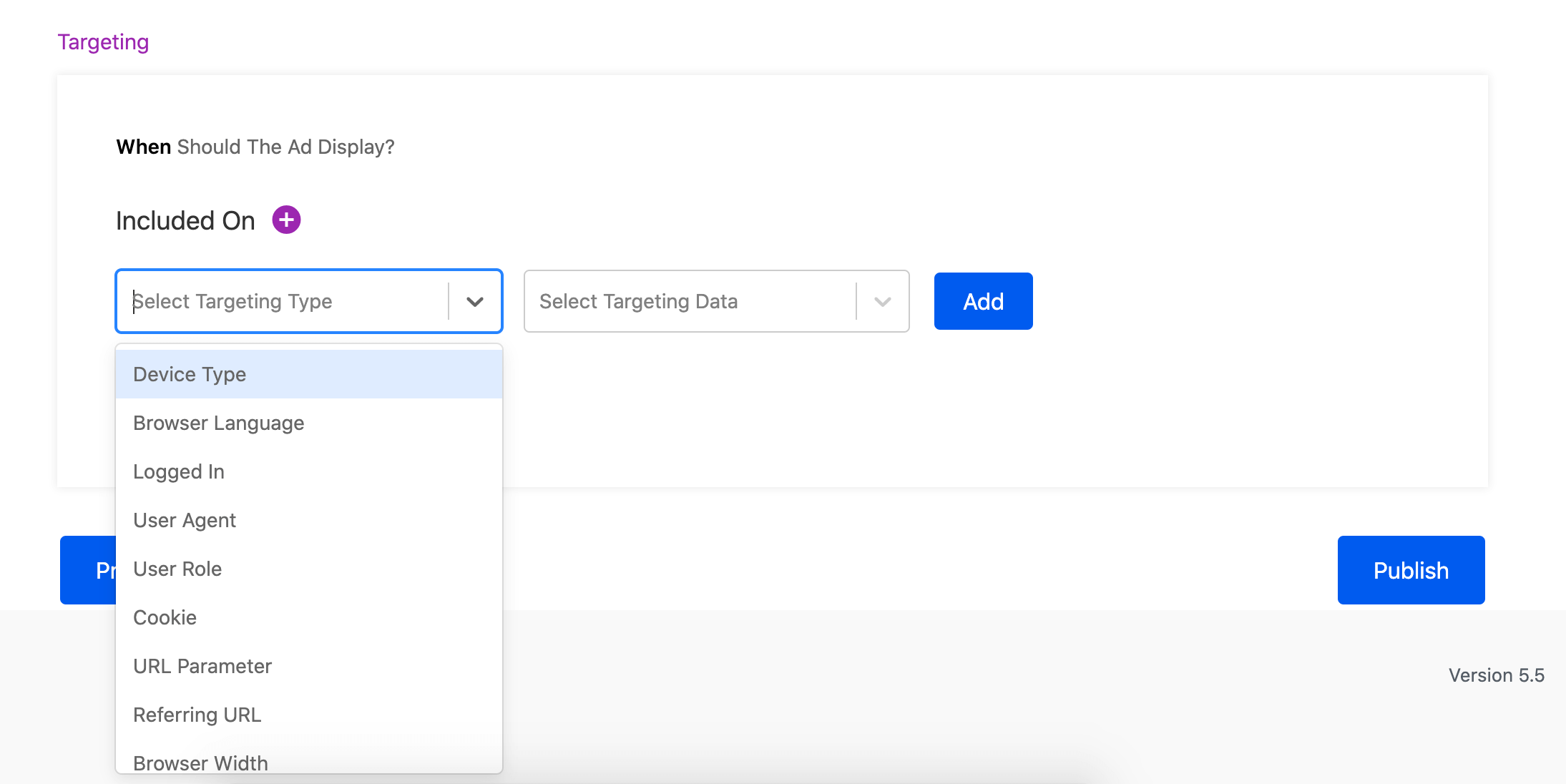
Tons of options to target the ad. 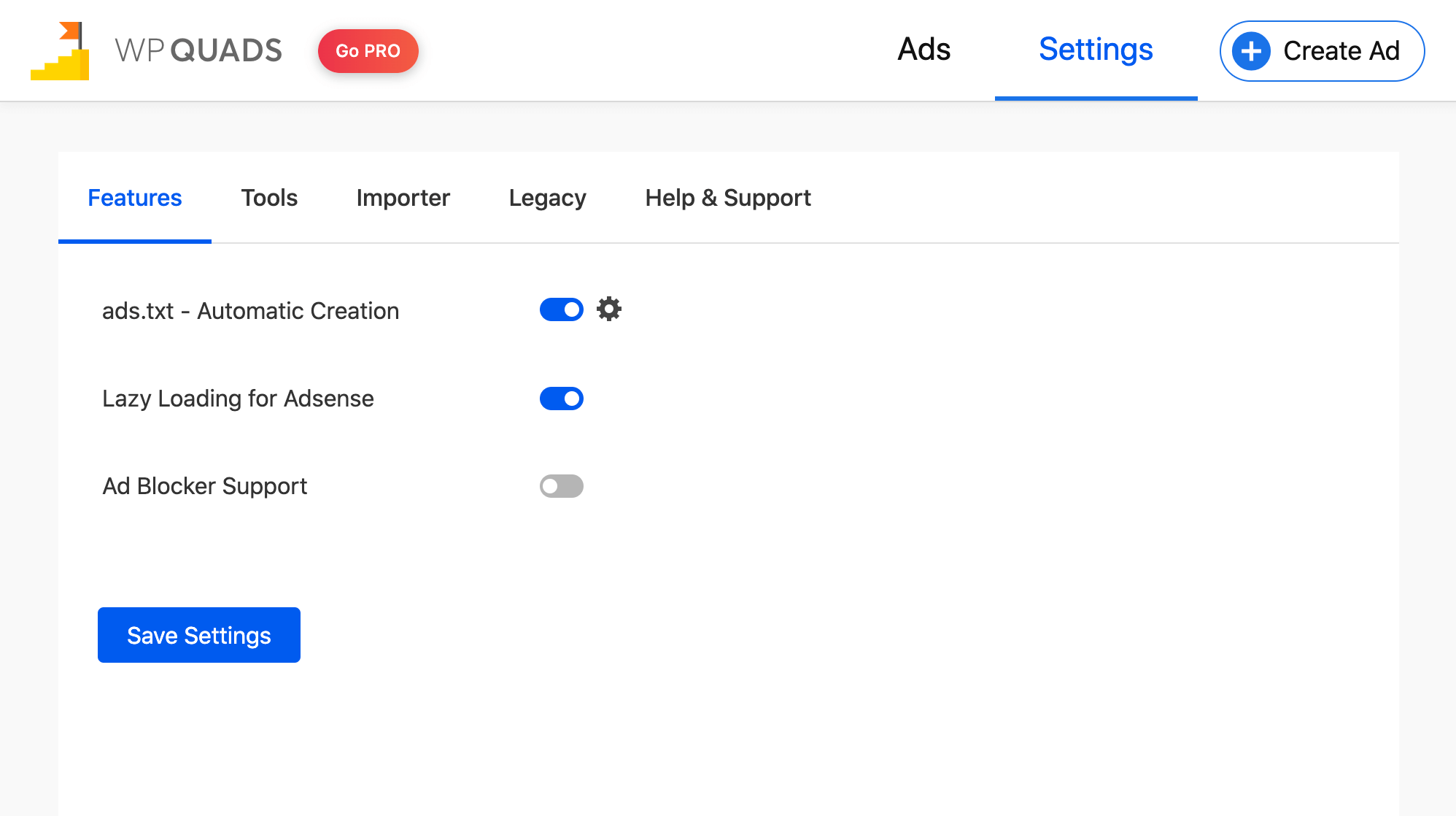
Settings Page for WPQuads 
Widget AD 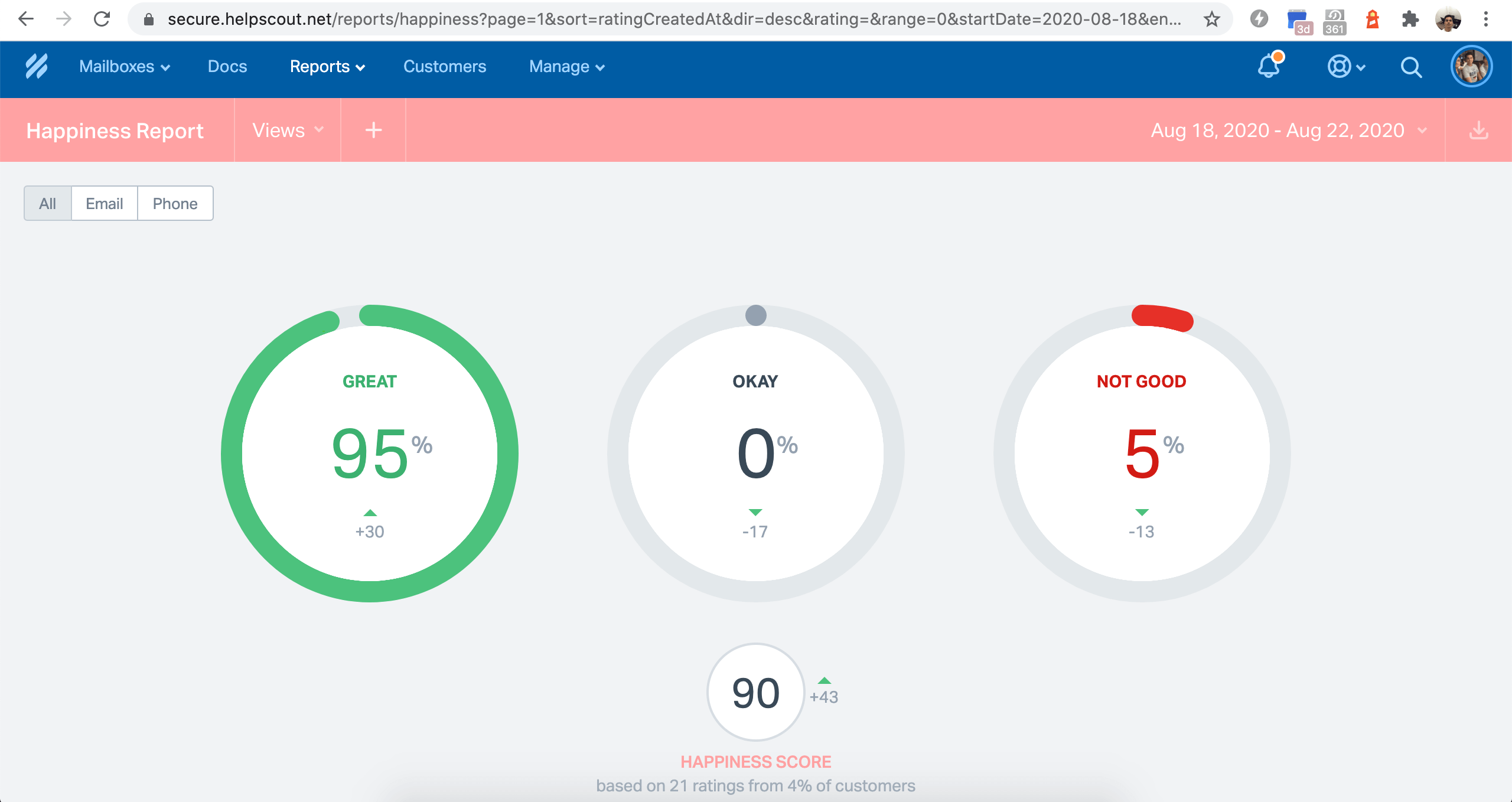
Customer Support Happiness Stats
Blocks
This plugin provides 2 blocks.
- WP QUADS
- Quads Adds
Installation
Recommended Installation:
- Go to YourWebsite->Plugins->Add New
- Search for “Quick Adsense reloaded” or “WP QUADS”
- Click “install Now”
Alternative Installation:
- Download the plugin , unzip and place it in your wp-content/plugins/ folder.
- Activate the plugin through the ‘Plugins’ menu in WordPress
FAQ
-
WHY A QUICK ADSENSE FORK?
-
Quick Adsense is a great plugin and used by more than 100.000 websites.
Although is not under maintenance and development for more than 3 years by the original author it is still downloaded hundred times a day.
So I decided to continue the project to make sure the plugin will also work in future with new WordPress versions.
Deprecated functions removed, bugs fixed and new filters and hooks created to make this plugin extensible by third party developers!
Deprecated functions removed, bugs fixed and new filters and hooks created to make this plugin extensible by third party developers! -
Do we insert our own ads
-
We don’t insert any ads into the users website. We believe in the advertisement solution and that’s why we built it.
-
How does WPQuads make money
-
We make money only by selling the PRO version, we do not do any un-ethical ways to make the money.
-
Does WPQuads take a part of the Revenue?
-
We do not take any part of the revenue, nor we do any revenue sharing with our user. Our software is a fully open-source project.
-
How do I report bugs and suggest new features?
-
You can report the bugs here
-
Will you Add New features to my request?
-
Yes, Absolutely! We would suggest you send your feature request by creating an issue in Github . It helps us organise the feedback easily.
-
How do I get in touch?
-
You can contact us from here
Reviews


Contributors & Developers
“Quads Ads Manager for Google AdSense” is open source software. The following people have contributed to this plugin.
Contributors
“Quads Ads Manager for Google AdSense” has been translated into 1 locale. Thank you to the translators for their contributions.
Translate “Quads Ads Manager for Google AdSense” into your language.
Interested in development?
Browse the code, check out the SVN repository, or subscribe to the development log by RSS.
Changelog
2.0.98.1 ( 09 January 2026 )
- Fixed : License is not getting activated #985
- Fixed : Reports section is not opening #986
2.0.98 ( 30 December 2025 )
- Fixed : Fatal error in 2.0.97 when using toc elementor widget #982
- Fixed : Undefined array key in template-functions.php on line 1425 #976
- Fixed : Carousel ads breaking WooCommerce tabs #983
- Improvement : Placement after percentage not working #981
2.0.97 ( 20 December 2025 )
- Improvement : Done improvements with respect to PCP and WP.org standards.
2.0.96 ( 12 December 2025 )
- Fixed : Checked with Plugin Check and added fix.
- Added : Tested with WordPress 6.9 and update readme.txt
2.0.95 ( 05 November 2025 )
- Added : Option to select Polylang-specific language. #972
- Improvement : Report should show the draft ads too #974
- Fixed : Fatal error in query monitor #970
- Fixed : click was not counted in the after-class condition. #973
Full changelog available at changelog.txt