

Description
Easy Social Feed helps you display your latest Instagram photos, videos and Facebook page posts, albums, photos, videos and events on your website. It is responsive, SEO-friendly, easy to set up and offers live preview customization for appearance and layout.
Connect your account using the latest secure oAuth login and get a shortcode auto-generated. No app review required. Manual access token support is also available for Personal or Business accounts.
You can enable only the module you need (Facebook or Instagram) so unrelated code is not loaded, improving performance.
After connecting your account, simply copy and paste the shortcode, or use a block or widget, to embed your feed anywhere on your site.
Watch how Easy Social Feed works:
“Easy to use as the description – awesome plugin and excellent support, easy to set up and more function, won’t affect the page speed, GREAT JOB!” – alexwee88
See what hundreds of users say, reviews on WordPress.org:
Instagram Feed
Display photos, videos, reels, stories and gallery posts from your Instagram account in multiple designs with full control over styling.
Features
- One minute setup. Easy setup flow to configure and go live in minutes
- Quick secure oAuth connection (no app review needed)
- Manual access token support (Personal & Business)
- Multiple layouts: Grid, Masonry, Full-width, Half-width, Row, Carousel
- Live preview customization of colors, spacing, borders, font sizes, etc
- Load More button for unlimited posts (Pro)
- Header display and Follow button toggle
- Auto-generated shortcode after connection
- Powerful shortcode generator, you don’t need to mess up with shortcode attributes
- Multiple-feeds – There is no limitation to display the number of feeds on your site. Our shortcode and blocks work independently.
- Popup lightbox for media with navigation (Pro)
- Hashtag feed support (Pro)
- Featured posts option (Pro)
- Images and Videos gallery – Display multiple images in a gallery carousel (Pro)
- Custom links (shoppable posts) option (Pro)
- Visual moderation — show or hide posts from feed (Pro)
- Likes and Comment display in popup (Pro)
- Priority support (pro)- Above all, We stand firmly behind our plugin and provide top-notch priority support to the premium plan users via email.
- And much more in the pack…
- Many more features to come
“Much better than the others –I’m really happy with this – and it’s better than the other plugins I’ve tried that offer the same thing. Thank you!” – sarahtaylor777
Facebook Feed
Display Facebook page posts including images, videos, links, status, albums, events and more — fully styled and responsive.
Features
- Support for posts, photos, videos, links, status updates and albums
- Event feed display with details (Pro)
- Responsive layouts for all devices
- Live preview customization for styles
- Multiple layout options: Full-width, Half-width, Thumbnail, Row, Grid, Masonry, Carousel
- Caption words limit – Limit the number of words to display in the story on your site
- PopUp – Display images, videos, and albums in the advanced popup so your users never leave your site again. Also, navigate between post images using next and previous links in the popup
- Super fast – Cache – It caches the posts, images and other content from Facebook and Instagram to minimize external requests to load the page faster.
- Multiple-feeds – There is no limitation to display the number of feeds on your site. Our shortcode and widgets work independently.
- Merged Feed – Display multiple pages feed in a single feed using shortcode or block
- Visual moderation — show or hide posts from feed (Pro)
- Post-type filtering (photos, videos, events, etc.) (Pro)
- Auto-generated shortcode + block/widget support
- Share – Share buttons with each post in your feed to make it even more viral on social media.
- Read more – Read more button to read the full story on Facebook.
- Powerful shortcode generator, you don’t need to mess up with shortcode attributes
- Post images & videos gallery – Display all images and videos in the gallery carousel in PopUp (Pro)
- Advanced PopUp (pro)- Replaces the current PopUp with advanced and super-fast PopUp. Give your feed a look like FB so your users do not leave your site ever
- Display Likes and Comments
- Featured posts option (Pro)
- And much more in the pack…
- Many more features to come
Facebook Page Plugin (Like Box)
Embed the Facebook Page Plugin to display page likes, faces, timeline or events using shortcode and widget.
Features:
- Responsive and mobile friendly
- Show or hide faces and header
- Custom width and height settings
- Support for 75+ locales
- Timeline, Events and Messages tabs (Pro)
Performance & Settings
- Smart caching for posts & media to minimize API calls and improve speed
- Lazy loading support
- Option to load only active modules (disable unused modules for performance)
- Configurable feed refresh intervals
- SEO friendly
TikTok Support (Separate Plugin)
Looking to embed TikTok videos and galleries on your site? Check out our sister plugin: Easy TikTok Feed — the easiest way to display TikTok content on WordPress.
Embedding Options
- Gutenberg blocks
- Shortcodes
- WordPress widget
- Compatible with major page builders (Elementor, Divi, WPBakery, etc.)
Compatibility
- GDPR compliant — only publicly authorized data is displayed
- Compatible with all major themes
- Multilingual support
- Priority support for Pro users
Screenshots

Custom Facebook Feed with thumbnail 
Custom Instagram Feed in Grid layout 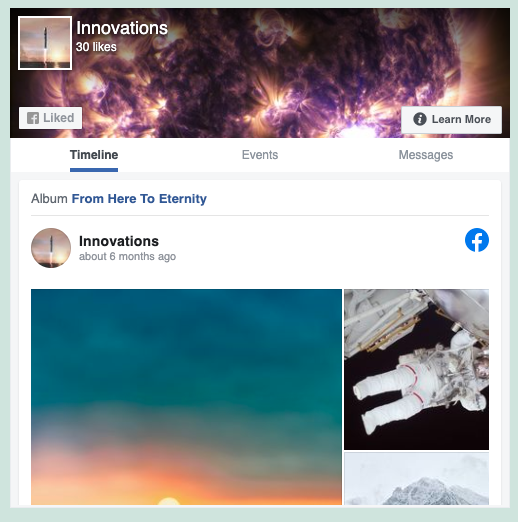
Responsive Facebook Like Box(page plugin) 
Custom Facebook feed in advanced PopUp 
Custom Instagram feed in advanced PopUp 
Instagram Hashtag feed 
Custom Facebook Feed in Carousel layout 
Custom Instagram Feed in Carousel layout 
Custom Facebook Feed in Masonry layout 
Custom Instagram Feed in Masonry layout 
Custom Facebook Feed in Full Width layout 
Instagram Feed customisation options 
Facebook Feed customisation options 
Facebook Feed customisation in real time 
Instagram Feed customisation in real time 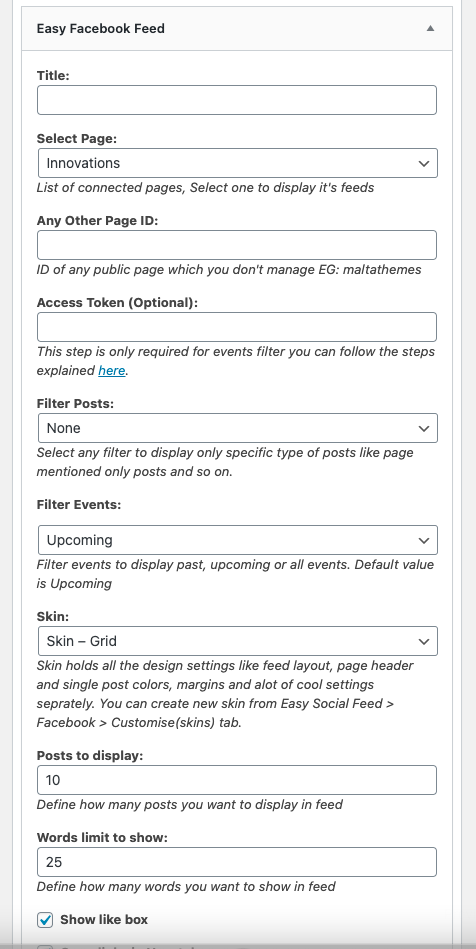
Custom Facebook Feed widget 
Facebook Like Box(page plugin) widget 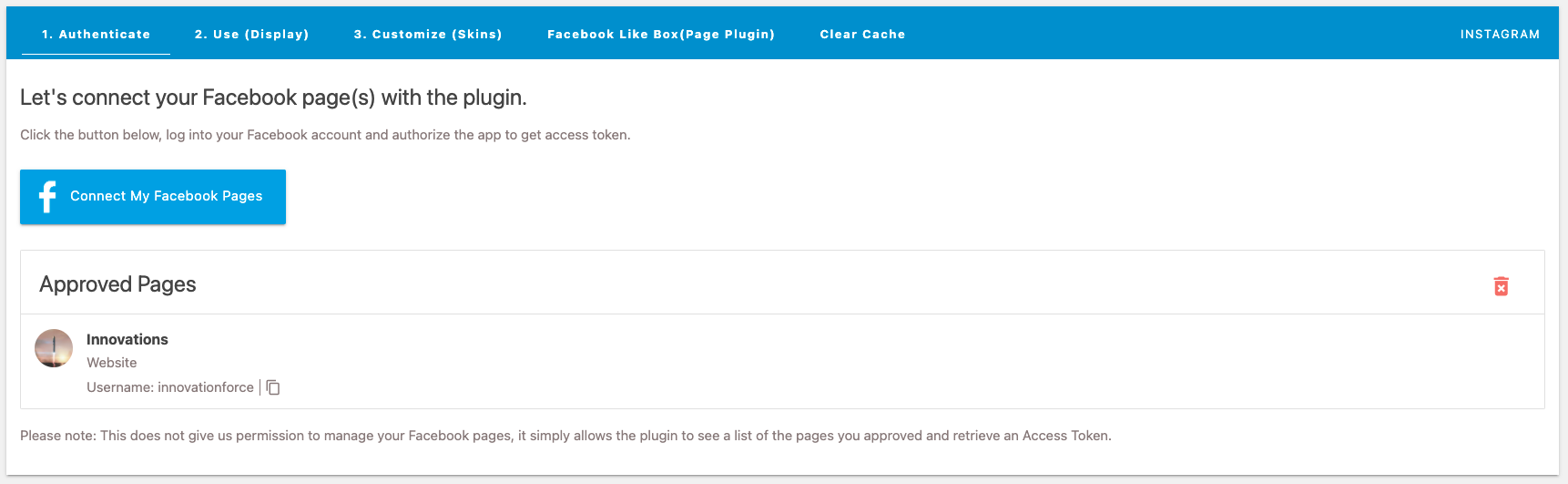
Easy Facebook authentication with few clicks 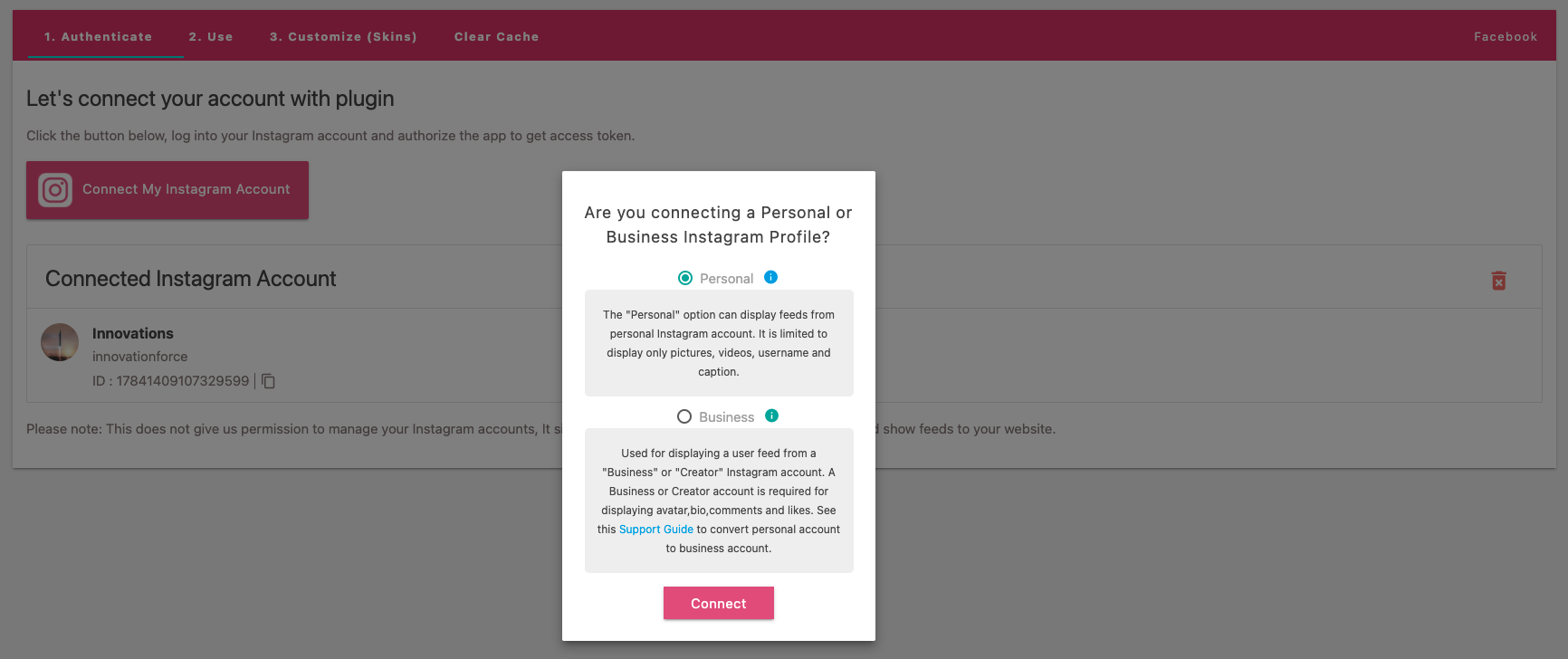
Easy Instagram authentication with personal and business accounts 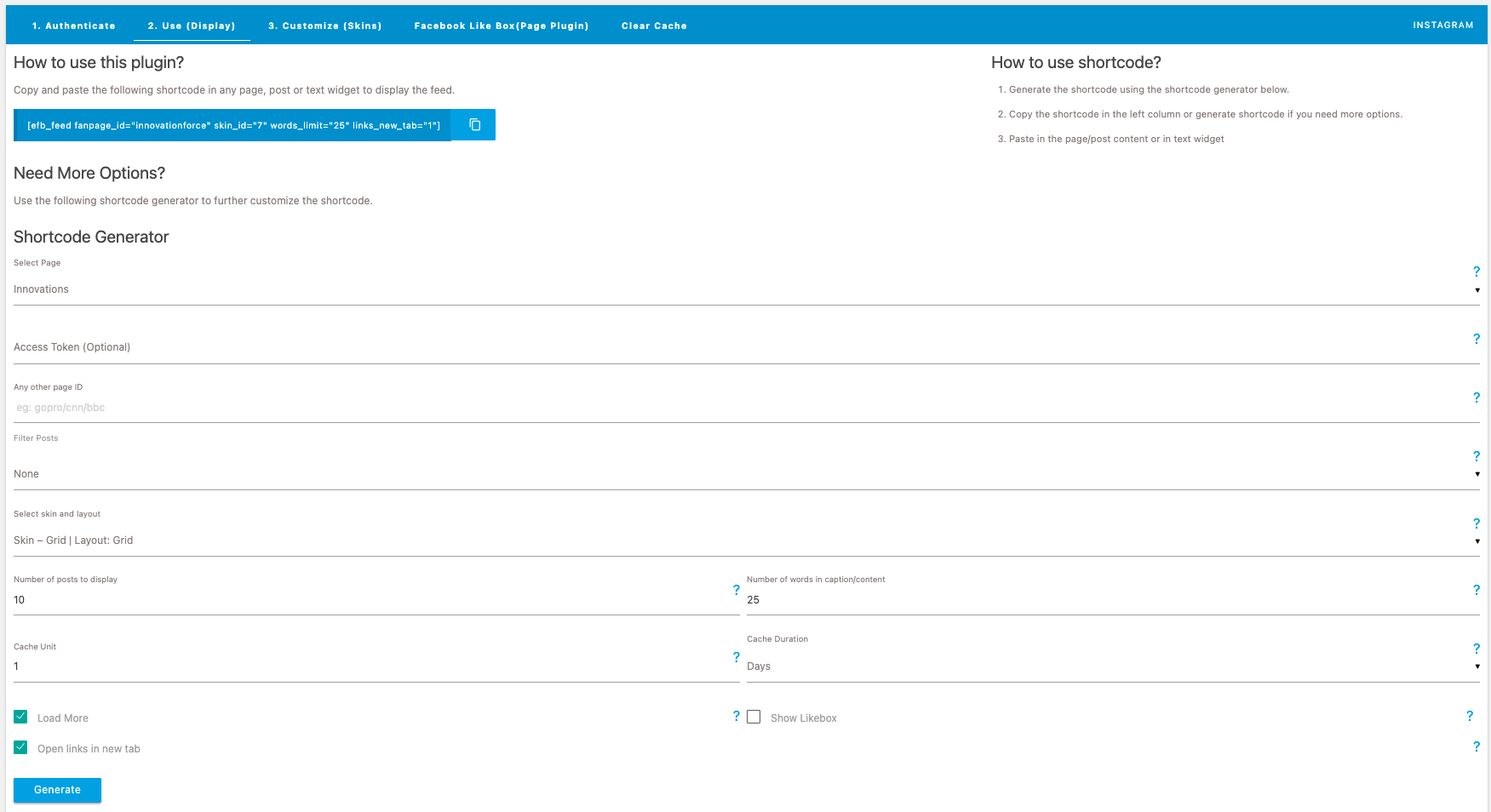
Easy Facebook shortcode generator 
Easy Instagram shortcode generator 
Facebook skins/layouts panel 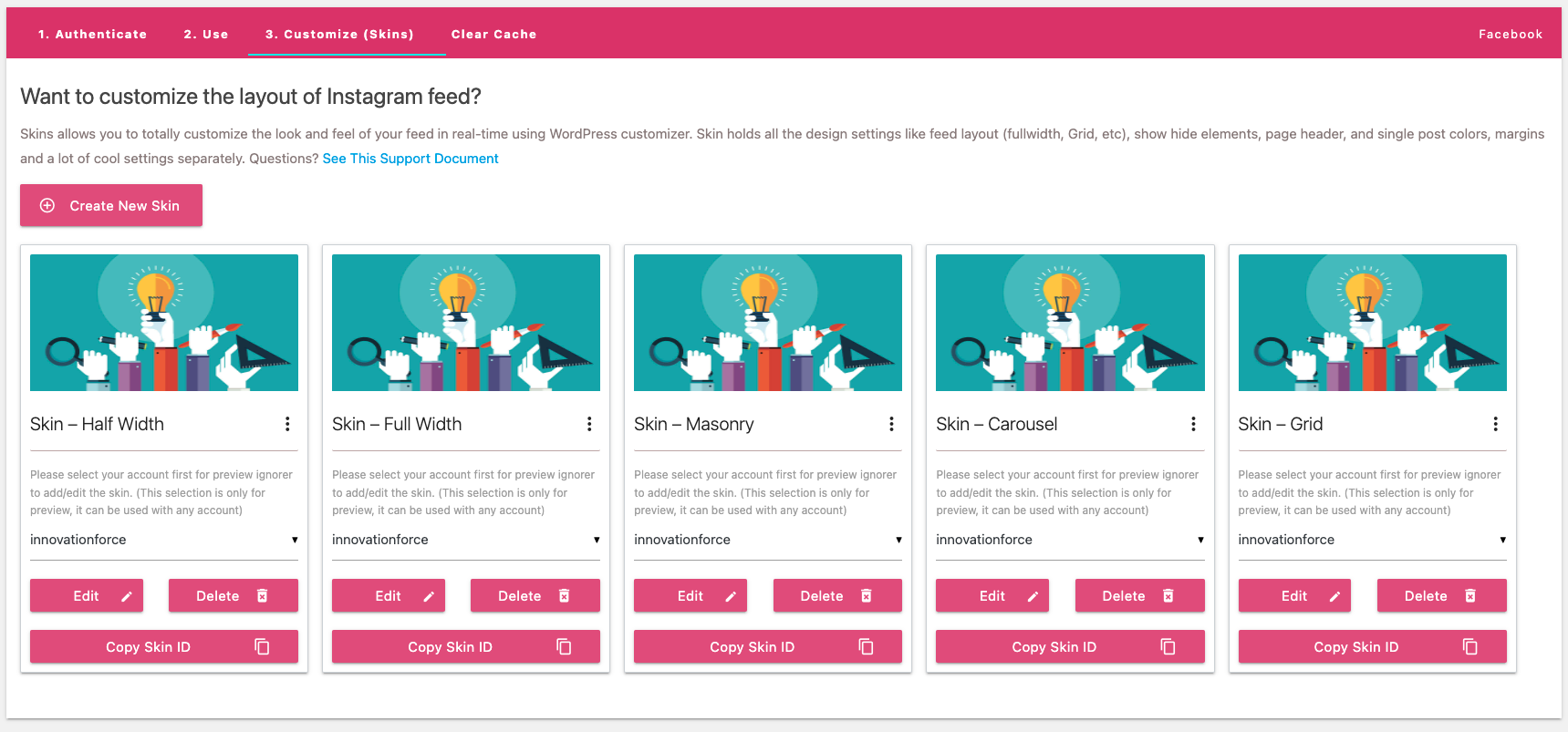
Instagram skins/layouts panel
Blocks
This plugin provides 3 blocks.
- Easy Social Feed Facebook Fullwidth Display your Facebook feed in a Halfwidth.
- Easy Social Feed Facebook Thumbnail Display your Facebook feed in a Thumbnail.
- Easy Social Feed Facebook Halfwidth Display your Facebook feed in a Halfwidth.
Installation
- Upload the plugin folder to
/wp-content/plugins/ - Activate the plugin via the WordPress “Plugins” page
- Go to “Easy Social Feed > Facebook / Instagram” to connect your account
- Copy the generated shortcode and paste into posts, pages, CPT or anywhere in PHP templates
FAQ
-
How do I connect my Facebook account to the plugin?
-
Navigate to Easy Social Feed > Facebook in your WordPress dashboard. Click on “Connect My Facebook Account” button. A modal will appear explaining the required permissions. Click “Connect to Facebook” and follow the authorization process. Make sure to select your Business Manager and grant all requested permissions for the plugin to work properly.
-
How do I connect my Instagram account?
-
Go to Easy Social Feed > Instagram in your WordPress dashboard. Click “Connect My Instagram Account” and choose between two connection types:
– Business Basic: For simple Instagram feeds from professional accounts
– Business Advanced: For advanced features like hashtag feeds, mentions, and multiple account managementFollow the connection wizard to complete the setup.
-
What’s the difference between Instagram Business Basic and Business Advanced?
-
Business Basic is perfect for displaying your Instagram posts and stories with basic permissions. Business Advanced requires connecting your Instagram account to a Facebook Page and provides access to hashtag feeds, mentions feeds, multiple accounts, and advanced insights. Choose based on your needs.
-
Why is my feed not displaying or showing “No posts available”?
-
This usually happens when:
– Your access token has expired. Reconnect your account from the plugin settings.
– Required permissions were not granted during connection. Reconnect and ensure all permissions are enabled.
– Your Instagram account is not a Professional (Business or Creator) account for Business connections.
– Cache needs to be cleared. Go to plugin settings and clear the cache. -
How do I display the feed on my website?
-
After connecting your account:
1. Go to the “Use (Display)” tab in the plugin settings
2. Use the shortcode generator to create your custom shortcode
3. Copy the generated shortcode
4. Paste it into any page, post, or widget area
You can also use the dedicated widget from Appearance > Widgets or use WordPress blocks. -
Can I customize the look and feel of my feed?
-
Yes! The plugin includes a powerful real-time customizer. Navigate to the “Customize” or “Skins” section where you can:
– Change colors, fonts, and spacing
– Adjust number of columns and layout
– Enable/disable specific elements
– Create multiple skins for different pages
All changes are previewed in real-time using WordPress Customizer. -
How do I display multiple feeds on my site?
-
Simply generate different shortcodes for each feed you want to display. You can:
– Use different Instagram accounts
– Display different Facebook pages
– Apply different skins/layouts
– Place feeds on multiple pages
There’s no limitation on the number of feeds you can create. -
Why do I need to connect my Instagram to a Facebook Page?
-
For Business Advanced connections, Facebook requires Instagram Business accounts to be connected to a Facebook Page. This is a Meta/Facebook requirement, not a plugin limitation. This connection enables advanced features like hashtag feeds and better API access.
-
How often does the feed update?
-
The plugin uses smart caching to optimize performance. You can configure the cache duration in the settings:
– Minimum recommended: 6 hours
– Default: 12-24 hours
– You can manually clear cache anytime from the settings
This helps reduce API calls and improves your site’s loading speed. -
Can I display feeds from accounts I don’t own?
-
- No only feeds from accounts you own and have connected
-
What permissions does the plugin need and why?
-
Facebook Permissions:
– pages_read_engagement: To read posts and content
– pages_read_user_content: To display your page content
– business_management: To access Business Manager accounts
– pages_show_list: To list available pagesInstagram Permissions:
– instagram_business_basic: Basic profile and posts access
– instagram_basic: Profile information
– instagram_manage_insights: Account metrics and statistics
– pages_show_list: To list connected Instagram accountsThese permissions are read-only and don’t allow the plugin to post or modify your content.
-
The feed is loading slowly. How can I fix this?
-
- Enable caching in the plugin settings (recommended: 12-24 hours)
- Optimize the number of posts loaded initially
- Use “Load More” button instead of displaying all posts at once
- Ensure your hosting has good performance
-
Can I display Instagram Stories?
-
Yes! Instagram Stories are supported. Make sure you’re using a Business connection and have the necessary permissions. Stories are automatically included in your feed and will be displayed for 24 hours as per Instagram’s policy.
-
How do I display Instagram Hashtag or Mentions feeds?
-
Hashtag and Mentions feeds require the Business Advanced connection. After connecting:
1. Go to the Moderate or Feeds section
2. Select “Hashtag” or “Mentions” as the feed type
3. Enter your hashtag or mentions
4. Generate and use the shortcode -
Is the plugin GDPR compliant?
-
Yes, the plugin is GDPR compliant. It only fetches public data that you’ve authorized. No personal data from your site visitors is collected or sent to third parties. The plugin caches content on your server to minimize external API calls.
-
Does the plugin work with page builders?
-
Yes! The plugin works with all major page builders including:
– Gutenberg (WordPress Block Editor)
– Elementor
– WPBakery
– Divi
– Beaver Builder
Simply paste the shortcode in a text/shortcode widget or use the dedicated blocks if available. -
Why am I getting “API Rate Limit” errors?
-
API rate limits are set by Facebook/Instagram. To minimize this:
– Increase cache duration in settings
– Reduce the frequency of feed updates
– Don’t use too many feeds from the same account
– The plugin uses smart caching to help prevent rate limit issues -
How do I display the feed in a popup?
-
The plugin includes built-in popup functionality:
– Posts automatically open in an elegant popup when clicked
– Navigate between posts using next/previous arrows
– Pro version includes advanced popup with Instagram-like experience
No additional configuration needed – it works out of the box! -
Can I filter posts by type (photos, videos, etc.)?
-
Yes, with the Pro version you can filter Facebook posts by:
– Photos only
– Videos only
– Events only
– Status updates only
Use the shortcode generator to select your preferred post types.
Reviews


Contributors & Developers
“Easy Social Feed – Social Photos Gallery and Post Feed for WordPress” is open source software. The following people have contributed to this plugin.
Contributors


“Easy Social Feed – Social Photos Gallery and Post Feed for WordPress” has been translated into 1 locale. Thank you to the translators for their contributions.
Translate “Easy Social Feed – Social Photos Gallery and Post Feed for WordPress” into your language.
Interested in development?
Browse the code, check out the SVN repository, or subscribe to the development log by RSS.
Changelog
6.7.2
- Fixed: Instagram Hashtag issue
- Fixed: Minor issues
- Added: Custom filter to translate API error messages
- Tested: Upto 6.9
6.7.1
- Fixed: Media lightbox not remembering customizer settings
- Fixed: Lightbox image size rendering issues
- Fixed: Instagram “Load More” conflict with Moderate tab
- Fixed: Facebook post hashtag display issue
- Added: Filters to customize Facebook and Instagram post date/time display formats
- Improved: Added pre-connection check to ensure Facebook Page is linked to Instagram account before using Business Advanced connection
- Improved: Load more feature to avoid rare duplicate issue
6.6.9
- Added: New Facebook connection modal that informs users about required permissions and Business Manager settings before connecting their account
- Added: New Instagram two-step connection flow with Business Basic and Business Advanced options, providing clear guidance on permissions and requirements for each connection type
- Improved: Enhanced user experience with detailed permission explanations and helpful links for Instagram account setup and Facebook Page connections
- Updated: Freemius SDK
- Fixed: Minor issues
6.6.8
- Fixed: Security vulnerability
- Fixed: Warnings in complete detail and minor issues
6.6.7
- Fixed: $datetime Fatal error
Older changelog entries are available on our website:
https://easysocialfeed.com/changelog