
WordPress Contact Us Form Plugin
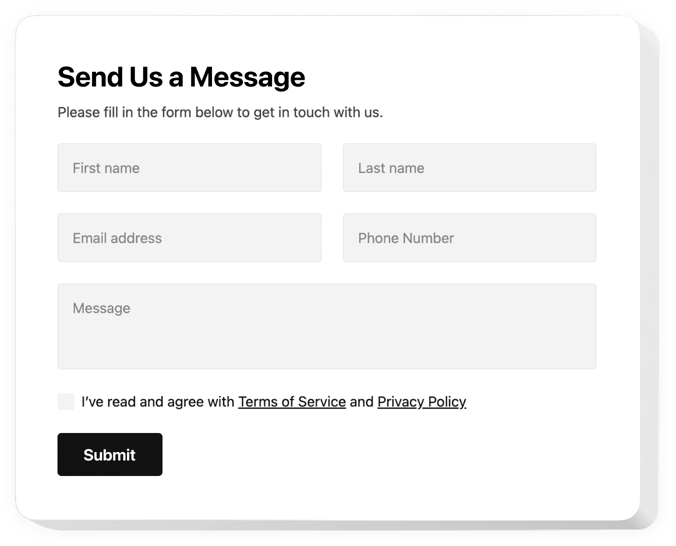
Create your Contact Form plugin
Screenshots


Why People Love Elfsight
Wouldn’t it be nice if your visitors never had to hunt down your email address? At Elfsight, we know communication can make or break your customer relationships. That’s why we created the WordPress Contact Form plugin – an easy way to let people reach out, whether they want to ask a quick question, request a callback, or send feedback.
With this widget, they can drop you a line directly on your pages. It’s quick to set up, works beautifully on any device, and blends right in with your website’s design. Even if you’re not a tech wizard, you’ll have it running in minutes.
Did you know?
According to Hubspot, 74% of companies put converting leads into customers as one of their top priorities. A simple contact form is one of the first steps.
Create your first Contact Form plugin in our live editor for free and see the results right away.
Key Features of the Elfsight Contact Form for WordPress
This plugin is made to keep things simple for beginners, yet flexible enough to cover all kinds of communication needs.
- Different form types: Build a WordPress contact us form, request form, support form, or even surveys – all from one editor.
- Custom fields: Create a WordPress custom form with text boxes, dropdowns, checkboxes, or file uploads so you get the info you actually need.
- Mobile-ready design: Every form automatically adjusts for phones, tablets, and desktops.
- Anti-spam protection: Built-in reCAPTCHA keeps junk messages away so only real requests land in your inbox.
- Style that fits: Adjust fonts, colors, and button shapes to make a customizable contact form WordPress websites feel native to your brand.
- Simple setup: Add a form to your website by pasting a single snippet – no coding, no hassle.
How to Add the Contact Form to WordPress
Adding a Contact Us Form is simpler than you might think. Here’s how to do it:
Method 1: Inline Form
Perfect if you want the form right on your Contact page, About section, or even inside blog posts.
- Choose a Template: Open the Elfsight editor and pick a template.
- Personalize your Widget: Customize your fields, labels, and style.
- Generate the Code: Click “Add to website for free” and copy the code provided by Elfsight.
- Embed on Your Website: In your WordPress dashboard, paste the snippet into the page or post using the Custom HTML block.
Method 2: Floating Form
Ideal if you want visitors to reach you from anywhere without scrolling.
- Pick a Template: Choose a floating layout in the Elfsight editor.
- Customize: Adjust the fields, position, size, and colors to fit your design and business needs.
- Generate the Code: Once you’ve finished the customization, copy the generated snippet.
- Embed on Your Website: Paste it into your WordPress footer so it shows across the whole website.
That’s it – the best Contact Form plugin is now live on your WordPress website.
Need a hand? Check out our Help Center or explore our blog article on how to add a Contact Form to WordPress. You can also suggest new features in the Wishlist or follow updates in the Changelog.