
HTML Contact Us Form Generator
Create your Contact Form widget
Screenshots


HTML Contact Form Generator for Seamless User Engagement and Efficient Data Collection
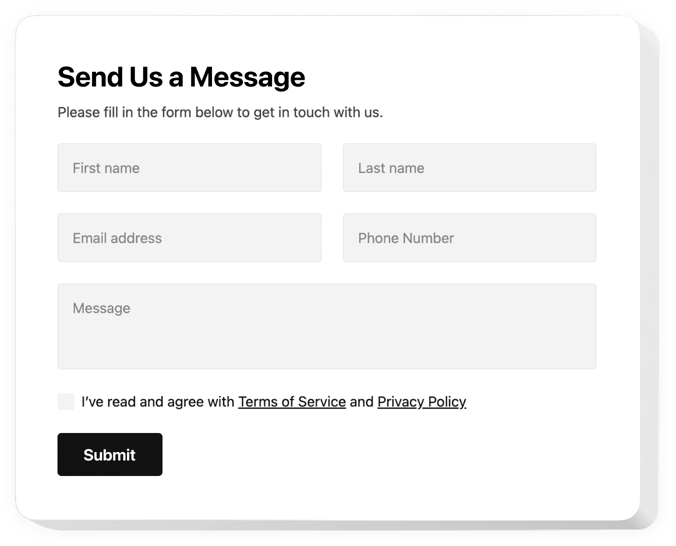
Elfsight Contact Form is an essential widget for fostering communication between you and your visitors. Whether you’re looking to capture leads, receive customer inquiries, or improve user interaction, the widget offers a simple yet powerful solution.
With Elfsight, you enable your users to get in touch with you instantly, ensuring they don’t have to leave your website to send you an email. This simple form can be fully customized to meet your unique design and functionality needs.
Creating a Contact Form in HTML might seem daunting, but with Elfsight’s widget, you can easily design and integrate a form that matches your branding. The user-friendly editor ensures that you don’t need any coding skills to set up a form that functions perfectly on your website.
Start creating your custom Contact Us form today. Experience how easily you can enhance your website’s functionality.
Key Features of the HTML Contact Form Widget
The free Contact Form Generator from Elfsight is designed to be simple yet highly customizable, providing a seamless experience for both website owners and visitors. Here’s why you should consider adding this widget to your website:
- Customizable Form Fields: Choose the fields you want to include, such as name, email, subject, and message. Tailor it to your business needs and improve the communication process.
- Easy Integration: No coding skills are needed! Elfsight’s Contact Form plugin enables you to add the form to your website with a simple copy-paste of the generated code. Setting up the form has never been easier.
- Responsive Design: The widget is fully responsive, making sure it looks great on all devices, from desktops to smartphones.
- Spam Protection: Prevent spam submissions with built-in CAPTCHA, ensuring that only genuine inquiries are received.
- Customizable Appearance: Modify the design, colors, fonts, and layout using Elfsight’s intuitive editor to match your website’s style.
- Instant Notifications: Receive instant notifications when someone submits a form, ensuring you never miss an inquiry.
- Multiple Templates: Choose from Elfsight’s pre-built templates or create a custom design, depending on your needs. It’s a versatile and free form generator ideal for any website.
To get started and explore all the features, try it in the intuitive editor for free today!
How to Add a Contact Form to HTML Website
Adding Contact Us Form to your HTML website is quick and easy with Elfsight. You don’t need any coding experience. Follow these steps to start using the widget:
- Select Your Template: Go to Elfsight’s editor and choose from a range of customizable templates. Whether you need a basic contact form or a more advanced layout, there’s an option for you.
- Customize Your Widget: Use the intuitive drag-and-drop editor to customize the form’s appearance and fields. You can adjust the color scheme, input fields, button text, and more to match your website’s style.
- Copy the Code: Once you’ve completed the customization, Elfsight will generate a code snippet. Simply copy this free HTML code to your clipboard.
- Embed the Code: Paste the copied code into your website’s HTML where you want the contact form to appear. This can be in a page, sidebar, or footer.
- Test and Go Live: Once the form is embedded, test it to ensure it works correctly. Your visitors can now submit inquiries directly through your free HTML Contact Form.
To explore more detailed instructions and setup tips, head over to our guide on how to make a Contact form in HTML.
If you need help with installation, don’t hesitate to reach out to our support team. We offer assistance to make sure your widget functions seamlessly.