
Elementor Contact Us Form plugin
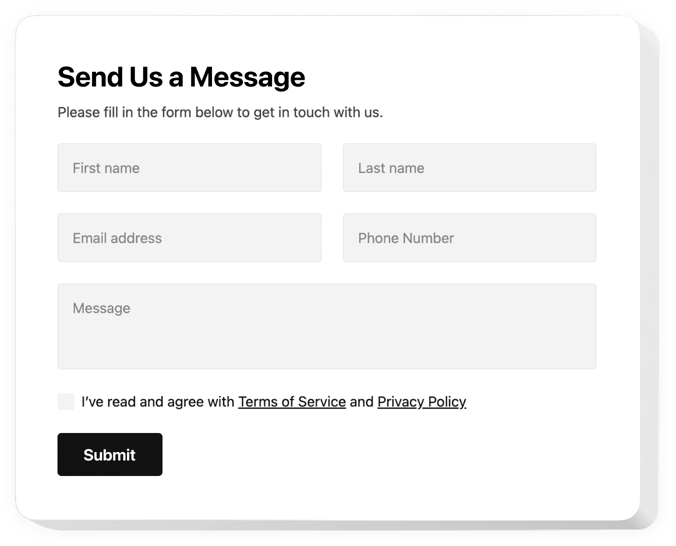
Create your Contact Form widget
Screenshots


Why People Love Elfsight
A simple way for people to get in touch can make the difference between a new customer and a missed opportunity. The Elfsight Contact Form plugin gives you a flexible, modern form that works perfectly inside your Elementor layout, so you can collect messages, leads, or requests without extra hassle.
You don’t have to wrestle with complicated builders. Setup is copy–paste simple, and customizing feels like adding another block to your page. By the way, the widget adapts to your design automatically, so it looks like it was always part of your website.
Did you know?
According to HubSpot, 74% of companies say converting leads is their top priority.
Give your visitors a straightforward way to connect – start using the Elfsight Contact Us form for free in minutes.
Key Features of the Elementor Contact Form Plugin
Here’s what makes Elfsight stand out:
- Multiple field types: Add text fields, dropdowns, checkboxes, and more so you can collect exactly the info you need.
- Flexible layouts: Display your form inline with content or as a floating button that opens on click.
- Custom design: Match colors, fonts, and spacing with your Elementor theme for a consistent look.
- Email notifications: Get instant alerts when someone fills in your form – no delay in responding.
- Mobile-friendly: Forms adapt automatically, so they’re just as easy to complete on a phone as on desktop.
- Spam protection: Built-in measures help filter out bots and junk submissions.
Explore full functionality in the editor now – no signup, no commitment.
How to Add the Contact Form to Elementor
Using Elfsight you can create a contact form in Elementor and add it to your website. Here’s a step-by-step:
Method 1: Inline Form
Perfect if you want the form directly on a page, like your contact or services page.
- Select a Template: Open the Elfsight editor and pick a template.
- Personalize the Widget: Customize the fields, design, and messages.
- Generate the Code: Click “Add to website for free” and copy the code.
- Embed on Website: In Elementor, add an HTML widget to your page and paste the snippet.
Method 2: Floating Form
Ideal if you want the form always accessible, no matter where someone is on the page.
- Select a Template: Choose a floating layout in the editor.
- Customize: Adjust its position, size, and colors.
- Generate the Code: Copy the snippet provided by Elfsight.
- Embed the Widget: Paste it into your Elementor page or theme before the closing
</body>tag.
Need help? Visit our Help Center, check our blog on how to create a contact form in Elementor, or share your ideas in the Wishlist. Want to see what’s new? Browse the Changelog.