Hire LearnDash Developer | Custom LMS Setup & Optimization2025-11-30T09:16:15+05:00

Hire LearnDash Developer & Custom LMS Expert

Hire LearnDash Developer & Custom LMS Expert

Most online courses fail not because the content is bad, but because the platform behind them is clunky, slow, or confusing.

That’s where I step in as a LearnDash Developer. I help course creators, academies, corporate trainers, and membership platforms transform LearnDash into a seamless, high-performing LMS that scales with your goals, not against them.

Imagine an LMS where:

  • Courses run flawlessly.
  • Every workflow fits your needs.
  • You focus on teaching, not troubleshooting.

My Compass:

  • Build it right.
  • Make it fast.
  • Support it long-term.

Meet The Dev

I'm Adeel, a trusted LearnDash & WordPress Expert with years of experience serving the LearnDash Community. Let me handle your tech side, so you can focus on your business.

Brian Fritton about LearnDash Developer Adeel

“Just Wanted To Take A Moment To Recognize Adeel Raza For His Excellent Work. I hired Adeel for a few complex requirements working with not only LearnDash but a number of other related plugins that needed to be extended. His work was fast, up to WordPress standards, well-tested, and done at a fair price. He's also extremely communicative and flexible. I'd recommend him to anyone with serious LearnDash customization needs”

Brian Fritton, Founder Havoc Shield

Custom LearnDash Setup & Configuration

Plugin & Theme Development

We help you create custom plugins of your own that work alongside LearnDash and help you achieve your personalized goals where LearnDash falls short. This enables you to keep your LMS system fully personalized and functional as per your unique business needs.

Focused on LMS niche

We focus on WordPress-based LMS systems, crafting tools to elevate our clients' e-learning platform. Our custom LearnDash extensions have received significant praise from the LearnDash community

Connected with LearnDash Community

With extensive experience in the LearnDash LMS community, we grasp the limitations of standard LMS plugins and offer custom coding solutions to address unique feature requirements. We've successfully assisted many users with similar needs and are equipped to help you too.

Integrations & Automation With Any Third-Party (WooCommerce, MemberPress, CRM, AI Tools, AI Models, Or External Softwares)

LearnDash doesn’t cover every feature you may need, so third-party plugins or external app integrations (like custom CRM setups with HubSpot or Ontraport) are often required. We handle all of it for you — not just the WordPress side. Whatever tools your project needs, we integrate and build it. This is our core expertise, so you’ll never hear “we don’t work with that” from us.

Justin Ferriman review of Adaptive Learning for LearnDash
Trusted LearnDash Developer

Featured on the Official LearnDash Expert Directory

We’re a trusted and officially recommended LearnDash development partner. Our agency is featured on the LearnDash Expert Directory, where only a select group of specialists are listed for advanced customization and LMS development services

Client Success Stories


“I Have Recently Worked With Adeel Raza To Get Some Custom Work Achieved With LearnDash. He did an excellent job and I will be using his talents on future projects for sure. If you need help or customization with LearnDash I highly recommend contacting Adeel”

Steve Dimmick about LearnDash Developer AdeelSteve Dimmick, Founder Bbookthority

“I was looking for an addon to get Feedback and Questions from students about my course, and finally found Learndash Student Voice! Easy to set up and not too intrusive in the course: just what I need! If you also think your student's feedback is a gift, I highly recommend this plugin”

“Excellent WP Consultant!! I first worked with Adeel 8 years ago helping when he helped adminstrate my website including using LearnDash WP course plugin on my website. Since then, Adeel has been further developing his LearnDash expertise. Adeel was again tremendously helpful, this time integrating interactive spaces to bring students' voices into our self-paced asynchronous courses. I had already started using Padlets for text and images, and he helped me further integrate these into my courses. He also helped me hone in on Flip as an additional user-friendly option for adding video, and audio (including making mixed tapes that capture voices over time). We exchanged through email and screenshot video. He also easily made edits to my website, and I trusted him to do so. Thank you, Adeel for helping refresh my courses to build creative and interactive spaces based on advances in educational technology”

peggy sax founder reauthor teachingPeggy Sax, Founder Reauthoring Teaching

“I have worked with so many subject matter experts in the online education space from open source to full stack developers and found Adeel to be amongst the top tier experts in our space no matter the topic. I needed to do a CRM migration with over 15k contacts and and went to him first to help me with the scale of this operation. He will be the first one to tell you whether he can take on any challenge in or out of his wheelhouse. He is diligent and thorough on analysis when it comes to understanding the scope of work required and expeditious on full scale execution. Most importantly, he has earned my trust no matter what the project entails. He is my go to first expert and I trust him to be honest, fair and informed. He takes the time to dot every "i" and cross every possible "t" while also ensuring that he protects me from myself. He is someone I will always go to for any of my technical requirements because I know it will always be done correctly and without technical drama. He is excellent on communication and response times. I trust him, his knowledge, his guidance, his professional wisdom and you can too!”


More Than An ELearning Consultant, Your Partner In Success

Our Custom LearnDash Extension Development

LearnDash Student Voice
Adaptive Learning With LearnDash
LearnDash myCRED integration addon

Benefits of Working with a LearnDash Software Developer

Streamlined Development Of Custom Plugins and Solutions

Custom Solutions For Your Online Learning Platform

Each LMS project is distinct, necessitating custom design and development to suit its unique requirements.


3rd-party Integrations to Enhance User Experience

Custom development services to integarte third-party software to significantly enhance the capabilities of your LMS platform.

Ongoing support for technical challenges

Providing ongoing support, updates, and maintenance to keep the platform running smoothly is essential.

Our LearnDash Developer Portfolio

“Exceeded my expectations!! I recently had the pleasure of working with eLearning Evolve to enhance my LearnDash website, and I couldn't be more satisfied with the results. Their work was not only excellent but also delivered in a timely manner, exceeding my expectations. The team at eLearning Evolve demonstrated exceptional expertise in LearnDash, implementing all the necessary features seamlessly. They were professional, responsive, and highly efficient, ensuring that the project stayed on track and met all deadlines. Moreover, they went above and beyond by providing valuable recommendations that significantly improved the functionality and user experience of my site. Their insights were practical and tailored to my specific needs, showcasing their deep understanding of eLearning platforms. I highly recommend eLearning Evolve for anyone looking to optimize their LearnDash website. Their combination of technical proficiency, timely delivery, and thoughtful suggestions makes them an outstanding partner in the eLearning space.”

Purchase Service Blocks

You can choose a block package or choose your preferred number of dev service hours

Starter

Test Us Out

$80 Previously $100

1 hr of dev service

A perfect low-commitment way to experience the quality of our development work.

What's Included
  • 1 hour of dedicated WordPress/LearnDash development for any bug fix or small task

  • 15-day testing window with free bug fixes

  • Plugin tweaks, minor setups, or quick troubleshooting

Value Block

Custom Feature Builder

$240 Previously $300

3 hrs of dev service

Designed for more meaningful tasks, deeper fixes, or multi-step enhancements

What's Included
  • 3 full hours of expert WordPress/LearnDash development, which could include enhanced feature creation

  • Plugin Configurations, Setup, or a small custom plugin of your own with your desired feature set

  • 15-day testing guarantee with free bug fixes

  • Perfect for small projects, features, and custom additions or development

Let’s discuss your project!

    Frequently Asked Questions About LearnDash Customization Service

    Which theme do you recommedn using for LearnDash2025-11-28T05:15:01+05:00

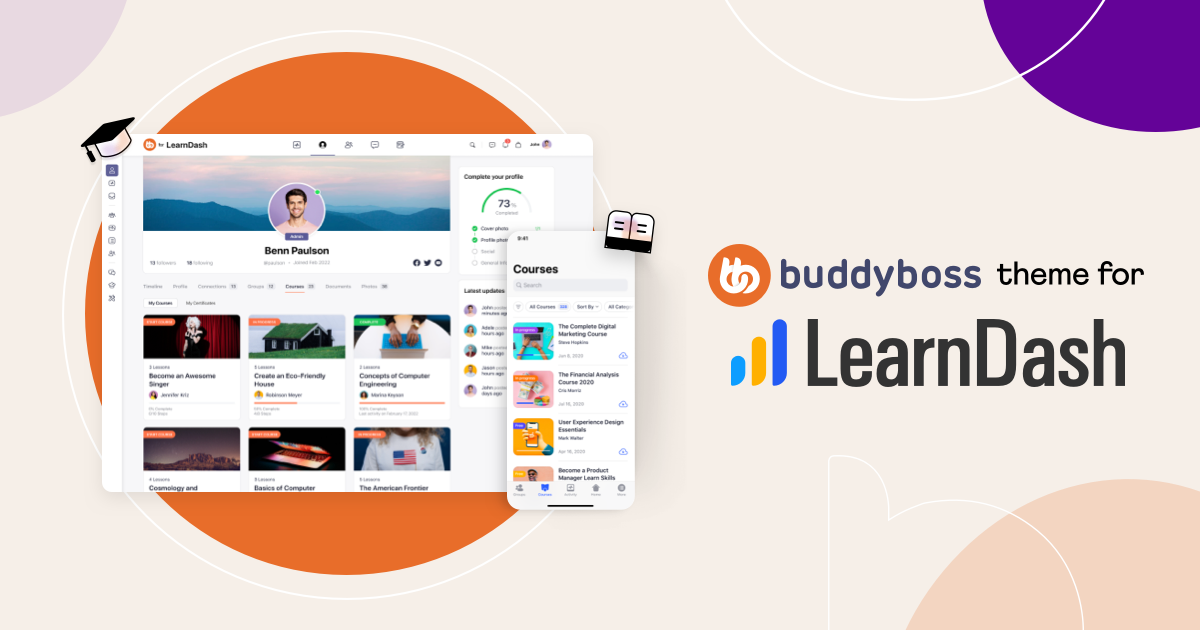
    There are a couple of options here. If you have a good budget, the BuddyBoss Theme for LearnDash is an obvious choice for its rich feature set and community-based design that can be a kick starter for your project.

    Additionally, Astra for LeanrDash using starter templates is also a very good option for performance and speed,d and get quickly up and running with a free version of Astra.

    Lastly, there is also the option to go with the Kadence theme for LearnDash again with starter templates o that you could have a demo site ready very quickly, and you just have to replace youe own content on a pre-installed demo site

    Can you estimate how much time will it take to create my LMS site2025-11-28T05:11:45+05:00

    Yes, we provide estimates given the detailed requirements and scope of work for the site. We also recommend breaking down the scope to a very simple MVP setup first, with minimum plugins and customizations.
    Subsequentl,y we can take on additional milestones and introduce advanced features on your LMS once you have a base and get up and running with the default LearnDash and related addons setup on your site.

    How do you handle LearnDash updates and compatibility issues?2025-11-28T05:09:24+05:00

    We test all LearnDash updates, plugin updates, and custom code changes in a staging environment before applying them live, ensuring full compatibility and preventing disruptions to your courses and LMS features

    Can you help with advanced LearnDash workflows like group management and certificates?2025-11-28T05:08:51+05:00

    Yes, we can set up complex workflows including group management, instructor permissions, certificate automation, course progress triggers, and custom notifications to improve student engagement and tracking

    Do you provide ongoing support after development?2025-11-28T05:08:23+05:00

    Yes, we offer long-term technical support, maintenance, and updates to ensure your LearnDash site continues running smoothly and stays compatible with WordPress, plugins, and third-party integrations

    Can you optimize LearnDash for speed and scalability?2025-11-28T05:07:40+05:00

    Yes, we optimize LearnDash sites for fast page loads, efficient caching, database optimization, Redis setup, and scalable architecture to handle large numbers of courses and users without performance issues.

    Do you integrate LearnDash with third-party tools like CRMs or membership plugins?2025-11-28T05:05:30+05:00

    Absolutely. We integrate LearnDash with WooCommerce, MemberPress, HubSpot, Ontraport, Zoom, BigBlueButton, AI tools, and other external systems to automate workflows and streamline your LMS operations.

    Do you offer custom LMS integrations?2025-11-28T05:04:45+05:00

    Yes, we provide advanced customization for LearnDash courses, lessons, topics, and quizzes, including adaptive learning, conditional content, retake logic, and personalized learning paths tailored to your business requirements.

    Do you offer custom LMS integrations?2025-11-28T05:03:39+05:00

    Yes, we can integrate third-party tools, CRMs, and other systems with your LMS.

    Can you help with LMS migration?2025-11-28T05:02:54+05:00

    Yes, we can migrate your courses, users, and content safely to a new LMS platform.

    Can you integrate third-party plugins with LMS?2025-11-28T05:01:58+05:00

    Absolutely. We integrate various plugins and tools into your LMS setup efficiently

    Cannot access webinar info2022-10-26T08:17:22+05:00

    If you see this error Cannot access webinar info on your webinar frontend page then please make sure you have added the extra is_webinar=1 parameter in the Zoom meeting shortcode when embedding Webinar on your pages e.g [zoom_api_link meeting_id='' is_webinar=1]

    See more options to embed the Webinar using the Gutenberg block in this post.

    Why is there a 40-min time limit on my meetings2022-03-23T04:53:04+05:00

    The 40-min limitation is from the Zoom end for free Zoom accounts, the plugin has no control over this. See Zoom account plans for more plans that could override this restriction.

    Is it possible that the user could start meetings without WP backend access2022-03-21T12:15:12+05:00

    There is an option in the plugin to map Zoom hosts to WP users. Here you can map your Zoom account user with the WP user that can have meeting host access.
    Once the user is mapped when they click Join via Web from the meeting page they will be able to join the meeting as a Zoom host & able to start the meeting without the WP admin access but the user MUST be logged in to your site using their WP user account, this is needed to identify the user as the host, if the user is not even logged in to your site then, there is no way to achieve this.

    The page crashed/resources unable to load or Gallery view not working after clicking Join via Web2023-05-03T00:33:32+05:00

    Please follow the Chrome Origin Trials method to generate your token. You don't need to add any meta tags or customize anything.

    Only copy the token from your Chrome account and add it to Zoom Meetings -> Settings -> Setup -> SharedArrayBuffers Token

    The detailed solution for this problem is described in this blog post.

    How to prevent Zoom recording videos from being downloaded2021-08-03T14:10:32+05:00

    To prevent Zoom recording videos from being downloaded by your users consider switching to the Vimeo recording option offered by the Zoom plugin. Once the recording videos are served from Vimeo it will not be possible for users to download it even if you are using the Basic Free Vimeo plan. You can read more on this here.

    Your browser doesn't support using computer's Audio device, please upgrade your browser to the latest version2022-10-12T00:05:14+05:00

    Please check if your site is using the HTTPS version because the Audio/Video does not work on an HTTP site i.e http://example.com rather it should be https://example.com
    If you still see this error inside the Zoom meeting window then, make sure you are using a supported browser and check plugin limitations.

    How to conduct multiple Zoom meetings simultaneously by embedding them on different pages on one web site2021-06-21T12:29:02+05:00

    You will only need a Basic plugin license if you want to use it on a single WordPress site. However, you will have to add multiple Zoom hosts to your Zoom account and let each host conduct their own meeting as Zoom does not allow a single host to conduct multiple meetings simultaneously. This guide will help you to configure it.

    Is 720p video resolution for Zoom video available in the plugin2022-10-11T23:59:29+05:00

    Yes, but with some limitations from Zoom. The 720p resolution support is with video for only 2 participants. See detailed Zoom requirements here.

    Are the previously scheduled meeting recordings also uploaded to Vimeo2021-06-14T14:41:57+05:00

    Yes. The plugin executes a daily cron job and checks for all the past meeting recordings of all the Zoom users present in your account. It will upload the recording video to Vimeo if it has not been uploaded already by the plugin.

    The email column in participants report section is empty for Zoom Meetings2021-06-14T14:05:24+05:00

    This is a limitation from the Zoom end. Please view this thread for more info.

    What are the issues that are beyond the scope of the plugin and where to report them2021-03-18T15:49:47+05:00

    The issues that are directly related to the Zoom Web SDK or the Zoom APIs are beyond the control of the plugin.
    You can report such issues directly on the Zoom dev forum in the Web SDK section.

    Is there a way for people to view the Zoom meeting without having to join the meeting2021-03-18T15:36:46+05:00

    Zoom meeting recordings can be displayed on the meeting shortcode page after the meeting ends. There are 2 options.

    1. You can display the recording directly from the Zoom cloud.
    2. You can display the recording from Vimeo once the recording video is uploaded automatically at the end of the meeting. You will require this addon for Vimeo setup.
    Can I host multiple/simultaneous Zoom meetings2021-03-26T07:40:42+05:00

    Yes, if you set a different host for each of your Zoom meetings then each of your hosts can conduct their own meeting simultaneously. See this blog post for more info.
    However, Zoom does not allow a single meeting host to conduct multiple meetings at the same time.

    How can I create a Zoom meeting with no password2021-06-04T08:58:24+05:00

    There are 2 prerequisites to achieve this.
    1) You will need to have a Pro-level Zoom account to be able to disable the password option.
    2) The waiting room option will be enabled automatically when you disable the password, this is a restriction from the Zoom end.

    After this, you can disable the meeting passcode option in your Zoom account for your specified meeting host. Consequently, the plugin will not show the password field if the meeting password is not set.
    image.png

    Audio/Video not working in Zoom meeting2021-03-18T15:45:45+05:00

    Please check this post for details on the Audio/Video issues in Zoom meeting

    The video uploaded to Vimeo says "Sorry This video will be available for viewing shortly."2021-02-10T14:53:48+05:00

    There is a delay from the Vimeo end on a Basic plan when the video is uploaded. Please wait a little while for video processing. If you want to speed up this process then you can consider upgrading to a paid Vimeo plan.

    After Video upload on Basic Vimeo plan

    After Video upload on Basic Vimeo plan

    I want to increase the width of zoom screen on my web page. Is it poossible to have a wider appearance?2021-02-06T16:55:19+05:00

    You will have to add the meeting shortcode on a page that is full width and it will auto adapt to the available space on the page.

    Meeting recordings are not uploaded to Vimeo after meeting end2021-01-27T01:34:37+05:00

    Please check if the plugin gas encountered any errors during the upload process under Zoom Meetings -> Settings -> Error Logs

    View the list of uploaded vidoes and embed a single Vimeo video2021-01-27T01:34:29+05:00

    You can view the list of videos uploaded to Vimeo in the WP dashboard under Media -> Vimeo. You can also embed a single video by copying the text from the Embed column and adding to your preferred WP page.

    How to ensure the privacy of my meeting recording video2021-02-16T21:43:48+05:00

    The basic Vimeo membership does not allow any privacy options for the video. However, if you upgrade your Vimeo account to Plus or above then, the plugin will use all the privacy-related options offered by Vimeo namely:
    1) Hide the uploaded video from vimeo.com so it cannot be directly viewed on Vimeo even if the link is shared.
    2) Protect the video from being embedded on any other site except your own WP site through the Vimeo Domain-level privacy feature.
    3) Remove the share button and Vimeo logo from the embedded video.

    Hence, your recording video will only be accessible on the meeting page of your own site.

    Is there a way to see the "participants grid/gallery view" where we can see all of them instead of one at its time2021-01-24T13:03:33+05:00

    Zoom does not allow the gallery view in its web version. This feature is currently specific to the Zoom App.

    How can I disable the No-cache parameter added to my meeting page URLs2020-12-31T20:12:43+05:00

    You can disable this from Zoom Meetings-> Settings -> Configuration -> Disable Nocache Mode. Please make sure you exclude the meeting pages from being cached on your site after you disable this mode from the plugin.

    Can I use a non multi site license for subsite(s) of a multi site network2020-12-21T15:14:06+05:00

    Yes, you can use a Basic, Pro, or Ultimate license for subsite(s) of a multi-site network if you don't need a network-wide activation of the plugin.

    Is polling feature available in the Zoom meeting2020-12-24T17:30:39+05:00

    Yes, support for polling has been added in the Zoom Web SDK v1.8.5 update and made available in v4.11.0 of the plugin.

    Is language interpretation available in this plugin2020-12-24T17:31:21+05:00

    Yes, support for live interpretation has been added in the Zoom Web SDK v1.8.5 update and made available in v4.11.0 of the plugin.

    Is there a full money-back guarantee incase the plugin does not work out for me2020-09-25T06:47:22+05:00

    Yes, there is a 15-day refund policy with the purchase. Please make sure you read the terms and conditions for the refund policy here.

    Is it possible to host concurrent Zoom Meetings on WordPress2020-09-25T00:49:44+05:00

    Zoom does not allow a single host to conduct multiple meetings at the same time. However. you can create separate hosts for each meeting and each host can conduct "their own" meeting simultaneously. Please check this blog to learn about the multi-host configuration with the plugin.

    Meeting time change in the Zoom App does not updated countdown timer on WordPress2020-09-24T11:27:38+05:00

    if you have set up the events subscription properly then the changes from Zoom App should be reflected in your WP site else you can also click Sync Zoom Meetings after selecting the meeting host from the dropdown and it should clear the cache on the WP site and update as per the changes in the Zoom App.

    image.png
    Is Zoom breakout rooms feature supported in this plugin2020-12-24T17:29:39+05:00

    Yes, the support for breakout rooms has been added in the Zoom Web SDK v1.8.5 that is available with the plugin version 4.11.0

    Is there a way you can allow users to join a Zoom meeting directly without the need to enter their details and click Join via Web2020-11-19T19:54:43+05:00

    You can enable the Auto Join mode from Zoom Meetings -> Settings -> Configuration. This will hide the input fields and take your logged-in WP users straight to the Zoom meeting window. If the user is not logged in to their WordPress account they will have to fill out the fields in order to join the meeting.

    Leave empty the password field for meeting but a new password appears when I save it2020-09-11T15:26:31+05:00

    Please disable this option in your Zoom account
    image.png

    How to get the invoice for this purchase2020-09-11T15:22:37+05:00

    Please login to your account here and click Generate Invoice under Purchase History.

    Is it possible to embed a Zoom Webinar with the plugin2020-10-07T22:43:02+05:00

    Yes, it is possible. Please view this blog post to see how you can embed a Zoom Webinar.

    Fail to Join the Meeting Error2020-08-06T16:26:05+05:00

    This error shows up when another meeting or webinar is already in progress under that particular Zoom host. Zoom does not allow you to enter multiple meetings as a host. Make sure you end the other meetings or webinars before entering a new one as a host.

    How to upgrade my license plan2020-08-05T00:08:24+05:00
    1. Register/Login to your account from here.
    2. Visit my account page from here.
    3. Here click on View Licenses under Purchase History.

    4. Here click View Upgrades and upgrade to your preferred plan. Once an upgrade has been chosen, you will proceed to the checkout screen where you can complete your purchase.

    There is a Time-Based Proration for the license upgrade explained below:

    Example: A customer purchased a Single Site license for Product A for $89 on October 1, 2017. On March 1, 2018 the customer upgrades their license to 2-5 Sites which is $129. The price difference is $40 and there are 6 months left in their current subscription. The customer will pay $20 to upgrade. On October 1, 2018, the subscription will renew and the customer will pay $129 for Product A (2-5 Sites) and have an active license key until October 1, 2019.

    Note: The expiration date of the license will not change; an upgraded license will still expire on the original expiration date

    Can I use this plugin with a Free Zoom account2020-07-10T20:58:25+05:00

    Yes, the plugin does not require a paid Zoom account and works with a free account. However, the limitations applied while using a Free Zoom account would apply while using the plugin. i.e 40 min duration for all meetings.

    Is it possible to add multiple Zoom API Keys2020-06-25T11:54:54+05:00

    Right now it's not possible to do so.

    After adding a new user, the email to confirm is not sent2020-06-25T11:54:06+05:00

    If you are on a free Zoom plan you must add a CC in your Zoom account to activate the User management section.

    Is it possible to create recurring meetings2020-07-08T04:01:04+05:00

    Yes. you can enable this feature in the plugin with this addon.

    Zoom windows says The server encountered an internal error and was unable to process your request. Error 30012021-08-10T20:25:50+05:00

    This error usually points to more than one Zoom meeting window opened at a time in the browser. If you see this error make sure there is only one tab in your browser that opens the Zoom meeting window and refresh the page again after closing additional tabs.

    How to restrict access to the Zoom meeting page2021-08-03T13:53:34+05:00

    It is possible to restrict access to the Zoom meeting, all you need to do is place your meeting shortcode located under (Zoom Meetings -> Settings -> Using Shortcodes) to pages that have restricted access configured by your membership plugin.

    1. Here is an example of restricting a page with the Restrict Content Pro plugin.
    2. Another example of restricting access specifically for a meeting is to "enclose" it in a restricted content shortcode using the parameters offered by the membership plugin. In this case, Memberpress.
    [mepr-active ifallowed="show" membership="membership_id" unauth="message" unauth_message="Restricted members only content"]
    
    [zoom_api_link meeting_id="your_meeting_id"]
    
    [/mepr-active]
    How many participants can join the meeting using this plugin2020-03-13T20:33:08+05:00

    The no.of participants depend on your Zoom account type and not the plugin. The Basic(free) account type allows up to a max of 100 participants in one meeting.

    Will this plugin slow down the site or requires any additional server resources2020-07-16T20:50:17+05:00

    No, it won't slow your site because it is not using the resources of your server rather it's using the Zoom platform to render the meeting window. The load on your server will be similar to a normal page visit.

    Our Recommendation

    Affiliate Disclosure: We use affiliate links in our content. It wouldn’t cost you anything. However, it helps us offset the cost of producing the content and the offerings. Thanks for your support.

    LearnDash Developer
    Average rating:  
     8 reviews
    Go to Top