

Περιγραφή
Media Tracker is a powerful WordPress plugin designed to help you identify and remove unused media files, manage duplicate images, and streamline your media library for better site performance and storage efficiency. Boost your WordPress site’s speed and organization with Media Tracker, the ultimate solution for managing and optimizing media files. Effortlessly track, organize, and clean up unused images to maintain an efficient and clutter-free media library. With Media Tracker, you can easily locate where each image is used across posts, pages, and custom post types, enhancing your website’s performance and user experience.
Features
🔥 Media Usage: Track and analyze media usage across your WordPress site. This feature allows you to see where each media file is being used, helping you manage and optimize your media library more effectively.
🔥 Unused Media List: Find media files that are not in use on any posts, pages, or other content. This feature helps you keep your site clutter-free by highlighting files that can be safely removed.
🔥 Duplicate Images: Detect and manage duplicate images within your media library. Consolidate or remove redundant files to save storage space and maintain an organized media library.
Supported File Types
- JPEG
- PNG
- WebP
- GIF
- MP4 (Video)
Supports Plugins:
✔ WooCommerce
✔ Gutenberg
✔ WordPress Classic Editor
✔ Advanced Custom Fields (ACF)
Supported Page Builders:
✔ Elementor
✔ Divi page builder
Στιγμιότυπα
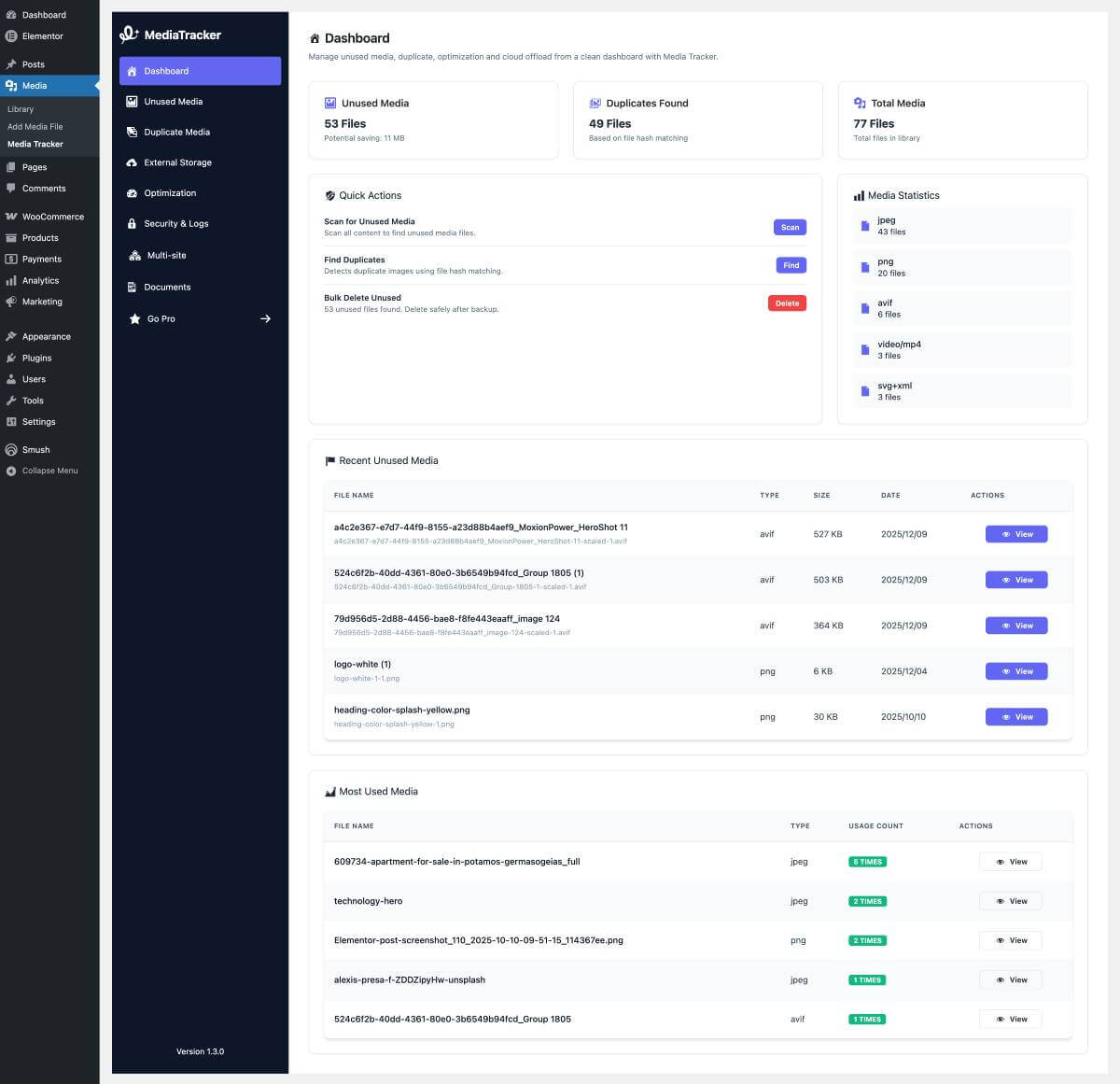
Media Tracker Dashboard 
Example of media tracking report. 
Unused media cleaner interface. 
Find dupliacte image 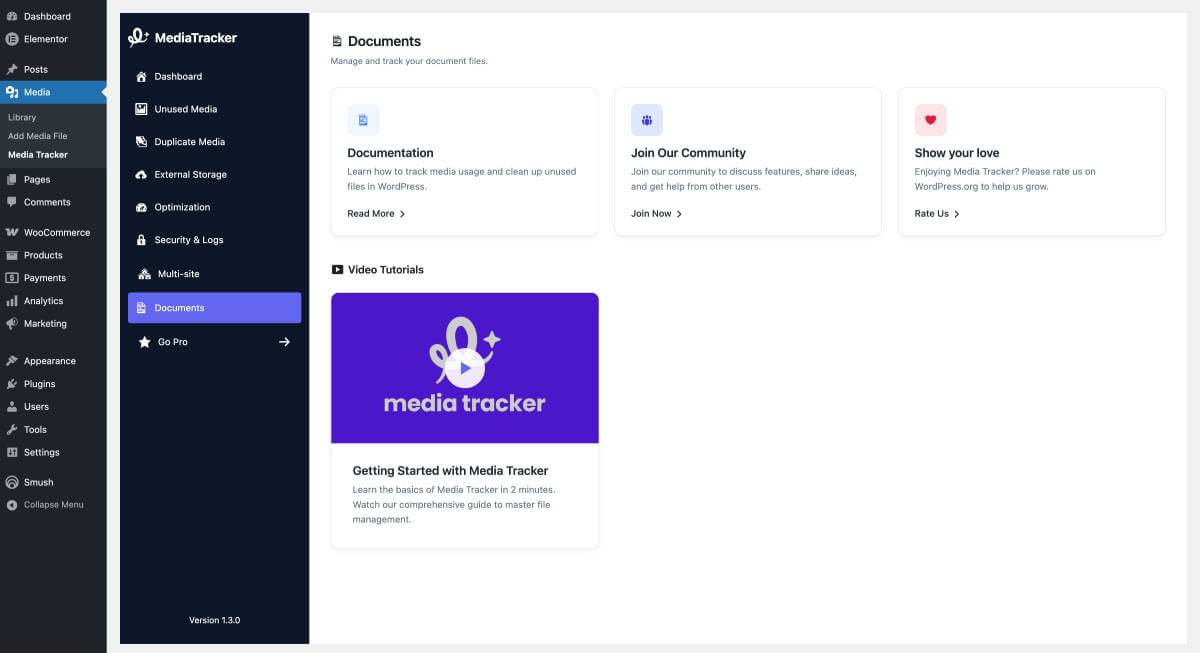
Documentations
Εγκατάσταση
Minimum Requirements
- PHP version 5.6.0 or greater (PHP 7.4 or greater is recommended)
- MySQL version 5.0 or greater (MySQL 5.6 or greater is recommended)
Automatic installation
The automatic installation is the easiest way to install any plugin in WordPress. You can perform an automatic installation by logging in to your WordPress dashboard, navigating to the “Plugins” menu and clicking on the “Add New” button.
This will open up a page showing all the available plugins in WordPress. In the search field, type Media Tracker. The search result will show you our Media Tracker plugin. You can then see the detailed info by clicking on “More Details” and to install just click on the “Install Now” button.
Manual installation
Go to Dashboard > Plugins > Add New, then upload media-tracker.zip file and click Install Now.
Συχνές Ερωτήσεις
-
Q. Where can I get support?
-
A. You can get support by posting on the support section of this plugin on the WordPress plugin directory, or via email at: [email protected]
-
Q. Can I use my existing WordPress theme?
-
A. Sure, you can use your existing WordPress theme with Media Tracker.
-
Q. Where can I report a bug?
-
A. Found a bug? Please let us know by posting on the support section of this plugin on the WordPress plugin directory or directly via email at: [email protected]
Κριτικές


Συνεισφέροντες & Προγραμματιστές
“Media Tracker” είναι λογισμικό ανοιχτού κώδικα. Οι παρακάτω έχουν συνεισφέρει στη δημιουργία του.
Συντελεστές

Μεταφράστε το “Media Tracker” στην γλώσσα σας.
Ενδιαφέρεστε για την ανάπτυξη;
Περιηγηθείτε στον κώδικα, ανατρέξτε στο αποθετήριο SVN ή εγγραφείτε στο αρχείο καταγραφής αλλαγών ανάπτυξης μέσω RSS .
Σύνοψη αλλαγών
1.3.6 [30/05/2026]
- Fixed: Unused media list bug fixed
- Fixed: Duplicate media list bug fixed
1.3.5 [07/03/2026]
- Fixed: Screenshot option CSS issue fixed
- Fixed: Unused media CSS issue fixed
- Fixed: Unused media screen option code script updated
- Enhanced: Duplicate media screen option added
- Enhanced: Duplicate media transient added for better performance
- Fixed: Tab overview and duplicate media transient issue resolved
1.3.4 [16/02/2026]
- Fixed: Media usage count bug fixed
- Fixed: CSS issue fixed
- Fixed: Languages issue fixed
1.3.3 [15/02/2026]
- Fixed: Media usage lookup improved with enhanced Elementor data parsing
- Fixed: Duplicate media display and redirect issues optimized
- Fixed: Tab navigation JavaScript loading issues resolved
- Fixed: Progress bar calculation and display accuracy improved
- Fixed: Duplicate media count accuracy in Overview page
- Fixed: Transient API usage for better performance and data caching
- Enhanced: Page load speed through optimized database queries
- Enhanced: Media usage tracking for better accuracy across all content types
- Fixed: WordPress plugin checker compliance errors
- Fixed: Translation textdomain loading bug (FILE constant fix)
- Improved: Overall stability and performance of media tracking features
- Support: Enable WooCommerce
1.3.2 [10/02/2026]
- Fixed: Duplicate Scan progress bar, count, and percentage now update correctly in real-time.
- Enhanced: Added a spinner icon to indicate active scanning state for Duplicate Scan.
- Fixed: “Most Used Media” section infinite loading issue optimized for better performance.
- New: Implemented custom menu navigation for every tab.
- Internal: Removed unused code and optimized backend processes.
1.3.1 [07/02/2026]
- Fixed: Tab navigation loading issue.
- Fixed: design updated
1.3.0 [05/02/2026]
- New: Complete design overhaul with a modern, unified Dashboard interface
- New: Consolidated all tools (Unused Media, Duplicates) into a single “Media Tracker” page with tabbed navigation
- New: “Overview” tab providing a high-level summary of library usage and stats
- New: Dedicated sections for Pro features (Optimization, Security, External Storage, Multi-site)
- New: “Remove All” button added to Unused Media scanner for bulk cleanup
- New: “Documents” tab for managing document with video tutorials
- Enhanced: Rebuilt stylesheets using SCSS for better maintainability and consistency
- Enhanced: Redesigned progress bars for Unused Media and Duplicate scans
- Enhanced: Improved Media Usage table layout and responsiveness
- Fixed: Critical issue with Scan buttons not responding in some scenarios
- Fixed: Tab navigation state lost on page reload (URL handling fixed)
- Fixed: “Direct DB Query” warnings by optimizing database calls
- Fixed: PHPCS compliance issues (variable prefixing, escaping)
- Fixed: Cron schedule registration to prevent “invalid_schedule” errors
- Fixed: Overview tab unused media count accuracy
- Internal: Codebase improvements and optimization
1.2.2 [17/01/2026]
- Fixed: Deactivation feedback form now correctly sends email and deactivates plugin
- Hardened: Feedback AJAX handler registered globally for more reliable processing
1.2.1 [04/01/2026]
- Fixed: Duplicate image pagination issue – removed duplicate items in pagination
- Fixed: Duplicate images detection script optimized and improved
- Fixed: Multiple bugs in duplicate image detection and other media tracking files
- Enhanced: Unused media list with better handling and display
- Enhanced: Media usage lookup improved for more accurate results
- Improved: Overall performance and stability of media tracking features
- Added: “Usages Count” column is now sortable
1.2.0 [04/11/2025]
- Added: Divi Builder support in Unused Media scanner and Media Usage lookup (parses Divi shortcodes and image URLs)
- Added: Generic uploads URL scanning across post content; maps direct
wp-content/uploadsURLs to attachment IDs - Added: WooCommerce detection (product
_product_image_galleryand variation_thumbnail_id) for both unused scan and usage lookup - Enhanced: Classic Editor and Gutenberg coverage — robust gallery shortcode (
[gallery ids="..."]) and Gutenberg gallery block ID parsing - Fixed: Media Usage showing the same page multiple times — deduplicated results by post ID and limited Elementor matches to one per post
- Fixed: Regex quoting error in Unused Media scanner that caused syntax parsing errors when matching uploads URLs
- Stability: Maintains existing support for Elementor, ACF, featured images, and site icon/theme mods while broadening coverage
1.1.2 [27/10/2025]
- Fixed: Scan button displayed twice; ensure single instance
- Fixed: Occasional duplicate list rendering after refresh
- Enhanced: Suppress third-party admin notices on Unused Media screen for distraction-free experience
- Hardened: Duplicate images AJAX now requires
upload_filescapability
1.1.1 [27/10/2025]
- Added: “Usages Count” column in Media Library list view with clickable links to edit pages
- Added: SVG duplicate detection using XML canonicalization and content hashing
- Enhanced: Duplicate image detection now works across all database batches (cross-batch detection)
- Enhanced: Improved duplicate images dropdown with clearer labels and help text
- Enhanced: “Rescan” button text now persists after soft refresh in unused media scanner
- Enhanced: Compact styling for “Usages Count” column with centered alignment
- Fixed: AJAX nonce inconsistencies and unified script localization
- Fixed: Feedback modal restricted to Plugins screens
- Fixed: Duplicate detection missing images across different processing batches
- Added: Missing AJAX handler to clear plugin cache/transients
- Hardened: Bulk delete with per-item capability checks
- Updated: Coding standards (escaping, nonce, capability, formatting)
1.1.0 [24/08/2025]
- Added: Detect ACF image usage across posts/pages
- Fixed: Minor bug with database query
1.0.9 [17/08/2025]
- 502 network error issue fixed
- Images Markled as Unused When Used issue fixed
1.0.8 [22/02/2025]
- Broken link featured removed
- Site icon media usages issues fixed
- Site icon unused media detect issue fixed
- Duplicate Images bug fixed
1.0.7 [01/10/2024]
- Broken link bug fixed
1.0.6 [29/09/2024]
- Broken Link Feature added
- Bug fixed
1.0.5 [13/09/2024]
- Duplicate media bug fixed
1.0.4 [09/09/2024]
- Display duplicate images in a grid view on the media list.
- Fixed bug in unused media list and updated design.
1.0.3 [05/09/2024]
- Deactivation feedback message added.
1.0.2 [27/08/2024]
- Duplicate Image features added
1.0.1 [25/08/2024]
- The query argument of wpdb prepare issue fixed
- Deprecated passing null to parameter issue fixed
1.0.0 [12/07/2024]
- Initial version released