

Description
LinkSentry is a lightweight WordPress plugin that allows your blog readers to easily report broken content. Whether it’s a broken download link, a dead external link, or a missing image, LinkSentry makes it simple for visitors to notify you.
Features:
- Shortcode
[linksentry]and Gutenberg block “Report Issue (LinkSentry)” - Accessible modal dialog with keyboard navigation and ARIA labels
- Issue type selection (Download, Link, Image, Other)
- Optional message and email fields
- Stores reports as a custom post type with metadata
- Per-IP throttling to prevent spam
- Nonce verification and honeypot field for security
- Optional email notifications to site administrators
- Lightweight: assets only load where the shortcode/block is used
- Fully internationalized (ready for translation)
Security:
- Nonce verification on all submissions
- Honeypot anti-spam field
- Input sanitization and output escaping
- Per-IP rate limiting via WordPress transients
- IP addresses are hashed before storage
Admin Features:
- View all reports in the WordPress admin
- Custom columns: Issue Type, Page URL, Message, Submitted date
- Settings page under Settings LinkSentry
- Configure notification email, enable/disable notifications, throttle window
- Customizable button and form labels
Shortcode Usage
The [linksentry] shortcode can be used anywhere in your posts, pages, or widgets.
Basic usage:
[linksentry]
With button style options:
[linksentry buttonStyle="button"]

[linksentry buttonStyle="text-link"]

[linksentry buttonStyle="large-box"]
With custom info text (for large-box style):
[linksentry buttonStyle="large-box" infoText="Found an issue? Let us know!"]
Available button styles:
* button – Default button style with icon (default)
* text-link – Text link with icon, underline on hover
* large-box – Full-width gray box with info text and button
Screenshots

Report button on frontend 
Modal dialog for submitting reports 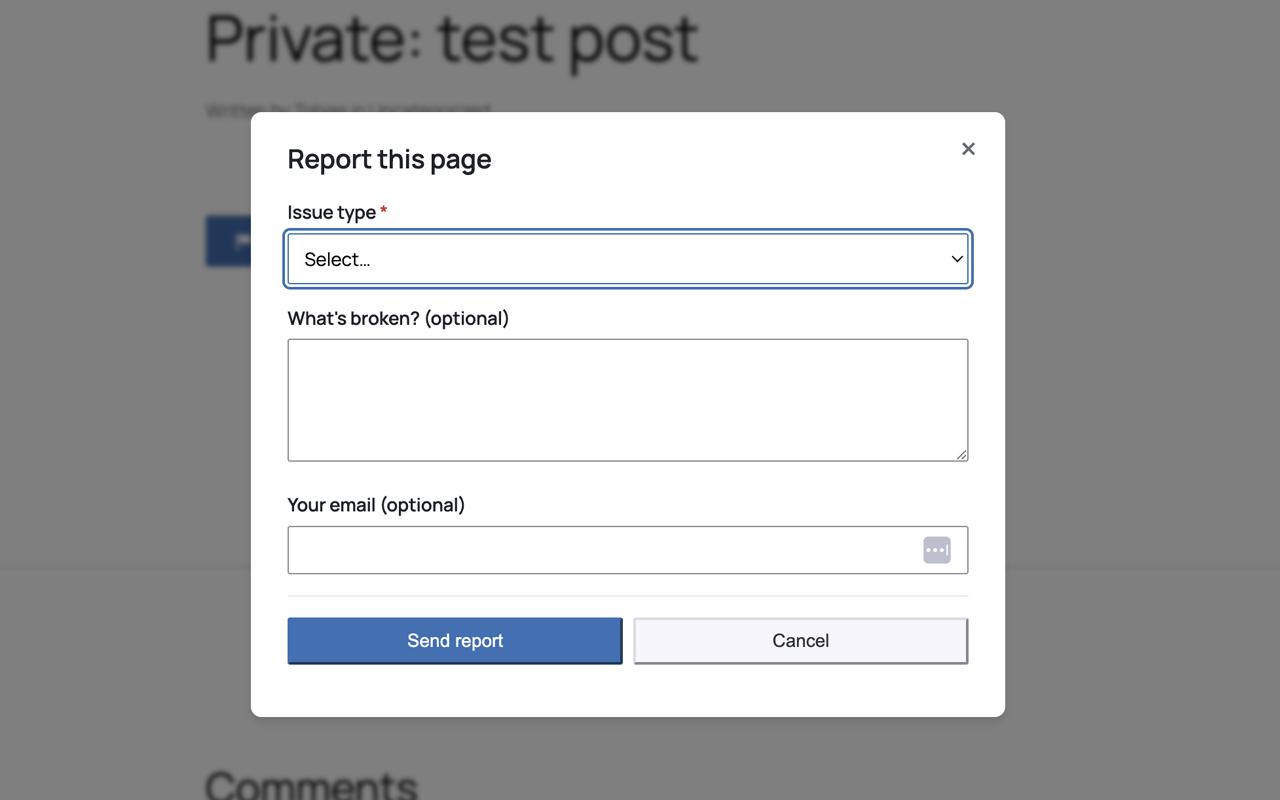
Reports list in admin
Blocks
This plugin provides 1 block.
- Report Issue (LinkSentry) Adds a Report an Issue button and modal for readers to report broken links, downloads, or images.
Installation
- Upload the
linksentry-broken-content-reporterfolder to/wp-content/plugins/ - Activate the plugin through the ‘Plugins’ menu in WordPress
- Insert the block “Report Issue (LinkSentry)” in any post/page, or use the shortcode
[linkbrco](or[linksentry]for backward compatibility) - Configure settings under Settings LinkSentry (optional)
FAQ
-
Can guests submit reports?
-
Yes. Submissions are protected by nonce verification, honeypot field, and per-IP throttling. No login required.
-
Where do I see reports?
-
Reports appear in the WordPress admin sidebar under “Reports”. You can view, edit, and manage them like regular posts.
-
How does throttling work?
-
By default, each IP address can submit one report per 60 seconds. This can be adjusted in Settings LinkSentry.
-
Yes. Go to Settings LinkSentry to customize the box title and submit button label.
-
Are reports deleted when I uninstall the plugin?
-
No. Reports are kept by default when you uninstall. This prevents accidental data loss. You can manually delete them if needed.
Reviews
There are no reviews for this plugin.
Contributors & Developers
“LinkSentry – Broken Content Reporter” is open source software. The following people have contributed to this plugin.
Contributors
Translate “LinkSentry – Broken Content Reporter” into your language.
Interested in development?
Browse the code, check out the SVN repository, or subscribe to the development log by RSS.
Changelog
1.0.0
- Initial release
- Custom post type for reports
- Shortcode and Gutenberg block
- AJAX submission with security features
- Email notifications
- Admin settings page
- Full internationalization support
- Multiple button styles (button, text-link, large-box) for block and shortcode
- Report content visible in editor with full message display
- Report details meta box showing all report information
- Menu badge showing count of unread reports
- Automatic email notifications to admin on new reports
- Delete all reports functionality in settings
- Option to delete reports on plugin uninstall
- Reports marked as read when viewed
- Removed “Add New Report” capability from backend
- Improved email notification formatting with report links