
Wirelessly copy and manage content on your Android Phone to your Windows PC.
- Save your messages in PDF, HTML or Text formats. Droid Transfer also copies any photos and videos in your messages.
Droid Transfer lets you copy SMS and MMS Messages from your Android Phone to your PC in a variety of file formats. Backup your messages on your PC for safe keeping.
Save your messages in PDF, HTML or Text formats. Droid Transfer also copies any photos and videos in your messages.
Alternatively, Print your Messages directly from Droid Transfer running on your PC.
- Copy music to and from your device and your PC. View your music collection stored on your Android Phone and wirelessly stream it through your PC.
Use Droid Transfer to copy music from your Android Phone to your Computer.
Add music to your Android device from your PC with Droid Transfer.
Sync iTunes with your Android device.
View your music collection stored on your Android Phone and wirelessly stream it through your PC.
Droid Transfer has a rich, modern user interface to let you browse and play the music content stored on your Android Device with ease.
- Wirelessly copy your photos from your Phone to your PC for safe keeping. View your photos full size on your PC, select and delete photos on your Phone quickly and easily. Its much faster managing your photos on your Phone with Droid Transfer.
- Lists your contacts on your Phone and lets you export them to Windows Contacts, Microsoft Outlook or as a standard VCF contacts file - which can be used in any contacts address book application you may use on your PC.
- Display the Call Logs on your Phone, listed by caller. Click on a caller and all the call activity made to and from that caller is shown. You can quickly save the Call Logs to your PC in a variety of file formats or print the logs directly to your PC connected printer.
- Quickly export calendars to your PC for importing in your PC calendar application.



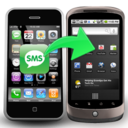
Transfer directly from one phone to another, backup phone data and files to PC.


It allows you manage the data from your Android device using your PC.


You can transfer messages from iPhone to your computer or another iPhone.





Comments (1)