
Overview #
The Layer Manager allows customers to manage and organize design layers easily. Users can control the layer order and select specific layers accurately within the design.
Open Layer Manager #
- Open the Layer Manager panel
- All layers in the current design will be displayed in a list
Manage Layers #
Sort Layer Position
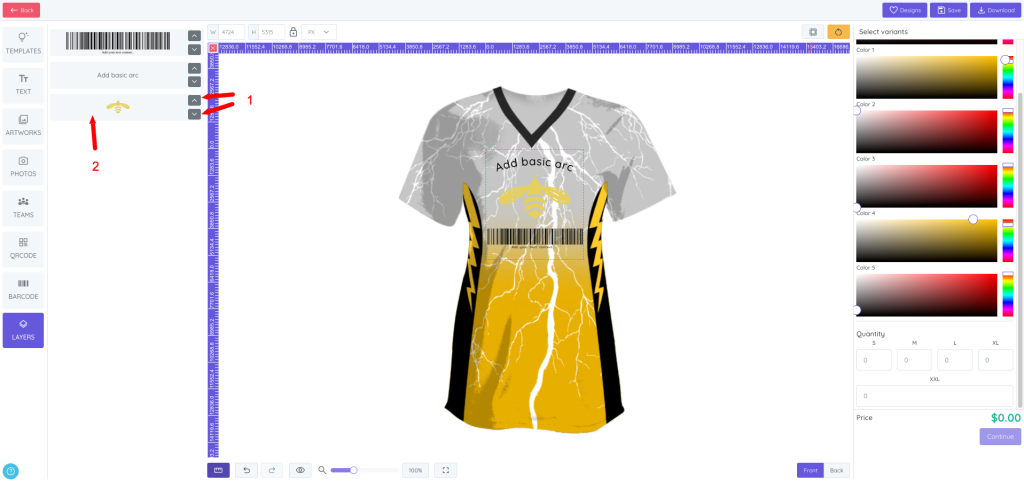
- Drag and drop layers to change their position (1)
- The layer order determines which elements appear on top or behind others in the design
Select and Activate a Layer
- Click on a layer in the list to select and activate the exact layer (2)
- The selected layer will be highlighted and activated on the design canvas
Benefits of Layer Manager #
- Easily control the stacking order of design elements
- Accurately select hidden or overlapping layers
- Improve design workflow and precision
Notes #
- The top layer in the list appears above other layers on the canvas
- Selecting a layer from the manager will automatically activate its editing options


