-
-
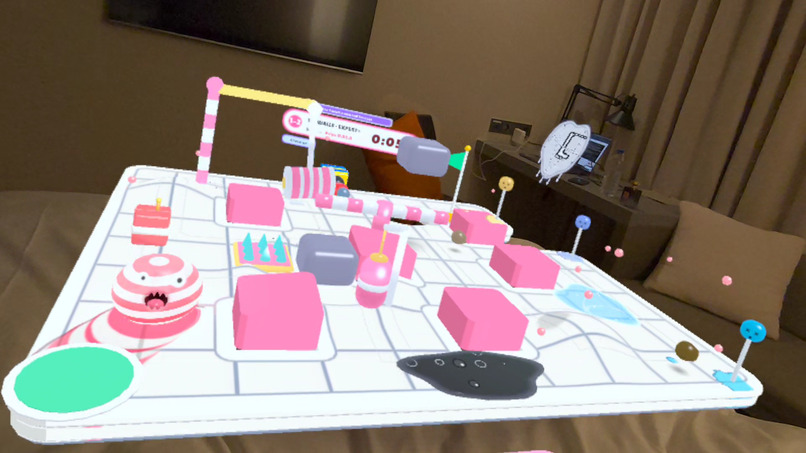
Wibble roll level
-
-
-
-
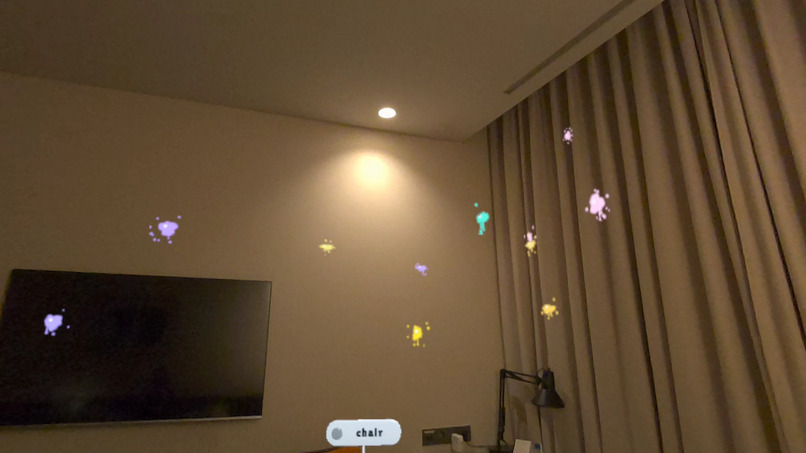
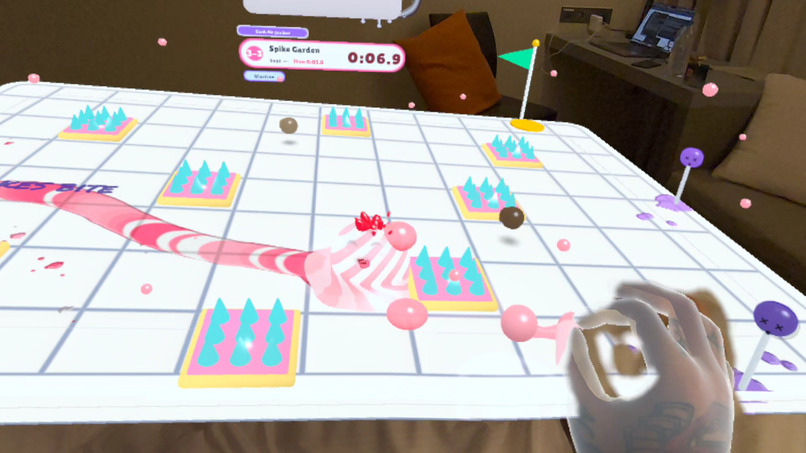
Goo sticking to your real world.
-
-
-
-
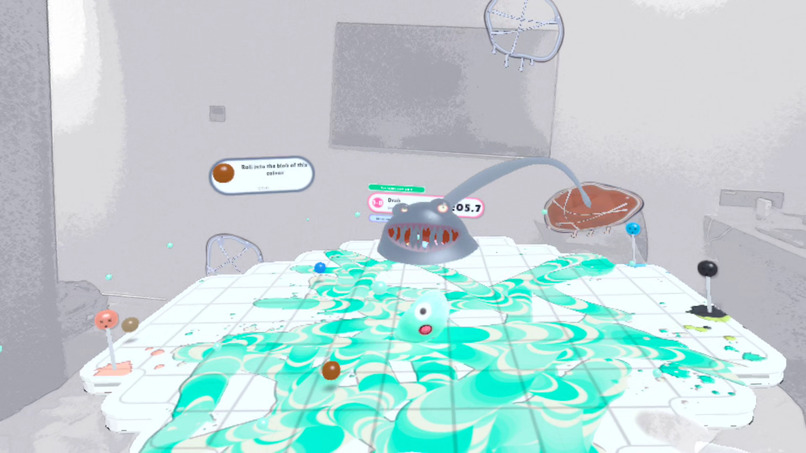
Color stealing
-
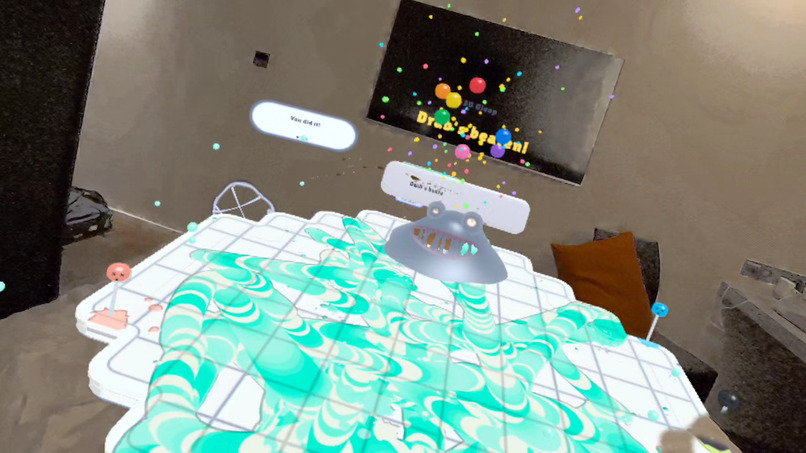
Drab the boss
-
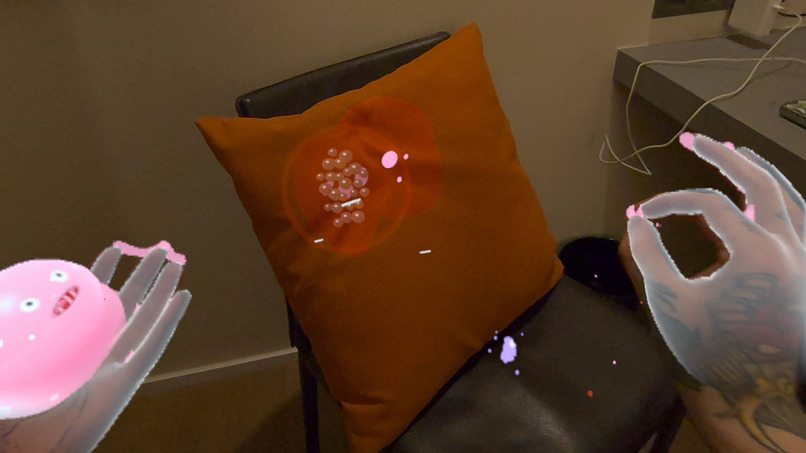
Taking colour from cushion
-
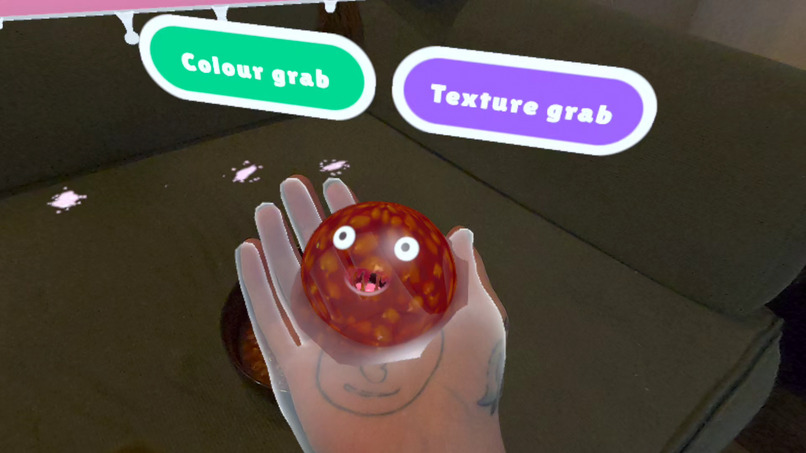
Bean textured wibble
-
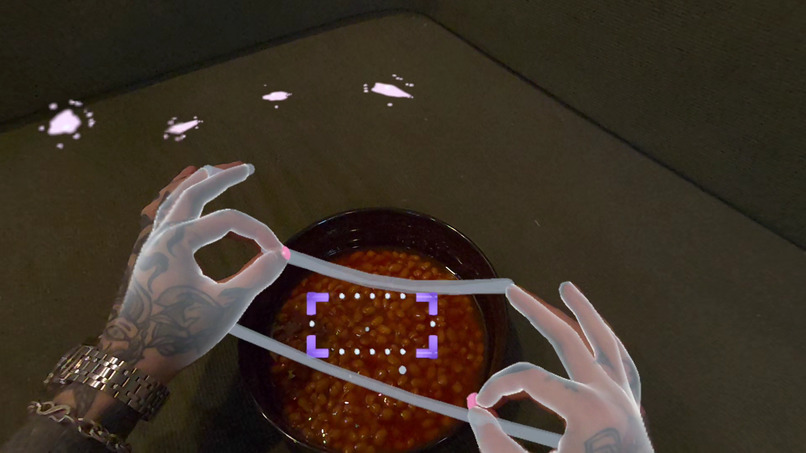
Grabing texture
-
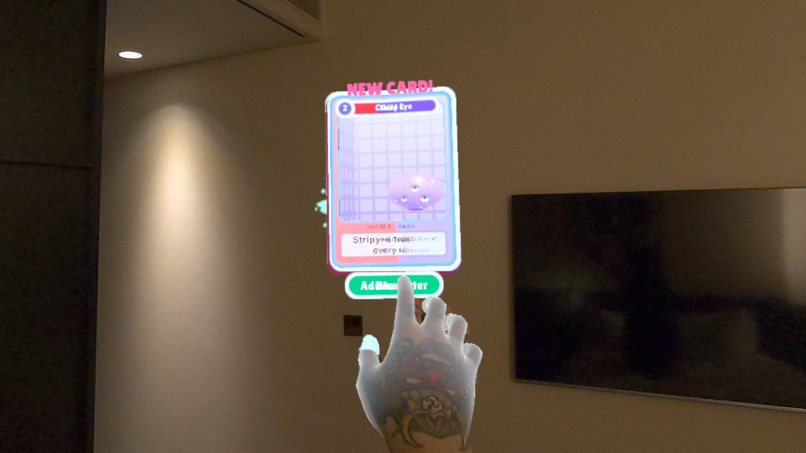
Unlockables
-
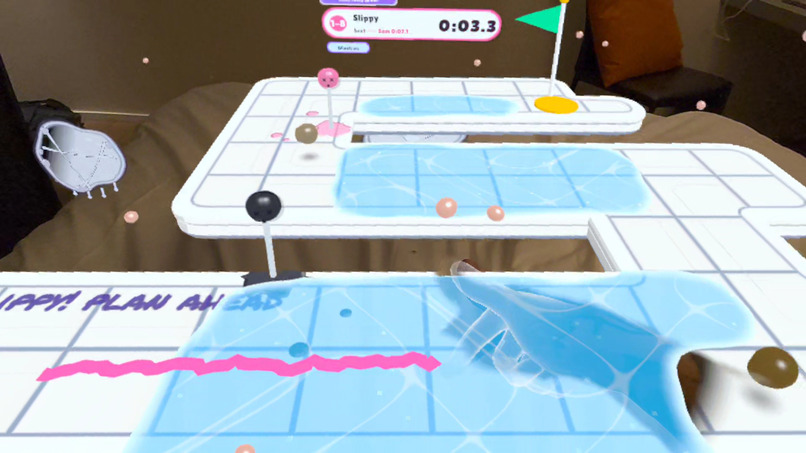
Drawing on level to plan your route.


Inspiration
We love tilt games. Super Monkey Ball is the obvious one: you never move the ball, you move the world under it. Wibble Roll started as Iyo Roll, our tilting balance puzzle platformer on another platform, where we found that pinching the air and moving your hand is a very natural way to tip a board. It needs no controller, no walking and almost no room. It is a game you can play from a sofa, a desk or a wheelchair without anything being taken away.
The second idea came from the mixed reality question we kept asking ourselves: would this play the same with passthrough switched off? For a floating maze the honest answer was yes, and that was not good enough. So we made the room the story. Wibbles are what give the world its colour. Drab is a Wibble who lost his, and he steals the colours out of your real room. The colours you chase on the course are the ones the headset has just seen on your own plant, your mug and your sofa.
The third was access. One of us did a PhD on playful technology for wheelchair users, and it left us with a rule: the difficulty dial belongs in the player's hands. Celeste's Assist mode showed how to do that without making anyone feel they are playing a lesser game.
What it does
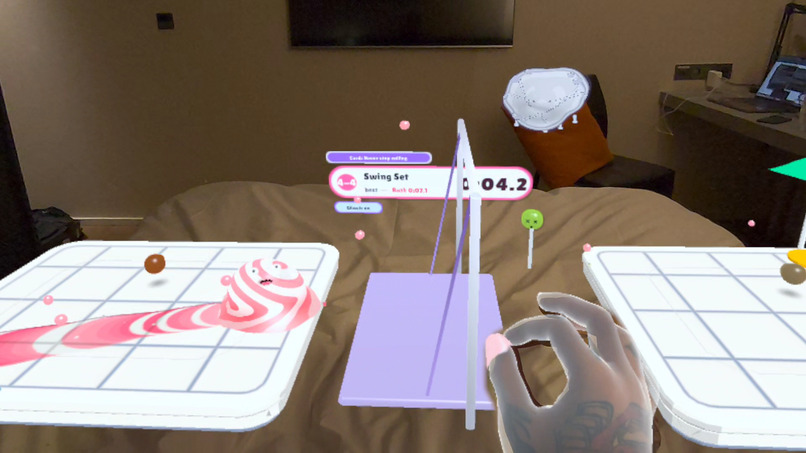
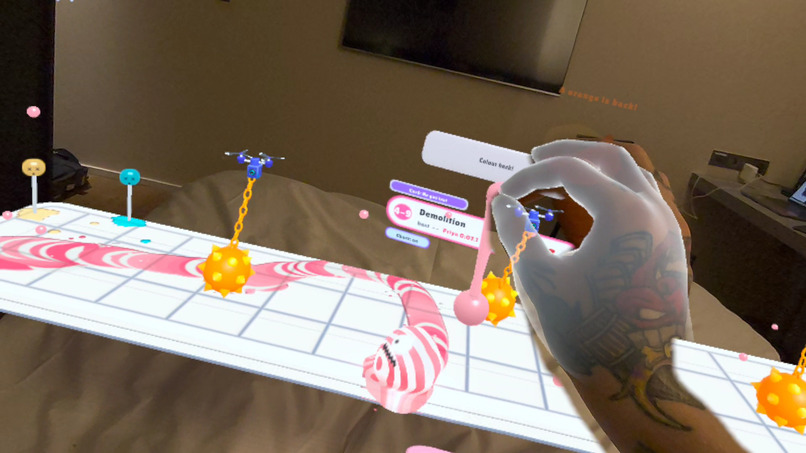
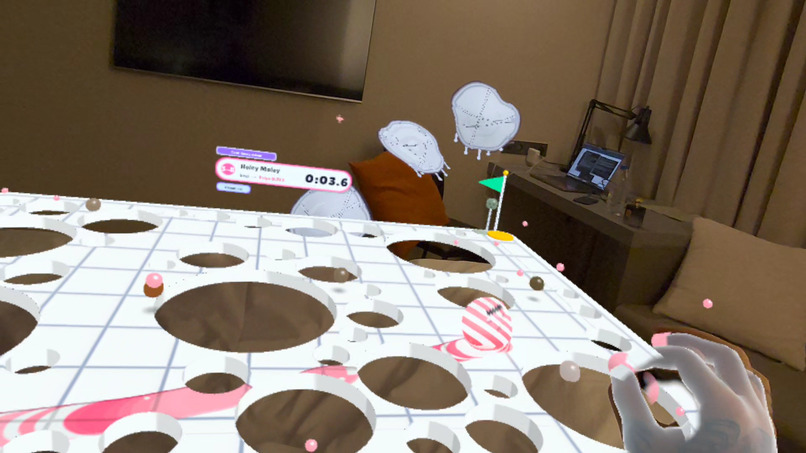
A jelly course floats in front of you. Pinch the air to take hold of it, move your hand to tilt it, and roll your Wibble to the goal.
- Pinch anywhere to tilt. Where you pinch becomes level, moving from there tips the board, and letting go springs it back. The tilt is measured from where you are, so it never feels reversed.
- A Wibble that lives in your hand. Hold a palm up and the Wibble sits on it, sloshing as you move. Tip your hand to pour it onto the start. Poke it and it flinches, giggles and goes dizzy. Its goo sticks to your fingers and stretches between them, and it sticks to your real table too.
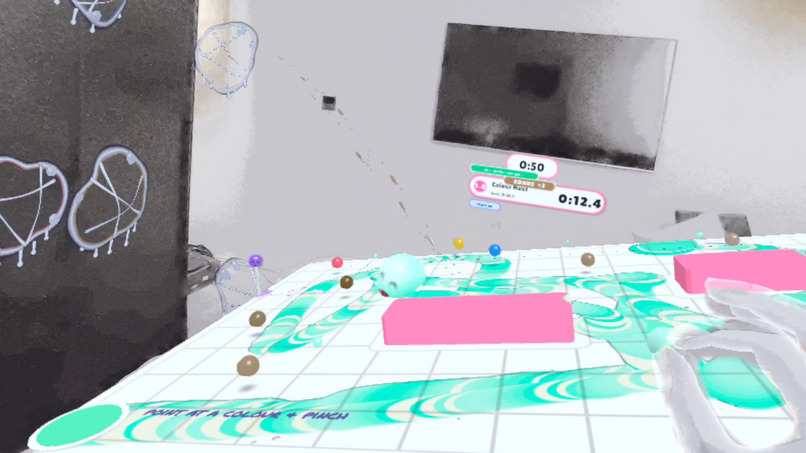
- Your room is the story. On every stage a few colourful spots in your real room drain to grey, and their colours fly across onto the course as jelly blobs. Roll through a blob and its colour streams home. The game spots things in your room and names them, so Drab takes "your plant's green". In each chapter's Colour Hunt and Drab stages the course and the whole room turn into a colouring book, white paper with black outlines, and come back one colour at a time.
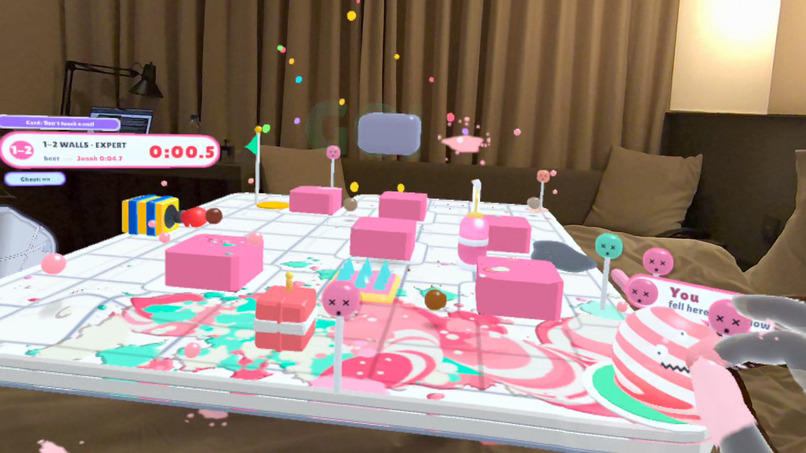
- Falling off leaves a mark. A Wibble that goes over the edge falls until it meets your real table or floor and splats there in its colour. The splats stay for the session, so your room collects proof of every fall.
- Five chapters. Ten stages each, a Colour Hunt bonus round and a showdown with Drab, plus Wibble School to teach the controls. The first chapter can be replayed on Expert and Expert+, and every stage has a challenge that pays out a card. There are 64 cards to collect in a binder that opens on your table.
- Make things from your room. Look at something and pinch to feed its colour to your Wibble. Frame a patch of your room between two pinches, like a viewfinder, and your Wibble wears it. Both become cards of your own.
- Build your own levels. Draw panels, pipes, hills and ramps on the board with pinches, test them at once, save them and race them with friends.
- Friends. One four-letter code. Everyone plays on their own board in their own room, with friends rolling beside them as live ghosts. Each stage has a world and friends leaderboard, and little markers show where your friends fell off. Cross-play: friends without a Quest can join from Meta Ray-Ban Display glasses or any browser at wibble-mini-roll.vercel.app. Open Friends and type the four letter code.
- No spoken words. The storyteller and Drab talk in jelly babble, with their words typed out on a card behind the stage.
- It passes the bus ride test. Stages are short, the game saves when the headset comes off, and the board can float in front of you, so it works from any seat with no table and no clear floor.
- Access. No controllers, no walking and nothing out of arm's reach. Six ways to tilt, including one that needs a single thumb and one that needs no hands. A full Assist menu that locks nothing. The stage can float in front of you, sit on a real table or lie on the floor, and a candy handle lets you carry it and resize it.
How we built it
Wibble Roll is built in Unity 6 with the Universal Render Pipeline on Vulkan, using Meta XR Core SDK, MR Utility Kit, Interaction SDK and Platform SDK, all v207.
- Interaction: Meta's Interaction SDK does the detecting. Poke and ray press the menu's jelly buttons, hand grab carries the stage, and gaze with a pinch picks colours. Our own look sits on top: the jelly, the goo pointer and the sounds. The tilt itself reads the hand joints directly, because it is one continuous movement, not a press.
- The Wibble: a soft body of 162 springs under one skin, so a knock dents the side that was hit and the dent travels round as a wobble. The face is drawn in the shader and its mood follows what is happening to it. At rest it melts into a puddle and gathers itself into a ball as you tilt.
- The real room: the Depth API tells us where your table, floor and walls are right now, for placing the stage, for splats, and so your real hands pass in front of the game. MR Utility Kit gives the room model. The Passthrough Camera API gives the colours and the textures. The whole-room colouring book is a colour table and edge lines on Meta's passthrough layer, so the headset does it and it costs the game no frame time.
- Naming what is in your room: an object detector runs on the headset (YOLOX-Tiny, Apache-2.0, in Unity's inference engine). It only looks in quiet moments, such as the menu or the gap between stages. No frame is kept and nothing leaves the headset.
- Stages: generated from data by editor scripts, so every scene rebuilds from code and the Expert pieces are never lost. The same pieces are what the level builder gives the player.
- Friends: Photon Fusion between headsets, sending only small messages (who you are, where your Wibble is on the board, 15 times a second). Leaderboards and friends' falls go through Meta's Platform SDK.
- Performance: dynamic resolution, dynamic foveated rendering, late latching for the head, and course floors welded from 5.46 million vertices down to 1.71 million.
- Sound: music and sound effects were generated with ElevenLabs. The babble is made in code, one little bloop per letter.
Challenges we ran into
Reading the colour of a real room. The headset camera sees a room darker and greyer than you do, and one noisy pixel can turn a red cushion brown. We read the middle of a small patch, sort every colour into a named family with generous edges, and make sure that a colour stolen from a thing and a colour grabbed from the same thing land in the same family. Some rooms are simply dull or dark. There the game splats its own colours onto your real surfaces first and steals from those, so nobody gets a broken stage because of their wallpaper.
Putting a stage in front of a seated player. "In front of you, on your table" sounds simple. In practice a hand in the way reads as a table, a laptop lid reads as a table, and a stage placed on either ends up in your face. The placer now ignores depth hits on hands, only trusts a surface that two separate rays agree on, keeps the near edge of the board a set distance away and keeps the board below eye level. If you move it yourself, it remembers that instead.
Effects that land on real surfaces. We wanted a pool of restyled reality under the board and drained patches on your real furniture. The surface-projected passthrough layers we planned to use were not available on the headset, so each effect projects its own points into the camera picture and restyles what it finds there. Reading that picture back the easy way stopped the game for a frame or two every time, so we read it without waiting and keep the camera's position from the moment each picture was taken.
Six ways to tilt, one game. Pinch and drag is the default, but it is not for everyone. Hover, palm, thumb swipes, body lean and head tilt each needed their own tuning so the same stage is fair on all of them, and a first-run chooser so you find the one that suits you before anything starts.
Frame rate. A translucent jelly, anti-aliasing, depth occlusion and passthrough all want the GPU at once. We measured each effect on the headset rather than guessing, welded the course floors, let the headset scale resolution when it needs to, and moved the whole-room drain to the compositor so it is free.
Accomplishments that we're proud of
- The moment the colour drains out of something you own, and the moment it comes back.
- A Wibble that feels alive in your hand: it sloshes on your palm, flinches at a finger and leaves goo on your table.
- A game that is the same game from a sofa, a desk or a wheelchair, with bare hands, from the first screen to the last.
- Six ways to tilt, including one that needs a single thumb and one that needs no hands.
- A level builder you use with pinches, on the same board you play on.
- Falls that are funny instead of frustrating, because your room keeps the splats. Cross-play: friends without a Quest can join from Meta Ray-Ban Display glasses or any browser at wibble-mini-roll.vercel.app. Open Friends and type the four letter code.
What we learned
- Ask "would it play the same with passthrough off?" about every feature. The answer changed the whole game.
- A real room is not a test room. Design for the dull wall, the cluttered desk and the laptop in the way.
- Put the difficulty dial in the player's hands and lock nothing behind it.
- Hands do not need buttons to feel good. Goo that sticks to your fingers did more for the game than any menu.
- Measure on the headset. The editor is wrong about cost nearly every time.
What is new since Iyo Roll
Wibble Roll is entered as an Adapted project. It started as Iyo Roll, our tilting balance puzzle platformer on another platform. For the competition it was built again in Unity for Meta Quest, and the Wibble, the stages and everything below were made for this version.
- Rebuilt for Quest 3 and 3S on Meta XR SDK v207: Meta hands, passthrough, the Depth API, MR Utility Kit and the Interaction SDK.
- The story and the colour theft: Drab, colours stolen from your real room, Colour Hunt and Drab stages, the colouring-book drain.
- Five chapters of stages, Expert and Expert+ replays, Wibble School and stage challenges.
- The Wibble in your hand: pouring, poking, goo on your fingers and on your room.
- Splats, ripples and the pool under the board on real surfaces.
- Colour grabbing and the Texture Grabber, and cards made from your own room.
- The card binder, the shop and the storyteller's babble.
- The level builder and Your levels.
- Friends: racing with ghosts, leaderboards and fall markers.
- Six control styles, Assist and Access settings, and the play space chooser.
- New logo, music and menus throughout.
What's next for Wibble Roll
- Target launch: December 2026 on the Meta Horizon Store.
- Season 2, with new Wibbles, stages and cards.
- Sharing levels by code, so a level you built can be played by anyone.
- Real eye tracking as an input on headsets that have it. The game already asks Meta's gaze component where you are looking.
- More playtests with seated players and wheelchair users.
Built With
- claude
- unity
