-
-

logo i made
-
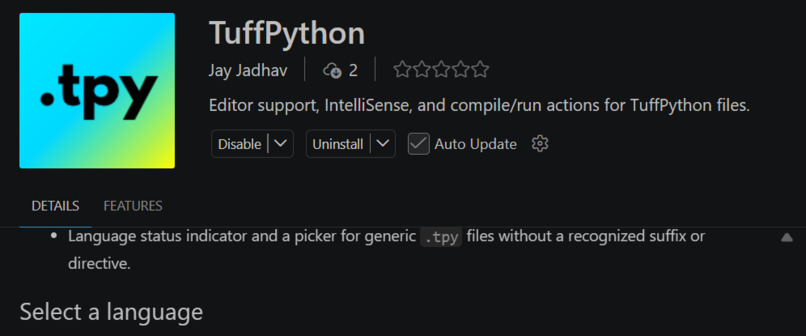
vscode extension


Inspiration
Only 18-20% of people speak English globally. <5% speak it as a native language (Guo, 2018).
Still, over 95% of all mainstream programming languages require English syntax and keywords, and tend to follow English naming conventions (Guo, 2018).
A study was done relating to non-native English-speaking programmers in 2018.
Because of having to constantly translate English keywords and understand English error messages,
a massive cognitive load penalty was created. This forced them to learn the semantics of the English language while also considered computer logic (Guo, 2018).
It is known that people think faster and better in their native language, too.
What it does
It takes in a source file (.tpy is recommended) and transpiles it to raw Python.
It works on several languages. It is not just a find-and-replace tool.
It preserves grammatical word orders according to the language.
It also has a powerful alias feature, which makes it extensible and allows it to transpile into readable English Python code, so the product is still clean, understandable code
Here's an example script
#!fr
#^ sets the language to french

@en"""
    Cette fonction calcule la moyenne des temperatures
"""
#^ will become english

importez math

fonction calculer_moyenne{calculate_avg}(nombres{numbers}):
    si long(nombres) == 0:
        retournez 0
    sinon:
        retournez somme(nombres) / long(nombres)

temperatures = [18.3, 23.4, 19.5, 22.1]

moyenne{avg} = calculer_moyenne(temperatures)
#^ alias system; moyenne will be called 'avg', calculer_moyenne will be 'calculate_avg', etc

imprimez(moyenne)
#^ built-in Python functions are renamed as per the language
# It can even support different word order
# In Marathi TuffPython, instead of 'print("Text")', you'd use '"Text" chhapa', following the grammatical order
Currently TuffPython supports:
- French (fr)
- Spanish (es)
- Hindi (hi)
- Marathi (mr)
- Mandarin (zh)
How we built it
- Programmed in Rust for blazingly fast execution speed and portability.
- It uses the reqwest and serde_json Rust crates (libraries) to use a Google Translate API.
- The lexer first takes all the input text and converts it into tokens (like strings, numbers, symbols, etc.)
- Then, based on the chosen language, different processor modules are used to interpret the tokens.
The processors translate the code into actual Python code - The processors rely on the alias and translation modules to use the special features.
- When transpilation is done, the Python runtime runs the code (TuffPython takes control of stdin, stdout, stderr)
- Whenever an error is thrown, TuffPython translates the error message and description into the developer's language, while not changing file paths.
- A vscode extension is available, while adds autocomplete suggestions, syntax highlighting, and compile/run buttons to make TuffPython as easy to code with as regular Python is.
Challenges we ran into
- I started with trying to program everything myself manually. By the time I finished coding the lexer and parts of the first processor, I realized I would not be able to finish the project in time like this. For the first time, I've used AI to help assist me with my project. Instead of AI generating the whole thing, I gave it specific tasks based on the architecture, rules, exceptions, and requirements. I also did debugging and testing
- While writing example scripts, I realized that people wouldn't use this with the transpiler alone. So, I decided to create a vscode extension to make it nice to work with.
Accomplishments that we're proud of
- Making the translation features
- Designing the special syntax and alias system
- Publishing a helpful vscode extension
- Working with AI agent for the first time
- Making this readme
The problem it solves
It lets people program regardless of their language, and transpiles to readable English Python code so that it can work with regular codebases. Programmers can also code faster in their native languages
Which AI tools I used
I used a Google Translate API and Github Copilot
What we learned
- How to make syntax that works
- How to publish vscode extensions
- How to structure Rust projects and modules cleanly
What's next for TuffPython
- More languages
- Reverse Python-to-TuffPython support
- Implementing the system for more programming languages (TuffRust?)
- Getting better translation service (the API I'm using only supports actual spellings for languages, not romanised ones)
Syntax stuff
- For aliases, the first time a non-reserved keyword is mentioned with {} after it, an alias is registered. Example:
nombre{name} = "Jay"(The transpiled code will callnombreJay - Also, aliases can be used on any identifier pretty much, which includes functions and library names. This means that you can import functions and call them whatever name you want
- Translated strings:
@<language-code>" String text ... ". Language codes are the same as the supported languages of TuffPython, and includesenfor English. Example:@en"Bonjour"(Will become "Hello"). By default, it translates from whatever language you are coding in. To auto-detect a language, use@@<language-code>" String text ... "
Built With
- aiagent
- markdown
- reqwest
- rust
- serde
- typescript

