-
-
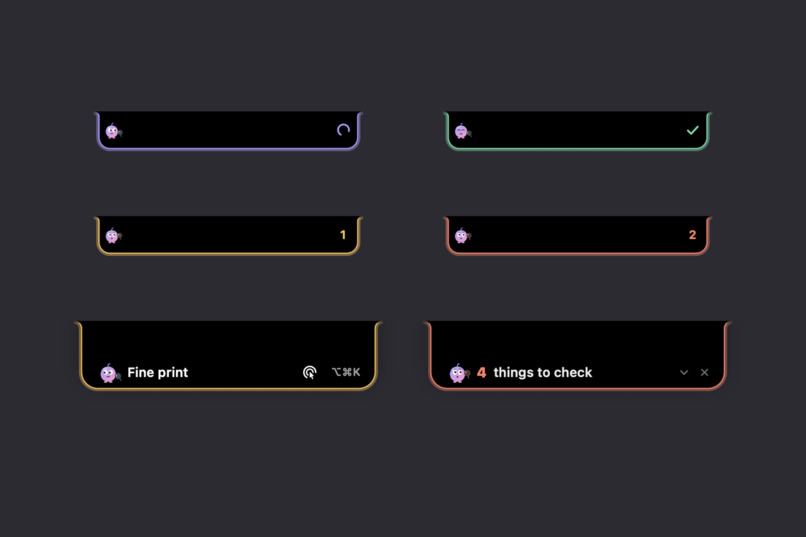
The island at the notch
-
Meet Snoopsie
-
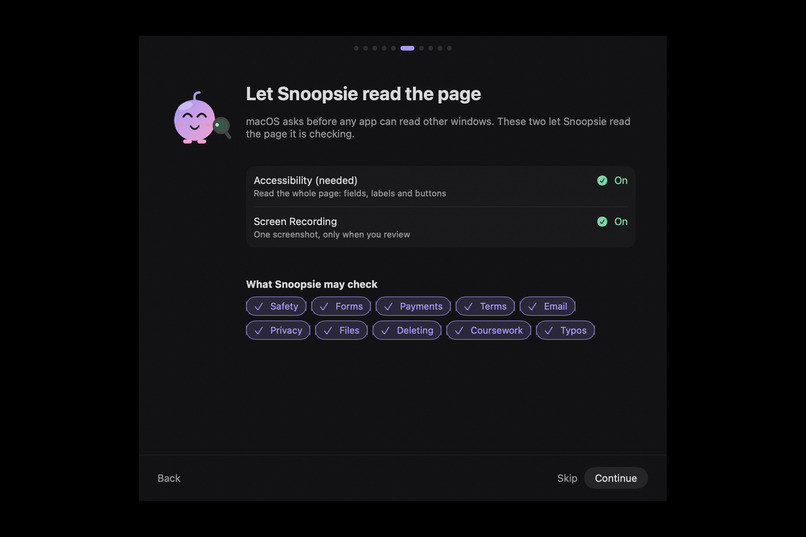
Two permissions, nothing more
-
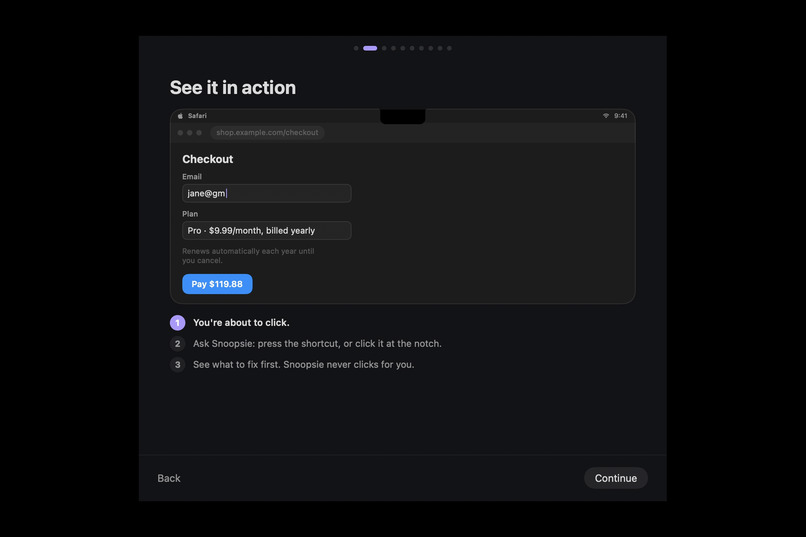
Right before you click Pay
-
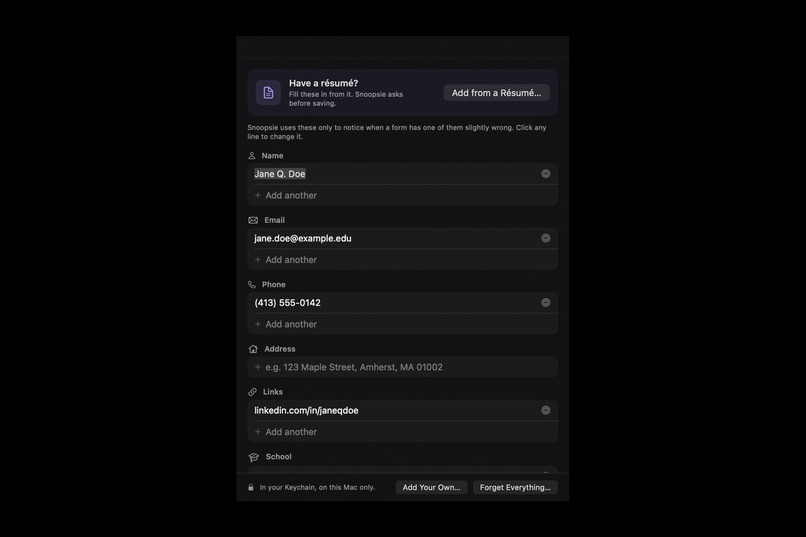
Your details, stored in your Keychain
-
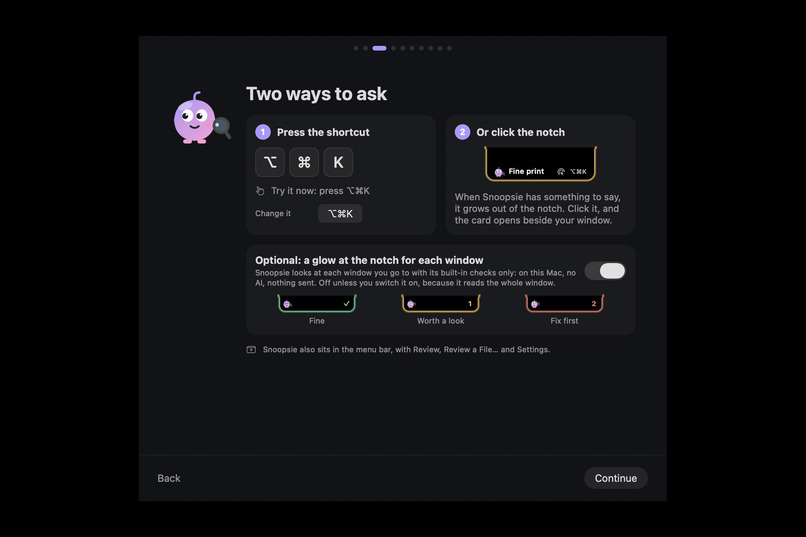
Two ways to ask
-
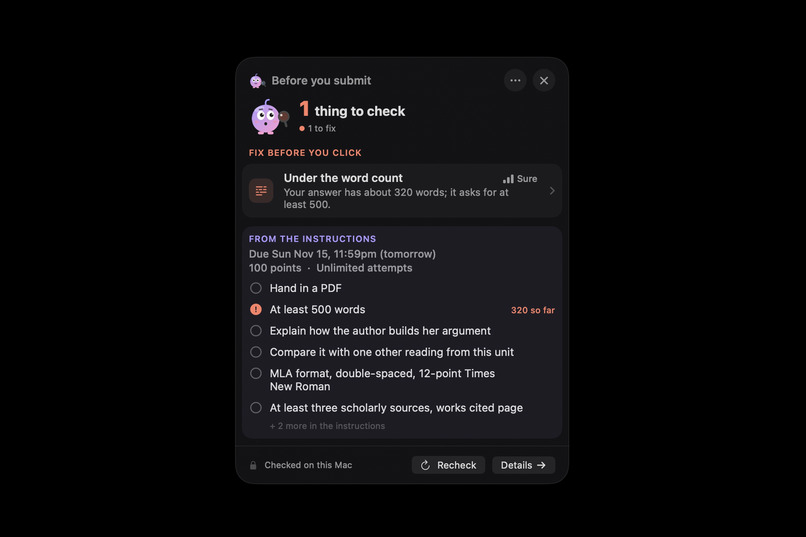
What it found, and why
-
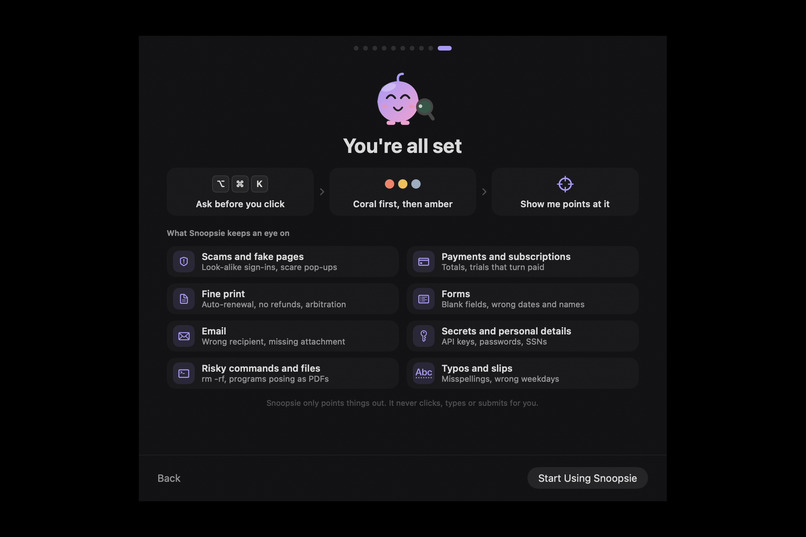
What Snoopsie keeps an eye on
-
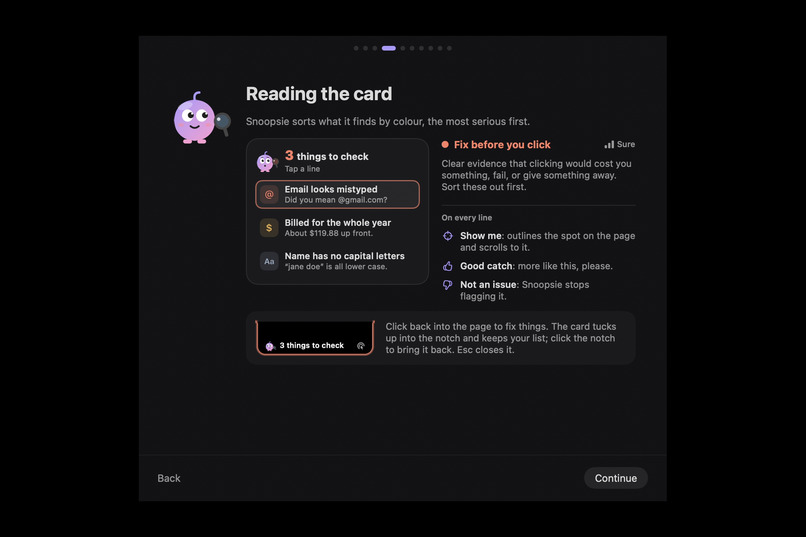
Coral first, then amber
-
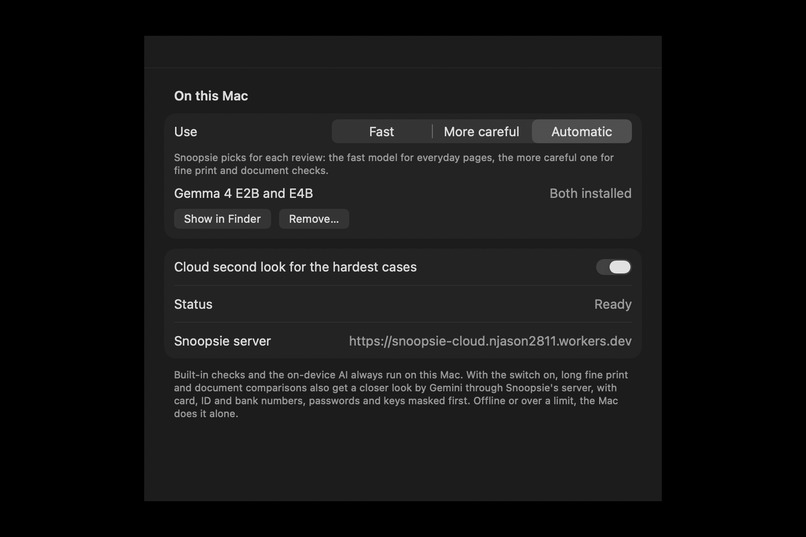
Fast, careful, or cloud
-
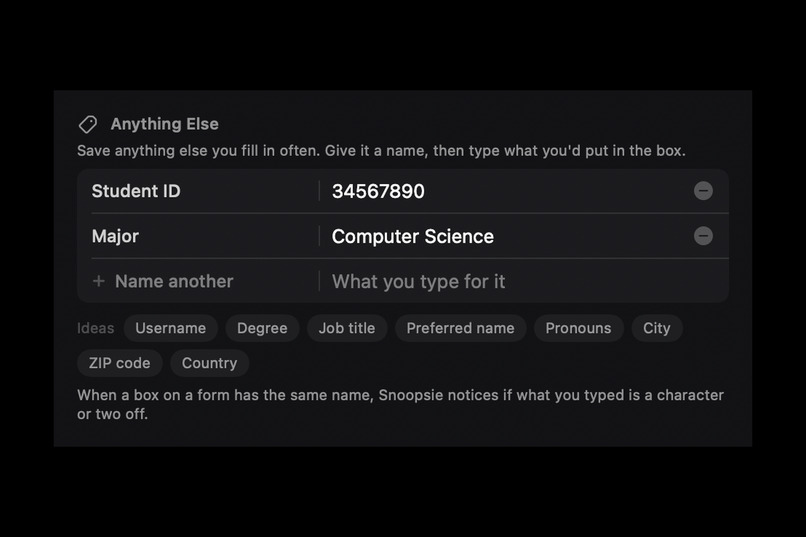
Add details of your own
-
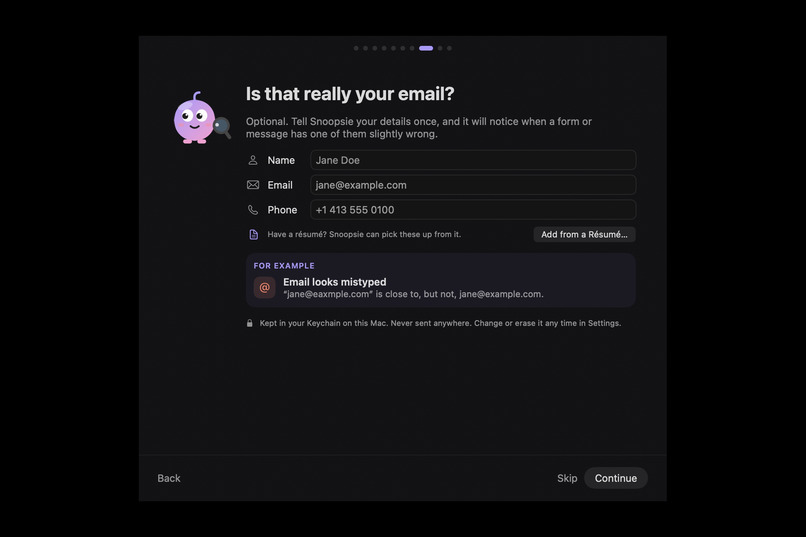
Catches a mistyped email
-
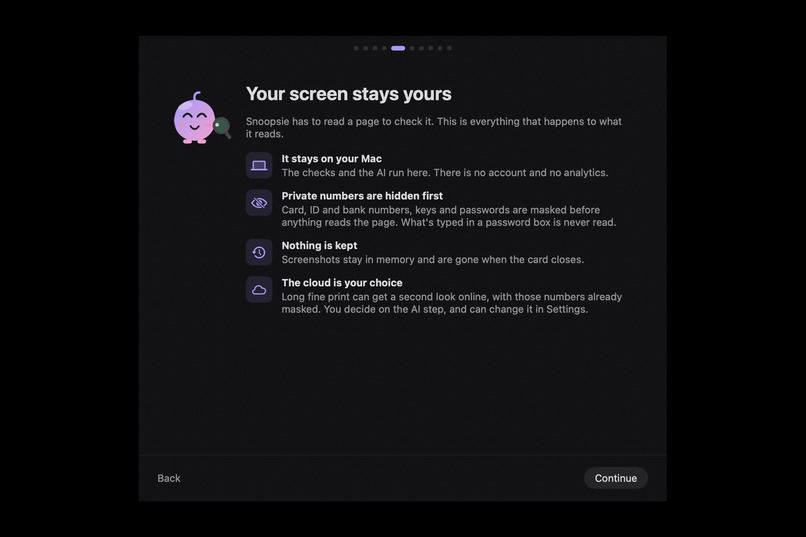
Your screen stays yours
-
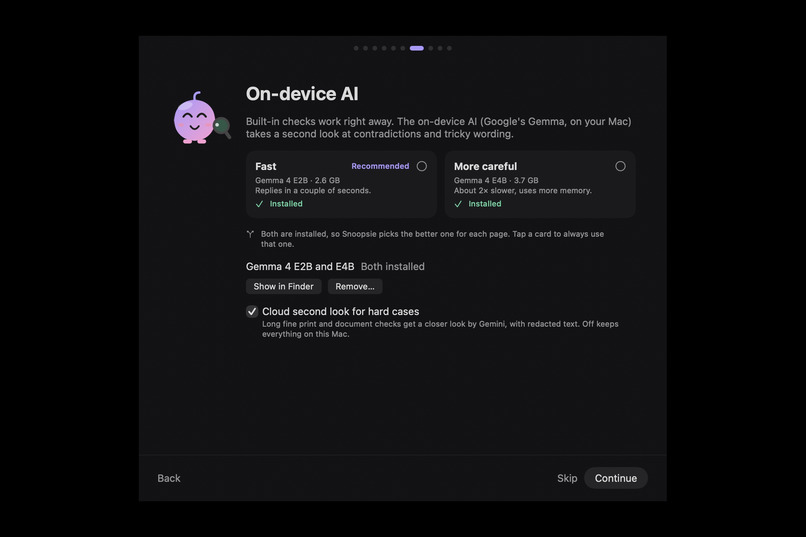
AI that runs on your Mac
-
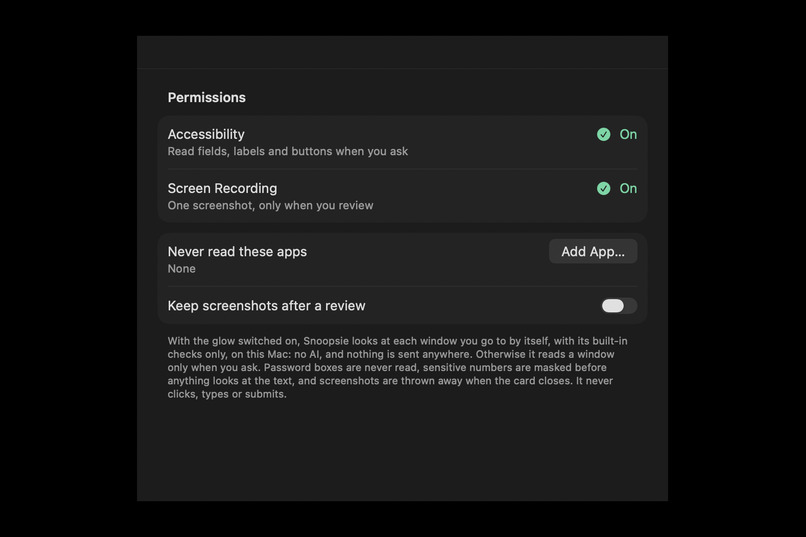
Privacy settings


Inspiration
We've all done it. Signed up for a $5 trial and got charged $20 the next month. Accepted terms you never read. Submitted the wrong file. The mistake was always right there on the screen, and we only noticed after clicking. We wanted something that catches it first.
That’s why we built Snoopsie: right before you click Pay, Send or Submit, it checks your entire screen and warns you in time.
What it does
Snoopsie lives in your Mac's notch. Press ⌥⌘K and it reads the page in front of you (a checkout, an email, terms, an assignment) and shows a small card of things worth a second look: a mistyped email, a yearly charge dressed up as monthly, a price that jumps after the first year, a box that's already ticked. It prevents you from making mistakes before it's too late.
Each finding quotes the exact line, and "Show Me" takes you to it. Snoopsie never clicks anything for you. It points, and you decide.
How we built it
We built Snoopsie as a native Mac app with Swift and SwiftUI. Snoopsie reads the page through built-in macOS accessibility and screen viewing permissions and hides card numbers and passwords before anything else looks at it. Then 91 built-in checks run, followed by Google's Gemma 4 E2B or E4B, running locally on your Mac, for the things that the rules miss. Gemini API is optional and will automatically activate if enabled for the most intensive tasks that require advanced reasoning or large context windows, such as long terms and conditions or fine print.
Challenges we ran into
One of our biggest challenges was choosing a project since everyone had their own unique ideas, but we could only build one. We also struggled to get a Gemini API key through Google Cloud, but eventually solved this by using Google AI Studio. Also, the first version had many issues with the detections and was also not as useful as our current version. Sometimes the model would hallucinate and make up issues, and the highlights would highlight the wrong content. We worked through these problems by making checks more specific, extensively testing on real websites, breaking long texts into smaller sections to work with limited model context constraints, and requiring the model to support every finding with an exact quote of what it found that made it suggest something. After several rounds of testing and improvements, we were finally able to make Snoopsie much more reliable.
Accomplishments that we're proud of
It works on real sites that we didn't even test it for while developing, like the New York Times, Netflix, Canvas, and Discord. We are also proud of the fact that we were able to successfully develop and implement a pipeline in which we used a local AI model to help protect you from making mistakes that works offline without using any online models that could potentially steal/leak your sensitive information if the user chooses the option to not enable any Gemini API models. Additionally, we are glad that we were able to implement a system in which it automatically chooses which model to delegate tasks to in order to optimize speed and accuracy.
What we learned
Building Snoopsie taught us a lot, both technically and cooperatively. One of our biggest lessons was learning how to negotiate and compromise. Since each person had a completely different idea that was compelling in its own way, it was difficult to agree on one direction and we were struggling to make a decision for several hours, but we learned to listen to each other, consider different perspectives, and find a solution everyone could support. On the technical side, we learned that smaller on-device AI models work better with short, specific questions rather than trying to analyze too much at once since it would cause the app to stall or the AI to straight up hallucinate and spew out nonsense. We also realized the importance of requiring the model to back up its findings with exact quotes from a webpage instead of blindly trusting its responses. Testing on real websites also helped us catch issues that our own test pages didn't reveal. Overall, we learned how important communication, being willing to compromise, and having a concrete plan before going straight into building is when bringing everyone's ideas together.
What's next for Snoopsie
First is a signed release. Currently, macOS blocks Snoopsie the first time you open it and you have to dig through your system's security setting to bypass the warning and open the app anyway, which is a lot of work, especially for people who aren't as technically literate. Also, we would like to train the models more for improved accuracy since every site and app is different, which would raise fewer false alarms. This is important since our app is designed to prevent users from making potentially harmful mistakes without even knowing.
We'd also like more people to be able to use it by expanding it to older macOS versions and porting our app to Windows and possibly other operating systems. Our app requires a newer Apple Silicon Mac, so older Macs or devices running other operating systems are not able to run Snoopsie. We also want it to learn from users. They can already tell it "good catch" or "not an issue", and that should shape what it flags over time, but it only trains their model locally without sharing the improvements to other users.


