-
-
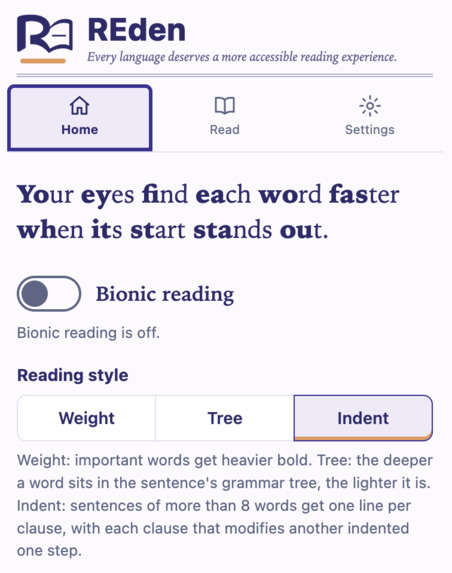
REden’s reading controls: toggle emphasis and choose Weight, Tree, or Indent to explore different views of sentence structure.
-
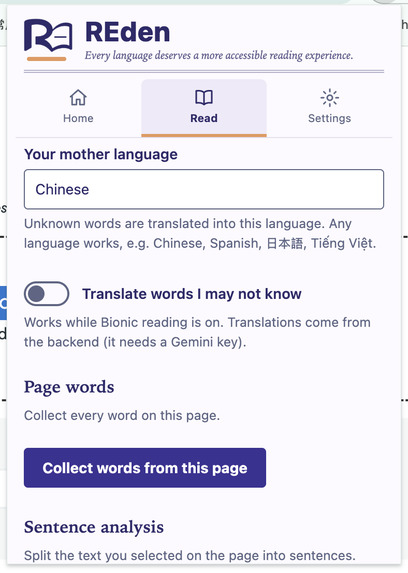
Set your preferred language and toggle translations for unfamiliar words. Here, Chinese is selected as the translation language.
-
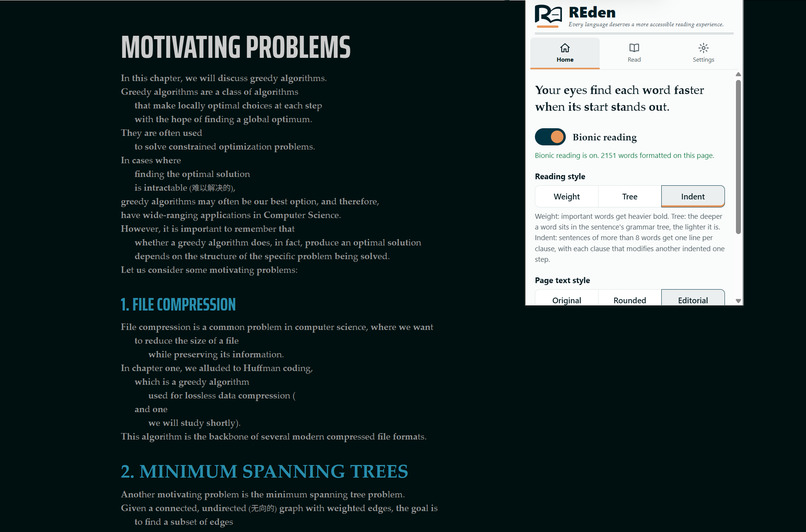
REden on a dark academic page about algorithms, with the extension panel open and Indent selected for clause-based reading.
-
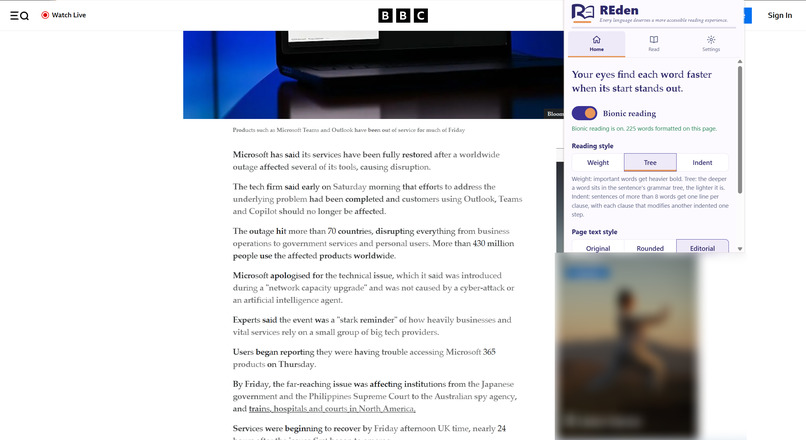
REden on a light-background article, with the extension panel open to adjust reading style and text presentation.


Inspiration
REden is a browser extension for people navigating dense English text and unfamiliar vocabulary.
- Sentence-based emphasis: Using spaCy, REden identifies subjects, verbs, and objects, then adjusts word emphasis to make sentence structure visible.
- Three reading styles: Weight, Tree, and Indent offer different ways to explore the same text through bolding, fading, and clause-based layouts.
- Personalized vocabulary support: A short adaptive quiz estimates vocabulary size. Gemini provides translations for words the reader may not know.
- Adjustable presentation: Readers can customize fonts, spacing, and contrast to suit their preferences.
REden explores whether structural cues and vocabulary support can make reading more approachable. Its effects on reading speed, comprehension, and focus remain to be tested.
What it does
REden changes how text appears on a webpage while keeping the original wording.
- Three reading styles: Weight emphasizes clause subjects, main verbs, and objects. Tree fades words according to dependency depth. Indent puts clauses on separate lines and indents subordinate clauses.
- Vocabulary support: A 10-question adaptive quiz estimates vocabulary size. Words estimated to be unfamiliar receive short translations through Gemini, with Simplified Chinese as the default target.
- Reader controls: Users can adjust spacing, font size, fonts, dark mode, and high contrast. Faded text maintains at least 4.5:1 contrast against the detected background.
How we built it
We connected a plain JavaScript browser extension to a local Python service.
- Language analysis: Flask runs spaCy’s
en_core_web_trfdependency parser. Clause structure determines emphasis: core sentence elements receive the heaviest weight, other content words receive medium weight, and selected supporting words receive lighter weight. - Personalization: A Bayesian adaptive quiz uses an approximately 92,700-word frequency list. Gemini supplies short translations for vocabulary support.
- Team contributions: Yang and Edoc worked on the backend and language-processing libraries. Sophia designed the website. Charle built the frontend and helped check the quiz questions.
- Efficient processing: Paragraphs are analyzed as they approach the viewport. The backend runs on
127.0.0.1; translation requests use the external Gemini API.
page text → content script → background script → Flask backend (spaCy) → bold weight per word → page
Show the extension-to-backend flow, with a separate branch identifying external Gemini translation requests.
Challenges we ran into
The difficult part was making language analysis work inside real webpages.
- Matching tokens to text: A sentence can cross links and bold tags. Aligning spaCy tokens with those separate text nodes made applying emphasis complicated.
- Handling quiz mistakes: One mistaken answer could throw off binary search. We replaced it with a Bayesian adaptive approach that accounts for uncertainty.
- Finding silent failures: An API-key placement bug caused translations to return null. Tracking it down meant checking the request path, not just the visible interface.
Accomplishments that we're proud of
We turned a reading idea into a working extension with several ways to explore it.
- Structural emphasis: Our highlighting responds to grammatical roles rather than applying the same treatment to every word.
- Reader choice: Three styles let users compare different presentations instead of assuming one approach suits everyone.
- Clear failure behavior: When the local backend is unavailable, REden reports the problem and leaves the page unchanged.
What we learned
Building REden showed us how many assumptions sit behind a simple-looking text effect.
We learned that vocabulary estimates need to tolerate mistakes, and webpage text rarely arrives as clean sentences. We also learned to separate a convincing visual demo from evidence that a tool helps readers.
What's next for REden
We want to test the current approach before expanding it.
- Reader evaluation: Compare styles using comprehension, comfort, and reading-time measurements.
- More languages: Add language detection and language-specific reading styles that respect different grammatical structures.
- Teaching support: Explore an optional AI assistant that explains unfamiliar words and sentence structures.


