-
-
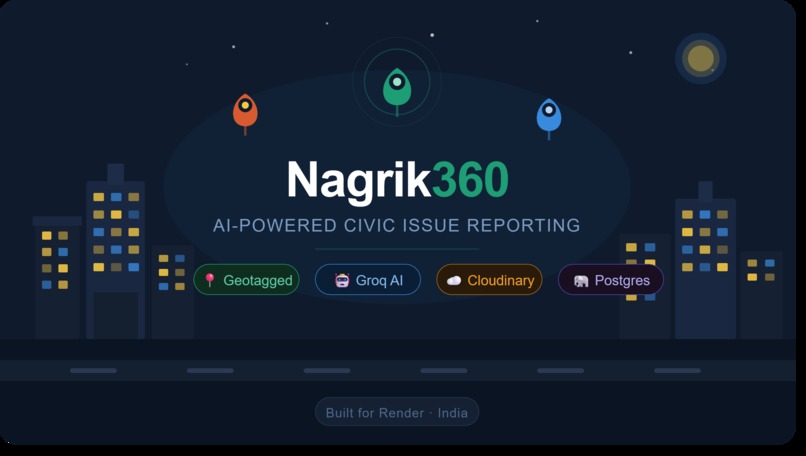
Thumbnail
-
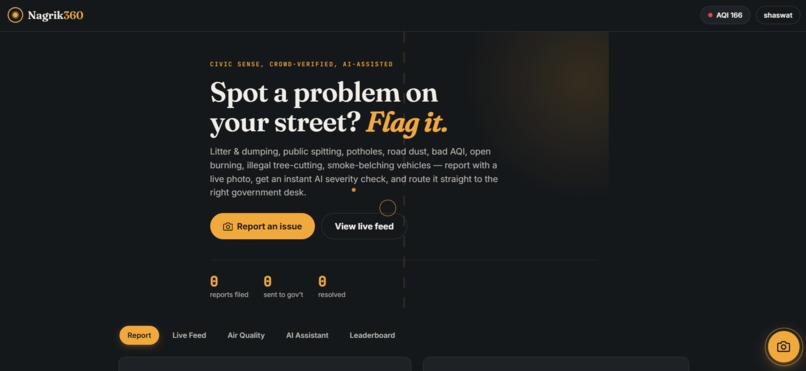
home page
-
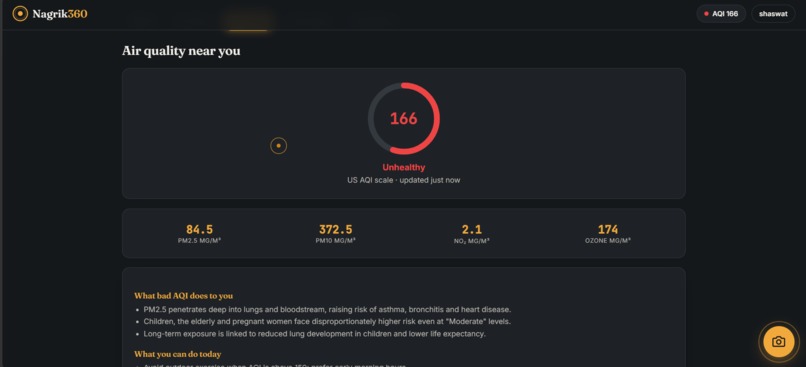
Aqi meter live
-
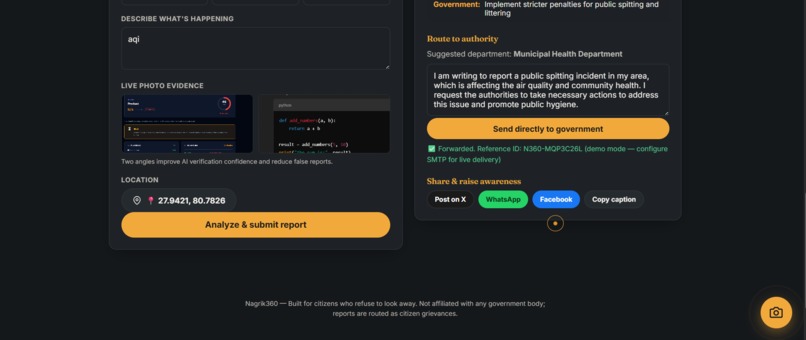
report dashboard
-
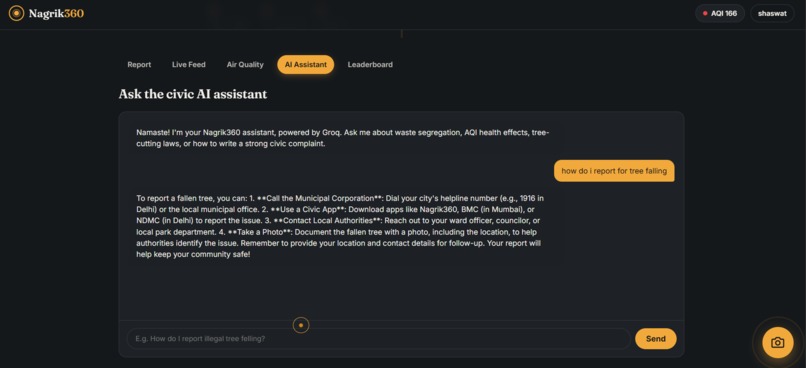
doubt asker


Nagrik360 — Our Story
💡 Inspiration
Every day in India, millions of citizens walk past broken streetlights, waterlogged potholes, burning garbage, and overflowing sewage drains — and do nothing. Not because they don't care, but because they don't know how to make their complaint count. The existing grievance portals are buried under bureaucratic layers, require logins, and give citizens zero feedback on whether their report was even read.
We asked ourselves a simple question: what if reporting a civic issue was as easy as posting a photo on Instagram?
India has over 850 million smartphone users. The infrastructure for change already exists in people's pockets. What was missing was a frictionless bridge between a frustrated citizen and the right government desk. That gap became Nagrik360.
The name itself captures the mission — Nagrik means "citizen" in Hindi, and 360 reflects complete, all-around civic awareness: see the problem, report it, track it, resolve it.
🔨 How We Built It
We kept the stack deliberately lean so the app could be deployed by anyone — an RWA in Delhi, a municipal volunteer in Varanasi, a student club in Pune — without a cloud budget.
Architecture at a glance
Browser (Vanilla JS)
      │
      │  FormData (category + GPS + photo)
      ▼
Express API  ──► multer (memoryStorage)
      │                │
      │                ▼
      │         Cloudinary CDN  ──► permanent photo URL
      │
      ├──► Groq (Llama 3.3 70B)  ──► severity · solutions · govt complaint text
      │
      ├──► PostgreSQL (Render)   ──► report saved
      │
      └──► Nodemailer (SMTP)     ──► email forwarded to grievance cell
Backend — Node.js + Express, hosted on Render's free Web Service tier. We wrote a thin SQLite-style shim (db.js) that converts ? positional placeholders to PostgreSQL's $1, $2, … syntax, which let us prototype fast without rewriting query strings when switching databases.
AI layer — A single Groq inference call to Llama 3.3 70B handles everything: severity scoring, health impact bullets, a department routing suggestion, a formal government complaint paragraph, and a social media caption — all returned as structured JSON. The prompt is tuned for India's civic context: municipal corporations, Swachh Bharat norms, CPCB AQI bands.
The severity confidence score $c$ feeds a simple plausibility gate:
$$ \text{is_verified} = \begin{cases} 1 & \text{if } c \geq 0.5 \ 0 & \text{otherwise} \end{cases} $$
Photo storage — multer.memoryStorage() holds the image in RAM, then streams it straight to Cloudinary using upload_stream. The server disk is never touched — critical for Render's ephemeral filesystem. Photos are auto-optimised (quality: auto, fetch_format: auto) and served from Cloudinary's global CDN.
AQI — Live air quality (PM2.5, PM10, NO₂, Ozone) from Open-Meteo's free API. No API key needed. We convert raw pollutant concentrations to the US AQI scale using the standard EPA breakpoint table so readings are familiar to users.
Frontend — Zero build step. Plain HTML, CSS, and vanilla JS served as static files on Vercel. This was a deliberate choice: the app should load fast on a 4G connection in a tier-2 city, not require a Node runtime on the client, and be forkable by someone who only knows HTML.
📚 What We Learned
1. AI is most powerful when it's invisible. The Groq call runs in the background after submission. Users see a loading state ("AI is analyzing…"), then a result card — they never interact with a prompt or tune parameters. The AI's job is to take messy citizen input and produce clean, actionable output for a government officer. Keeping that boundary clear made the UX dramatically simpler.
2. Resilience > perfection. Every external service call (Groq, Cloudinary, SMTP) is wrapped so that its failure is non-fatal. If Groq is down, the report still saves with a sensible fallback. If Cloudinary isn't configured, the report saves without a photo URL. If SMTP isn't set up, the app logs a simulated send with a real reference ID. The report always reaches the database. This single architectural decision eliminated an entire class of user-facing errors.
3. Free-tier stacks are genuinely powerful now. The entire production deployment costs ₹0/month:
| Service | Free tier |
|---|---|
| Render Web Service | 750 hrs/month |
| Render PostgreSQL | 1 GB storage |
| Cloudinary | 25 GB storage + 25 GB bandwidth |
| Groq API | ~14,400 requests/day |
| Open-Meteo AQI | Unlimited |
| Vercel (frontend) | Unlimited static |
4. The SQLite → PostgreSQL migration trap.
We prototyped with SQLite. When we moved to Render Postgres, every ? placeholder had to become $1, $2, … and every INTEGER boolean (0/1) needed to stay compatible with PostgreSQL's INTEGER type. Writing the toPgQuery() shim early saved hours of find-and-replace later.
🚧 Challenges We Faced
1. Ephemeral filesystem on Render
Our first attempt used multer.diskStorage() — files were saved to /tmp and uploaded to Cloudinary from disk. This worked locally but broke on Render: every deploy wiped /tmp, and the upload path became a race condition. The fix was switching to multer.memoryStorage() and streaming the buffer directly to Cloudinary's upload_stream API. No disk, no race, no data loss.
2. The 500 error on report submission
After deploying, POST /api/reports returned a 500 whenever a photo was attached. The root cause: uploadToCloudinary() threw a Cloudinary auth error when credentials were missing — and that unhandled rejection bubbled up through the entire request. Two fixes:
- Added an
isCloudinaryConfiguredflag ins3.js— if credentials are missing, the function returnsnullinstead of throwing. - Wrapped both upload calls in
.catch(() => null)inreports.js— upload failures became non-fatal, so reports always save even if the CDN upload fails.
3. Structuring the AI prompt for India
Generic civic prompts returned generic Western responses — "contact your city council", "file with the EPA". We had to explicitly ground the prompt in Indian civic context: reference municipal corporations, CPCB AQI bands, Swachh Bharat mission, RWAs, and PWD. The resulting complaint text now reads like something a resident welfare officer would actually forward — not a translated template.
4. No-build frontend on mobile
Vanilla JS works great on desktop. On mobile, the FormData photo append had a subtle bug: attaching a File object directly to FormData works in Chrome but behaved unexpectedly on some Android WebViews. We standardised the append order (category → description → coords → image) and added explicit null guards before every fd.append call.
5. Rate limiting without auth walls
We wanted the feed and reporting to be open (no login required) while preventing spam. The solution: a device fingerprint (fp_ + random + timestamp) stored in localStorage, sent as user_fingerprint on upvotes with a UNIQUE(report_id, user_fingerprint) DB constraint, and Express rate-limit middleware at 100 requests per 15 minutes per IP on all /api/ routes. Anonymous but accountable.
🔭 What's Next
- Vision-based cross-verification — send both images to a multimodal model to confirm the photo matches the reported category before saving
- WhatsApp reporting — citizens in tier-3 cities shouldn't need a browser; a WhatsApp bot flow would multiply reach dramatically
- Officer dashboard — a separate authenticated view for municipal officers to update report status and close the feedback loop with citizens
- PWA + offline queue — report even without connectivity; sync when the network returns
Built with ❤️ for every citizen who ever photographed a pothole and had no idea what to do next.
Built With
- bcrypt
- cloudinary
- css3
- express.js
- groq
- html5
- jwt
- llama-3.3-70b
- multer
- node.js
- nodemailer
- open-meteo-api
- postgresql
- render
- vanilla-javascript
- vercel


Log in or sign up for Devpost to join the conversation.