-
-
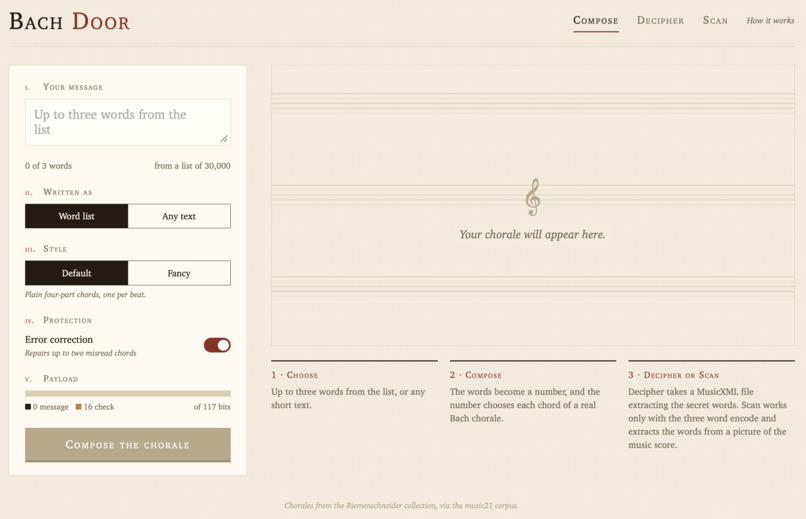
The encoding page
-
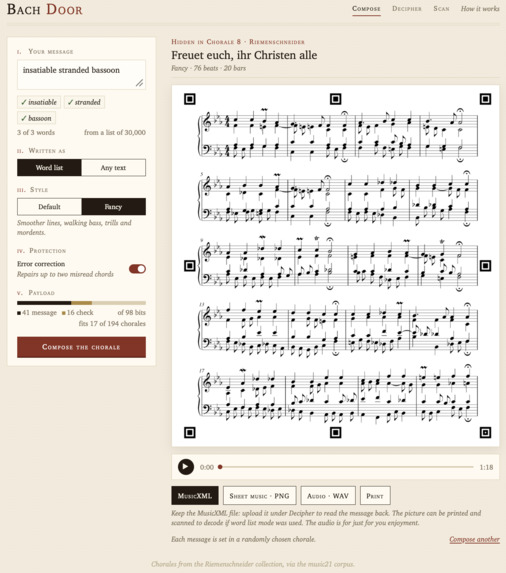
A succesful encoding using word list mode
-
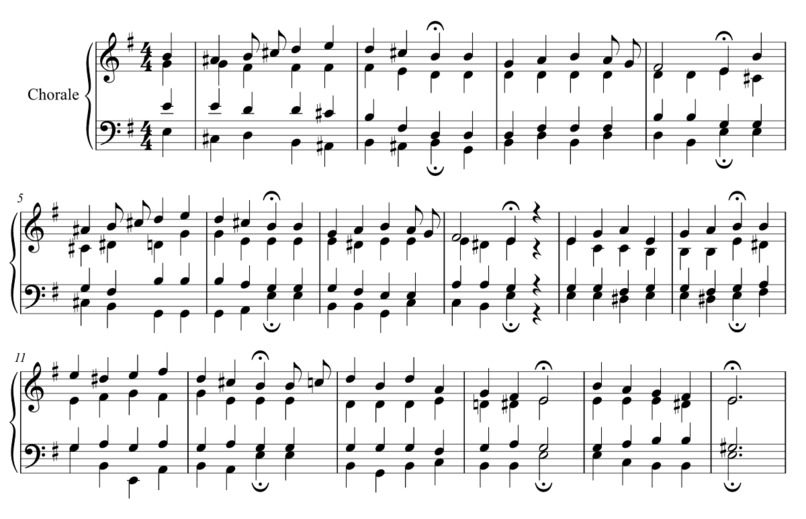
Another example of an encoding made by the platform
-
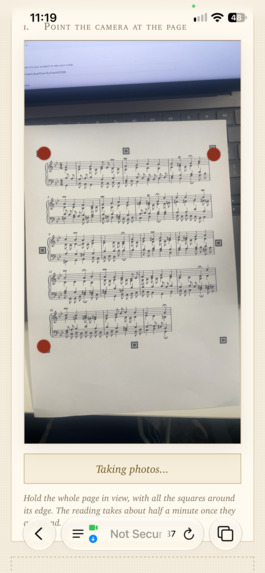
Decoding scanner in action
-
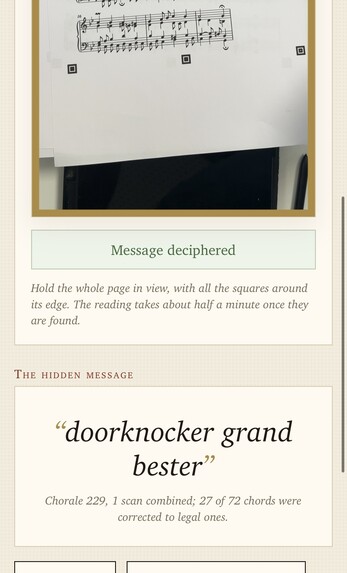
A successful decoding based on an automatic scan of a picture


Inspiration
We found the challenge of creating a physical language for hidden data very intresting and take the theme composition very literally we came up with the idea of hidding data in a musical composition.
We didn't just want to do what has already been done before where insert data into an exisiting audio file but acutally create a musical composition based on the input data, we also set up to have the composition sound like music not just random notes.
What it does
The app has three tools - Compose, Decipher and Scan.
Compose takes one to three words from a list of 30,000, or a short piece of plain text. It encodes them into the harmony of a real Bach chorale. It returns a printable score, an audio recording of the score and a MusicXML file.
Decipher takes a MusicXML file and decodes it back to the original words. It works out which chorale was used from the soprano line, so the file needs no label.
Scan uses the camera to read a printed copy of the score and decodes it back to the original words. Squares printed around the edge of the page let the reader find and straighten the score.
The message is hidden in the harmony. The soprano keeps Bach's melody, so the piece stays recognisable. The alto, tenor and bass are chosen beat by beat from the chords that are legal at that point. Which chord we pick at each beat carries the data. A set of voice-leading rules, such as no parallel fifths and no wild leaps, rules out the bad chords. Every score the app writes follows those rules, so it sounds like a chorale.
Each message gets a randomly chosen chorale, so two messages rarely look alike.
There are two writing styles: Default uses the plain chord choices. Fancy adds walking bass lines, passing and neighbour notes, suspensions, ornament signs (trills, turns, mordents) and stronger cadences at the ends of phrases. It sounds more like Bach, and the decoder reads past the decoration to the same message.
The score is laid out on two grand staves so it fits on one page. The audio holds the fermata chords, pauses between phrases and slows into the final chord. A checksum is stored with the message, and the decoder uses it to repair a couple of misread chords.
How we built it
We split the project into four parts: the renderer, the reader, the chorale engine and the web app. Then, we used generative AI to create a framework for the project, and prompted Claude while discussing with the group the appropriate directions and decisions to make, and especially for the renderer, deep research into OMRs and computer vision, as well as large amounts of pushback.
Chorale engine: it uses the Riemenschneider chorale collection through music21. For each beat, it lists every four-voice chord that fits the soprano note and passes the voice-leading rules. The message is turned into a number, and the number is written out as a choice among the legal chords at each beat. Pruning the search keeps the paths that can still reach a proper cadence. Counting those paths tells us how many bits each chorale can hold. The decoder runs the same process in reverse.
Renderer: it takes a MusicXML file and draws the score as an image, with the corner squares the reader needs.
Reader: it takes a photo or scan of a printed score, finds the squares, straightens the page and reads the notes back as MusicXML.
Web app: it is a Flask app that ties the three tools together in one interface. It also makes the audio, using an additive organ sound with a small amount of reverb.
Challenges we ran into
The biggest challenge was the image recognition that reads a score from a photo. Notes were often missed or misread, and a single wrong note gives the wrong words. The reader scored 100% on clean renders but only 58% on real photos. Curled paper, uneven lighting and phone cameras all caused problems. We improved it step by step by testing on real photos, and the checksum and error repair in the decoder cover the notes it still gets wrong.
Space was the other hard limit. Each chorale can only hold a fixed number of bits, and every musical rule we added for better sound removed some of the choices that carry data. We had to balance how good the music sounds against how much it can hold.
Accomplishments that we're proud of
We used everyone's skills. Each person took a part that suited them, and the four parts joined up into one working app. We are proud of our teamwork and organisation.
We also worked through a problem that felt like it would derail the project, and we ended up with a tool that goes from words to music to a printed page and back to words.
What we learned
We learned a lot about music theory: voice leading, cadences, suspensions and how a chorale is built. We also learned a lot about encoding data with very restrictive space requirements, where each musical rule costs some capacity. Finally, we learned how hard it is to get reliable data out of a photograph, and why a checksum is worth having.


