


TL;DR: Best Practices for Great Release Notes
- Use Semantic Versioning: Follow the
MAJOR.MINOR.PATCHformat to clearly signal the impact of changes. - Categorize Changes Logically: Group updates into sections like
Breaking Changes,New Features, andBug Fixesso users can scan them quickly. - Highlight Breaking Changes: Always place breaking changes at the top with clear warnings and migration steps to prevent user frustration.
- Write for Your Audience: Use clear, non-technical language focused on user benefits, not just internal jargon.
- Automate Where Possible: Integrate tools into your CI/CD pipeline to generate changelogs from commit messages, saving time and ensuring consistency.
Table of Contents
- 1. Adopt Semantic Versioning
- 2. Categorize Changes Clearly
- 3. Highlight Breaking Changes Prominently
- 4. Provide Clear Migration Guides
- 5. Share Security and Performance Data
- 6. Use Clear, User-Focused Language
- 7. Link to Relevant Resources
- 8. Include Download Links and System Requirements
- 9. Be Consistent and Transparent
- 10. Automate the Process
- From Chore to Competitive Advantage
Release notes often feel like a last-minute chore a hasty summary of Git commits compiled right before a launch. In my experience, this approach misses a huge opportunity.
Well-crafted release notes are a vital communication channel. They connect your team’s hard work with your users and build trust, drive feature adoption, and even reduce support tickets.
In this guide, I’ll break down the essential release notes best practices that turn this task into a powerful asset. You’ll learn how to structure, write, and automate your notes to ensure every release is communicated perfectly.
1. Adopt Semantic Versioning
Before you write anything, you need a clear system for identifying your releases. A predictable versioning scheme is the foundation of effective communication.
Without it, users can’t gauge the significance of a new release, which can lead to confusion and broken integrations.
What is Semantic Versioning?
The most widely adopted standard is Semantic Versioning (SemVer). The specification, detailed at semver.org, provides a simple MAJOR.MINOR.PATCH format:
- MAJOR (e.g., 2.0.0): Incremented for incompatible API changes. This signals that users will likely need to modify their code.
- MINOR (e.g., 1.4.0): Incremented for new, backward-compatible functionality. Users can adopt this version safely.
- PATCH (e.g., 1.3.2): Incremented for backward-compatible bug fixes. These are low-risk updates.
Actionable Tips
- Document Your Policy: State your versioning strategy clearly in your
README. - Use Pre-Release Tags: For unstable versions, use tags like
2.0.0-beta.1. - Automate Version Bumps: Integrate versioning into your CI/CD pipeline. Tools like
semantic-releasecan determine the next version from Git commits.
2. Categorize Changes Clearly
Once you have a version number, the next step is to structure your release notes so they are easy to understand.
Grouping changes into logical categories is a key practice because it allows users to quickly scan for relevant information. A monolithic block of text forces everyone to read everything.

Common Release Note Categories
Consistent categories help users build a mental model of your product’s evolution. Common ones include:
- Breaking Changes: For non-backward-compatible updates. Always place this at the top.
- New Features: Highlights significant new capabilities.
- Bug Fixes: Details the correction of errors.
- Security: Lists any addressed security vulnerabilities.
- Performance Improvements: Notes enhancements to speed or efficiency.
- Deprecations: Informs users about features scheduled for removal.
Actionable Tips
- Prioritize by Impact: List categories in descending order of importance, starting with
Breaking Changes. - Use Consistent Naming: Stick to the same category names for every release.
- Consider Using Icons: A small visual cue (e.g., 🚀 for Features, 🐛 for Bug Fixes) can make sections more scannable.
For more on structuring content clearly, see these technical documentation best practices.
3. Highlight Breaking Changes Prominently
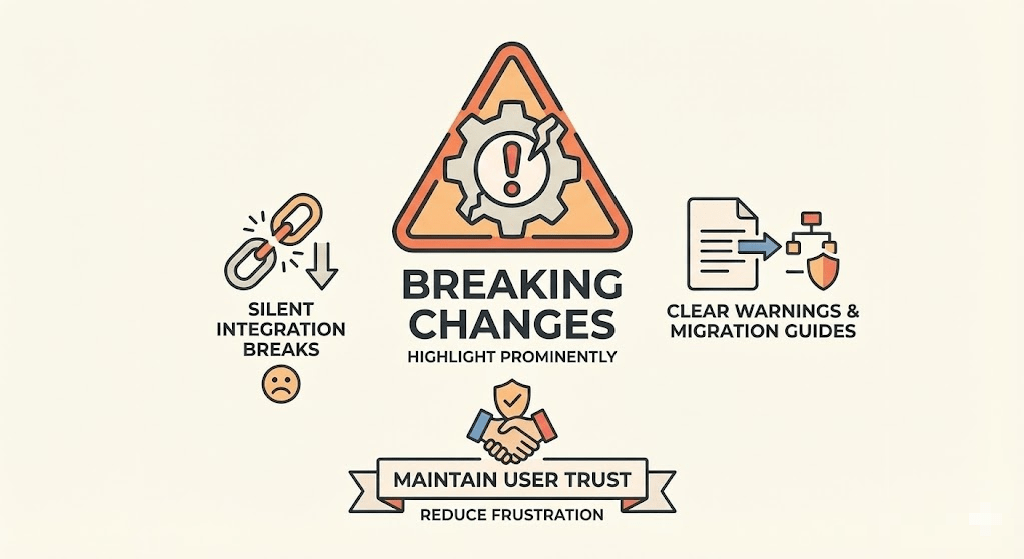
Few things cause more user frustration than an update that silently breaks their integration.
Placing breaking changes at the very top of your release notes, with clear warnings and migration guides, is fundamental for maintaining user trust.
What is a Breaking Change?
A breaking change is any modification that could require users to alter their code. This includes removing a feature, renaming a function, or changing API response structures.
Failing to highlight these changes is one of the quickest ways to damage your project’s reputation.
Actionable Tips
- Use Visual Markers: Start the section with a clear tag like
[BREAKING]or a warning emoji like ⚠️. - Provide Clear Migration Paths: Don’t just state what broke; show users how to fix it with before-and-after code examples.
- Link to Detailed Guides: For complex migrations, link out to a comprehensive migration guide. The Vue 3 migration guide is a prime example.
4. Provide Clear Migration Guides
For any release with breaking changes, the notes are incomplete without step-by-step guidance. A migration guide walks users through the upgrade process, minimizing friction.
Simply listing what changed isn’t enough; you must explain how users can adapt.

What Makes a Great Migration Guide?
A successful guide provides an actionable pathway. Great examples include the React 18 upgrade guide, which offers code mods and clear instructions.
These guides anticipate user questions and provide solutions proactively, turning a painful update into a smooth transition.
Actionable Tips
- Provide Automated Tools: Whenever possible, create automated scripts or “codemods” to handle the bulk of the migration.
- Include Code Examples: Show “before” and “after” snippets to illustrate how to update deprecated APIs.
- Document Common Pitfalls: Anticipate where users might get stuck and include a section on common errors and their solutions.
5. Share Security and Performance Data
Users need to understand how an update impacts their system’s security and performance.
Transparently communicating vulnerabilities, patches, and optimizations is a critical part of maintaining trust. It helps users prioritize updates effectively.
What to Include
- Security Vulnerabilities: State any security issues that have been addressed, their potential impact, and the resolution.
- Performance Improvements: Detail optimizations like reduced memory usage or faster API response times. Quantify these changes with benchmarks.
- Severity Levels: Assign a severity level (e.g., Critical, High, Medium, Low) to security patches.
Actionable Tips
- Use CVSS Scores: Adopt the Common Vulnerability Scoring System (CVSS) to provide a standardized measure of a vulnerability’s severity.
- Provide Benchmarks: When claiming performance improvements, include benchmarks. For example, “Reduced API latency for the
/usersendpoint by 25%.” - Create Separate Security Bulletins: For major vulnerabilities, publish dedicated security advisories in addition to the release notes.
For more on structuring this type of information, see our guide on structuring technical information on deepdocs.dev.
6. Use Clear, User-Focused Language
Technical accuracy is crucial, but it’s useless if your audience can’t understand it.
The best release notes bridge the gap between complex engineering work and tangible user value. This approach transforms release notes from a technical log into a powerful communication tool.
What is User-Centric Language?
User-centric language focuses on the outcome of a change, not the process. It answers the user’s question: “What’s in it for me?”
- Jargon-Free: Avoid internal acronyms or technical terms your average user won’t recognize.
- Benefit-Oriented: Frame every change in terms of how it helps the user.
- Accessible: Write in simple, direct sentences.
Actionable Tips
- Focus on the “Why”: For every item, explain why the change was made and what problem it solves.
- Use Active Voice: Write “We added a new export option” instead of “A new export option was added.”
- Include Concrete Examples: Instead of “Improved API error handling,” provide an example: “API error messages now include a specific reason, like ‘Invalid API Key’.”
You can learn more by reviewing comprehensive technical writing style guides.
7. Link to Relevant Resources
Effective release notes act as a gateway to deeper understanding. By linking to relevant resources, you empower users to explore the context behind each update.
This practice transforms your notes from a static announcement into an interactive resource.
Why Contextual Links Matter
Providing links creates a transparent trail from the high-level summary to the implementation details.
Users can trace a bug fix back to the exact GitHub commit, understand a new feature by reading its documentation, or see the discussion that led to a change. The Stripe API changelog, for example, masterfully links every change to its corresponding documentation page.
Actionable Tips
- Use Descriptive Link Text: Avoid “click here.” Instead, use text that describes the destination, like “Read the full API documentation.”
- Link to Specifics: Link directly to the relevant commit hash, pull request, or issue ticket.
- Test All Links: A broken link undermines credibility. Always verify every URL before publishing.
8. Include Download Links and System Requirements
Once you’ve detailed the changes, the user’s next step is to get the new version.
Failing to provide clear download links and system requirements introduces friction. This information should be impossible to miss.
Why This is Crucial
Clarity at this stage prevents installation failures and support tickets. Users shouldn’t have to hunt through your website to find installation files or wonder if their environment is supported.
Actionable Tips
- Create a Compatibility Matrix: For apps supporting multiple platforms (Windows, macOS, Linux) and architectures (x86, ARM64), use a simple table.
- Provide Checksums: Include MD5 or SHA-256 hashes for your download files so users can verify their integrity.
- Specify Minimum and Recommended Requirements: Clearly list both to manage user expectations.
- Link to Detailed Installation Guides: Always link to more comprehensive installation documentation.
9. Be Consistent and Transparent
Beyond the content, the predictability and transparency of your release process are crucial for building trust.
A consistent schedule helps users anticipate updates, while openly acknowledging known issues demonstrates honesty.
The Power of Rhythm and Transparency
A regular release cadence creates a predictable rhythm. Equally important is transparency about imperfections.
Acknowledging known issues with clear workarounds shows respect for your users’ time and prevents them from wasting hours on a problem you already know about.
Actionable Tips
- Establish a Release Template and Schedule: Create a standardized format and stick to a predictable schedule.
- Create a “Known Issues” Section: Be upfront about bugs. For each issue, specify the scenario, provide a workaround, and offer a timeline for a permanent fix.
- Highlight New Features with Benefits: Explain their value. Use screenshots or short GIFs to demonstrate them in action.
- Maintain a Public Archive: Keep all past release notes accessible on your website.
10. Automate the Process
Manually compiling release notes from commit histories is tedious and prone to error. In a fast-paced CI/CD environment, it’s often the first task to be skipped.
Automating this process is a critical practice for modern development teams.
How Automation Helps
- Consistency: Tools enforce a standard format based on commit message conventions.
- Accuracy: Automation pulls directly from your version control history, reducing the risk of missed changes.
- Efficiency: It frees up developer time to focus on coding, not administrative tasks.
Actionable Tips
- Enforce Conventional Commits: Adopt a specification like Conventional Commits. This standardizes commit messages so they can be parsed by tools.
- Integrate a Changelog Generator: Use tools like
semantic-releaseorstandard-versionin your CI/CD pipeline. These can automatically generate a changelog, bump the version number, and create a Git tag.
By automating the generation of a draft, your team can focus on the human touch: adding context, clarifying benefits, and ensuring the tone is right. This approach combines the efficiency of continuous documentation with the clarity of human oversight.
From Chore to Competitive Advantage
Mastering these release notes best practices transforms a mundane task into a strategic asset. By focusing on empathy, consistency, and automation, you build trust and deliver a better user experience.
Start small. Pick one or two practices to implement in your next sprint. Perhaps you can begin by enforcing a stricter commit message convention or creating a standardized template. This discipline is a cornerstone of a mature engineering culture.
Understanding the broader landscape of essential software development best practices can further illuminate how meticulous release notes contribute to a significant competitive advantage. By making excellent release notes a standard part of your definition of “done,” you’re not just shipping code; you’re delivering a complete, trustworthy, and user-centric product experience.
A key part of world-class release notes is ensuring they link to documentation that is always accurate. At DeepDocs, we built a tool that keeps your technical guides and API references perfectly in sync with your codebase, automatically updating them with every pull request. This means your release notes always point to the truth. Check out DeepDocs to eliminate documentation drift.
Leave a Reply