


- Summary: This article provides a comprehensive documentation review checklist for engineering teams. It covers eight key areas: API documentation, code examples, READMEs, configuration, architecture, error handling, changelogs, and type definitions. The goal is to help technical leads, engineering managers, and developers maintain accurate, complete, and trustworthy documentation. We’ll also touch on how CI/CD principles and automation tools can help maintain this quality over time.
Table Of Contents
- 1. Completeness and Accuracy of API Documentation
- 2. Code Examples and Sample Usage Clarity
- 3. README Quality and Setup Instructions
- 4. Configuration and Environment Variable Documentation
- 5. Architecture and System Design Documentation
- 6. Error Handling and Troubleshooting Guide
- 7. API Changelog and Deprecation Notices
- 8. Type Definitions and Interface Documentation
- From Checklist to Continuous Documentation
In our experience, high-performing engineering teams treat documentation as a core part of the development lifecycle, just like code reviews or CI/CD pipelines.
Stale or inaccurate docs create friction, slow down onboarding, and frustrate both internal developers and external users. For technical leads and engineering managers, the cost is steep: wasted engineering hours, endless support tickets, and sluggish product adoption.
So, how do you systematically ensure your docs are as reliable as your code? A structured documentation review checklist is the most effective way we’ve found to maintain quality at scale. A checklist transforms the abstract goal of “good documentation” into a concrete set of verifiable tasks.
This guide breaks down the eight essential areas to audit, providing an actionable checklist for your team. We’ll also explore how automation can integrate into this workflow, helping to keep docs continuously updated.
1. Completeness and Accuracy of API Documentation
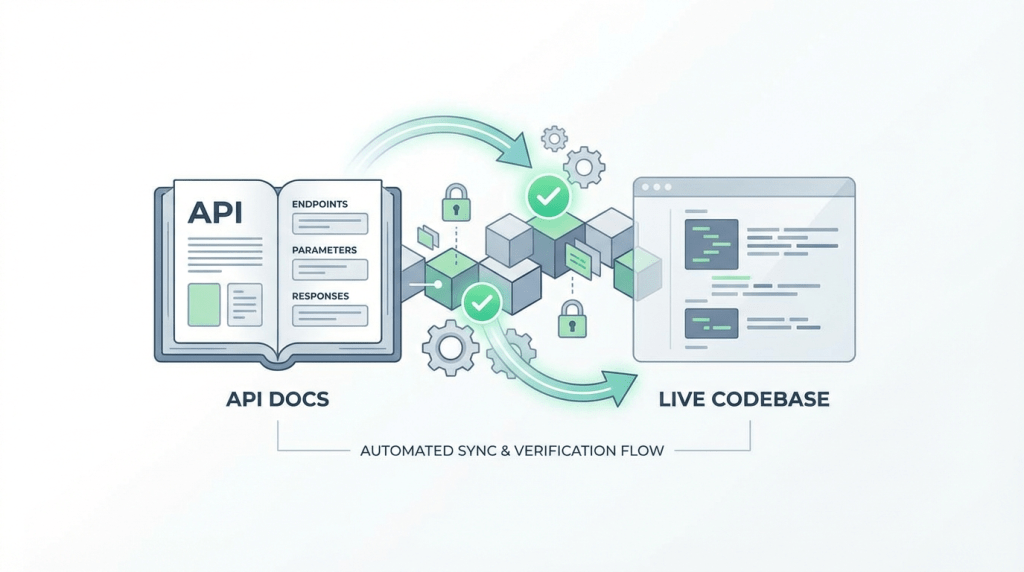
The first check is verifying that your API documentation is complete and accurate. This means every public-facing endpoint, parameter, response object, and error code is documented and mirrors the behavior of the current codebase.
Inaccurate API docs are a primary source of developer frustration, leading to failed integrations and a loss of trust in your platform.
Caption: Accurate API documentation must map every endpoint, parameter, and response to the live codebase.
This step requires a deep comparison between the documented specifications and the source code’s actual implementation. For a deeper dive, explore these API documentation best practices.
Why It’s a Critical First Step
Developers rely on API references as their primary source of truth. If a required parameter is missing or a return type is wrong, they’ll waste hours debugging what they assume is their own faulty code.
Actionable Review Tips
- Automate Drift Detection: Manually cross-referencing code and docs is prone to error. Use CI checks to automatically scan for discrepancies between your OpenAPI/Swagger specification and the codebase.
- Verify All Components: Go through each endpoint and confirm that all parameters (path, query, header, body), expected data types, and potential response codes are present and correct.
- Check Deprecation Paths: When reviewing a deprecated endpoint, ensure it includes a clear explanation of why it’s deprecated, what to use instead, and a removal timeline.
- Synchronize Versioning: The API version in the documentation must match the live API. Using text comparison tools can be helpful for spotting subtle differences between documentation versions.
2. Code Examples and Sample Usage Clarity

If API references are the “what,” then code examples are the “how.” For many developers, runnable code samples are the most critical part of documentation.
This check ensures that all examples are clear, executable, and reflect the current library or API version. Nothing erodes developer trust faster than a “working” example that fails due to outdated syntax.
Why It’s a Critical Step
Developers often skip long explanations and jump straight to the code. If your examples are broken, you’ve lost them at the most crucial moment of their integration journey.
Actionable Review Tips
- Test Examples in CI/CD: Store your code examples in separate files and create a CI job that automatically runs them against your test suite with every commit. This is the most effective way to prevent code rot.
- Version Examples with Releases: Ensure that code samples are version-locked with your library or API releases.
- Provide Complete, Runnable Projects: While snippets are useful, offer downloadable starter projects or links to repositories for more complex use cases.
- Audit Examples for Drift: Manually checking every example is tedious. Tools can monitor the functions or API endpoints referenced in your examples and flag them when the underlying code changes.
3. README Quality and Setup Instructions
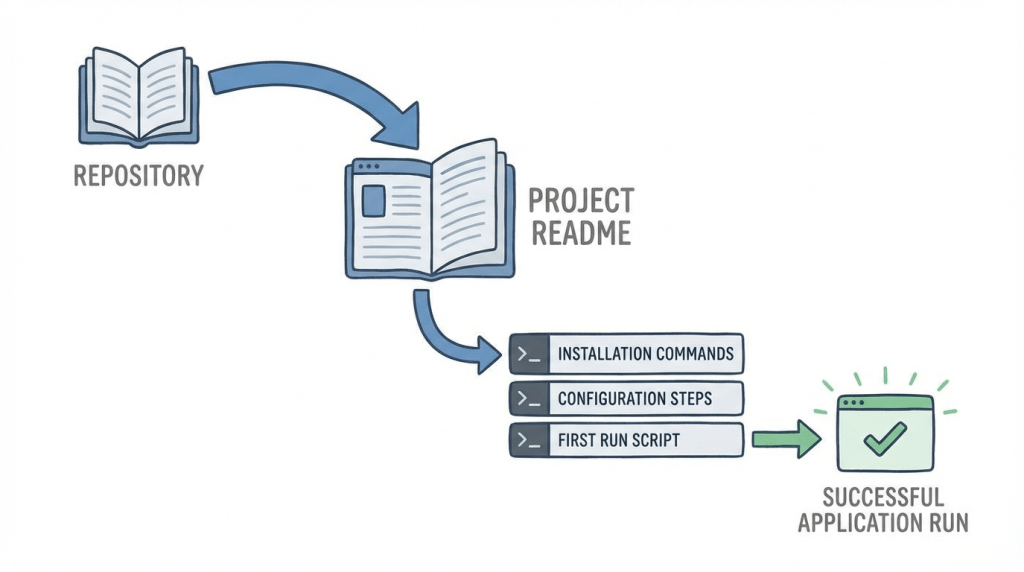
For any project, the README is the front door. Its quality can determine whether a developer engages further or abandons the project.
A strong README provides a clear, concise entry point, guiding users from zero to a working setup with minimal friction. This part of the documentation review checklist focuses on ensuring this critical first impression is a positive one.
The README’s job is to answer three questions quickly: What does this project do? How do I get it running? And what do I do next? For more on this, see our guide on what a README file is and why it matters.
Why It’s a Critical Gateway
A confusing README signals poor project quality. If the simplest instructions are out of date, developers will assume the rest of the codebase is equally neglected.
Actionable Review Tips
- Test on a Clean Slate: Regularly validate all setup instructions on a fresh virtual machine or container. This is the only way to be sure you haven’t missed a hidden dependency.
- Provide Copy-Paste Commands: Ensure all required terminal commands are provided in a format that users can copy and paste directly. Pinning dependency versions can prevent future compatibility issues.
- Document Environmental Variations: If setup steps differ between macOS, Windows, and Linux, document them clearly under separate headings.
- Automate Dependency Checks: The dependencies in your README can quickly drift from what’s defined in
package.jsonorrequirements.txt. Use tools to watch for these discrepancies and flag them in pull requests.
4. Configuration and Environment Variable Documentatio

A common source of failure is misconfiguration. When environment variables or config files are not clearly documented, applications can fail in unexpected ways.
This checklist item focuses on ensuring that every configuration option, default value, and its purpose is thoroughly documented.
Why It’s a Critical Check
Incorrect configuration often mimics application bugs, leading to frustrating debugging cycles. Excellent configuration documentation prevents these avoidable problems and accelerates onboarding.
Actionable Review Tips
- Maintain a
.env.exampleFile: Your repository should include a.env.exampleor similar template file that is kept in sync with all required and optional environment variables. - Document Each Variable’s Impact: For each entry, document its purpose, expected format (e.g., string, integer, URL), default value, and how it affects the application’s behavior.
- Provide Contextual Examples: Include configuration snippets for different environments like development, staging, and production.
- Automate Drift Detection: Manually tracking new configuration options is unreliable. Use CI tools to scan for new environment variables or schema changes in the code and flag when documentation needs to be updated.
5. Architecture and System Design Documentation
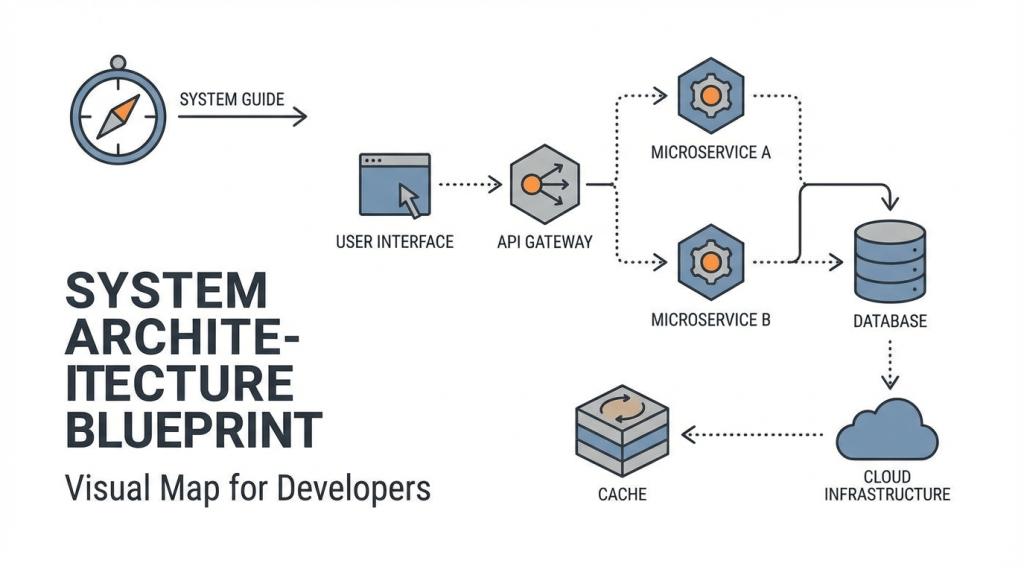
While API references detail the what, architecture documentation explains the why. This provides a high-level overview of your system, illustrating how components interact and the rationale behind key design decisions.
Without it, new engineers are forced to reverse-engineer the entire system. A well-maintained architecture diagram is a map for your codebase.
This part of your documentation review checklist ensures that the system’s blueprint is clear and reflects the current state of the code.
Why It’s a Critical Step
Neglecting architecture documentation creates a knowledge silo where system understanding is held by only a few senior developers. Clear system design docs democratize this understanding, enabling any developer to grasp the big picture.
Actionable Review Tips
- Version Control Your Diagrams: Use text-based diagramming tools like Mermaid or PlantUML. This allows you to store diagrams in Git alongside your code.
- Document Design Rationale: Don’t just show what the architecture is; explain why it is that way. Include sections on the trade-offs considered and constraints faced.
- Connect Diagrams to Code: Tie architecture reviews to your CI/CD pipeline. During code reviews, ask if significant structural changes are reflected in the diagrams.
- Include Deployment Topology: Document how the system is deployed, including network diagrams and dependencies on cloud infrastructure. This is invaluable for DevOps and SRE teams.
6. Error Handling and Troubleshooting Guide
Nothing stops a developer faster than a cryptic error message. A crucial part of any documentation review checklist is ensuring you provide a clear guide for handling errors and troubleshooting common issues.
Undocumented errors force developers to guess or file support tickets. A well-crafted troubleshooting guide turns a moment of failure into a learning opportunity.
Why It’s a Critical Support Component
Effective error documentation is a massive force multiplier for your support and engineering teams. When developers can self-diagnose issues, it frees up your team from answering repetitive questions. This is vital for products like the Node.js error documentation or the extensive PostgreSQL error codes reference.
Actionable Review Tips
- Categorize and Structure: Organize your guide logically by code (e.g., 4xx vs. 5xx) or category (e.g., Authentication, Rate Limiting).
- Include Verbatim Error Messages: Document the exact error messages developers will see. This makes your documentation highly searchable.
- Link Codes to Solutions: Ensure every documented error code in your API reference links directly to its corresponding section in the troubleshooting guide.
- Leverage Support Insights: Regularly review common support issues and turn them into documented troubleshooting scenarios.
- Automate Error Drift Detection: Error messages and codes change. Use a CI tool to scan for discrepancies between the errors thrown by your code and what’s documented.
7. API Changelog and Deprecation Notices
A core part of any documentation review checklist is confirming that all changes are transparently communicated. A well-maintained changelog and clear deprecation notices are essential for managing expectations and guiding users through the evolution of your platform.
This check involves verifying that breaking changes, new features, and version upgrades are logged with actionable migration guidance. For more insights, explore these release notes best practices.
Why It’s a Critical Check
Without a clear changelog, developers may miss critical updates or continue building on endpoints destined for removal. Proactive communication is what separates a reliable API from a frustrating one.
Actionable Review Tips
- Adhere to Semantic Versioning: Confirm that your API follows the Semantic Versioning (major.minor.patch) convention. This sets a predictable standard for users.
- Provide Clear Migration Paths: For every deprecated feature, the documentation must include a clear explanation of why the change was made, what to use instead, and a concrete timeline for removal.
- Automate Changelog Generation: Manually writing changelogs is tedious. Use tools that enforce Conventional Commits to generate accurate changelogs automatically.
- Flag Breaking Changes in CI: Don’t wait for a manual review to catch a breaking change. Configure tools to scan pull requests and flag commits that introduce breaking changes without corresponding documentation updates.
8. Type Definitions and Interface Documentation
Beyond documenting what an endpoint does, it is essential to document what it expects and returns. This is where type definitions and interface documentation become critical.
This layer of documentation clarifies the precise shape of your data, including data types, schemas, and properties.
Why It’s a Critical Layer of Detail
Clear type documentation acts as a contract between your API and its consumers. When a developer knows an id field is a string and createdAt is an ISO-8601 timestamp, they can build with confidence.
Actionable Review Tips
- Generate Docs from Source: Manually keeping type docs in sync is nearly impossible. Leverage your language’s native systems, like TypeScript’s declaration files (
.d.ts), to automatically generate this documentation. - Document All Constraints: Specify all applicable constraints, such as
enumvalues, minimum/maximum lengths for strings, or valid ranges for numbers. - Automate Drift Detection: Implement a CI/CD check to detect when a type definition in the code no longer matches the documentation.
- Link Types to Endpoints: Create a clear connection between a type definition and the API endpoints that use it.
- Provide Concrete Examples: For every property in an interface or schema, provide a realistic example value.
From Checklist to Continuous Documentation
A manual review process, while essential, is a snapshot in time. The real goal isn’t just to perform better reviews; it’s to make the review process itself seamless and, where possible, automatic.
This is where the principles of CI/CD become relevant. Just as we automate tests to prevent bad code from reaching production, we can automate checks to prevent documentation drift. The future is continuous documentation, where docs and code evolve together.
This shift transforms documentation from a recurring chore into an integrated part of your development workflow.
How Automation Helps
Automating your documentation review process doesn’t replace human oversight, but it supercharges it. Instead of reviewers hunting for inconsistencies, they can focus on higher-level concerns like clarity and tone.
Consider this workflow:
- A developer pushes code that changes an API endpoint.
- An automated tool, acting like a CI check, identifies that the corresponding API reference and a tutorial are now out of sync.
- The tool automatically generates the necessary updates and opens a pull request.
- The human reviewer now simply needs to validate the proposed changes.
This is the problem tools like DeepDocs are built to solve. By integrating into your GitHub workflow, it acts as a dedicated CI check for documentation. It deeply understands the relationship between your code and your docs, catching drift at the source. This frees up your team to focus on innovation, confident that their documentation is always an up-to-date asset. For teams building out their doc platforms, evaluating the various best knowledge base software platforms can provide the foundational infrastructure for such a process.
A strong documentation review checklist is your starting point. By layering automation on top, you ensure that quality is maintained effortlessly and at scale.
Ready to move from manual checklists to continuous documentation? DeepDocs integrates into your GitHub repository to automatically detect and fix outdated docs. Try DeepDocs today and put your documentation on autopilot.
Leave a Reply