
Beschreibung
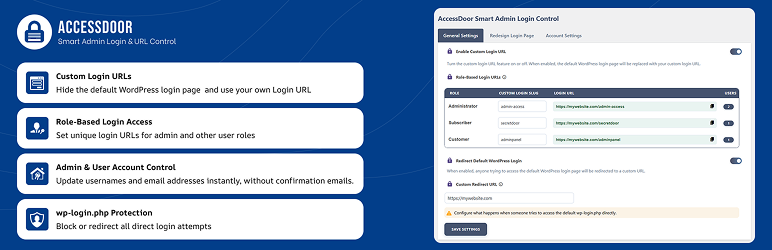
It allows you change the default WordPress admin login URL and create custom login links for different user roles. It helps protect your site by blocking or redirecting access to wp-login.php or wp-admin.
You can easily update admin usernames and email addresses without confirmation emails, and customize the WordPress login screen design.
Easily harden your site with 8 built-in security features, including disabling comments, XML-RPC, REST API, file editing, directory browsing, and more—all with a single click from the plugin settings.
Key Features
- Change the default WordPress admin login URL (wp-admin) to a custom login URL
- Create role-based login URLs for different WordPress user roles such as Subscriber, Vendor, SEO, or any custom role
- Instantly change the admin username
- Update admin and user email addresses without confirmation emails
- Protect your site from common or predictable admin usernames and email addresses
- Customize the WordPress login page with a custom logo, background color, or background image
- Block or redirect access to wp-login.php and wp-admin for unauthorized users
- 8 security features to harden your site with a single click (see below)
Security Features
Easily enable or disable these 8 security features from the plugin settings:
- Disable Comments
- Disable XML-RPC Pingback
- Disable REST API
- Disable XML-RPC
- Block Directory Browsing
- Disable PHP Execution in Uploads folder
- Turn Off Pingbacks
- Disable File Editing in Dashboard
Important Notes
- This plugin is not compatible with WordPress Multisite (Network) installations. It will not work or show settings on multisite/network sites.
- This plugin does not permanently disable default WordPress login functionality.
- A fallback access method is always available to avoid accidental lockouts.
- Administrators should keep recovery access details safe.
Screenshots

AccessDoor settings page showing role-based custom login slug configuration. 
Login screen customization options with custom logo and background settings. 
Admin username and email update settings without confirmation emails. 
Security features
Installation
- Upload
accessdoor-smart-admin-login-url-controlplugin to the/wp-content/plugins/directory. - Activate the plugin through the “Plugins” menu in WordPress.
- Go to the AccessDoor settings page from your WordPress admin dashboard to configure login options.
FAQ
-
Will this plugin lock me out of my site?
-
No. The plugin includes a built-in fallback mechanism to ensure administrators can always regain access.
-
Does this plugin completely disable wp-login.php?
-
No. Default login endpoints are redirected based on your settings but not permanently blocked.
-
Can I customize the login page design?
-
Yes. You can change the background, logo, and basic layout of the login page.
-
Is this plugin compatible with WooCommerce?
-
Yes. It supports WooCommerce roles such as Shop Manager and Customer.
Rezensionen
Für dieses Plugin gibt es keine Rezensionen.
Mitwirkende und Entwickler
„AccessDoor – Smart Admin Login & Security“ ist Open-Source-Software. Folgende Menschen haben an diesem Plugin mitgewirkt:
Mitwirkende


Übersetze „AccessDoor – Smart Admin Login & Security“ in deine Sprache.
Interessiert an der Entwicklung?
Durchstöbere den Code, sieh dir das SVN-Repository an oder abonniere das Entwicklungsprotokoll per RSS.
Änderungsprotokoll
1.0.3
- New: security features
- Improvement: Clear notice and safe handling for WordPress Multisite (Network) compatibility
- Enhancement: Readme and UI updated for clarity on security features
1.0.2
- Fix: Fixed logout URL handling when custom login URLs are enabled
- Fix: Fixed reset password and lost password URL handling
1.0.1
- Improvement: Added stronger validation for role-based login URL fields
- Fix: Fixed user accessibility issues related to custom login URLs
- Fix: Resolved role-based login slug conflicts with WordPress and popular plugins
- Fix: Issue with reset and lost password links for custom login URLs
1.0.0
- Initial release