
Beschreibung
Improve your SEO with real-time feedback, schema, and clear guidance. Upgrade for AI tools, Google Docs integration, and 24/7 support, no hidden fees.
Yoast SEO: The #1 WordPress SEO Plugin
Since 2008, Yoast SEO has helped millions of websites worldwide improve their visibility and SEO performance.
Our mission is SEO for Everyone — from small local businesses to some of the most visited sites on the web.
Yoast SEO gives you everything you need to manage your on-site SEO effectively.
The Yoast SEO Premium plugin and its extensions unlock even more advanced and AI-powered tools.
Handing you the competitive edge
SEO is the most consistent and cost-effective source of website traffic — but it can be complex. Whether you’re just starting out or an advanced user, Yoast SEO helps you handle SEO confidently and efficiently.
Don’t have time to stay on top of AI search and best practices? Keeping Yoast SEO updated means you automatically benefit from ongoing technical improvements, schema updates, and AI advancements — all guided by our signature traffic light approach.
Empower search engines to better understand your website using Schema.org structured data integration, and access in-depth content and readability analysis tools that help you create content designed to perform well in search.
Quick and easy setup
Setting up Yoast SEO is quick and straightforward — no technical background required.
Our step-by-step configuration wizard walks you through essential setup details so Yoast SEO can generate accurate structured data that helps search engines understand your site.
Switching from another SEO plugin like Rank Math or AIOSEO? Migration is seamless.
Import your existing SEO data and settings safely with our built-in import/export tools.
Content and AI features
Unlock your content’s full potential with Yoast SEO’s advanced content analysis and AI-powered tools.
Content optimization features:
– Detailed SEO analysis to guide keyword targeting and site performance.
– Readability analysis for clear, engaging, and user-friendly writing.
– SERP previews for both desktop and mobile results.
– HowTo and FAQ blocks with built-in schema support.
– Breadcrumbs block for improved navigation.
– Inclusive Language Analysis to make your content more considerate and accessible.
– Semrush integration for keyword research directly in Yoast SEO.
– Wincher integration to track keyword performance inside your dashboard.
– Elementor integration for seamless optimization within your favorite builder.
AI features (included in Premium):
– Yoast AI Generate – Instantly create five SEO-friendly titles and meta descriptions, with one-click regeneration for more options.
– Yoast AI Optimize – Improve keyphrase placement (introduction, distribution, density) automatically.
– Yoast AI Summarize (New 2025) – Generate quick content summaries for briefs or social posts.
– All AI tools included – No extra accounts, limits, or hidden costs.
These tools help you craft optimized, helpful content that resonates with readers and performs strongly across search platforms.
Taking care of your technical SEO
Yoast SEO automatically handles much of your site’s technical SEO, freeing you to focus on your content.
Key technical SEO features:
– Automated meta tag optimization right out of the box.
– Canonical URLs to prevent duplicate content issues.
– Advanced XML sitemaps for clear site indexing.
– Best-in-class Schema.org integration to improve search understanding and appearance.
– Complete breadcrumb control for visitors and crawlers.
– Performance improvements that help reduce load times.
– Crawl settings to manage how bots access your site and reduce environmental impact.
– LLMs.txt management to guide how large language models interact with your content.
Every update delivers ongoing technical SEO enhancements automatically.
Keep your website in perfect shape
Whether you’re a creator, business owner, or developer, Yoast SEO helps maintain your website’s SEO health:
- Cornerstone content tools to organize and prioritize key pages.
- Front-end SEO inspector to view and edit titles, descriptions, and schema live.
- SEO roles to delegate plugin access securely across teams.
- Regular 2-week update cycle to ensure compatibility with the latest SEO standards and search engine changes.
Powerful integrations
Yoast SEO works seamlessly with popular WordPress tools to enhance your workflow and results:
- Google Site Kit: Access insights from Search Console, Analytics, and PageSpeed directly inside WordPress.
- Advanced Custom Fields (ACF): Combine with ACF Content Analysis for Yoast SEO for advanced field optimization.
- Elementor: Use full Yoast SEO functionality inside Elementor’s editor.
- Algolia: Enhance internal search accuracy and performance.
- Semrush: Discover and optimize for high-value keywords.
- Wincher: Track keyword positions and trends in Google Search.
- Jetpack: Manage SEO and social previews all in one place.
- Easy Digital Downloads (EDD): Improve digital product visibility with integrated schema.
- Mastodon: Verify your website on Mastodon with Yoast SEO Premium.
- WooCommerce: Optimize ecommerce SEO with the dedicated WooCommerce extension.
Yoast SEO Premium – AI-powered SEO for WordPress
Yoast SEO Premium enhances everything in Yoast SEO with advanced automation, AI tools, and professional support.
Trusted by millions, it helps you optimize efficiently for both traditional and AI-driven search.
Tackle your SEO challenges:
– Keep pace with algorithm and AI search updates.
– Target the right audience effectively.
– Automate redirects, crawl controls, and internal linking.
– Identify orphaned content and improve site structure.
– Get support when you need it.
Premium highlights:
– AI-generated titles and meta descriptions.
– Smart internal linking suggestions.
– Social previews for Facebook and X.
– Redirect Manager with bulk tools and automatic prompts.
– Bot Blocker for AI crawlers (GPTBot, CCBot, Google-Extended).
– IndexNow integration for fast content updates.
– Front-end SEO Inspector for real-time editing.
– SEO Workouts to improve orphaned and cornerstone content.
– Google Docs add-on for seamless SEO writing in Docs.
– 24/7 premium support from SEO specialists.
Includes at no extra cost:
– Yoast Local SEO: Optimize for local audiences and Google Maps.
– Yoast Video SEO: Ensure Google understands your videos with video sitemaps and schema.
– Yoast News SEO: Increase visibility in Google News and Top Stories.
Yoast WooCommerce SEO – Advanced SEO for Online Stores
Yoast WooCommerce SEO builds on Yoast SEO Premium with ecommerce-specific tools to improve your store’s visibility and conversion potential.
Key ecommerce SEO features:
– WooCommerce-specific XML sitemap excluding non-shopping content.
– Product structured data for enhanced rich results (price, reviews, availability).
– Canonical URL management to prevent duplicates.
– Ecommerce-focused content analysis for GTINs, SKUs, and short descriptions.
– AI Generate for ecommerce – Instantly create optimized titles and meta descriptions for product and category pages.
Benefits:
– Improve product visibility with automated structured data.
– Enhance crawl efficiency for large catalogs.
– Save time through metadata templates and automation.
– Increase engagement with AI-optimized ecommerce metadata.
Built for WooCommerce, trusted by thousands of online stores worldwide.
For Developers
Yoast SEO is built with developers in mind. With modern APIs, hooks, and a unified indexables system, you can extend or integrate SEO functionality across custom themes, plugins, or headless setups.
REST API
Retrieve SEO metadata for any post or URL, including meta tags, Open Graph, Twitter Cards, and Schema.org data.
Learn more about the REST API.
Surfaces API
Access SEO data directly in code via YoastSEO()->meta->for_current_page().
Supports titles, descriptions, canonicals, and schema.
Read the Surfaces API documentation.
Metadata API
Use the Metadata API to filter, override, or extend meta tags with WordPress hooks such as wpseo_title, wpseo_metadesc, and wpseo_canonical.
Schema API
The Schema API lets you modify or extend Schema.org graph pieces, including Article, Organization, Person, Breadcrumb, and WebPage entities.
Block Editor compatibility
Yoast SEO integrates directly with the WordPress Block Editor (Gutenberg).
It outputs schema for HowTo and FAQ blocks by default, and developers can extend schema for custom blocks.
Indexables
At the core of Yoast SEO lies the indexables system, unifying all SEO data for faster queries and consistent metadata across outputs.
Ongoing support and education
Yoast is powered by expert developers, testers, and SEO specialists who keep improving the plugin.
We’re committed to helping users grow their SEO skills with resources such as:
- Yoast SEO Academy: Free and premium SEO courses (included in all paid plans).
- Yoast SEO blog, newsletter, and webinars.
- Yoast SEO Update podcast for the latest SEO insights.
- Bug reports on GitHub (for issue tracking, not support).
Yoast SEO — built to make search optimization accessible, reliable, and ready for the future of AI search.
Screenshots
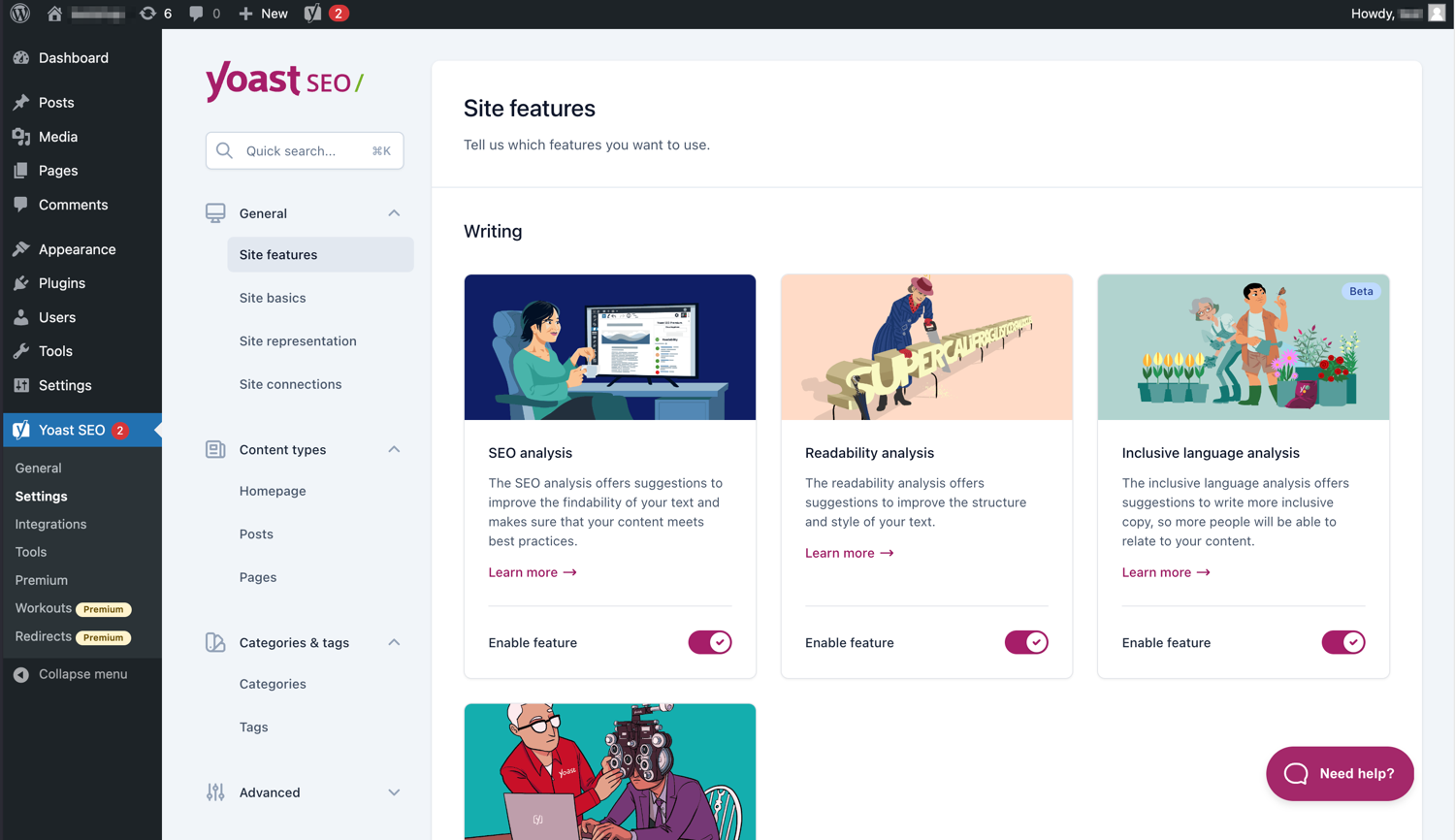
Die moderne Oberfläche macht die Arbeit mit Yoast SEO einfach. 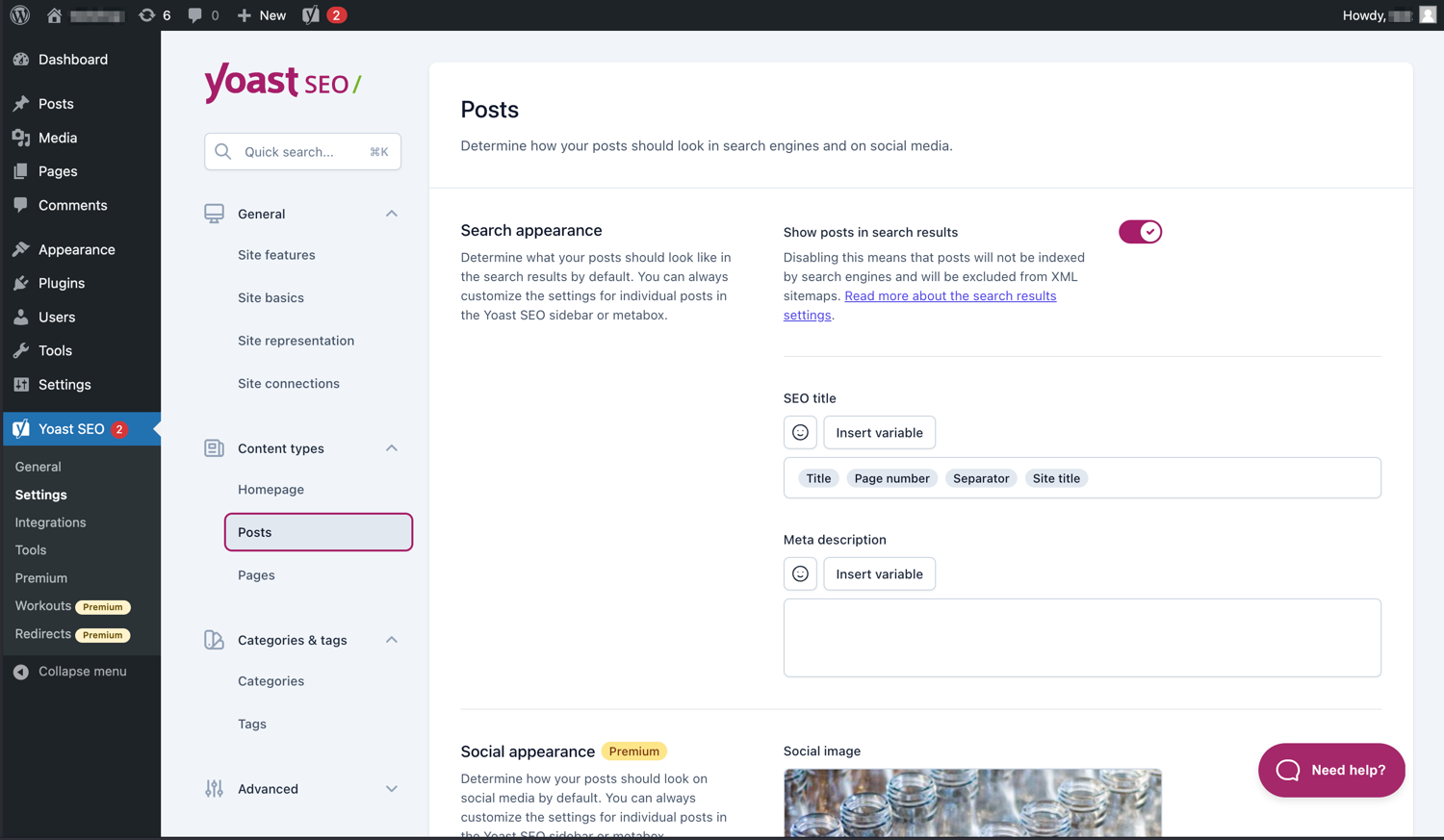
Verwalte ganz einfach, wie deine Posts und Seiten in Ergebnisseiten von Suchmaschinen erscheinen. 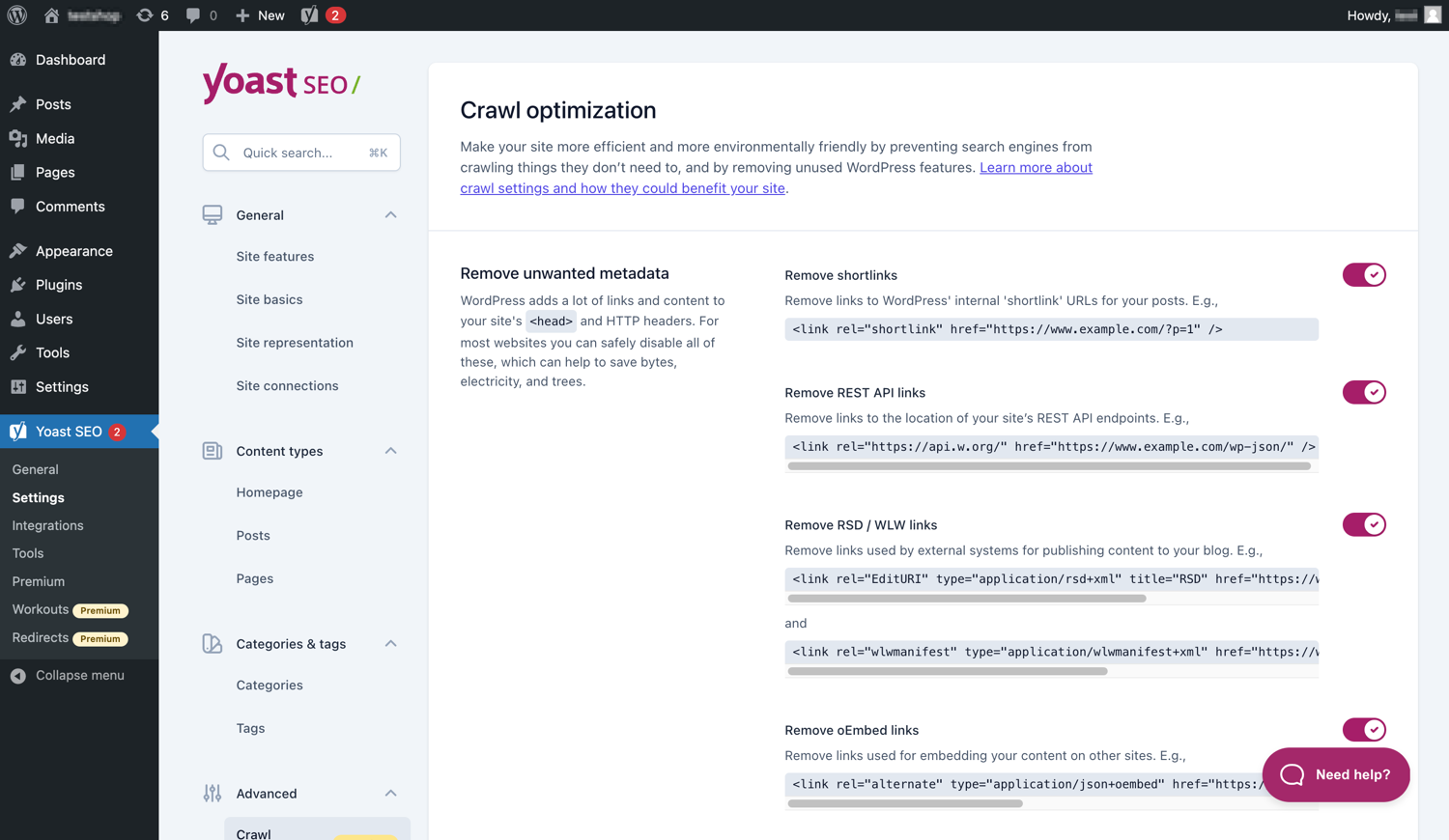
Yoast SEO Premium bietet zusätzliche Crawl-Optimierungsoptionen. 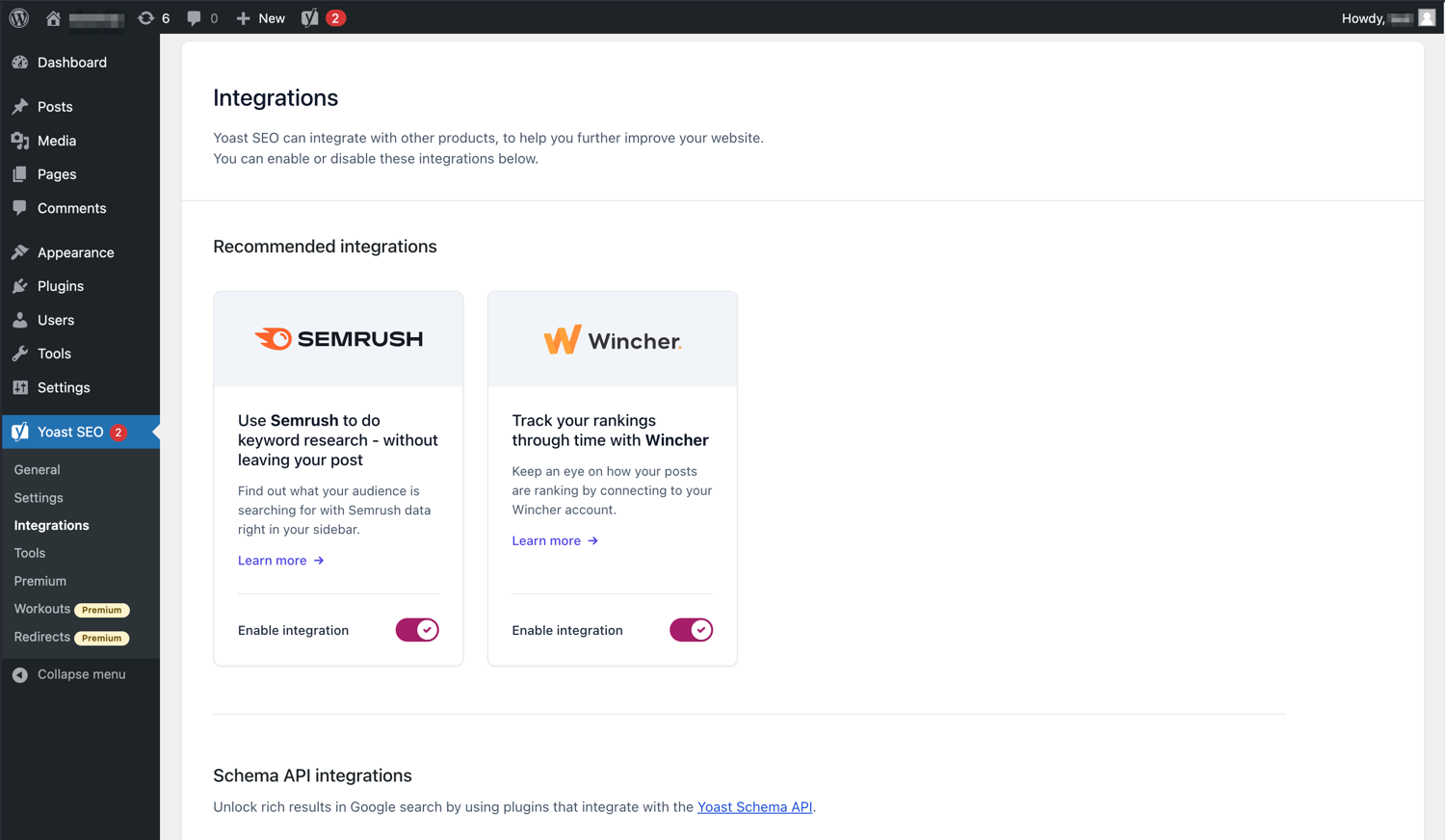
Yoast SEO lässt sich in Tools wie Semrush und Wincher integrieren. 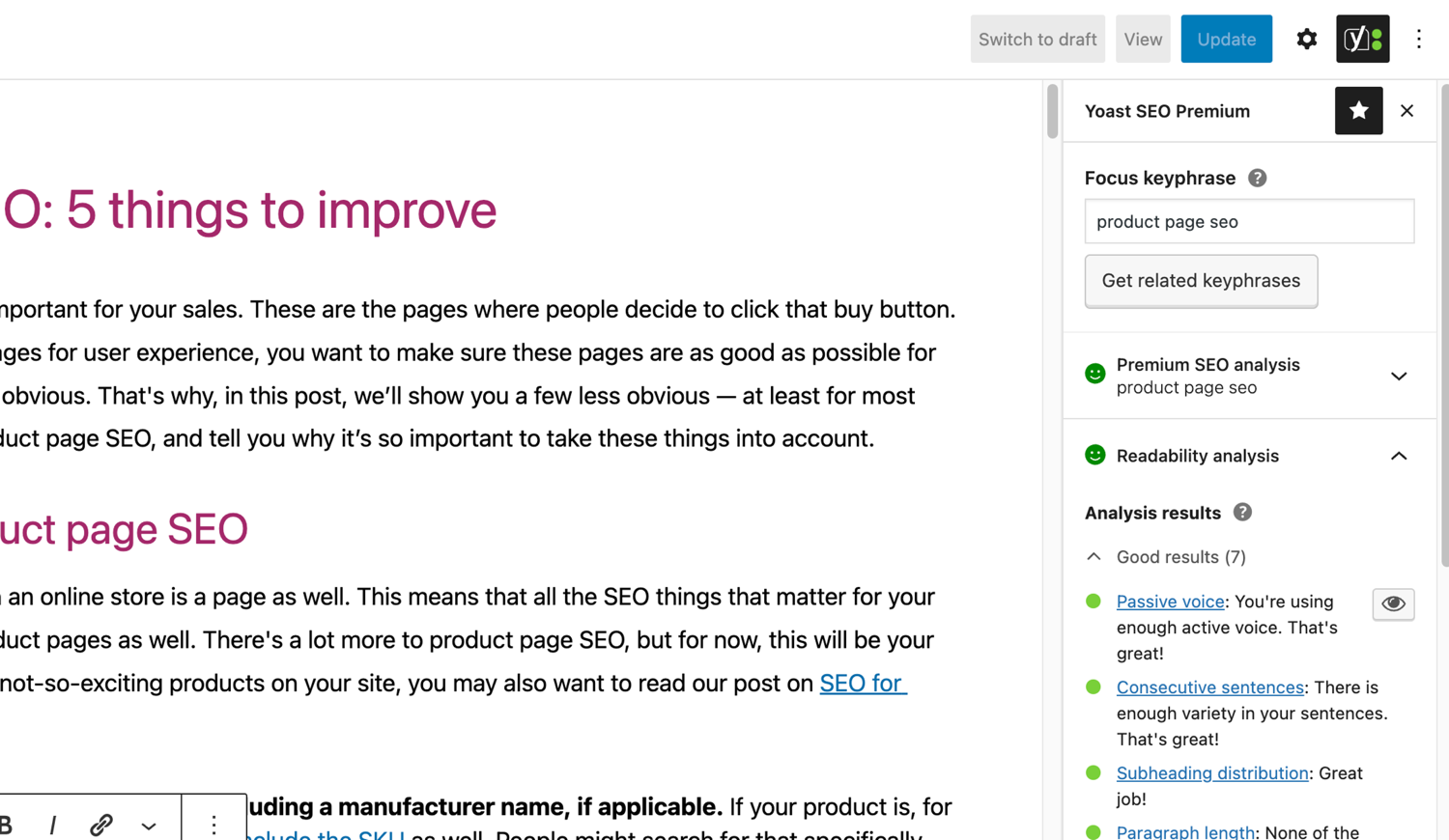
Die berühmten SEO- und Lesbarkeitsanalysen in Yoast SEO. 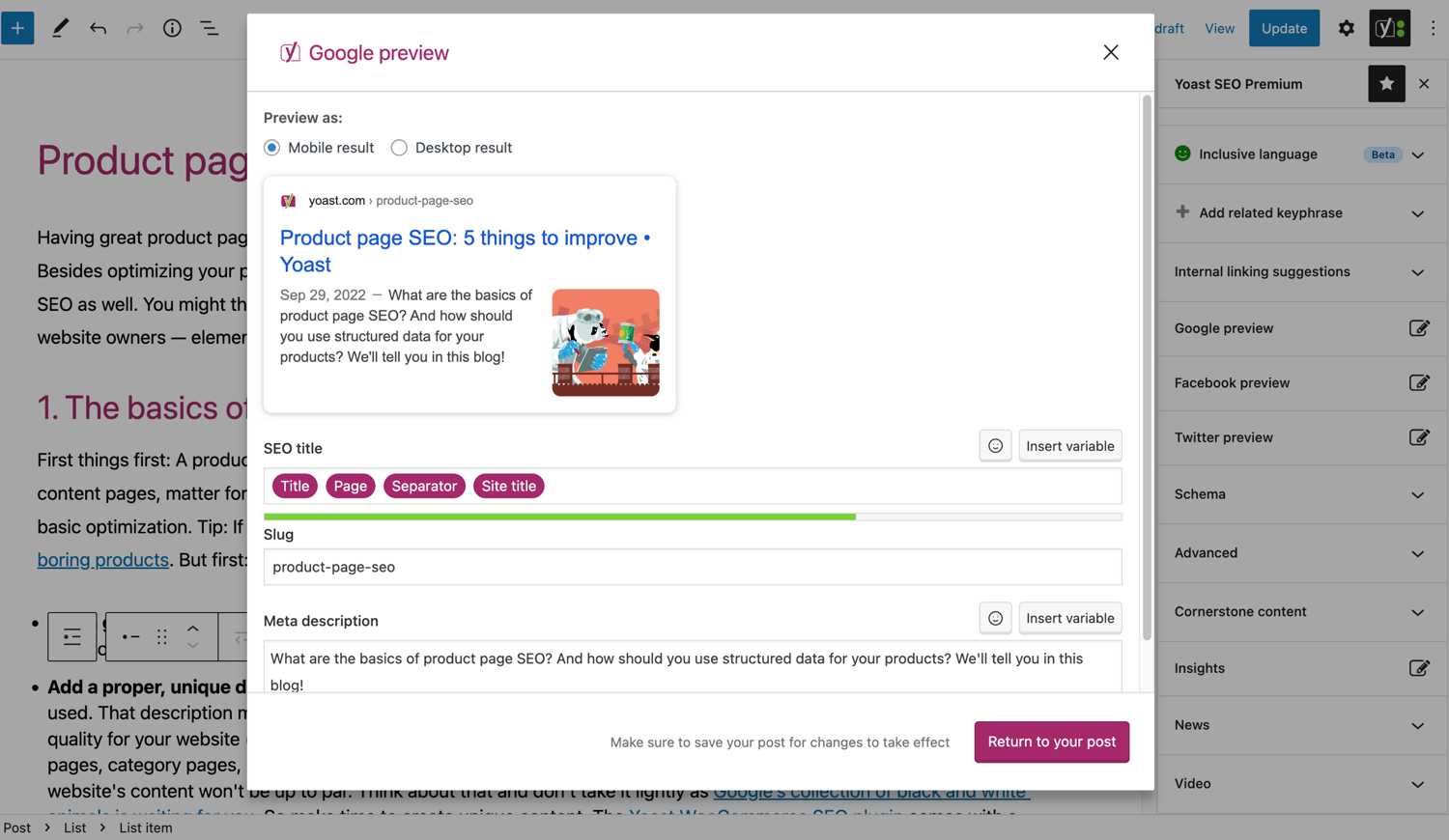
Sieh dir an, wie dein Beitrag in Google aussieht. 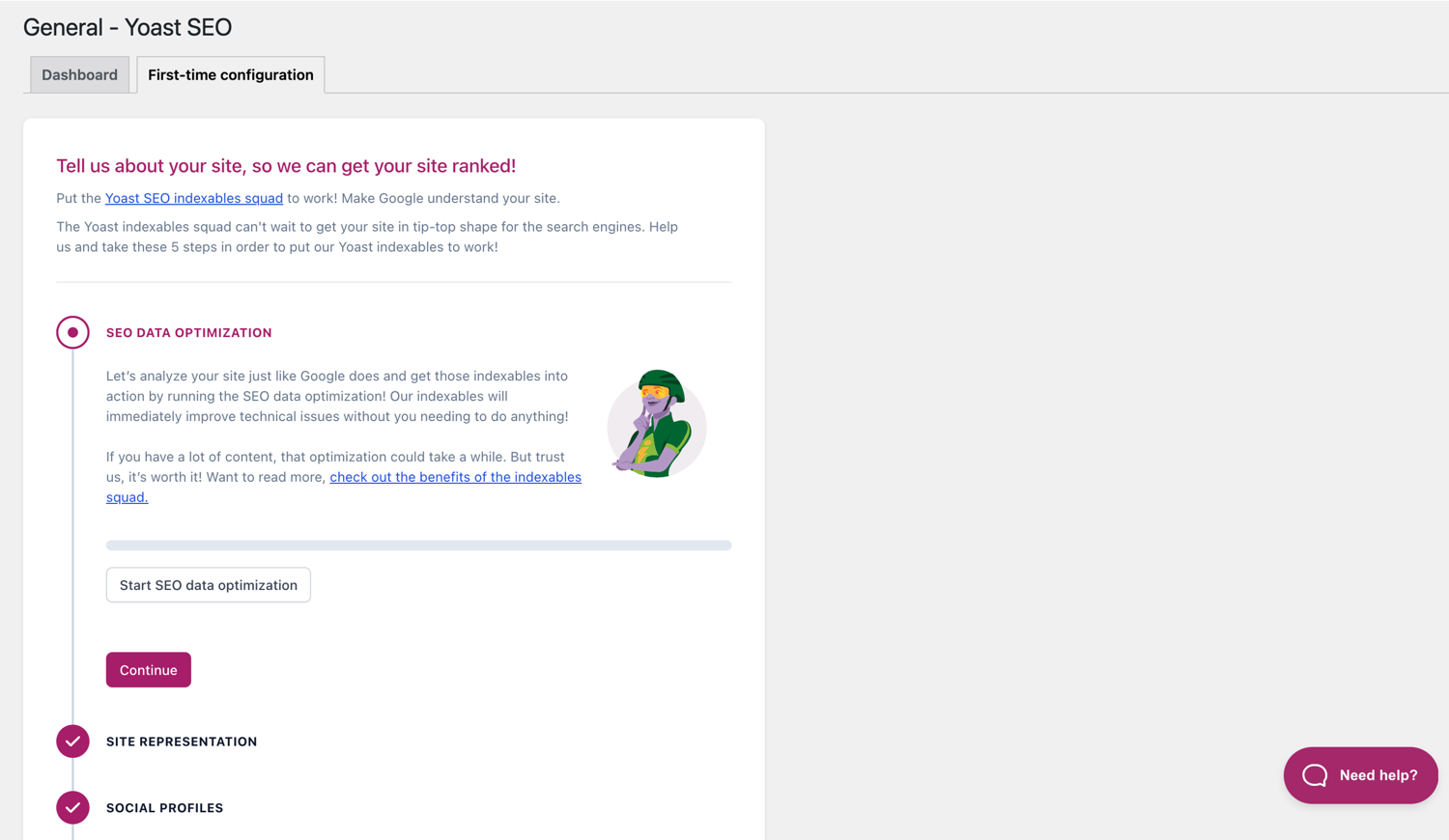
Die Erstkonfiguration hilft dir beim schnellen Einstieg. 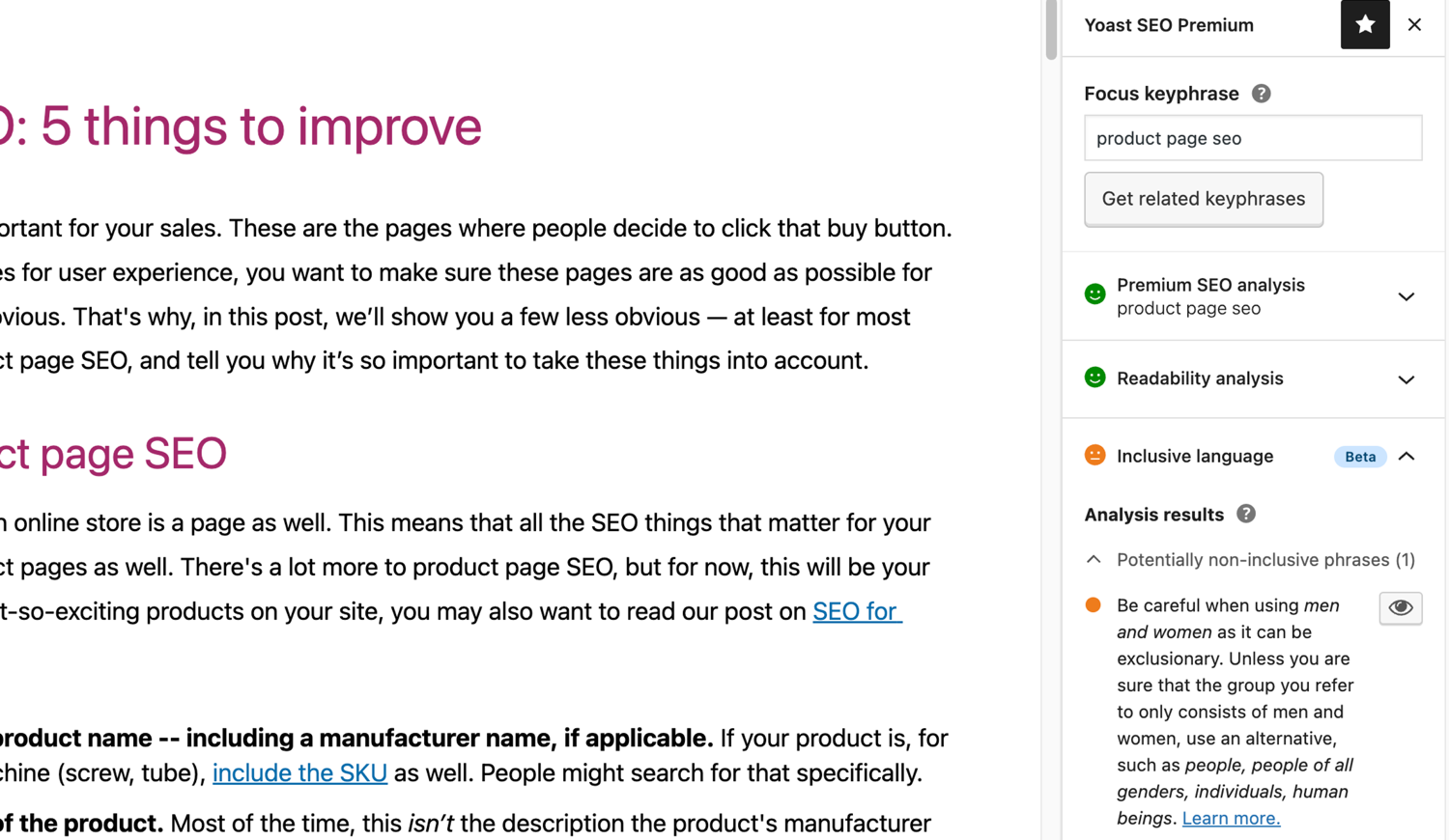
Die inklusive Sprachanalyse in Yoast SEO. 
Blöcke
Dieses Plugin unterstützt 2 Blöcke.
- Yoast FAQ List your Frequently Asked Questions in an SEO-friendly way.
- Yoast How-to Create a How-to guide in an SEO-friendly way. You can only use one How-to block per post.
Installation
Der Start mit Yoast SEO besteht aus nur zwei Schritten: Installation und Einrichtung des Plugins. Yoast SEO ist so konzipiert, dass es mit den spezifischen Anforderungen deiner Website funktioniert. Vergiss also nicht, die Yoast SEO-Erstkonfiguration durchzugehen, wie im Schritt „Nach der Aktivierung“ erklärt! Die aktuellsten Anleitungen zur Installation von Yoast SEO-Produkten findest du Besuch bitte unser Hilfe-Center.
FAQ
-
Wie funktionieren die XML Sitemaps im Yoast-SEO-Plugin?
-
Eine XML-Sitemap kann für SEO nützlich sein, weil Google wichtige Seiten einer Website auch dann sehr schnell erfassen kann, wenn die interne Verlinkung eine Website nicht fehlerfrei ist.
Der Sitemap-Index und einzelne Sitemaps werden automatisch aktualisiert, wenn du Inhalte hinzufügst oder entfernst, und enthalten die Beitragstypen, die Suchmaschinen indexieren sollen. Als „noindex“ markierte Beitragstypen erscheinen nicht in der Sitemap. Lerne mehr über XML-Sitemaps. -
Wie kann ich meine Website bei der Google-Search-Console hinzufügen?
-
Du kannst deine Website leicht zur Google Search Console hinzufügen.
1. Lege ein Google-Search-Console-Konto an und melde dich dort an.
2. Klicke im Such-Drop-Down auf „Eine Property hinzufügen“.
3. Gib die URL deiner Website ein und klicke auf „Weiter“.
4. Klicke den Pfeil neben „HTML tag“ an, um die Option zu erweitern.
5. Kopiere den Meta-Tag.
6. Melde dich bei deiner WordPress-Website an.
7. Klicke im Dashboard auf „SEO“.
8. Klicke auf „Allgemein“.
9. Klicke auf den Tab „Webmaster Tools“.
10. Füge den Code ins Google-Feld ein und klicke auf „Änderungen speichern“.
11. Gehe zurück zur Google Search Console und klicke auf „Verifizieren“.Wenn du detailliertere Schritte brauchst, besuche bitte unseren Artikel in der Wissensdatenbank.
-
Die Schritte unten sind eine temporäre Lösung, weil händische Änderungen an Theme-Dateien durch künftige Theme-Updates überschrieben werden könnten. Kontaktiere bitte den Theme-Entwickler für eine dauerhafte Lösung. Wir haben einen Artikel über die Bedeutung von Breadcrumbs für SEO geschrieben.
Um die Breadcrumbs-Funktion von Yoast SEO zu implementieren, musst du dein Theme anpassen. Wir empfehlen, vor jeder Änderung an Theme-Dateien ein Backup zu machen. Dein Hoster kann dir dabei behilflich sein.
Kopiere den folgenden Code an der Stelle in dein Theme, wo du die Breadcrumbs haben möchtest. Wenn du nicht sicher bist, musst du mit der Platzierung experimentieren:<?php if ( function_exists( 'yoast_breadcrumb' ) ) { yoast_breadcrumb( '<p id="breadcrumbs">','</p>' ); } ?>Typischerweise kannst du deine Breadcrumbs in deiner
single.phpund/oderpage.phpdirekt über dem Seitentitel platzieren. Eine bei manchen Themes besonders einfache andere Möglichkeit wäre, den Code ganz am Ende derheader.phpeinzufügen.In den meisten Nicht-WooTheme-Themes sollte dieser Code-Schnipsel nicht zu deiner
functions.phphinzugefügt werden.
Alternativ kannst du den Breadcrumb-Shortcode manuell zu einzelnen Beiträgen oder Seiten hinzufügen:[wpseo_breadcrumb]Wenn du mehr Details oder eine Schritt-für-Schritt-Anleitung benötigst, lies unsere Implementierungsanleitung für Yoast-SEO-Breadcrumbs.
-
Wie setze ich bei URLs auf noindex?
-
Yoast SEO bietet mehrere Optionen, um eine oder mehrere URLs auf noindex zu setzen. Weitere Informationen dazu findest du in dieser Anleitung.
-
Google zeigt die falsche Beschreibung, wie kann ich das korrigieren?
-
Wenn du gute Meta-Beschreibungen für deine Blogbeiträge geschrieben hast, gibt es nichts Ärgerlicheres, als zu sehen, dass Google eine komplett andere Beschreibung deiner Website in den Suchergebnissen verwendet.
Mögliche Ursachen könnten sein:
1. Falsche Beschriftung im Code
2. Der Google Cache ist veraltet
3. Suchbegriffsmanipulation
4. Google hat die Meta-Description ignoriertDu kannst hier mehr über die Lösung des Problems mit der falschen Beschreibung lesen.
-
Wie häufig wird Yoast SEO aktualisiert?
-
Yoast SEO wird alle zwei Wochen aktualisiert. Wenn du wissen möchtest weshalb, lies bitte diesen Beitrag mit den Gründen dafür!
-
Wie erhalte ich Support?
-
Da unser kostenloses Plugin von Millionen von Menschen weltweit genutzt wird, können wir dir keinen ganz individuellen Support anbieten. Wenn du Probleme mit dem Plugin Yoast SEO für WordPress hast, kannst du Hilfe in den Supportforen hier bei wordpress.org erhalten oder unsere Wissensdatenbank unter yoast.com/help/ durchsuchen.
Die Plugins, die du bei Yoast kaufen kannst, sind Premium-Plugins (auch wenn Premium nicht im Namen steht) und beinhalten ein ganzes Jahr lang kostenlose Updates und Premium-Support. Das bedeutet, dass du unser Support-Team kontaktieren kannst, wenn du Fragen zu diesem Plugin hast.
-
Was passiert mit meinen Daten, wenn ich die Nutzungsverfolgung aktiviere?
-
Diese Website auf yoast.com erklärt welche Daten wir sammeln um Yoast SEO zu verbessern. Wir sammeln nur Daten wenn du ausdrücklich zustimmst. Lies mehr darüber wie wir Daten handhaben in unserer Datenschutzrichtlinie.
-
Ich habe eine hier nicht aufgelistete Frage
-
Deine Frage wurde höchstwahrscheinlich schon in unserer Wissensdatenbank beantwortet: yoast.com/help/.
Rezensionen


Mitwirkende & Entwickler
„Yoast SEO – Advanced SEO with real-time guidance and built-in AI“ ist Open-Source-Software. Folgende Menschen haben an diesem Plugin mitgewirkt:
Mitwirkende


„Yoast SEO – Advanced SEO with real-time guidance and built-in AI“ wurde in 58 Sprachen übersetzt. Danke an die Übersetzerinnen und Übersetzer für ihre Mitwirkung.
Übersetze „Yoast SEO – Advanced SEO with real-time guidance and built-in AI“ in deine Sprache.
Interessiert an der Entwicklung?
Durchstöbere den Code, sieh dir das SVN Repository an oder abonniere das Entwicklungsprotokoll per RSS.
Änderungsprotokoll
26.9
Release date: 2026-02-03
Yoast SEO 26.9 brings more enhancements and bugfixes. Find more information about our software releases and updates here.
Other
- Ensures no deprecated props are used for WordPress components
ToggleControlandTextControlfor How-to block. - Improves performance in large sites with lots of inbound links by adding appropriate database indices.
- Improves the general security of the plugin via sanitization and escaping.
- Replaces deprecated standard WordPress components with their modern variants.
- WooCommerce introduced a new logic for permalinks in version 10.5. Since this update could result in mismatching Yoast SEO metadata (such as Schema.org data), this version of Yoast SEO temporarily restores the old behavior. Note that for users of Yoast WooCommerce SEO the new permanent link structure will apply.
- Sets the minimum supported WordPress version to 6.8.
- Updates the OAuth2 Client library for improved compatibility with PHP 8.5.
26.8
Release date: 2026-01-20
Yoast SEO 26.8 brings more enhancements and bugfixes. Find more information about our software releases and updates here.
Enhancements
- Adds a schema settings page to allow users more control over the Yoast Schema Framework API.
- Implements a new, easy-to-use design for the site features settings.
Bugfixes
- Fixes a bug where inserting Yoast blocks via Content blocks collapsible was not possible when editing in
template-lockedmode inside Block Editor. - Fixes a bug where the alert for signing up to the newsletter didn’t support rtl direction for buttons and inputs in RTL languages.
- Fixes a bug where the assessments highlighting feature did not work when editing in template-locked mode in the Block Editor.
- Fixes a bug where the Search and Social appearance modals looked off on WordPress 7.0 or with Gutenberg 22.3.0.
- Fixes a bug where WordPress link classes were not being recognized when Yoast SEO was active. Props to benoitchantre.
Other
- Adds an opt-in notification for the task list feature on the general page.
- Improves the translatability of some tasks‘ title in the task list.
- Replaces Yoast product logos with new designs across the plugin’s interface.
- Updates the product URL inside the marker presenter for Yoast SEO and Yoast SEO Premium.
Earlier versions
Den Changelog früherer Versionen findest du unter Yoast SEO Changelog auf yoast.com.