

Beschreibung
WebBiz Toolkit is a Gutenberg editor extension designed specifically for bloggers, providing four powerful features:
Features
1. Text Emphasis Styles (3 Types)
Apply professional text emphasis effects with one click in the editor toolbar:
* Highlight – Blue left border + light blue background
* Warning – Red border box + light red background
* Quote – Orange underline
All styles are fully customizable – change colors, borders, and more from the settings page.
2. Spoiler Masks (3 Styles)
Hide text content that readers must click to reveal. Perfect for:
* Movie/TV show plot discussions
* Game walkthrough hints
* Puzzle answers
* Surprise content
Choose from blur, black bar, or dotted styles.
3. Auto-Spacing for CJK Text
Automatically add spaces between CJK characters (Chinese, Japanese, Korean) and English/numbers with one click, making your content more readable and professional.
Example: Hello世界123 Hello 世界 123
4. Q&A Interactive Blocks (2 Styles)
Create interactive question-and-answer content where answers are hidden by default and revealed when clicked.
Perfect for tutorials, FAQ pages, exam reviews, and educational content.
Why Choose WebBiz Toolkit?
- Lightweight & Fast – Only loads features you enable, won’t slow down your site
- Gutenberg Native – 100% built with WordPress Block Editor APIs
- CJK Optimized – Designed with Chinese/Japanese/Korean typography in mind
- No Coding Required – Install and use instantly, intuitive interface
- SEO Friendly – Q&A blocks automatically generate FAQPage Schema markup
Use Cases
- Bloggers – Emphasize key points, hide spoilers, improve typography
- Educators – Create interactive quizzes and reveal answers
- Review Sites – Hide spoilers in movie/game reviews
- Documentation – Highlight warnings, tips, and important notes
Screenshots
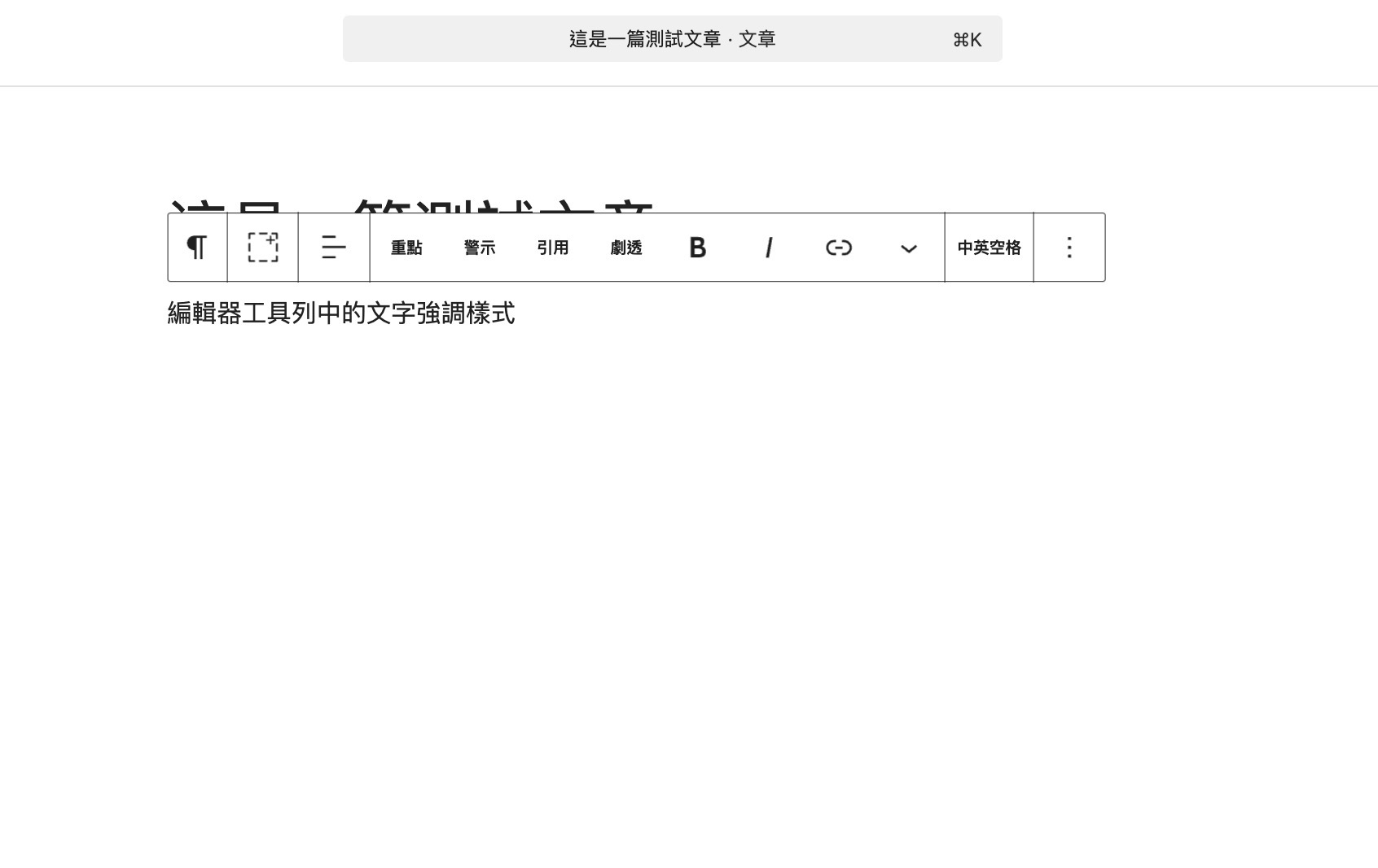
Text emphasis styles in the editor toolbar 
Spoiler mask effect on the frontend 
Auto-spacing for CJK text 
Q&A block – interactive question and answer 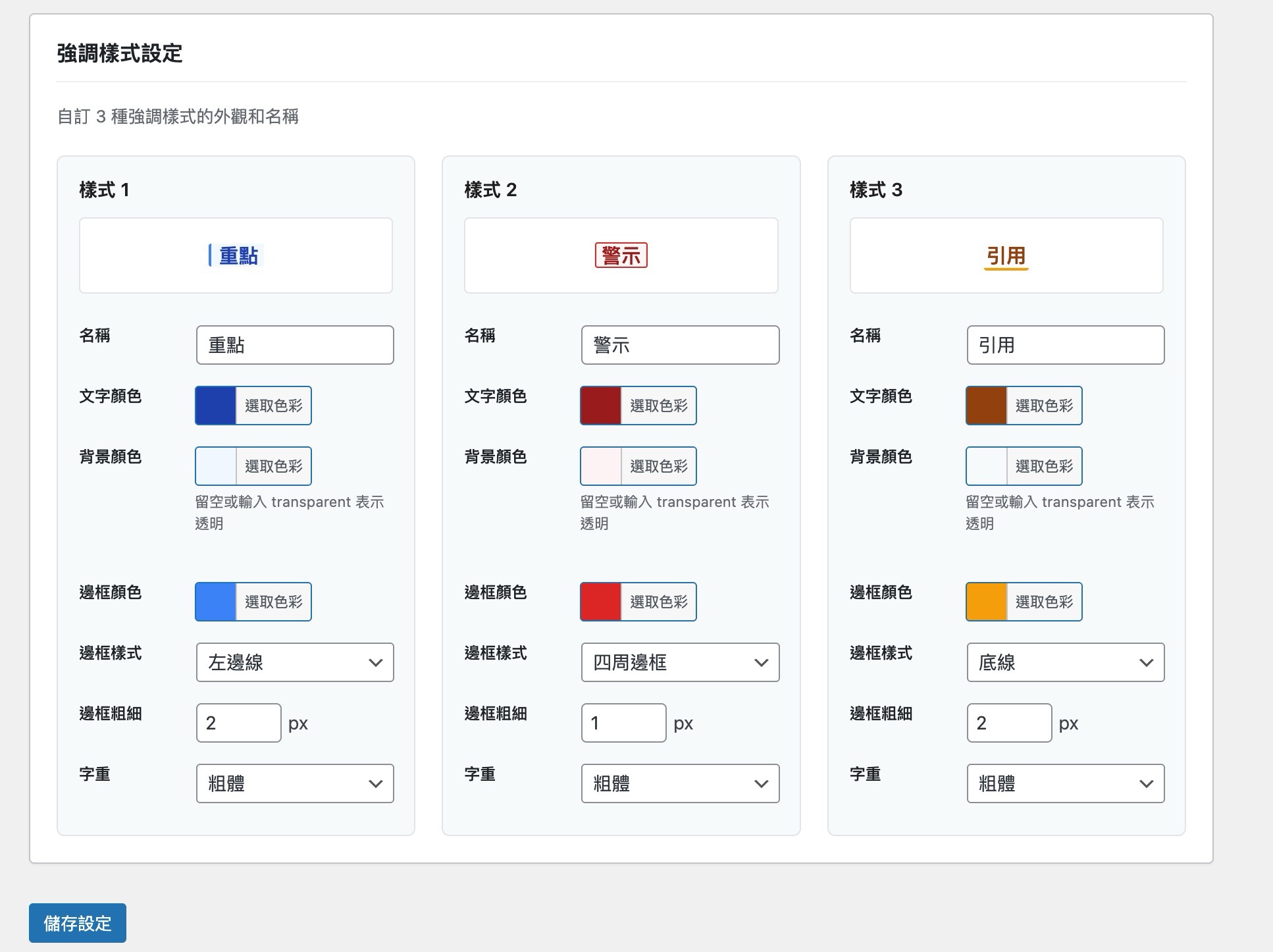
Settings page with live preview 

Blöcke
Dieses Plugin unterstützt 1 Block.
- Q&A 問答
Installation
- Go to „Plugins Add New“ in your WordPress admin
- Search for „WebBiz Toolkit“
- Click „Install Now“ then „Activate“
- Go to „Settings WebBiz Toolkit“ to enable the features you need
Or install manually:
1. Download the plugin ZIP file
2. Go to „Plugins Add New Upload Plugin“ in your WordPress admin
3. Select the ZIP file and install
4. Activate the plugin
FAQ
-
What WordPress versions are supported?
-
WebBiz Toolkit requires WordPress 6.0 or higher and the Gutenberg block editor.
-
Will this slow down my website?
-
No. WebBiz Toolkit uses a modular design that only loads the features you enable. Frontend CSS is optimized and minimal.
-
Can I use multiple emphasis styles together?
-
Yes! You can mix different emphasis styles within the same text.
-
Does Spoiler work on mobile devices?
-
Yes, the Spoiler feature fully supports touch interactions and works perfectly on phones and tablets.
-
Will auto-spacing change my original content?
-
Yes, the auto-spacing feature modifies block content directly. We recommend backing up important content before using this feature.
-
Do Q&A blocks support SEO structured data?
-
Yes! WebBiz Toolkit automatically generates FAQPage Schema JSON-LD structured data for Q&A blocks, helping with SEO optimization.
-
Is this plugin translation-ready?
-
Yes, WebBiz Toolkit is fully internationalized and ready for translation.
Rezensionen
There are no reviews for this plugin.
Mitwirkende & Entwickler
„WebBiz Toolkit“ ist Open-Source-Software. Folgende Menschen haben an diesem Plugin mitgewirkt:
Mitwirkende

Übersetze „WebBiz Toolkit“ in deine Sprache.
Interessiert an der Entwicklung?
Durchstöbere den Code, sieh dir das SVN Repository an oder abonniere das Entwicklungsprotokoll per RSS.
Änderungsprotokoll
1.0.1
- Fixed: Text emphasis styles not displaying on the frontend (CSS was only loaded in admin context)
1.0.0
- Initial release
- Added: 3 customizable text emphasis styles
- Added: Spoiler mask feature with 3 styles (blur, blackbar, dotted)
- Added: Auto-spacing for CJK text (Pangu spacing)
- Added: Q&A interactive blocks with 2 styles
- Added: FAQPage Schema structured data support
- Added: Full settings page with live preview