

Beskrivelse
xLocate is a plugin that allows you to create and manage listings with locations on your WordPress website. xLocate uses the Google API to easily and intuitively add, listing and add them to a Map. Users can search locations, by specifying a map location and using various filters to refine the search.
It’s designed and coded to be easy to use and extendible.
How to Add in frontend :
You can add location search to any of the pages, post types in frontend by using shortcodes
- [xlocate_search_form]
- [xlocate_map]
Find usage of these shortcodes in our documentation.
Skærmbilleder


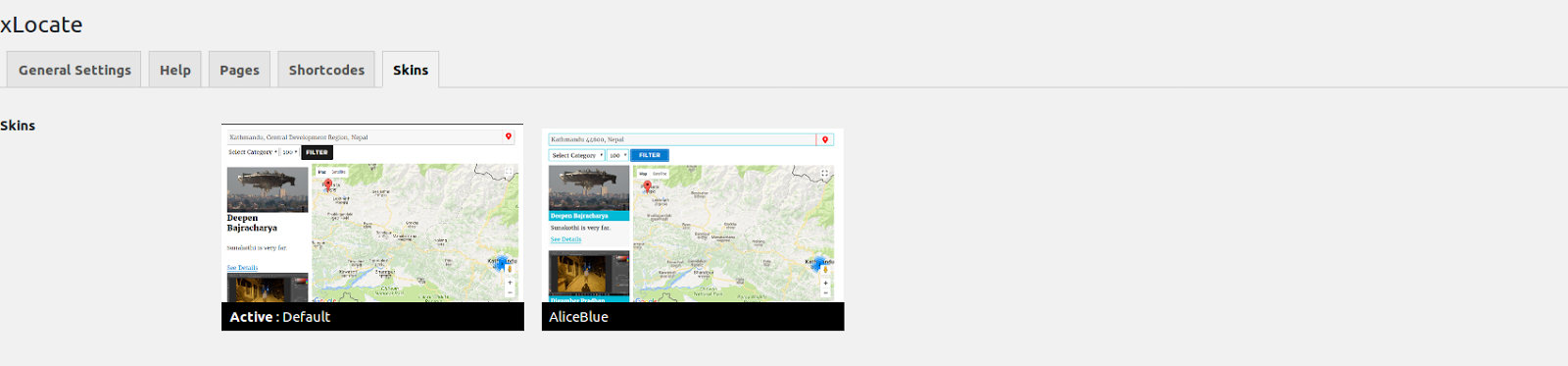


Installation
Installation Instructions :
1. Unzip xlocate.zip and Upload xlocate folder to the /wp-content/plugins/ directory
2. Activate the plugin through the ‘Plugins’ menu in WordPress
3. Add a shortcode in any of page to show listings in frontend.
FAQ
- Installation Instructions
-
Installation Instructions :
1. Unzip xlocate.zip and Upload xlocate folder to the /wp-content/plugins/ directory
2. Activate the plugin through the ‘Plugins’ menu in WordPress
3. Add a shortcode in any of page to show listings in frontend.
Anmeldelser
Der er ingen anmeldelser for denne widget.
Bidragsydere & udviklere
“xLocate” er open source-software. Følgende personer har bidraget til dette plugin.
Bidragsydere
Oversæt “xLocate” til dit eget sprog.
Interesseret i udvikling?
Gennemse koden, tjek SVN repository, eller abonner på udviklerloggen via RSS.
Ændringslog
1.0.1
- Minor Bug Fixes
1.0.0
Initial Release