

Beskrivelse
A WordPress plugin for logging in with Scouting Nederland OpenID Connect Server.
This plugin allows users to authenticate and login to their WordPress websites using their Scouting Nederland OpenID Connect credentials.
It provides a secure and convenient way for Scouting Nederland members to access their WordPress sites without the need for separate login credentials.
With this plugin, users can seamlessly integrate their Scouting Nederland accounts with their WordPress websites, enhancing the user experience and simplifying the login process.
Skærmbilleder
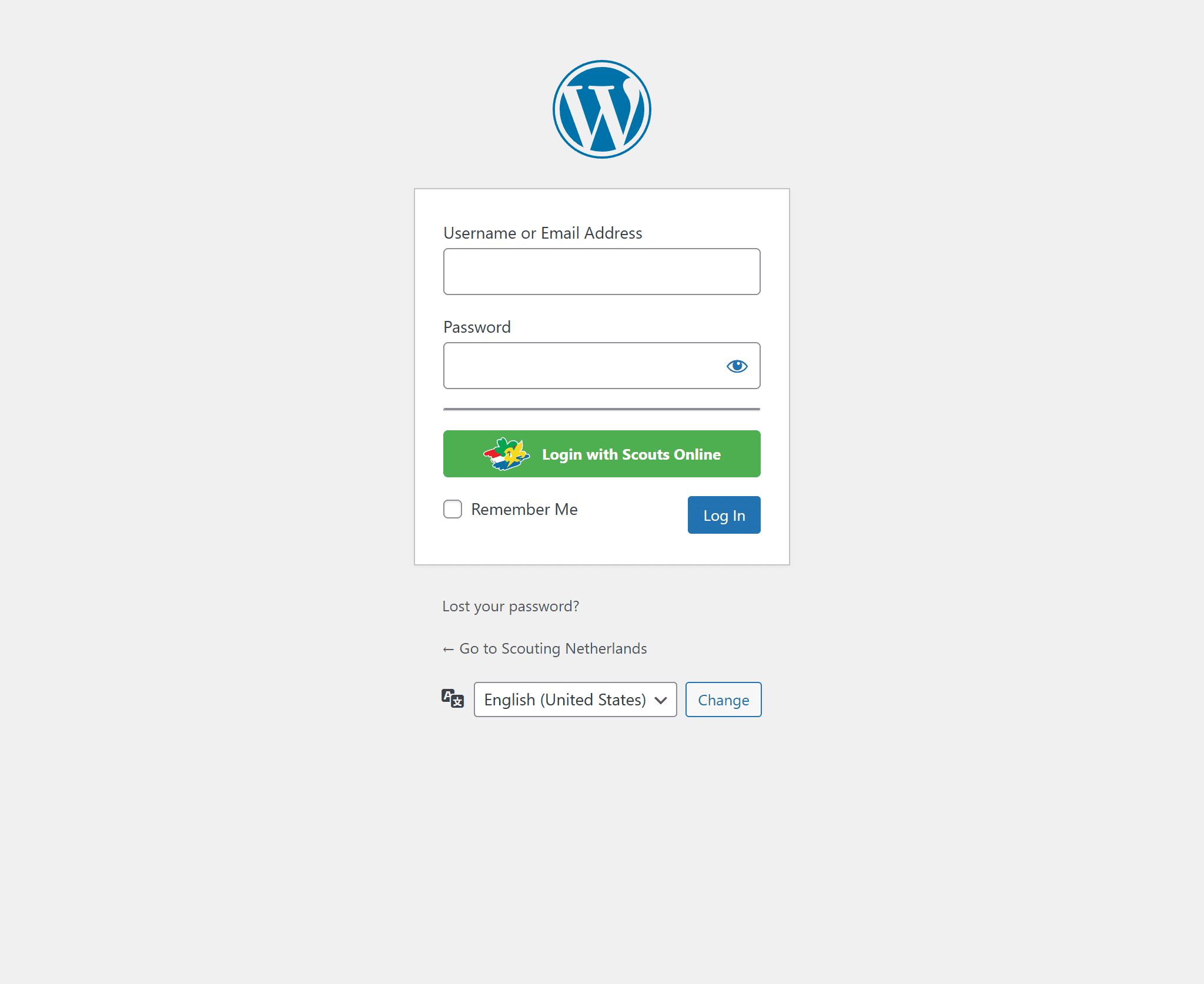
Login Page 
Settings Page 
Shortcode Page 
Support Page
Installation
Make sure you have the role webmaster in mijn.scouting.nl.
- Go to https://login.scouting.nl, click on
Managed websitesand click onAdd OpenID Connect connection. - Add the name of your group/website.
- Add the Redirect URI, for example: https://example.com/.
- Add the Post Logout Redirect URI, for example: https://example.com/.
- Select the scopes you want to use. The
Email,PersonalandMembershipscopes are required; \
TheAddress,Phone numberscope is optional. \
Currently theParents/guardiansscope is not supported. - Select the organizations that can log in. \
If your organization has sub-organizations, you can also selectAllow suborganizations. - Select to use the PKCE (code challenge).
- Press
Add Website. - Find the website you just created and click on ⓘ.
- Copy the Client ID, Client secret, and the scopes to your website.
- Fill in the OpenID Connect Settings with the copied data. Make sure the required scopes are present:
openid(Required)membership(Required)profile(Required)email(Required)address(Optional)phone(Optional)
- Fill in the General Settings.
- Press
Save Settings. - Log out and try to log in with the Scouts Login button.
FAQ
-
Do i need to be part of Scouting Nederland to use this?
-
Yes, the OpenID Connect server is used to identify people and only allows access when they are members of the appropriate organization within Scouting Nederland.
To set up the system at Scouting Nederland, you need webmaster privileges for your scouting group. -
Are there settings for this plugin?
-
Yes, there is a settings page where you can set up a redirect after login, configure the name the user gets in their profile, and enforce that.
-
Can roles also be imported into WordPress from SOL?
-
Currently not, but this is planned for a future update of this plugin.
-
Can my parents or guardian also sign in?
-
Currently not, but this is planned for a future update of this plugin.
Anmeldelser
Der er ingen anmeldelser for denne widget.
Bidragsydere & udviklere
“Scouting OpenID Connect” er open source-software. Følgende personer har bidraget til dette plugin.
Bidragsydere

“Scouting OpenID Connect” er blevet oversat til 1 sprog. Tak til oversætterne for deres bidrag.
Oversæt “Scouting OpenID Connect” til dit eget sprog.
Interesseret i udvikling?
Gennemse koden, tjek SVN repository, eller abonner på udviklerloggen via RSS.
Ændringslog
2.3.0
- Added a settings option to define how duplicated emails should be handled: plus addressing or return an error.
- When sending an email via WordPress, the plus addressing is removed so the user does not see it.
- Fixed fallback conditions for phone and address fields in WooCommerce.
- Added a custom hook for new user registration:
scouting_oidc_user_register.
2.2.0
- Add support for
phoneandaddressscopes to store phone number and address data in user profiles. - Require PKCE (Proof Key for Code Exchange) to be configured in OIDC.
- Update default scopes to include
addressandphonein addition to existing scopes. - Add WooCommerce integration to automatically sync user data (name, phone, address) to WooCommerce billing and shipping fields.
- Hide phone and address fields from user profile when WooCommerce is active to prevent duplication.
- Improve user profile field rendering with
readonlyinstead ofdisabledfor better accessibility.
2.1.0
- Tested up to:
6.9 - Add logout redirect host allowlist handling in
scouting_oidc_auth_logout_redirect()to permit external logout URLs. - Clear user cache after username updates (
clean_user_cache) to avoid stale user data. - Trigger core
wp_loginand plugin-specificscouting_oidc_wp_loginactions when programmatically logging in.
2.0.1
- Make upgrading from
1.2.0to2.0.0backwards compatible.
2.0.0
- Use version
2.0.1instead for backward compatibility with version1.2.0. membershipscope is now required to obtain the SOL Member ID.infixis removed from user this was conflicting with WooCommerce, the infix is now added before the last name.- Removed the
prefixfield from the general settings. - Removed the SOL ID field profile this is now the UserName of the WordPress User.
- Improved error messages and redirects for missing or invalid user data or OIDC scopes.
- Updated setup and support documentation to reflect the new identification model.
1.2.0
- Add custom redirect option for successful login.
1.1.0
- Add option to redirect only SOL users.
1.0.2
- Tested plugin up to WordPress 6.7.2 => 6.8.0
1.0.1
- Fixed hook wp_login
- Tested plugin up to WordPress 6.7.1 => 6.7.2
1.0.0
- Initial release