

Beskrivelse
Easy way to display the different size of banner advertisements in WordPress using widgets
Through this plugin admin can,
- Upload the banner ads through widget.
- Specify the banner ads width and height size using px.
- Create multiple banner ads using widgets.
- Specific the link for that advertisement, so that when users click the banner, the link will be opened in new window.
- Add the custom title for their widget.
Skærmbilleder
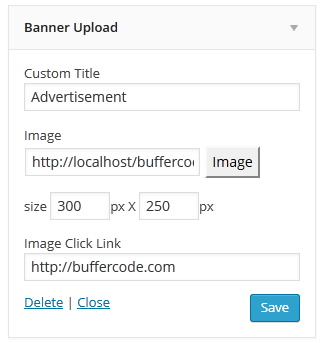
Banner Upload setting page widget 
Banner upload 350×250 image ads output 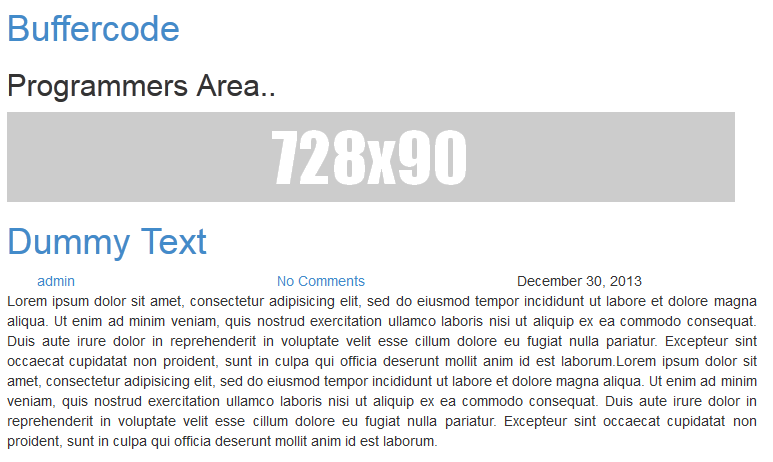
Banner upload 728×90 image ads output
Installation
- Upload the “banner-upload” directory to the plugins directory.
- Go to the plugins setting page and activate “Banner Upload”
- Go to Appearance –> Widget –> Drag Banner Upload Widget to appropriate location
- Add the custom title, upload the image, add the image size and URL link.
- Do save.
Anmeldelser

7. februar, 2017
Thanks for your flexible banner upload. I can able to upload in widget at any size.
REALLY AWESOME 🙂
Thank You
Bidragsydere & udviklere
“Banner Upload” er open source-software. Følgende personer har bidraget til dette plugin.
Bidragsydere

Oversæt “Banner Upload” til dit eget sprog.
Interesseret i udvikling?
Gennemse koden, tjek SVN repository, eller abonner på udviklerloggen via RSS.
Ændringslog
v 1.6 (2017-March-14)
-
Support 4.7.3
-
Few bug fixes
v 1.4(016-July-11)
- Support 4.2.2
1.3
- Open banner link in new window or same window.
1.2.1
- Bug fixes – Image uploading issue.
1.2
- Major bug fixes
- Moved the setting to widget location. Now user can able to add multiple banners using widget
1.0
- Public release