

Disgrifiad
ExtraSpace adds a clean, minimal tab to the edge of your website. When clicked, it reveals a smooth slide-in panel that can contain:
- Text, headings, buttons
- Images and simple layouts
- Forms and newsletter signups
- Event listings or other shortcodes
- Any standard WordPress HTML content
It’s perfect for when you want to give broad distribution to a single message without interfering with the rest of the page.
Use ExtraSpace for:
- Product Launches
- Fundraising and annual-appeal banners
- Featured events or program highlights
- Seasonal promotions
- Newsletter opt-ins
- Calls-to-action that don’t disrupt reading flow
- Mini “landing panels” built with HTML and shortcodes
ExtraSpace stays inactive until the visitor opens it. (You can enable an optional auto-open or wiggle tease feature).
ExtraSpace is useful for:
- Arts organizations
- Nonprofits during campaign season
- Membership sites
- e-commerce sites
- Publishers and editorial teams
- Sites needing tailored behavioral logic
Key Features (Free Edition)
- Custom tab placed on the edge of your site
- Slide-in panel with fully custom HTML
- Full shortcode support (forms, event lists, etc.)
- Optional auto-slide on page load
- Optional “wiggle tease” effect
- Show/hide on the homepage
- Visibility modes: Nobody (Off), Everybody (On), Editors+ only
- Tab label and background color controls
- Keyboard accessible (Escape closes the panel)
- Respects “prefers-reduced-motion”
- Lightweight: minimal CSS + a small inline JS bundle
- GA4 / GTM integration for tracking panel opens and link clicks
ExtraSpace Pro (Coming Soon)
The Pro version will include:
- Additional panel widths (Narrow + Wide)
- Stories — a mini content system for showcasing multiple blurbs
- Advanced Rule-based Visibility
- Example: “Show when URL contains
/events/and visitor is logged out.” - Example: “Don’t show on blog pages.”
- Example: “Show when URL contains
Pro adds intelligence to your panel without complicating your workflow.
Watch for updates at: https://www.96monkeys.com/wordpress-plugins/extraspace/
ExtraSpace Custom (Premium Service)
Organizations with unique requirements, such as multi-panel behaviors, per-page logic, custom animations, deeper integrations, or bespoke branding, can commission a custom-built ExtraSpace designed to fit their needs perfectly.
Consider:
- Network Visibility
- Multi-panel
- Multiple Creatives
- Geo/Time-based (Campaign windows)
Learn more or request a quote at: https://96monkeys.com
Lluniau Sgrin
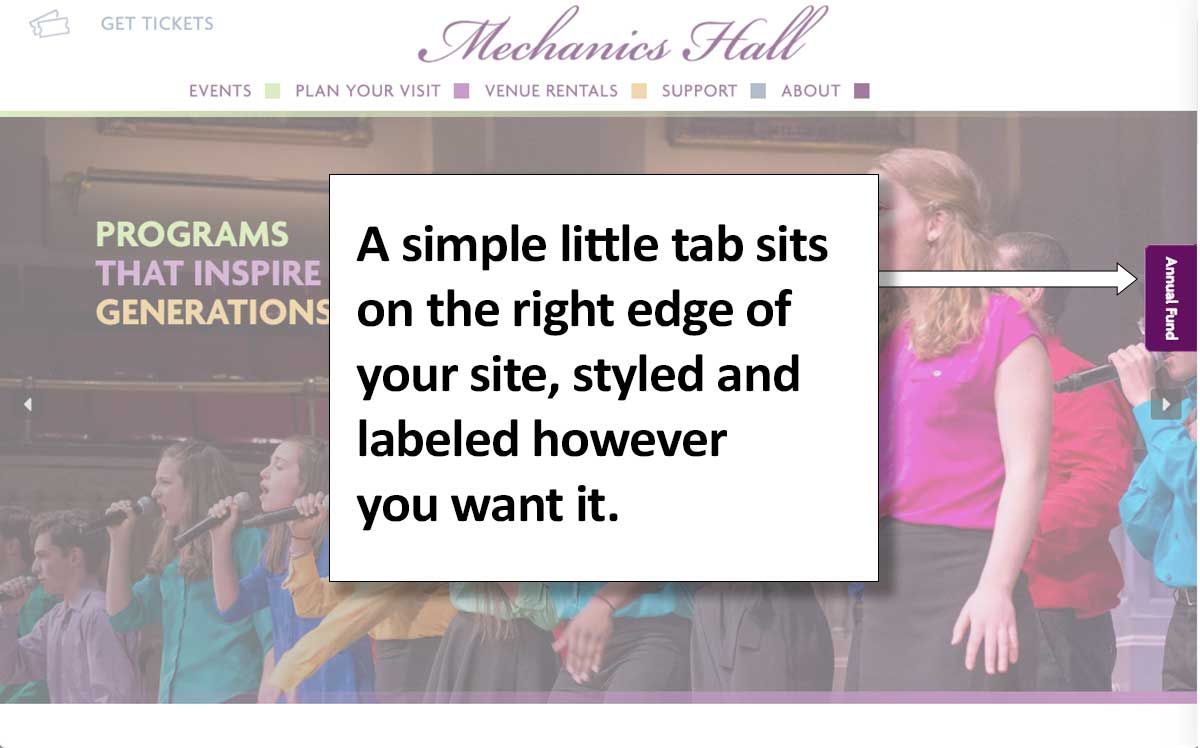
Your ExtraSpace tab on the screen’s edge 
A click on the tab opens the panel 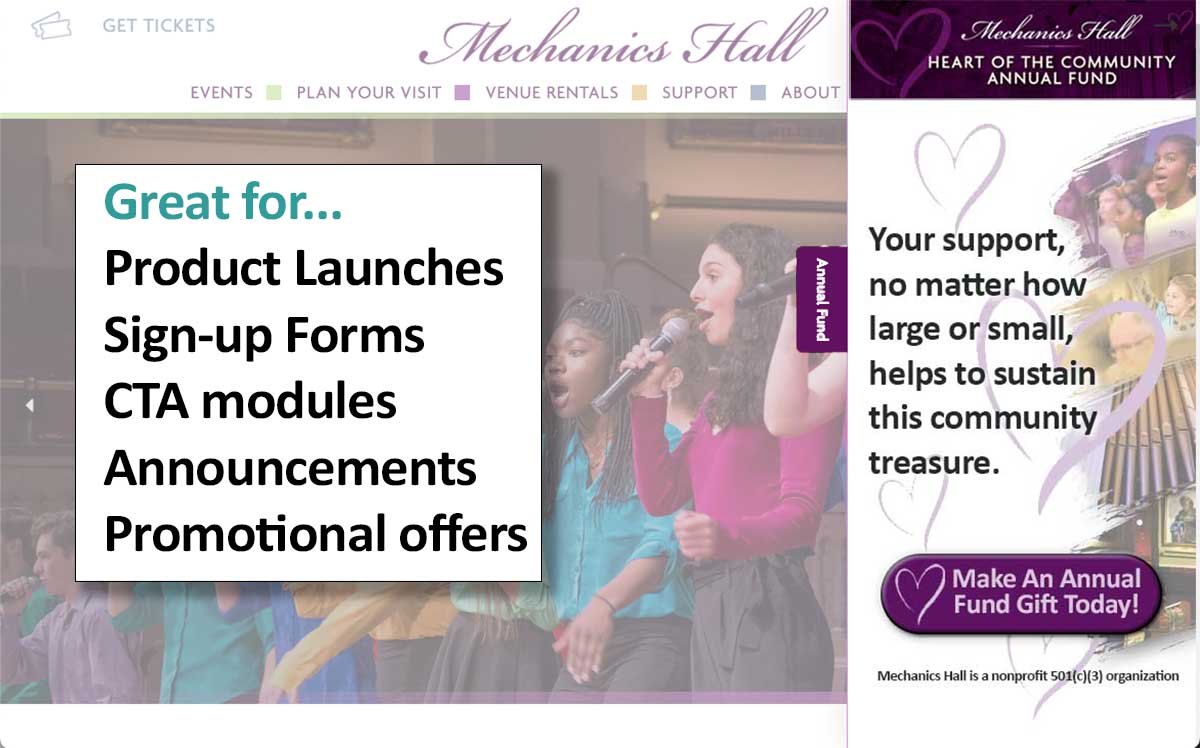
ExtraSpace has many uses. 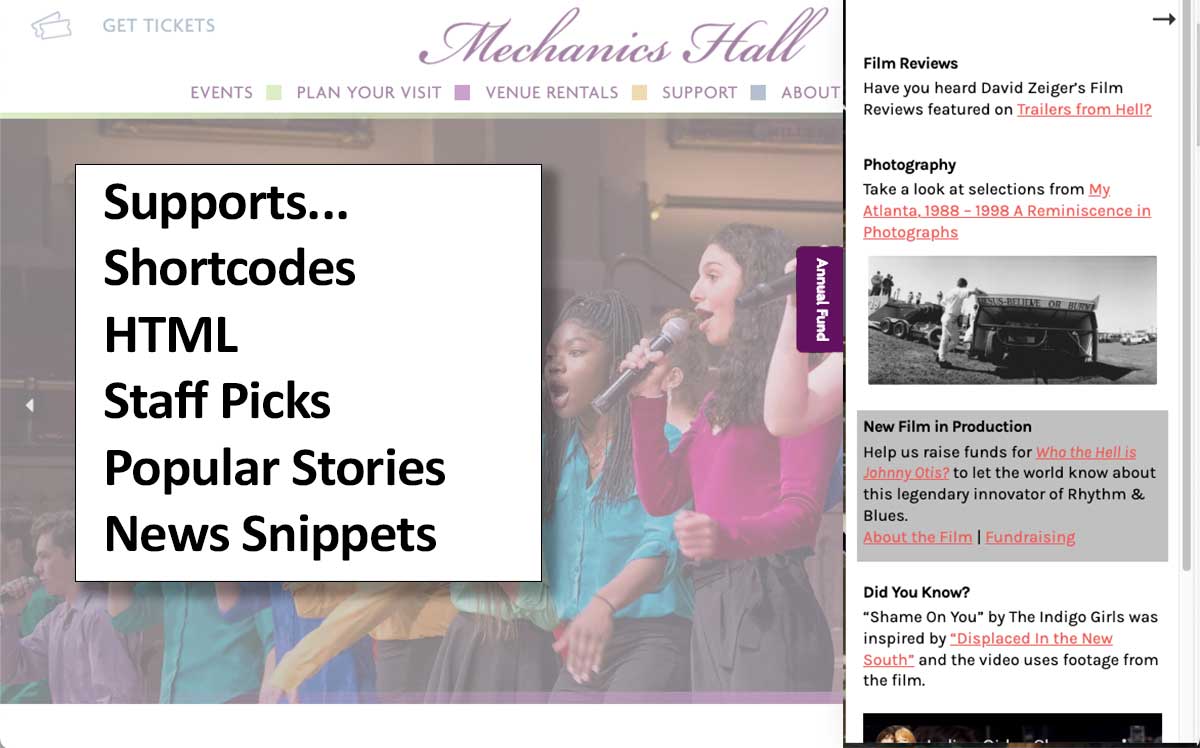
ExtraSpace supports a variety of content types 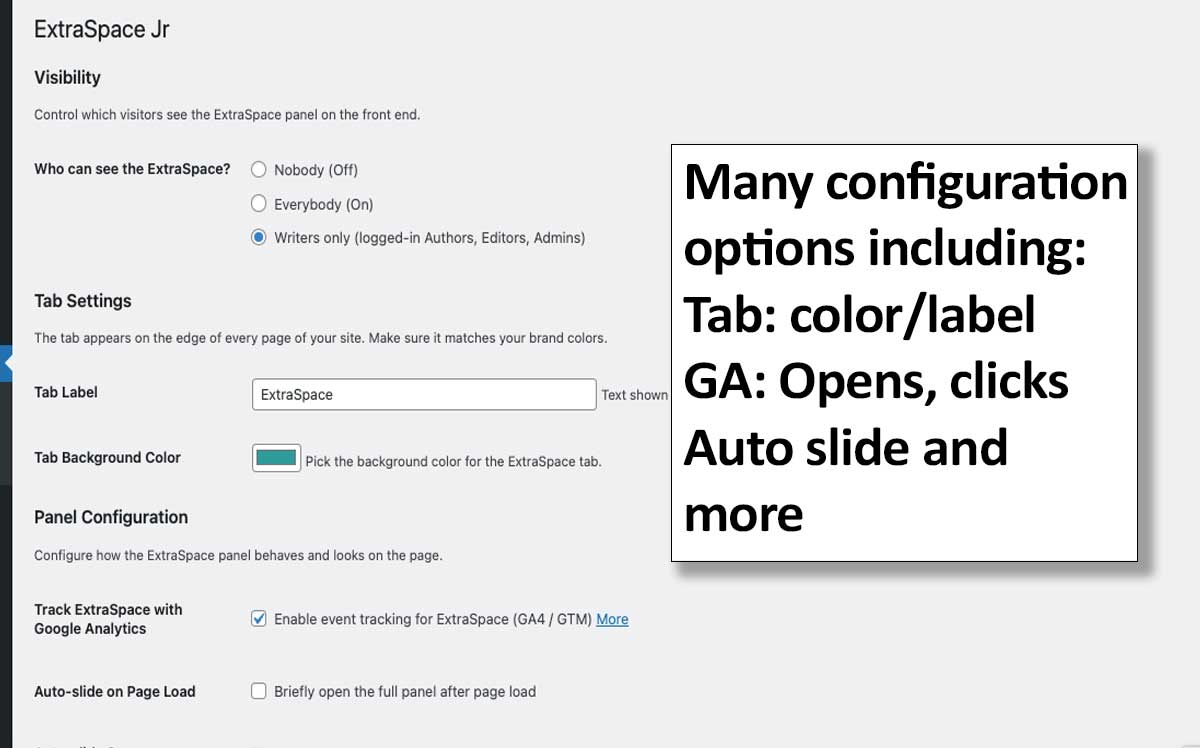
The Settings screen offers a variety of configurations, including GTM/GA4 tracking, Tab customizations, Visibility, and more.
Gosod
- Upload the
extraspacefolder to/wp-content/plugins/,
OR install through Plugins Add New “ExtraSpace”. - Activate the plugin.
- A new ExtraSpace menu will appear in your WordPress dashboard.
Then:
-
ExtraSpace ExtraSpace HTML
Build the content for your panel using standard HTML, media, and shortcodes. -
ExtraSpace Settings
Configure visibility, behavior, tab styling, GA tracking, auto-open options, and more.
Visit the front end and you’ll see the ExtraSpace tab on the right edge. Click to open.
Cwestiynau Cyffredin
-
Where does the tab appear?
-
On the right-hand edge of your site by default.
-
Does it work with any block, classic, or page-builder theme?
-
Yes. ExtraSpace overlays on top of your existing layout and does not modify templates.
Compatible with all themes and builders (Elementor, Beaver Builder, Divi, etc.). -
Can I restrict who sees the panel?
-
Yes — choose from:
* Nobody
* Everybody
* Writers only (Authors, Editors, Admins) -
Can I use shortcodes inside the panel?
-
Absolutely. Shortcodes render normally, making this ideal for forms, event lists, or dynamic content.
-
Can I show different content on different pages?
-
ExtraSpace (free) shows one panel site-wide.
Advanced Visibility Rules — such as “Show when URL contains/events/” — will be available in ExtraSpace Pro. -
Is ExtraSpace accessible?
-
Yes. ExtraSpace supports ARIA roles, keyboard navigation, focus management, Escape-to-close, and reduced-motion compatibility.
-
Will this slow down my site?
-
No. ExtraSpace is intentionally lightweight:
* One small CSS file
* A few kilobytes of inline JavaScript
* No jQuery
* No external library dependencies
Adolygiadau
There are no reviews for this plugin.
Contributors & Developers
“ExtraSpace” is open source software. The following people have contributed to this plugin.
Cyfranwyr
Translate “ExtraSpace” into your language.
Interested in development?
Browse the code, check out the SVN repository, or subscribe to the development log by RSS.
Cofnod Newid
1.1.1
- Fix: “Show on Home Page” and GA tracking checkboxes now save correctly when unchecked.
- Fix: Add wp_footer() fallback so the panel renders on themes that don’t call wp_body_open().
- Change: New installs default “Who can see the ExtraSpace?” to Writers only.
1.1.0
- First public release
- Custom HTML panel with shortcode support
- Visibility controls
- Tab label + background color
- Auto-slide + wiggle tease
- GA4/GTM event tracking
- Intro page in admin