
Popis
Task Checker – Admin Sidebar Checklist Manager is a lightweight WordPress plugin that helps you stay organized by creating and managing checklists inside your WordPress admin sidebar. Whether you want to track project progress, jot down ideas, or simply manage your daily to-dos, this plugin provides an easy-to-use interface with drag-and-drop support.
Accessible from the WordPress admin sidebar under “Task Checker”, the plugin provides three submenus:
- Usage Info – Information on using the plugin.
- Manage Tasks – Add, edit, or delete tasks.
- Checklist – Draggable checklist where tasks can be checked or unchecked.
Features:
– Manage all tasks directly from WordPress admin sidebar.
– Add, edit, or delete tasks easily.
– Check and uncheck items in a dedicated checklist view.
– Reorder tasks instantly via drag-and-drop.
– Lightweight, simple, and easy to use.
Snímky obrazovky
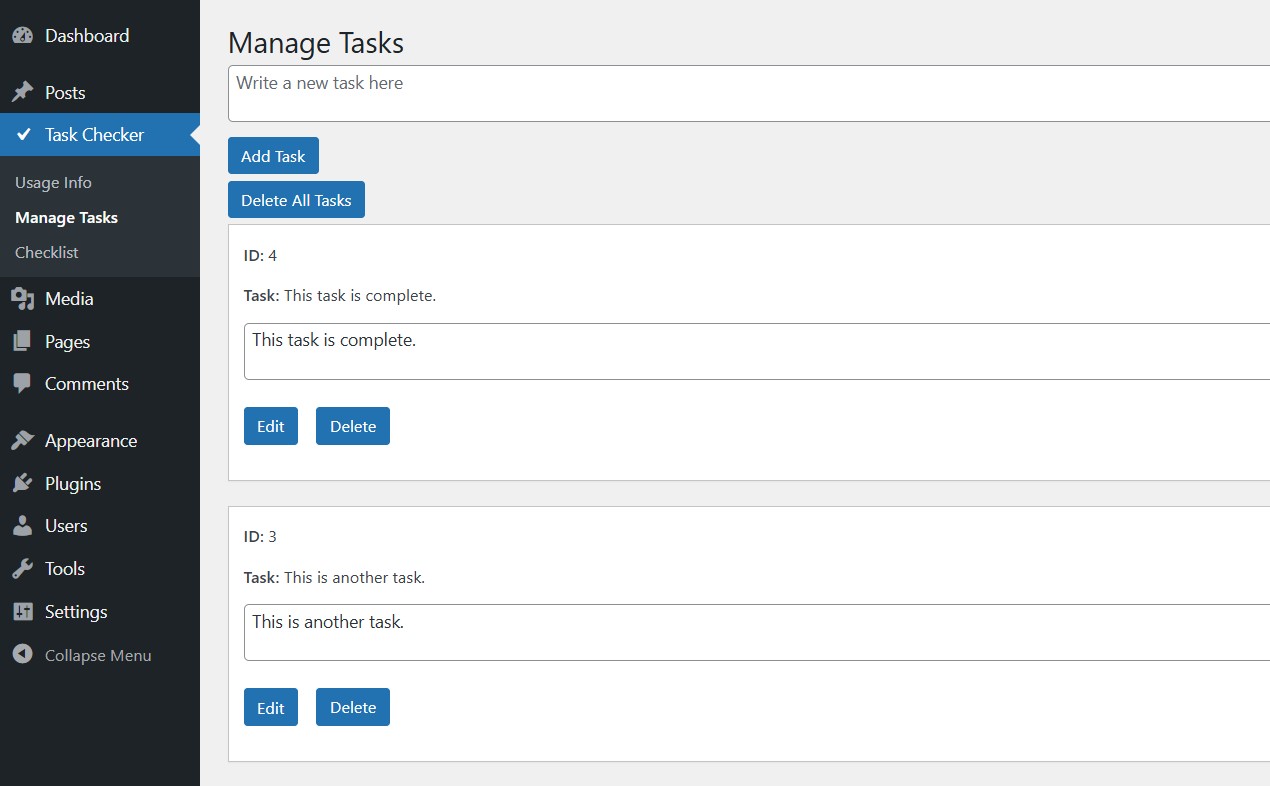
Example of Manage Tasks 
Example of Checklist 
Example of reordering tasks by using drag and drop
Instalace
- Upload the plugin files to the
/wp-content/plugins/task-checkerdirectory, or install the plugin through the WordPress Plugins screen. - Activate the plugin through the Plugins screen in WordPress.
- Access the plugin from the Admin Sidebar > Task Checker menu.
Nejčastější dotazy
-
Can I reorder my tasks?
-
Yes, tasks can be reordered easily using drag-and-drop in the checklist view.
-
Where do I find the checklist?
-
Go to Admin Sidebar > Task Checker > Checklist.
-
Can I edit or delete tasks after creating them?
-
Yes, the Manage Tasks submenu allows you to add, edit, and delete tasks.
-
Does this plugin create extra tables in the database?
-
Yes, the plugin stores tasks in a dedicated table for easy management.
Recenze
Pro tento plugin nejsou žádné recenze.
Autoři
Task Checker – Admin Sidebar Checklist Manager je otevřený software. Následující lidé přispěli k vývoji tohoto pluginu.
Spolupracovníci
Přeložte “Task Checker – Admin Sidebar Checklist Manager” do svého jazyka.
Zajímá vás vývoj?
Prohledejte kód, podívejte se do SVN repozitáře, nebo se přihlaste k odběru protokolu vývoje pomocí RSS.
Přehled změn
1.0
- Initial release with usage info, task management, and draggable checklist