

Popis
Add related posts to your article is very simple.
Choose your favourite layout from Setting/Related post Mwip.
Create an article and enable related posts section choosing your favourite posts.
Snímky obrazovky

An example of Settings Related post Mwip 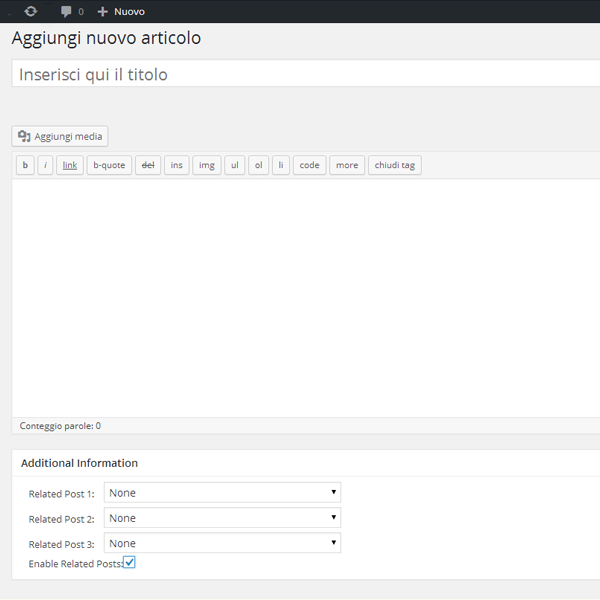
An example of Edit Post
Instalace
Via admin:
1. Go to Plugins -> Add New
2. Search for Related post Mwip
3. Install and active the plugin „Related post Mwip“.
Via upload:
1. Download the plugin .zip file
2. Log in to yourdomain.com/wp-admin
3. Click Plugins -> Add New -> Upload
4. After installation activate the plugin
Nejčastější dotazy
- Where can I change the graphic layout?
-
In Setting/related post Mwip section you can select the selection title, the title color and if would like to add a coloured border.
Recenze


Autoři
Related post Mwip je otevřený software. Následující lidé přispěli k vývoji tohoto pluginu.
Spolupracovníci
Přeložte “Related post Mwip” do svého jazyka.
Zajímá vás vývoj?
Prohledejte kód, podívejte se do SVN repozitáře, nebo se přihlaste k odběru protokolu vývoje pomocí RSS.
Přehled změn
2.1. Fixed first article bug
2.0. Add Random choice for related posts and add admin.css
1.3.1 Remove article from related posts choice
1.3 Fixed New article-related bug, Add font-size customization, Change margin template
1.2 Fixed excerpt bug
1.1 Template fixed