

Popis
Managing a WordPress Multisite network often means duplicating the same content across multiple subsites — legal pages,
marketing texts, templates, or product cards. Doing this manually is slow, inconvenient, and risky — issues are almost
inevitable.
Multisite Content Sync solves this problem.
With just one click, you can import and sync content from one subsite to another — including title, content, featured
image, and ACF fields.
No more copy-paste. No more outdated pages. Just a single source of truth across your entire network.
Features
- Sync any post type (posts, pages, custom post types).
- Works directly inside the editor (Classic + Gutenberg).
- Copies not only text, but also ACF fields.
- Supports featured images.
- Flexible overwrite rules.
- Simple, clear interface for editors and site managers.
- Works only within WordPress Multisite.
Snímky obrazovky

Post editor with sync panel. 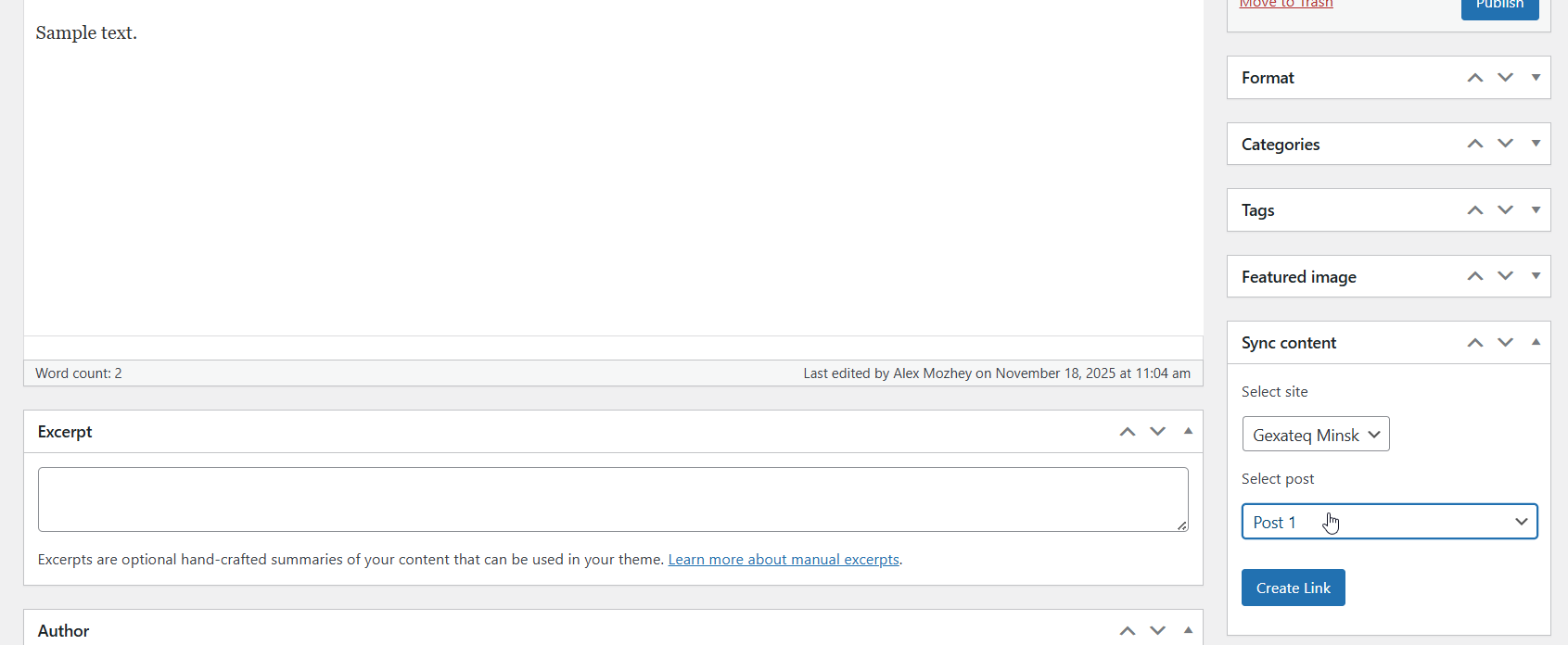
Selecting a source post. 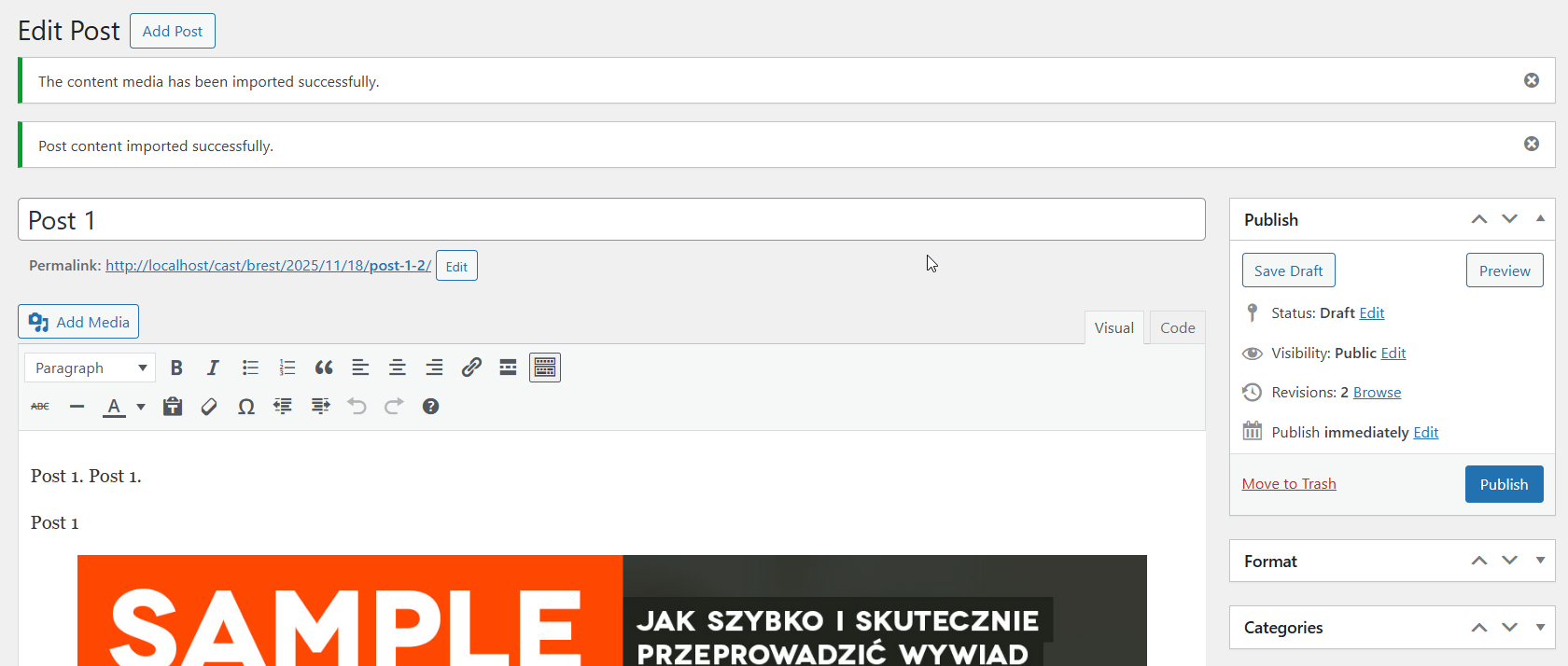
Sync success message. 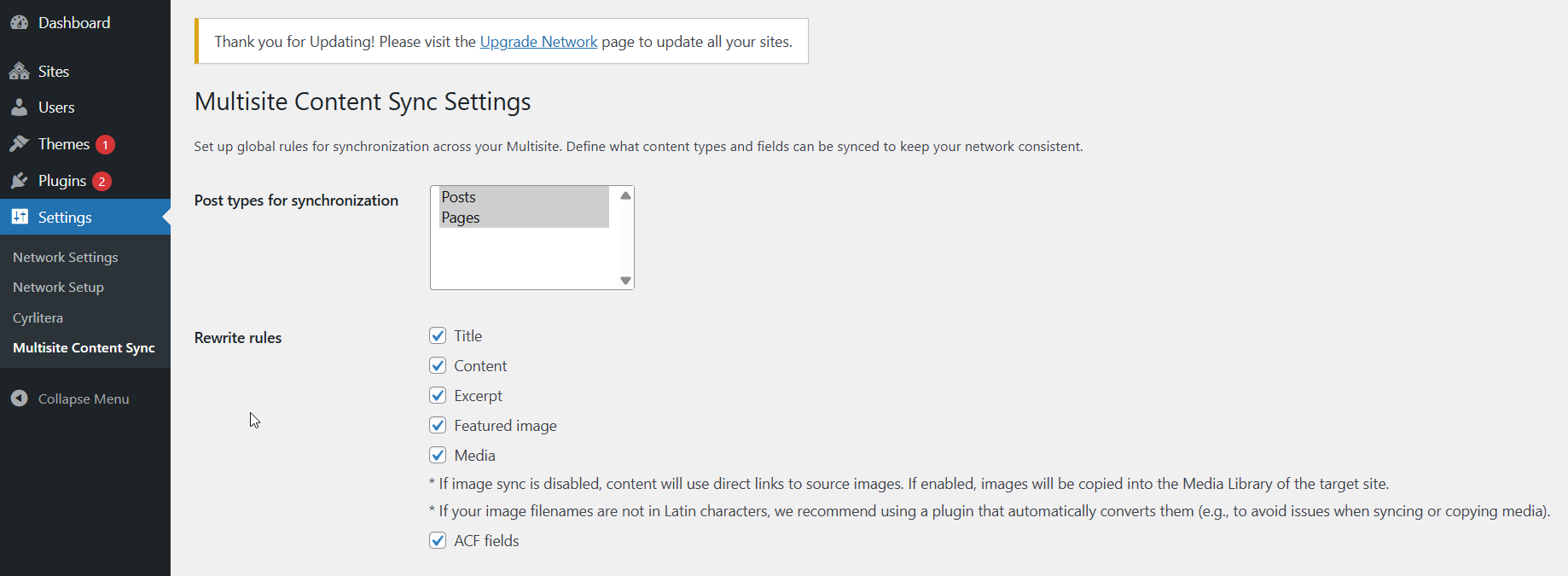
Network Admin settings page.
Instalace
- Download and install the plugin.
- Network-activate it in your Multisite.
- Go to Network Settings Multisite Content Sync and configure available post types and sync options.
- Open a post/page, select the source from another site, and click Sync.
Nejčastější dotazy
-
Does it work outside Multisite?
-
No. This plugin is designed only for WordPress Multisite.
-
Does it support ACF?
-
Yes. Both simple and advanced ACF fields are supported (including repeater and flexible).
-
Can it sync media?
-
Yes. Featured images and media files used inside Gutenberg blocks can be copied if the option is enabled in settings.
Recenze
Pro tento plugin nejsou žádné recenze.
Autoři
Multisite Content Sync je otevřený software. Následující lidé přispěli k vývoji tohoto pluginu.
Spolupracovníci
Přeložte “Multisite Content Sync” do svého jazyka.
Zajímá vás vývoj?
Prohledejte kód, podívejte se do SVN repozitáře, nebo se přihlaste k odběru protokolu vývoje pomocí RSS.
Přehled změn
1.0.0
- Initial release.