Opened 5 weeks ago
Last modified 11 days ago
#64354 accepted defect (bug)
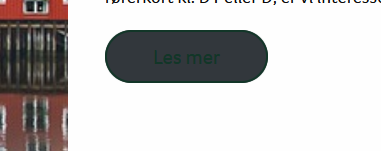
Outlined buttons now have grey background
| Reported by: |
|
Owned by: |
|
|---|---|---|---|
| Milestone: | 6.9.1 | Priority: | normal |
| Severity: | normal | Version: | 6.9 |
| Component: | Script Loader | Keywords: | has-patch has-unit-tests needs-testing |
| Focuses: | css, performance | Cc: |
Description (last modified by )
After updating multiple websites to 6.9, all outlined buttons in the gutenberg editor now suddenly have grey background color instead of transparent background.
Issue description by @threadi from #64356:
There is a problem with the button block in the TwentyTwenty theme when using the outline style. The background color is set incorrectly.
In WP 6.8.3:
:root :where(.wp-block-button.is-style-outline--2 .wp-block-button__link) {
  background: transparent none;
}
In WP 6.9:
button, .button, .faux-button, .wp-block-button__link, .wp-block-file .wp-block-file__button, input[type=“button”], input[type=‘reset’], input[type=“submit”], .bg-accent, .bg-accent-hover:hover, .bg-accent-hover:focus, :root .has-accent-background-color, .comment-reply-link {
  background-color: #cd2653;
}
This can also be reproduced in the Playground:
- Go to https://playground.wordpress.net.
- Search for Themes > Add Theme > TwentyTwenty, install & activate.
- Edit Page > Sample Page
- Add a button block there and give it any text you like. Then select “Outline” on the right under Styles.
- Save and check.
Result:
- View in the editor is correct.
- View in the frontend is incorrect.
Possibly related support topics:
- https://wordpress.org/support/topic/broken-design-with-elementor-in-wordpress-6-9/
- https://wordpress.org/support/topic/wordpress-6-9-broke-site-layout-crewbloom/
- https://wordpress.org/support/topic/v-6-9-block-alignment-is-broken/
Attachments (3)




Change History (27)
#4
 @
@
5 weeks ago
- Keywords reporter-feedback removed
Using Twenty Twenty, I was able to fix a Button block link with the Outline style by (temporarily) adding
add_action(
        'after_setup_theme',
        function (): void {
                add_filter( 'should_load_separate_core_block_assets', '__return_false' );
        }
);
With the assets separated, the block-style-variation-styles inline styles move from wp_footer() to wp_head(), between global styles and the classic themes stylesheet:
- 'wp-img-auto-sizes-contain-inline-css'
- when logged in: 'dashicons-css', 'admin-bar-css', and 'admin-bar-inline-css'
- 'wp-emoji-styles-inline-css'
- 'wp-block-library-inline-css' plus additional
<style>elements for each active block (in my case: Archives, Button, Categories, Heading, Latest Comments, Latest Posts, Buttons, Search, and Group) - 'global-styles-inline-css'
- 'block-style-variation-styles-inline-css', which sets a transparent background
:root :where(.wp-block-button.is-style-outline--2 .wp-block-button__link) { background: transparent none } - 'classic-theme-styles-inline-css', which sets a dark gray background
.wp-block-button__link { background-color: #32373c } - 'twentytwenty-style-css', which sets the default accent color as the background
button, .button, .faux-button, .wp-block-button__link, .wp-block-file .wp-block-file__button, input[type="button"], input[type="reset"], input[type="submit"] { background: #cd2653 } - 'twentytwenty-style-inline-css', which sets any custom accent color as the background
button,.button,.faux-button,.wp-block-button__link,.wp-block-file .wp-block-file__button,input[type="button"],input[type="reset"],input[type="submit"],.bg-accent,.bg-accent-hover:hover,.bg-accent-hover:focus,:root .has-accent-background-color,.comment-reply-link { background-color: #d61e1e } - 'twentytwenty-fonts-css'
- 'twentytwenty-print-style-css'
As result of the order, Twenty Twenty uses the same color for both the background and the text. The Webtron site, using a custom classic theme, likely had the gray background color from the classic themes stylesheet.
#6
 @
@
5 weeks ago
- Component changed from General to Script Loader
- Description modified (diff)
- Keywords needs-patch added
- Owner set to westonruter
- Severity changed from major to normal
- Status changed from new to accepted
#7
@
5 weeks ago
In 64354.1.diff, simply removing block-style-variation-styles from being included among the $all_block_style_handles fixes the issue for me. It ensures that the block-style-variation-styles style is printed at the end of HEAD as opposed to being inserted right after global-styles. But is this correct? In the Twenty Twenty-Five theme, the block-style-variation-styles stylesheet is inserted right after global-styles.
#8
@
5 weeks ago
In Twenty Twenty, when should_load_separate_core_block_assets is filtered to be false, and the post content contains:
<!-- wp:buttons -->
<div class="wp-block-buttons"><!-- wp:button {"className":"is-style-outline"} -->
<div class="wp-block-button is-style-outline"><a class="wp-block-button__link wp-element-button">Click Here</a></div>
<!-- /wp:button --></div>
<!-- /wp:buttons -->

<!-- wp:image {"id":38,"sizeSlug":"large","linkDestination":"none","style":{"color":{"duotone":"var:preset|duotone|purple-yellow"}}} -->
<figure class="wp-block-image size-large"><img src="http://localhost:8000/wp-content/uploads/2025/11/Bison_bison_Wichita_Mountain_Oklahoma-1024x741.jpg" alt="" class="wp-image-38"/></figure>
<!-- /wp:image -->

<!-- wp:group {"backgroundColor":"accent","layout":{"type":"constrained"}} -->
<div class="wp-block-group has-accent-background-color has-background"><!-- wp:paragraph -->
<p>HELLO</p>
<!-- /wp:paragraph --></div>
<!-- /wp:group -->
When Custom CSS is also supplied in the Customizer, the stylesheets in the document are in the following order:
HEAD > STYLE#wp-img-auto-sizes-contain-inline-cssHEAD > STYLE#wp-emoji-styles-inline-cssHEAD > LINK#wp-block-library-cssHEAD > STYLE#classic-theme-styles-inline-cssHEAD > STYLE#global-styles-inline-cssHEAD > LINK#twentytwenty-style-cssHEAD > STYLE#twentytwenty-style-inline-cssHEAD > LINK#twentytwenty-fonts-cssHEAD > LINK#twentytwenty-print-style-cssHEAD > STYLE#wp-custom-cssBODY > STYLE#block-style-variation-styles-inline-cssBODY > STYLE#core-block-supports-inline-cssBODY > STYLE#core-block-supports-duotone-inline-css
At the moment, when should_load_separate_core_block_assets is enabled so that wp_hoist_late_printed_styles() is able to run, the stylesheets are in the following order:
HEAD > STYLE#wp-img-auto-sizes-contain-inline-cssHEAD > STYLE#wp-emoji-styles-inline-cssHEAD > STYLE#wp-block-library-inline-cssHEAD > STYLE#wp-block-archives-inline-cssHEAD > STYLE#wp-block-button-inline-cssHEAD > STYLE#wp-block-categories-inline-cssHEAD > STYLE#wp-block-heading-inline-cssHEAD > STYLE#wp-block-image-inline-cssHEAD > STYLE#wp-block-latest-comments-inline-cssHEAD > STYLE#wp-block-latest-posts-inline-cssHEAD > STYLE#wp-block-buttons-inline-cssHEAD > STYLE#wp-block-search-inline-cssHEAD > STYLE#wp-block-group-inline-cssHEAD > STYLE#wp-block-paragraph-inline-cssHEAD > STYLE#global-styles-inline-cssHEAD > STYLE#block-style-variation-styles-inline-cssHEAD > STYLE#core-block-supports-inline-cssHEAD > STYLE#core-block-supports-duotone-inline-cssHEAD > STYLE#classic-theme-styles-inline-cssHEAD > LINK#twentytwenty-style-cssHEAD > STYLE#twentytwenty-style-inline-cssHEAD > LINK#twentytwenty-fonts-cssHEAD > LINK#twentytwenty-print-style-cssHEAD > STYLE#wp-custom-css
With the separate block styles merged into a single LINK#wp-block-library-css entry:
HEAD > STYLE#wp-img-auto-sizes-contain-inline-cssHEAD > STYLE#wp-emoji-styles-inline-cssHEAD > LINK#wp-block-library-cssHEAD > STYLE#global-styles-inline-cssHEAD > STYLE#block-style-variation-styles-inline-cssHEAD > STYLE#core-block-supports-inline-cssHEAD > STYLE#core-block-supports-duotone-inline-cssHEAD > STYLE#classic-theme-styles-inline-cssHEAD > LINK#twentytwenty-style-cssHEAD > STYLE#twentytwenty-style-inline-cssHEAD > LINK#twentytwenty-fonts-cssHEAD > LINK#twentytwenty-print-style-cssHEAD > STYLE#wp-custom-css
Here is a view of the diff between these two manifests:

Two observations:
classic-theme-stylesafterglobal-styles, whereas previously it was being printed immediately before.- The
block-style-variation-styles,core-block-supports, andcore-block-supports-duotonestyles used to be printed after the Custom CSS, but now they are being printed before.
For the first point, it seems we'll need to insert the hoisted styles after classic-theme-styles if it is present instead of only inserting after wp-block-library.
For the second point, it seems we need to not insert block-style-variation-styles, core-block-supports, and core-block-supports-duotone after wp-block-library but instead append them to the end of the HEAD, even though this is different than the order in block themes.
Note: At wp_enqueue_scripts, there is wp_common_block_scripts_and_styles() which enqueues wp-block-library but then also fires the enqueue_block_assets action. At the enqueue_block_assets action, these functions run:
wp_enqueue_classic_theme_styles()wp_enqueue_registered_block_scripts_and_styles()enqueue_block_styles_assets()
JS snippet to generate the above style manifest:
copy(Array.from(document.querySelectorAll('link[rel=stylesheet][id], style[id]')).map( (el) => '1. `' + el.parentElement.tagName + ' > ' + el.tagName + '#' + el.id + '`' ).join("\n"))

This ticket was mentioned in PR #10601 on WordPress/wordpress-develop by @westonruter.
5 weeks ago
#9
- Keywords has-patch has-unit-tests added; needs-patch removed
@westonruter commented on PR #10601:
5 weeks ago
#10
Cascade when should_load_separate_core_block_assets is disabled:
HEAD > STYLE#wp-img-auto-sizes-contain-inline-cssHEAD > STYLE#wp-emoji-styles-inline-cssHEAD > LINK#wp-block-library-cssHEAD > STYLE#classic-theme-styles-inline-cssHEAD > STYLE#global-styles-inline-cssHEAD > LINK#twentytwenty-style-cssHEAD > STYLE#twentytwenty-style-inline-cssHEAD > LINK#twentytwenty-fonts-cssHEAD > LINK#twentytwenty-print-style-cssHEAD > STYLE#wp-custom-cssBODY > STYLE#block-style-variation-styles-inline-cssBODY > STYLE#core-block-supports-inline-cssBODY > STYLE#core-block-supports-duotone-inline-css
And when should_load_separate_core_block_assets is enabled:
HEAD > STYLE#wp-img-auto-sizes-contain-inline-cssHEAD > STYLE#wp-emoji-styles-inline-cssHEAD > STYLE#wp-block-library-inline-cssHEAD > STYLE#wp-block-archives-inline-cssHEAD > STYLE#wp-block-button-inline-cssHEAD > STYLE#wp-block-categories-inline-cssHEAD > STYLE#wp-block-heading-inline-cssHEAD > STYLE#wp-block-image-inline-cssHEAD > STYLE#wp-block-latest-comments-inline-cssHEAD > STYLE#wp-block-latest-posts-inline-cssHEAD > STYLE#wp-block-buttons-inline-cssHEAD > STYLE#wp-block-search-inline-cssHEAD > STYLE#wp-block-group-inline-cssHEAD > STYLE#wp-block-paragraph-inline-cssHEAD > STYLE#classic-theme-styles-inline-cssHEAD > STYLE#global-styles-inline-cssHEAD > LINK#twentytwenty-style-cssHEAD > STYLE#twentytwenty-style-inline-cssHEAD > LINK#twentytwenty-fonts-cssHEAD > LINK#twentytwenty-print-style-cssHEAD > STYLE#wp-custom-cssHEAD > STYLE#block-style-variation-styles-inline-cssHEAD > STYLE#core-block-supports-inline-cssHEAD > STYLE#core-block-supports-duotone-inline-css
When the block styles are grouped under the related HEAD > LINK#wp-block-library-css entry, the order is:
HEAD > STYLE#wp-img-auto-sizes-contain-inline-cssHEAD > STYLE#wp-emoji-styles-inline-cssHEAD > LINK#wp-block-library-cssHEAD > STYLE#classic-theme-styles-inline-cssHEAD > STYLE#global-styles-inline-cssHEAD > LINK#twentytwenty-style-cssHEAD > STYLE#twentytwenty-style-inline-cssHEAD > LINK#twentytwenty-fonts-cssHEAD > LINK#twentytwenty-print-style-cssHEAD > STYLE#wp-custom-cssHEAD > STYLE#block-style-variation-styles-inline-cssHEAD > STYLE#core-block-supports-inline-cssHEAD > STYLE#core-block-supports-duotone-inline-css
The cascade is the same, with the difference being that block-style-variation-styles, core-block-supports, and core-block-supports-duotone are located in HEAD as opposed to BODY. This is good as it prevents FOUC.
#11
@
5 weeks ago
- Keywords needs-testing added
Here's my first stab at preserving the original cascade: https://github.com/WordPress/wordpress-develop/pull/10601
#12
@
5 weeks ago
There's one more thing I'm aware of that needs to investigated: the enqueue_block_assets action will, as mentioned above, call these functions:
wp_enqueue_classic_theme_styles()wp_enqueue_registered_block_scripts_and_styles()enqueue_block_styles_assets()
The first function is accounted for in this PR, as it actually already ran at wp_enqueue_scripts. The second function is also accounted for, because it short-circuits if wp_should_load_block_assets_on_demand() returns false (in which case the style hoisting doesn't happen at all anyway).
However, the third function I believe needs to be accounted for. Namely, any styles for third-party blocks being used on the page would seem to need to be printed after the classic-theme-styles stylesheet, whereas the other core block styles get printed before. This would ensure the cascade is remains the same.
#13
 @
@
5 weeks ago
I was able to reproduce the issue in Twenty Twenty and the outline button shows a filled background. After applying the patch, the outline style displays correctly again. The problem disappears with the patch, so it is working as expected. I have before and after screenshots to confirm the change.
Kindly refer below image before applying patch:-
https://prnt.sc/tJZQbsVSXSzS
Kindly refer below image after applying patch:-
https://prnt.sc/cYrHz85I3yu-
#14
@
5 weeks ago
As a workaround for sites experiencing this issue, I've just published a small single-file plugin that allows you to remain on 6.9 but opt out of loading separate core block styles. Naturally, the plugin is called Load Combined Core Block Assets. This plugin includes the ability for you to test loading separate core block styles via a query parameter. Once 6.9.1 is released with the fix, the plugin could inform you to re-test, so that the plugin can be deactivated and uninstalled at that time.
If you added the following to your site via a theme or plugin:
<?php
add_filter( 'should_load_separate_core_block_assets', '__return_false' );
Please remove this, and instead install the plugin. This will help ensure you don't get stuck with loading the combined core block assets indefinitely. The use of combined core block assets means much more CSS is added to the page than is likely needed, and this can negatively impact page load time (e.g. FCP and LCP). By WordPress 6.9 loading separate block assets on demand, this also allows for small stylesheets to be inlined to further reduce render-blocking resources.

This ticket was mentioned in Slack in #core-performance by westonruter. View the logs.
5 weeks ago
#18
@
5 weeks ago
The PR fixed the links' background visually in the themes I tested, with block stylesheets separate and inlined.
In WordPress 6.9, without setting a background color in the sidebar, Outline Button block links have
- a background that matches the text color in four bundled themes (T11, T14, T15, and T20) plus the directory theme Sydney;
- the gray background from
classic-themes.min.cssfor Twenty Ten plus directory themes such as Neve, Franklin, Make, and Ravel; - the (correct) transparent background in other classic bundled themes because the theme's CSS sets the background at a specificity higher than one class (T12 and T13 use
inheritinblocks.css, T16 and T17 usetransparentinblocks.css, and T19 and T21 usetransparentinstyle.css).
With PR 10601:
- T10, T11, T14, T15, T20, Sydney, OceanWP, Neve, Franklin, Make, and Ravel now get
transparentbackground fromblock-style-variation-styles-inline-css. - T12, T13, T16, T17, T19, T21, Astra, Colibri WP (with Modern option), Kadence, and Storefront continue to show the
transparentbackground from the theme's CSS.
@peterwilsoncc commented on PR #10601:
4 weeks ago
#19
@westonruter When it comes to writing tests, are you able to include some for non-core block variations too.
@westonruter commented on PR #10601:
4 weeks ago
#20
@peterwilsoncc you mean like in 2fb1c42?
@westonruter commented on PR #10601:
4 weeks ago
#21
I'm currently wrestling with some styles not being in a consistent order in unit tests.
@westonruter commented on PR #10601:
4 weeks ago
#22
OK, I've finally wrestled this into submission. Ready for more testing and review. Ensuring the same cascade when hoisting loading separate block styles is trickt!
#23
 @
@
3 weeks ago
Test Report
Description
✅ This report validates whether the indicated patch works as expected.
Environment
- WordPress: 6.9
- PHP: 8.3.25-dev
- Server: PHP.wasm
- Database: WP_SQLite_Driver (Server: 5.5 / Client: 3.40.1)
- Browser: Chrome 142.0.0.0
- OS: macOS
- Theme: Twenty Twenty 3.0
- MU Plugins: None activated
- Plugins:
- Test Reports 1.2.1
Actual Results
- ✅ Issue resolved with patch.
Additional Notes
Screenshot Before: https://ibb.co/hJ8WwBn3
Screenshot After: https://ibb.co/wZch4Zjk
#24
 @
@
11 days ago
Test Report
Description
This report validates whether the indicated patch works as expected.
Patch tested: https://github.com/WordPress/wordpress-develop/pull/10601
Environment
- WordPress: 7.0-alpha-61215-src
- PHP: 8.2.29
- Server: nginx/1.29.3
- Database: mysqli (Server: 8.4.7 / Client: mysqlnd 8.2.29)
- Browser: Chrome 143.0.0.0
- OS: macOS
- Theme: Twenty Twenty 2.9
- MU Plugins: None activated
- Plugins:
- Test Reports 1.2.1
Actual Results
- ✅ Issue resolved with patch.
Screenshots
| Before | After |
 | 
|
hi @pmbs, welcome to Trac and thank you for your concern. It would be great if you could tell us which theme you are working with so that we can follow up on it. I myself have just opened a similar ticket for the theme TwentyTwenty (https://core.trac.wordpress.org/ticket/64356).
If you need general support, please contact the support forum: https://wordpress.org/support/forums/