

Description
Mega Database Cleanup is a modern, high-performance cleanup utility built to remove unused, empty, bloated, or orphaned metadata from your WordPress database — safely and automatically.
It includes a smart scanner, preview mode, ACF pattern cleanup, scheduled tasks, and full backup support. Ideal for site owners, developers, agencies, and power users who want a faster & cleaner database without risking important data.
Highlights
-
Empty / Unused Meta Scanner
Detects empty, null, serialized-empty, or JSON-empty postmeta values. -
ACF Cleanup Engine
Automatically identifies patterns used by Advanced Custom Fields to detect orphan entries. -
Real-Time Safe Preview
See exactly what will be deleted before confirming cleanup. -
Backup Before Delete
All removed metadata can be stored in a dedicated backup table. -
Scheduled Cleanup (WP-Cron)
Cleanup can run automatically (hourly, daily, weekly). -
Retention Rules
Keep the latest N meta rows per meta_key (default: 5). -
Safe & Secure
Full validation, sanitization, and capability checks included. -
One-Click Full Cleanup
Delete unused metadata across the entire database. -
Custom Cleanup Patterns
Add or remove ACF-like patterns (SQL LIKE rules).
Who Is This For?
Website Owners
– Improve site performance and reduce database size safely.
Agencies & Developers
– Maintain clean data structures, especially on large sites.
ACF Users
– Automatically remove leftover fields that accumulate over time.
Performance Optimizers
– Speed up queries by removing thousands of useless meta rows.
Why Mega Database Cleanup Is Different
- Designed for large databases
- Uses safe preview mode
- Runs scheduled cleanups automatically
- Creates a backup of every deleted row
- Preserves the first meta entry + last 5 entries for safety
- Uses optimized SQL queries for predictable performance
Privacy Policy
Mega Database Cleanup does not track, collect, or transmit any user data.
No information leaves your site.
All backups remain stored locally on your database server.
Developer Hooks
Filters
mega_db_cleanup_patterns– Modify cleanup patternsmega_db_cleanup_retention_limit– Change default “keep latest N” count
Actions
mega_db_cleanup_before_delete– Fires before deletionmega_db_cleanup_after_delete– Fires after deletion
Credits
Developed with ❤️ by MegaWix Technologies
- Plugin Development: MegaWix Technologies
- Testing & QA: MegaWix Technologies
Support
Need help? Have a question or feature request?
- Website: https://www.megawix.com
- Email: [email protected]
We are committed to providing reliable support and regular updates to ensure this plugin remains compatible with the latest WordPress versions.
Screenshots
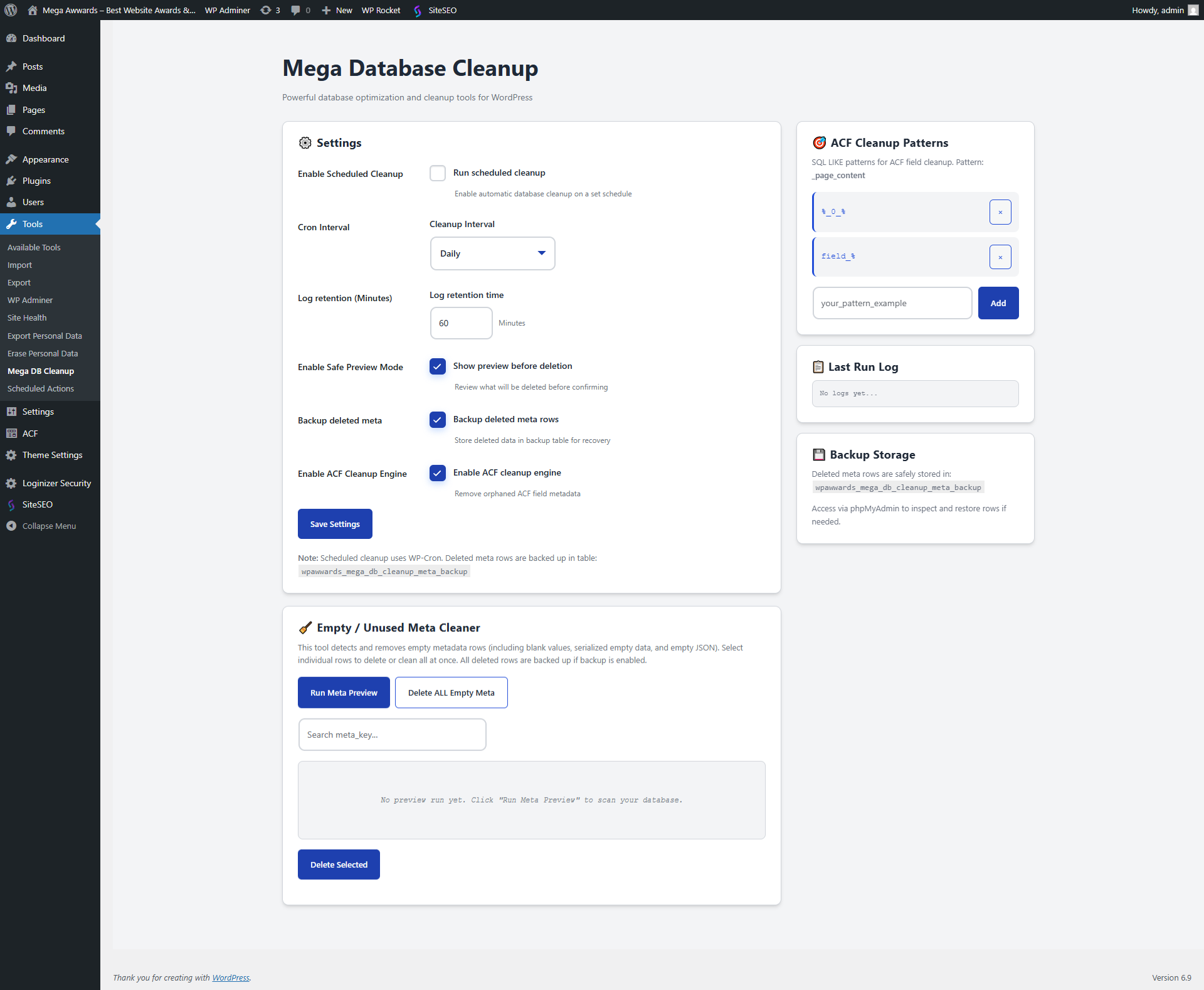
Dashboard – Main cleanup panel 
Empty Meta Preview table 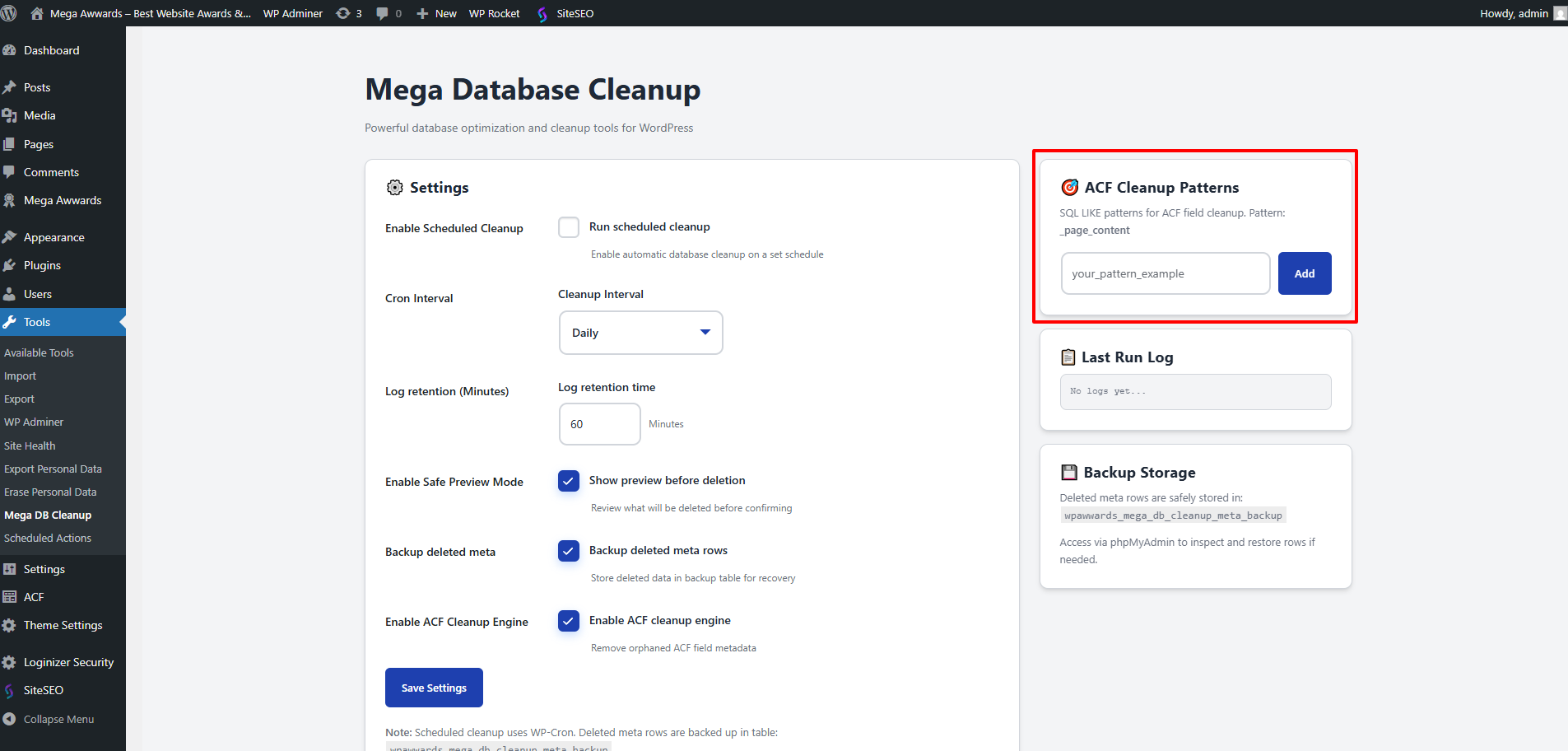
ACF pattern manager 
Cleanup settings and scheduler 
Log viewer 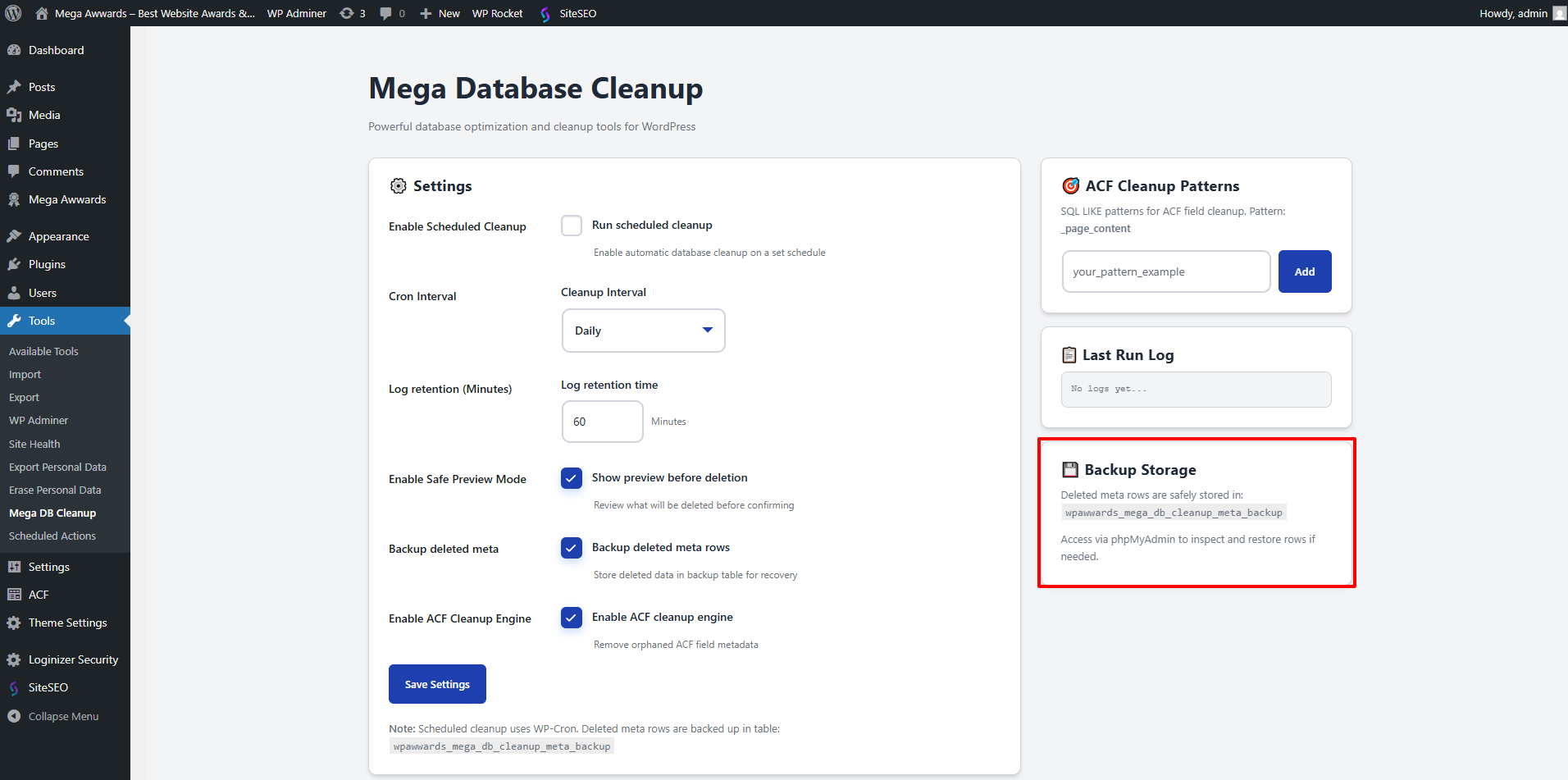
Backup information panel
Installation
Automatic Installation
- Log in to WordPress Admin Plugins Add New
- Search for Mega Database Cleanup
- Click Install Now Activate
- Navigate to Tools Mega DB Cleanup
Manual Installation
- Download the plugin ZIP
- Go to Plugins Add New Upload Plugin
- Select the ZIP and install
- Click Activate Plugin
Initial Setup
- Open Tools Mega DB Cleanup
- Enable ACF Cleanup (optional)
- Enable Preview Mode (recommended)
- Add patterns if needed
- Enable scheduled cleanup (optional)
- Save changes
You’re ready to analyze or clean your database!
FAQ
-
Does this delete important data?
-
No — the plugin only targets metadata that is clearly empty, unused, or orphaned.
If backup is enabled, you can restore deleted rows at any time. -
Is there a preview mode?
-
Yes. Preview mode allows you to see exactly which meta rows are considered empty before removing anything.
-
Does this support ACF fields?
-
Yes! It includes a dedicated ACF cleanup engine that uses pattern rules to identify real orphan fields.
-
Can I add my own patterns?
-
Absolutely. You can add or remove SQL LIKE patterns directly from the admin panel.
-
Does it work on multisite?
-
Yes, it works on standard and multisite installations. Cleanup runs per site.
-
Will this improve my website speed?
-
Yes — removing thousands of empty meta rows reduces database size and speeds up queries.
-
What if I delete something by mistake?
-
If backups are enabled, deleted metadata is stored in a dedicated table so you can manually restore it via phpMyAdmin.
-
How safe is the scheduled cleanup?
-
Very safe — it follows the same rules as manual cleanup, including retention rules and backups.
Reviews
There are no reviews for this plugin.
Contributors & Developers
“Mega Database Cleanup” is open source software. The following people have contributed to this plugin.
Contributors
Translate “Mega Database Cleanup” into your language.
Interested in development?
Browse the code, check out the SVN repository, or subscribe to the development log by RSS.
Changelog
1.0.0 – Initial Release
- Empty meta scanner and preview mode
- ACF orphan cleanup with pattern-based detection
- Scheduled automatic cleanup (hourly/daily/weekly)
- Backup table to store deleted meta rows
- Retention rule: keep latest N entries per meta_key
- One-click delete all empty metadata
- Add/remove ACF patterns
- Inline logs and real-time reports
- Fully optimized SQL cleanup
- Admin UI with jQuery enhancements