
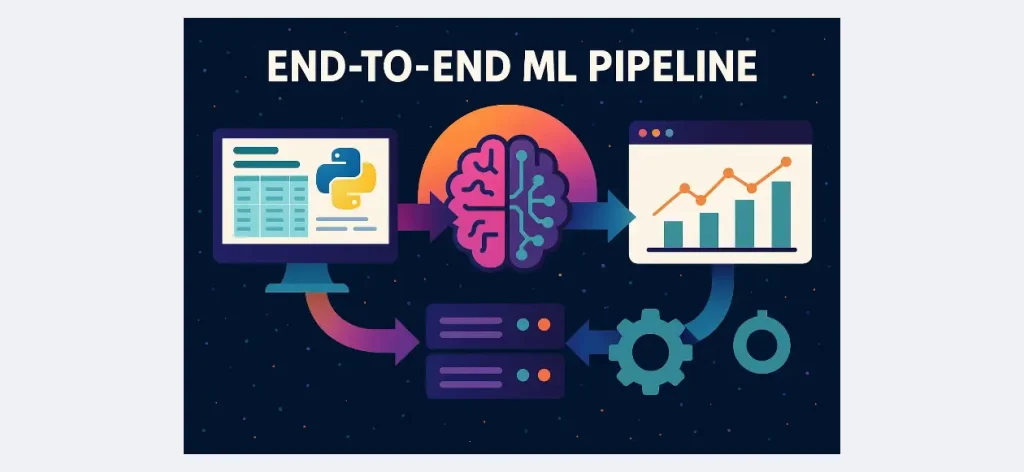
Building an end-to-end machine learning pipeline is a fantastic way to encapsulate everything you’ve done before, from cleaning data to serving models. This project walks you through all the steps using Python libraries such as Pandas, Scikit-learn and Flask, and is intended to be accessible and based on experience, meaning that you will complete it as either a weekend project or add it to your portfolio.
Still, if you face difficulties in understanding the steps, you may not know the proper ways or strategies for it. In such situations, one can seek assistance from CodingZap experts for computer science homework help.
TL;DR:
Step |
| ||
Load & Explore Data | Use Pandas to open your CSV file, check for missing data, and get an understanding of what is in it. | ||
Preprocess Features | Then, clean the data — fill the nulls, encode the categories, scale the numbers, and split it into train/test. | ||
Train Your Model | Choose a model to use (likely Random Forest), train the model, evaluate the model performance, save the model. | ||
Test with New Inputs | Test your saved model by simulating some new data, and checking that the predictions make sense. | ||
Build a Flask API | Create a small web app by using Flask and allow users to send data, and return predictions as JSON. | ||
Deploy the API | Deploy your project live with Render or Heroku, so anyone can use it — not just you. | ||
Tools Used | Pandas, Scikit-learn, Flask, Github, Postman — and also Docker if you want to take it up a notch. | ||
Weekend Plan | Saturday: Clean data + train model. Sunday: Build the API + deploy + make it pretty. | ||
End Result | A working machine-learning application that you can demo, share or show off in your portfolio. |
Lets walk through each step to bring your ML project to life
Step 1: Load & Explore the Raw CSV Data
Before you can begin a good machine learning project, you will want to feel comfortable with your data first.
You can do this by loading the CSV file into Pandas and gaining an overview of the data set. You should be able to see how many data rows and columns there are, as well as what kind of values you are working with. You can also look for missing values and assess how messy the data might be as well.
When performing exploratory data analysis (EDA), you want to ask simple questions and be very visual, as the goal is to obtain some good insight into the data. For example, are there missing values?
Are there outliers in certain columns? What is the distribution of our target classes? Seaborn or Matplotlib will assist you in visualizing those patterns, and those visualizations can make those variations easier to spot. Even a rudimentary histogram or a heat map can reveal problems that you will want to address before you start to train a model.
Here is a simple starting point:
					import pandas as pd
import seaborn as sns
import matplotlib.pyplot as plt

df = pd.read_csv('data.csv')
print(df.info())
print(df.describe())
sns.heatmap(df.isnull(), cbar=False)
plt.show()
Step 2: Data Preprocessing & Feature Engineering
Once you’ve visualized the data, the next step is to clean the data and prepare it for modeling. This is a critical step! A great model trained on messy data is still going to give you bad results.
First, let’s deal with the missing values. For the numerical columns, you could use mean or median to Impute values (SimpleImputer can take care of this for you). For categorical data, you may want to fill it with the most frequent value instead.
What’s next?
Next, we’ll also want to convert categorical variables into numbers. For very simple categorical variables, the LabelEncoder can be used, or OneHotEncoder (using one-hot-encoding is simply for categorical data without any order to the values and wishing to maintain all category information in the numerical values).
At this point, you should apply feature scaling. If you are using a model that is sensitive to scale, such as Logistic regression or SVM types of classifiers, you should use StandardScaler or MinMaxScaler. Random forests do not require feature scaling, but it is certainly still a good habit to get into when using multiple models.
Next, we will want to split our dataset using train_test_split into a training dataset and a test dataset. A normal split could be 80/20, but again, this is dependent on the size of your dataset.
By the end of this step, you will have a clean and numerical dataset that has been fully prepared to be passed to a model.
Step 3: Build & Evaluate a Machine Learning Model
Now that your data has been cleaned and prepared, it’s time to develop one or more machine learning models. You don’t need to do anything special to get started; there are commonly used machine learning models like RandomForestClassifier or LogisticRegression from Scikit-learn that are simple to use and work surprisingly well on structured data.
Now fit your model on your training set and evaluate it against your chosen metrics: accuracy, precision, recall, F1-Score, or others, depending upon your problem and objectives. If your problem was a classification problem, plotting the confusion matrix could help you analyze the mistakes your model is making.
Be sure to use cross-validation with cross_val_score to help better understand how your model performs over the different splits when you finish developing your model. This will give a more genuine estimate than only a single train-test run.
Once you are convinced that your model gives you sufficient performance, be sure to save it using joblib or pickle. That will allow you to load the model later without having to retrain it.
Tip:
It’s a good practice to maintain a record of your models, including the versioning, if you are going to update your final model at a later date with operational data or change its parameters.
Step 4: Test Predictions on New Data
Prior to actually deploying your model and the need to use test inputs, as you would in the field, it is a good idea to check how your model performs on new inputs. It is important to see how the model can be expected to perform, and you can test the new data points by simulating them data points and seeing how your model responds.
You can manually create a small test dictionary with values that conform to your input features to pass through the saved model and output predictions. At this point, you will easily identify mismatches in data format or scaling.
You are probably going to want to write a simple function that wraps the prediction logic, something that takes in new input, transforms it to a data frame, and returns the output. For classification problems, and to check performance, you may plot the confusion matrix to further visualize how well your model separates the classes.
The important note here is that this is not just about checking accuracy to see how correct the model is, but to ensure the model can operate on the expected type of input when operational.
Step 5: Create a Flask API Around the Model
Now that you have a working model, you will want to share it with others, and the best way to do this is to wrap it in a web API. Flask will work very well here – it is lightweight, fairly easy for beginners to figure out, and is simple to get up and running.
Let’s create a simple Flask app. You just need to create a /predict route that can accept POST requests. Whenever someone POSTs to this API endpoint and passes the JSON data, you will load the model you saved, transform the input into a DataFrame, and return a prediction in JSON format.
Here is a quick and dirty version of what this route will look like:
					@app.route('/predict', methods=['POST'])
def predict():
    data = request.get_json()
    df = pd.DataFrame([data])
    prediction = model.predict(df)
    return jsonify({'prediction': prediction.tolist()})
Taking this small block of code creates a live prediction service for your ML model. You can post new data to your API and receive your results in real-time without needing to retrain your model.
Step 6: Deploy Your API (Optional)
If you are feeling ambitious, you could deploy your Flask API so that it is accessible from anywhere, not just on your local machine. While this step is optional, it is a good way to add a bit of authenticity to your project and share it with others.
There are many options to consider when deploying your app, such as Render, Heroku, or Vercel – deployment is quite easy using these platforms. You will need to add a requirements.txt for dependencies and a Procfile that tells the platform how to run your app.
If you are using Docker, you can bundle your entire app in a container and push it to any of the aforementioned platforms with greater control over the environment.
Once the app is deployed, you can verify the API’s functionality using tools like curl or Postman to confirm that it works as expected. You can try sending a sample set of JSON input and confirm that the live endpoint returns the predicted output you expect.
Deployment may seem intimidating; however, it is one step closer to turning your ML script into something others can benefit from.
Tools & Technologies Used
This project uses a handful of simple but powerful tools that are commonly used in real-world machine learning workflows
- Pandas – This software library does the reading and manipulation of the data. It is the very first library you will touch when you read in your CSV and clean up the messy rows or columns.
- Scikit-learn – This is the foundational machine learning library in this project. Every step of the process will flow through Scikit-learn from preprocessing to model building and evaluation.
- Flask – This is what helps you turn your trained model into a live API. It enables you to create routes, take inputs, and return predictions in JSON.
- Heroku / Render – These platforms allow you to deploy your Flask app online for others to interact with it. Both are relatively beginner-friendly and can be used for demos.
- Docker (optional) – If you want to containerize your app, then Docker would be an option. Using Docker will allow your project to run the same way anywhere, and especially during deployment.
- GitHub – This is great for bookkeeping your code, collaborating with others, or hosting your project publicly.
- Postman – This is a simple tool to test your API, once you’ve deployed it. You could send the JSON input via Postman and see the response of the model instantly.
Machine learning is a special domain of computer science. If you’re interested in knowing the importance of Machine learning in programming languages like Python, then you can check out our article.
Project Timeline - Do It in a Weekend
The great news about this project is that it doesn’t require weeks of work. You’ll get it set up in just two full days if you break it down properly.
Day 1 (Saturday):
You’re going to want to understand your dataset. Do the EDA. Clean the data. Impute missing values. This is also a time for feature engineering. When you finish all that, you’re going to train and evaluate your model. You should be able to save a model by the end of the first day.
Day 2 (Sunday):
You’re going to build an API using Flask from your model. You will test it locally with some inputs. Once everything is confirmed working locally, you will deploy it to Heroku or Render. At this time, you will also be able to document your code, tidy up your repository, and create a short README so that you can share it.
Two days. One real-world machine learning pipeline. And one concrete thing to point at.
Conclusion
In this project, you learned how to take raw data and turn it into a working machine learning application. You’ve seen the complete pipeline from cleaning and training to building an API and deploying it; you saw the whole works.
Key Takeaways:
- The complete ML pipeline is a raw dataset to a deployable predictive tool.
- Data cleaning and preprocessing are just as critical to your project as model building.
- Scikit-learn and Pandas are the underpinnings of most beginner-level ML projects.
- Flask makes it easy to convert your model into a working API.
- Deployment (even optional) provides real-world value and visibility to your work.
- With intentionality and planning, you can build and ship the complete pipeline in a weekend.
Try repeating the process with a new dataset, or experiment with additional tools such as FastAPI or Streamlit. You now have a strong foundation to move from.
