

Description
XV Random Quotes helps you collect and display random quotes everywhere on your WordPress site. Built with modern WordPress standards using Custom Post Types, Gutenberg blocks, and the REST API.
🎯 Modern WordPress Integration
- Custom Post Type – Quotes are managed as native WordPress posts with full revision history
- Gutenberg Blocks – Three dedicated blocks: Random Quote, Specific Quote, and List Quotes
- REST API – Access quotes programmatically for headless WordPress and custom integrations
- Taxonomy Support – Organize quotes with categories and authors (with URL support)
- Block Editor – Full support with dedicated meta boxes for quote content and source
✨ Key Features
- Multiple Display Methods – Widgets, shortcodes, template tags, and Gutenberg blocks
- AJAX-Powered Widgets – Automatic quote rotation without page reload (configurable timer)
- Category Filtering – Display quotes from specific categories or all quotes
- Author Management – Track quote authors with optional URL links
- Flexible Ordering – Random or sequential quote display
- Native Styling Toggle – Use plugin’s default styling or your theme’s styles
- Complete Backward Compatibility – All legacy shortcodes and template tags still work
📦 Display Options
- Gutenberg Blocks:
- Random Quote Block – Display one or more random quotes
- Specific Quote Block – Show a particular quote by ID
- List Quotes Block – Paginated list of quotes with filtering
- Widgets: Sidebar widget with AJAX refresh and category filtering
- Shortcodes:
[stray-random],[stray-id],[stray-all]for posts and pages - Template Tags:
stray_random_quote(),stray_a_quote()for theme integration - REST API:
/wp-json/xv-random-quotes/v1/quote/randomfor custom integrations
🔄 Automatic Migration
Upgrading from v1.x? The plugin automatically detects the need of migrating your existing quotes to the new Custom Post Type system. The migration is always manual to prevent race conditions and duplicate imports. When the plugin is activated or updated, an admin notice prompts the user to start the migration via a button. The migration then processes quotes in batches via AJAX.
🎨 Customization
- Customize HTML wrappers (before/after quote, author, source)
- Control author and source link formatting
- AJAX loading messages and animations
- Native WordPress styling or custom CSS
See RELEASE_NOTES.md for complete v2.0 features and migration guide.
Credits
- For main development of Stray Quotes, Ico
- For Multi-widget functionality, Millian’s tutorial
- For help in developing user-end AJAX functionality, AgentSmith
- For search functionality and bugfixing, Sergey Sirotkin
Localization
- German, thanks to Markus Griesbach
- Chinese, thanks to WGMking
- Croatian, thanks to Rajic
- Danish, thanks to Georg
Actually, these translations are not updated to the latest version.
I am looking for new localizers, all languages welcome!
Please note: the best way to submit new or updated translations is to send me a direct link to the localization files in the contact page of my website. This way the files are made available to the users sooner, and without waiting for a new release.
Please note: If you want to create a localized copy of XV Random Quotes, consider skipping the help page and translate the rest. This will save you quite some time. The help page has a lot of text.
Known Issues
None currently reported for v2.0. If you find an issue, please report it on GitHub.
Screenshots
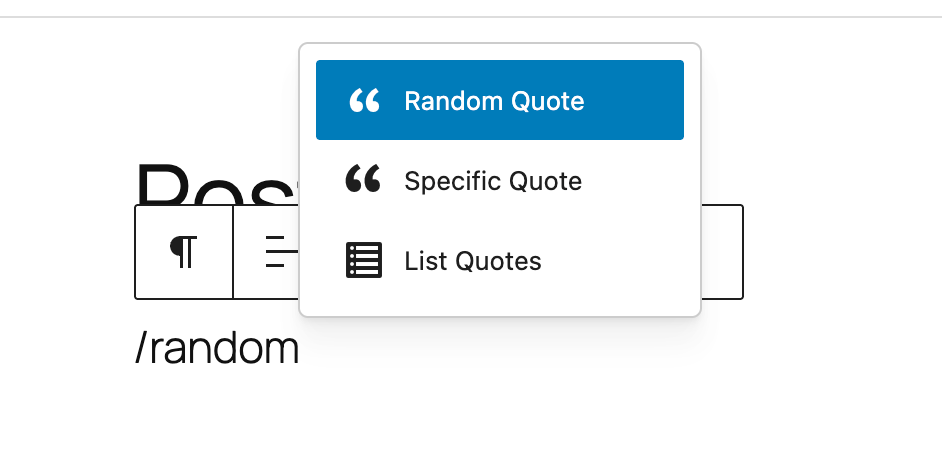
Gutenberg blocks in the block inserter 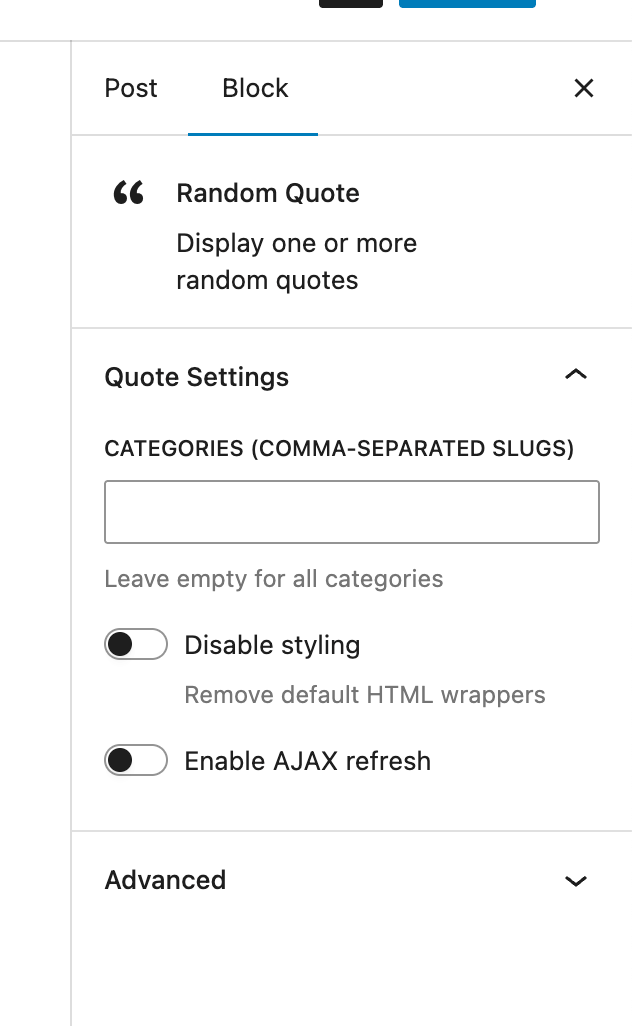
Random Quote block in the editor 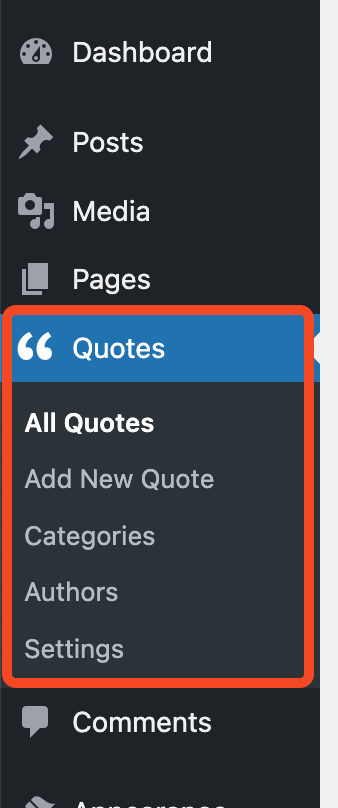
Quote management using WordPress Custom Post Types 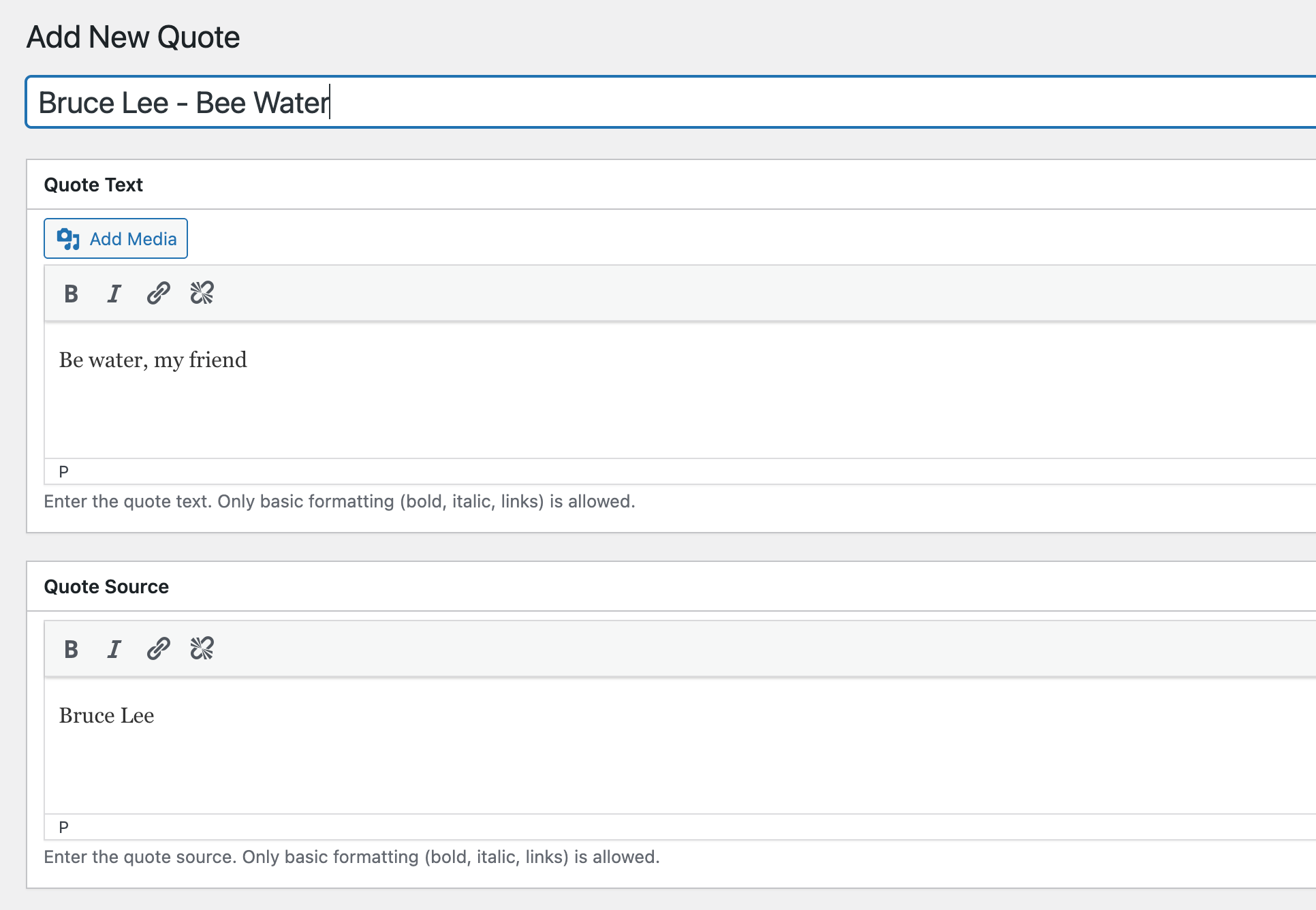
Quote editing with meta boxes for content and source 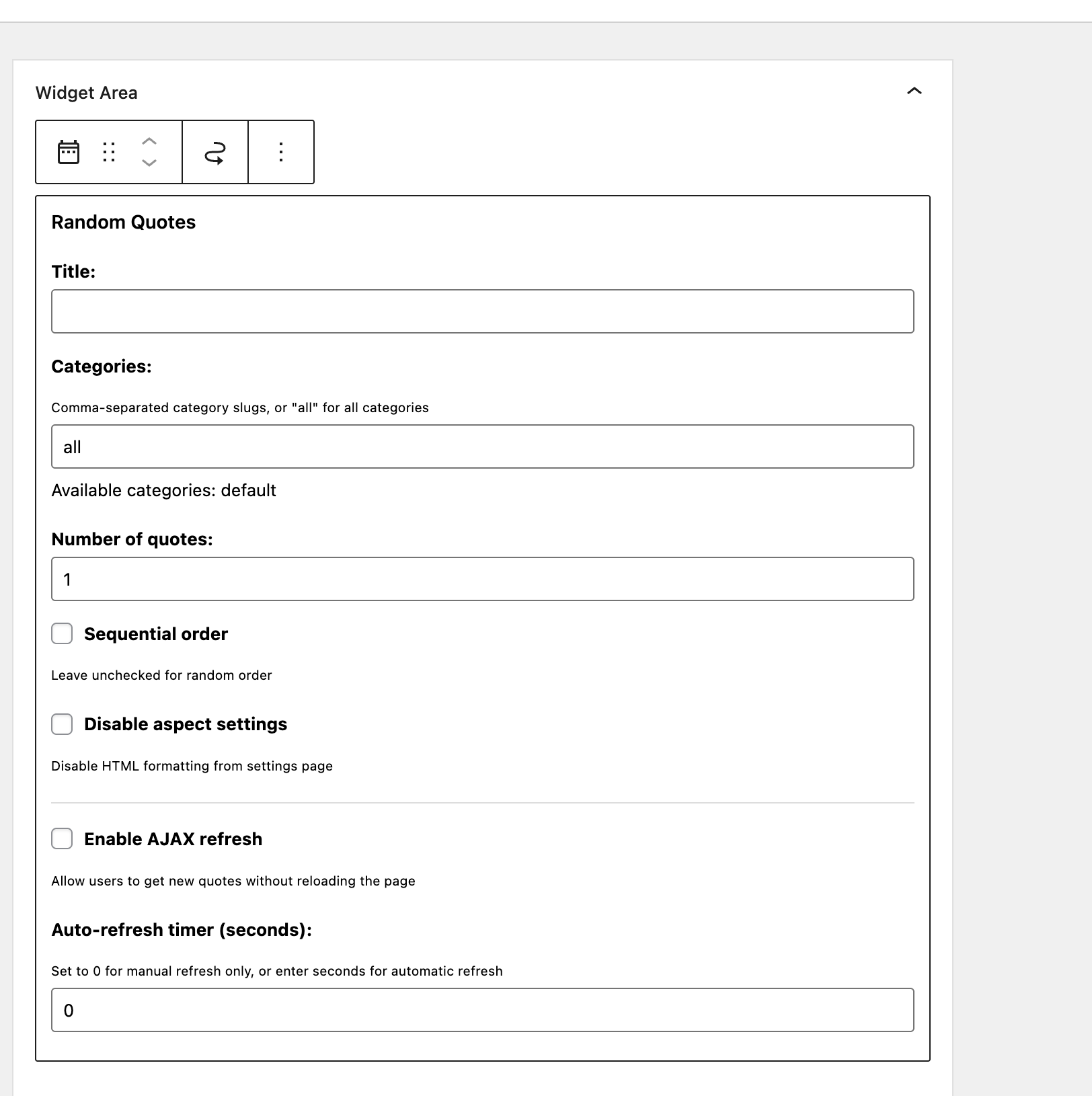
Widget settings with AJAX options 
Settings page for display customization
Blocks
This plugin provides 3 blocks.
- Random Quote Display one or more random quotes
- Specific Quote Display a specific quote by ID
- List Quotes Display a list of quotes with pagination
Installation
Automatic Installation
- Go to Plugins > Add New in your WordPress admin
- Search for “XV Random Quotes”
- Click “Install Now” and then “Activate”
- If upgrading from v1.x, migration will start automatically
Manual Installation
- Download the plugin zip file
- Upload to
/wp-content/plugins/directory - Activate the plugin through the ‘Plugins’ menu in WordPress
- Go to Quotes > All Quotes to start adding quotes
After Installation
- New Installation: Go to Quotes > Add New to create your first quote
- Upgrading from v1.x:
- Small databases (≤500 quotes) migrate automatically on activation
- Large databases show an admin notice with “Start Migration” button
- All existing quotes, categories, and settings are preserved
- See migration guide in RELEASE_NOTES.md for details
Using Gutenberg Blocks
- Edit any post or page
- Click the + button to add a block
- Search for “quote” to find the three quote blocks:
- Random Quote – Display random quotes with category filtering
- Specific Quote – Show a particular quote by ID
- List Quotes – Paginated list with ordering options
Using Widgets
- Go to Appearance > Widgets
- Add “XV Random Quotes” widget to your sidebar
- Configure categories, display options, and AJAX settings
- Save and view your site
Using Shortcodes
Add to any post or page content:
– [stray-random] – Display a random quote
– [stray-random categories="inspiration,wisdom"] – Random quote from specific categories
– [stray-id id="123"] – Display a specific quote
– [stray-all] – Display all quotes with pagination
See the Help page (Quotes > Help) for complete documentation.
FAQ
-
What’s new in version 2.0?
-
Version 2.0 is a complete modernization using WordPress Custom Post Types, Gutenberg blocks, and REST API. All legacy features remain fully compatible.
-
Will my existing quotes be lost when upgrading?
-
No! The plugin automatically migrates all existing quotes from the old database table to the new Custom Post Type system. Categories, authors, and all metadata are preserved.
-
How does the migration work?
-
- Small databases (≤500 quotes): Automatic migration on plugin activation
- Large databases (>500 quotes): Shows admin notice with “Start Migration” button for batch processing
- Migration is safe and can be resumed if interrupted
- Original data remains in the database for safety
-
Can I still use my old shortcodes?
-
Yes! All legacy shortcodes work exactly as before:
[stray-random],[stray-id],[stray-all], and template tags likestray_random_quote(). -
How do I use the Gutenberg blocks?
-
- Edit any post or page in the Block Editor
- Click + to add a block
- Search for “quote”
- Choose from: Random Quote, Specific Quote, or List Quotes blocks
- Configure block settings in the sidebar
-
Can I use AJAX to refresh quotes without page reload?
-
Yes! Enable AJAX in the widget settings. You can set a timer for automatic rotation or allow manual refresh with a click link.
-
How do I add quotes?
-
Go to Quotes > Add New in your WordPress admin. Add the quote title, content (with basic formatting), author, source, and categories just like creating a post.
-
Can I organize quotes into categories?
-
Yes! Use the Quote Categories taxonomy (similar to post categories). Assign multiple categories to each quote and filter by category in widgets, blocks, and shortcodes.
-
- Go to Quotes > Authors
- Add or edit an author
- In the “Author URL” field, enter the author’s website
- Author names will automatically link to their URLs when displayed
-
Does this work with the Classic Editor?
-
Yes! The plugin works with both the Block Editor and Classic Editor. Meta boxes are available for adding quote content and source in both editors.
-
Is there a REST API endpoint?
-
Yes! Access random quotes via
/wp-json/xv-random-quotes/v1/quote/randomwith parameters for categories, sequence, and more. Perfect for headless WordPress. -
Can I customize the HTML output?
-
Yes! Go to Quotes > Settings to customize HTML wrappers, link formats, and styling options. You can also toggle native styling to use your theme’s styles.
-
Where can I get support?
-
- Documentation: Quotes > Help in your WordPress admin
- GitHub Issues: https://github.com/xavivars/xv-random-quotes/issues
- WordPress Forums: https://wordpress.org/support/plugin/xv-random-quotes
-
How do I contribute?
-
Contributions are welcome! Visit the GitHub repository at https://github.com/xavivars/xv-random-quotes and submit pull requests or report issues.
Reviews


Contributors & Developers
“XV Random Quotes” is open source software. The following people have contributed to this plugin.
Contributors
“XV Random Quotes” has been translated into 1 locale. Thank you to the translators for their contributions.
Translate “XV Random Quotes” into your language.
Interested in development?
Browse the code, check out the SVN repository, or subscribe to the development log by RSS.
Changelog
See changelog.txt for complete version history.