
Description
Expinet Gateway for Woocommerce payment plugin that allows you to securely accept credit card payments on your store checkout page via the Expinet payment service.
Key Features:
– Seamless credit card payment form on the WooCommerce checkout page
– Supports:
– Credit card only payments
– Gift card only payments
– Split payments (Gift card + Credit card)
– Uses Vanilla-Masker for card input formatting
– Transaction logging system — view API request/response logs from the admin
– Custom admin log page under WooCommerce Expinet Payment Log
– Loads custom CSS and JS assets only on checkout page
– Compatible with latest WordPress and WooCommerce versions
External services
This plugin connects to the Expinet Payment Gateway API to process credit card transactions for WooCommerce orders.
What data is sent
When a customer checkout using this payment gateway, the following data is securely transmitted to Expinet:
– Cardholder name
– Credit card number, expiry date, and CVV
– Billing address
– Order amount and currency
– Store identification credentials (merchant ID, API keys configured by the site owner)
When data is sent
This data is sent only when a customer initiates a payment through the Expinet gateway at checkout. No data is sent otherwise.
Where data is sent
The data is sent securely over HTTPS to the Expinet servers:
– https://api.expinet.com (Production)
– https://sandbox.expinet.com (Sandbox, if configured)
Documentation
Expinet Payment Link : https://docs.expinet.net/developers/quick-start
Note:
This plugin currently works exclusively on the WooCommerce checkout page and is not integrated with the WordPress Block Editor (Gutenberg).
Source Code
This plugin uses the Vanilla Masker JavaScript library (v1.1.1). The original uncompressed source file is included in the /js/ folder for review.
Build tools or minification methods are not used in this plugin. Only vanilla JavaScript is included.
Screenshots
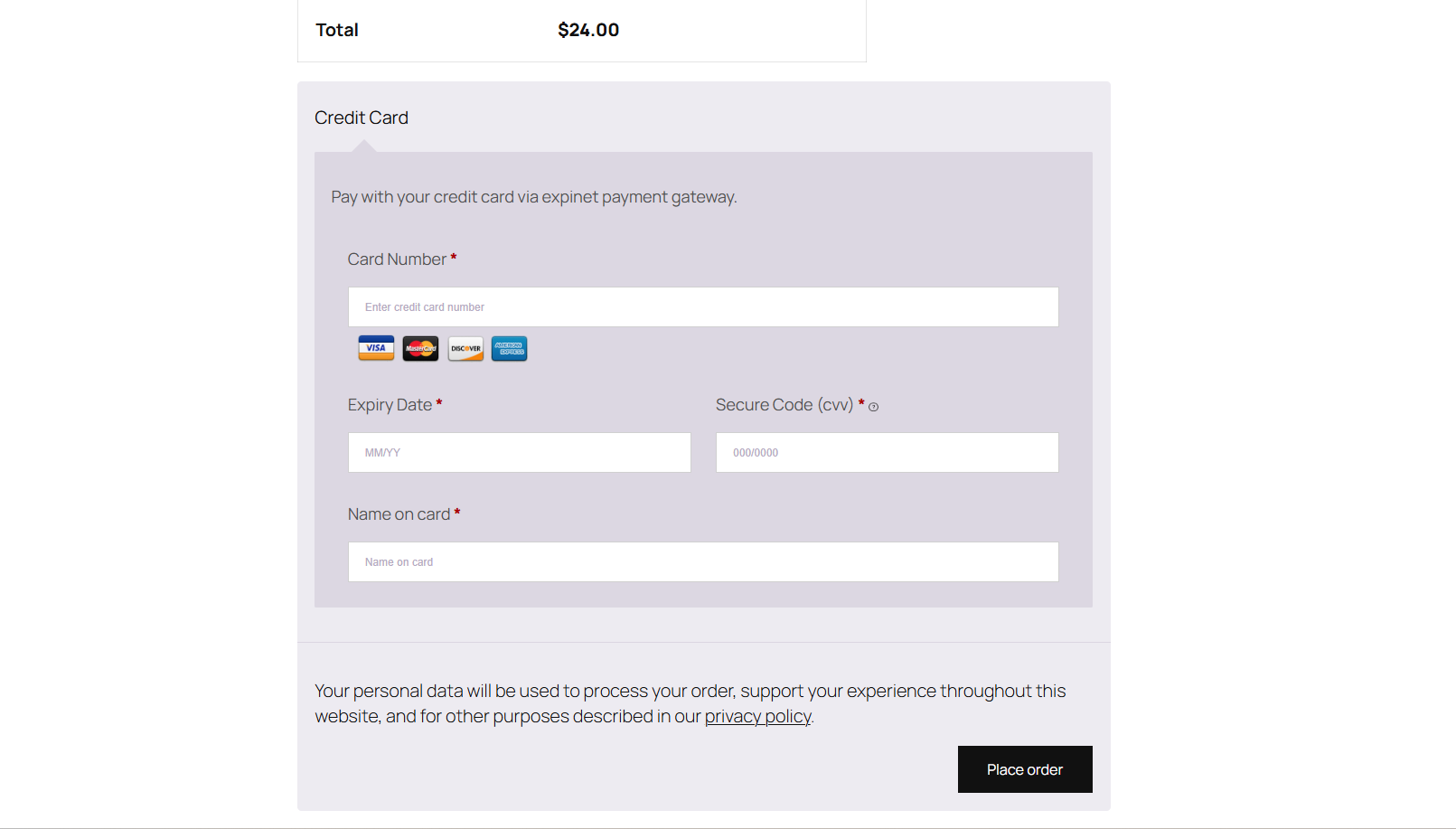
Credit card payment form on checkout page 
Expinet payment log listing in admin 
Expinet payment credentials settings in admin
Installation
- Upload the plugin files to the
/wp-content/plugins/payment-gateway-expinet-and-woocommerce-integrationdirectory. - Activate the plugin through the ‘Plugins’ menu in WordPress.
- Go to WooCommerce Settings Payments.
- Enable Payment Gateway for Expinet and for WooCommerce.
- Configure your Expinet API credentials and other settings.
- Test and go live.
FAQ
-
Can I use this plugin inside Gutenberg block pages?
-
No — this plugin currently works only on the WooCommerce checkout page, and does not have a Gutenberg block.
-
Does it support multiple payment types?
-
Yes — the plugin supports:
– Credit card only payments
– Gift card only payments
– Split payments using both -
Where can I view payment logs?
-
You can view Expinet API request/response logs from WooCommerce Expinet Payment Log in your WordPress admin dashboard.
-
Is this plugin compatible with the latest WooCommerce and WordPress versions?
-
Yes — tested up to WordPress 6.5 and WooCommerce 8.9.
Reviews
There are no reviews for this plugin.
Contributors & Developers
“Payment Gateway for Expinet and for WooCommerce” is open source software. The following people have contributed to this plugin.
Contributors
“Payment Gateway for Expinet and for WooCommerce” has been translated into 1 locale. Thank you to the translators for their contributions.
Translate “Payment Gateway for Expinet and for WooCommerce” into your language.
Interested in development?
Browse the code, check out the SVN repository, or subscribe to the development log by RSS.
Changelog
1.0.0
- Initial stable release
- Added credit card payment form on checkout
- Integrated vanilla-masker.min.js for input formatting
- Added custom admin payment log page
- Supports gift card and split payment scenarios