

描述
Translate JS is a powerful translation plugin for WordPress that helps you make your website multilingual in seconds. Expand your reach to new countries and unlock international growth by connecting with audiences worldwide in their native languages.
It uses advanced AI to provide accurate translations and includes built-in SEO support to help your translated content rank in search engines across different regions. Break down language barriers and tap into new markets without the complexity of traditional translation services.
Key Benefits
- Quick Setup – Get started in under 10 seconds
- Reach Global Audiences – Connect with visitors from any country in their preferred language
- Drive International Growth – Expand your business into new markets effortlessly
- Increase Conversions – Studies show users are more likely to purchase in their native language
- SEO-Optimized – Creates SEO-friendly URLs for each language (/es/, /fr/ ..).
- AI-Powered – Advanced translation technology for natural, accurate results
- Lightweight: Minimal impact on your site’s performance.
SEO Features
- SEO-friendly language URLs (/es/, /fr/ ..)
- Creates indexable translated pages
- Automatic hreflang generation
- Translated meta titles and descriptions
- Compatible with popular WordPress SEO plugins
- Suitable for international content discovery
Perfect For
- E-commerce stores looking to sell internationally
- Blogs wanting to reach a global audience
- Businesses expanding into new markets
- Service providers targeting multilingual customers
- Anyone ready to grow beyond their local market
Transform your website into a global platform and watch your audience grow across continents.
External services
This plugin connects to our own API, which operates on https://app.translatejs.com.
It is necessary to store account data, settings, and the translations themselves. Only public texts available on the user’s website are stored to improve translation speed, and this data can be deleted immediately when the user decides to delete a specific translation or all translations at once.
屏幕截图
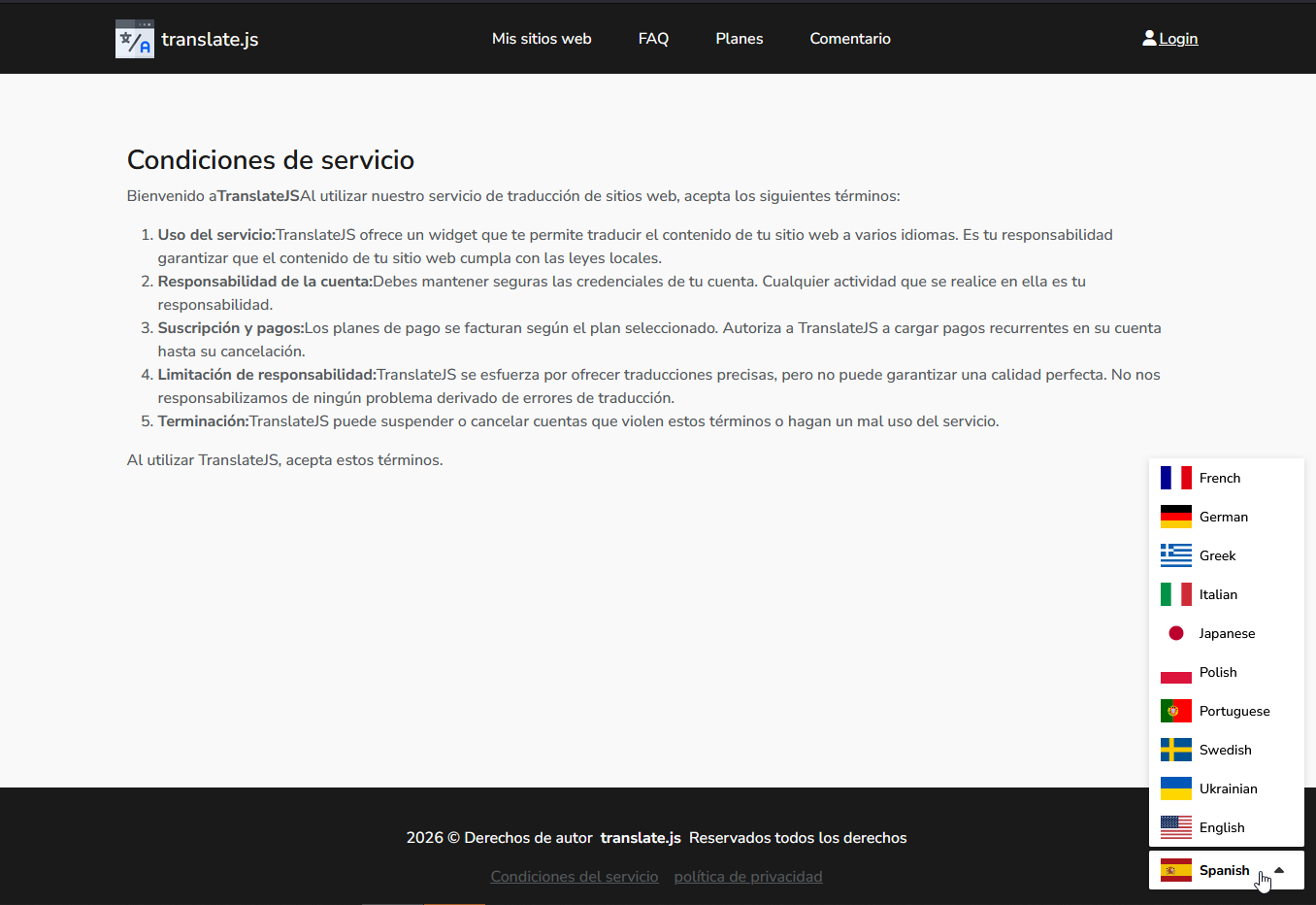
Language switcher in action 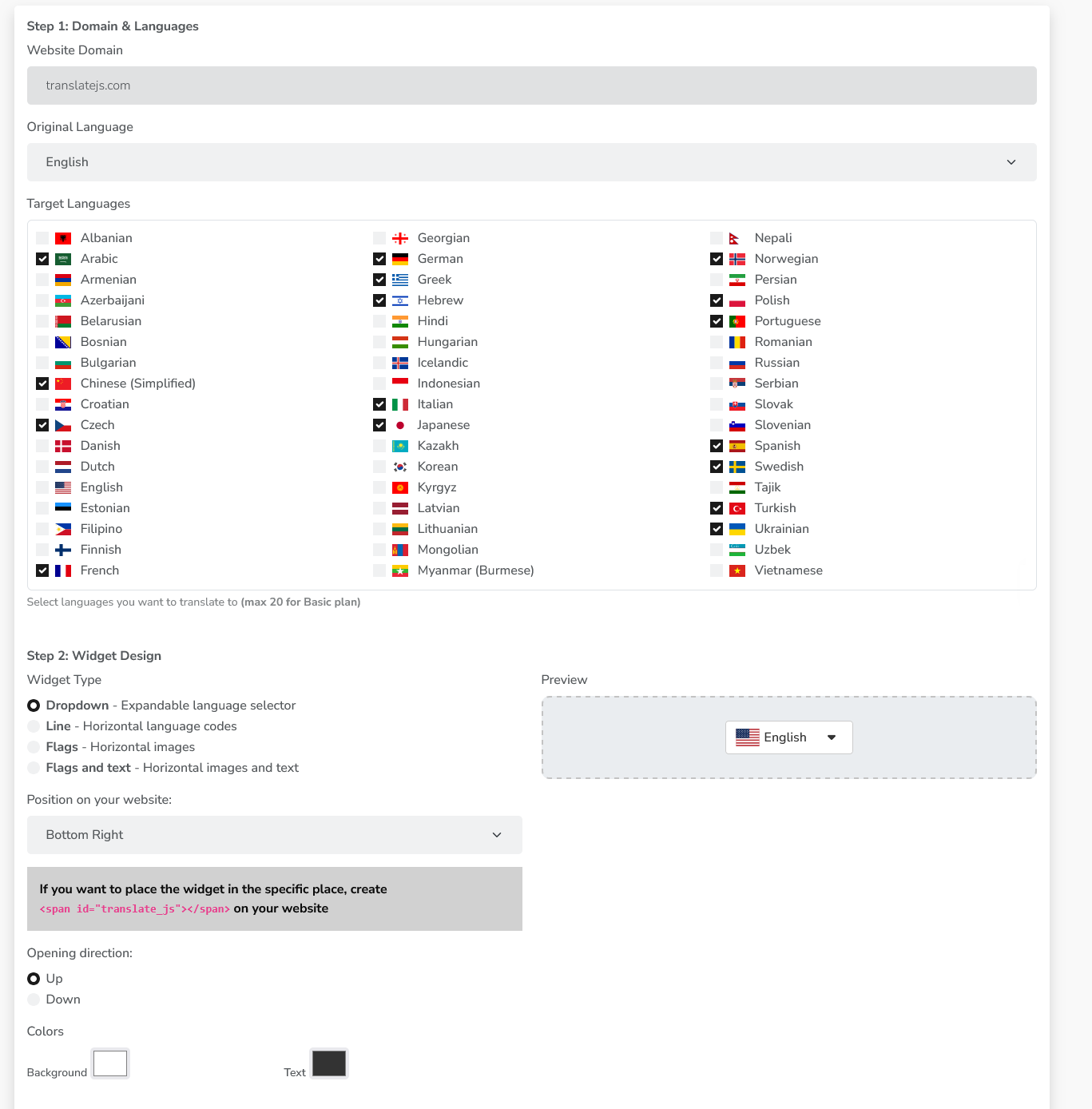
Translate.js Settings Page
安装
- Activate the plugin through the ‘Plugins’ menu in WordPress.
- Go to Settings > Translate.js to configure your API key and settings.
- Sign up at app.translatejs.com to get your API key.
评价
此插件暂无评价。
贡献者及开发者

更新日志
1.1.1
- Combined JS and subfolders translations.
1.1.0
- Structured data translation.
1.0.1
- New icon.
1.0
- Initial release.