

描述
The Speaking Events block provides a clean and organized way to showcase speaking engagements, conferences, and presentations. Events are automatically grouped by year and displayed in collapsible sections for easy navigation.
Key Features:
- Year-based Organization: Events are automatically grouped by year with collapsible sections.
- Comprehensive Event Data: Capture event date, venue/location, event name, presentation title, and event URL.
- Clean Admin Interface: Easy-to-use form fields in the block editor for adding and managing events.
- Smart Sorting: Events are sorted chronologically within each year, with most recent years displayed first.
- Interactive Frontend: Year headers act as toggle buttons to expand/collapse event listings.
- Clickable Links: Event URLs are automatically converted to clickable links.
- Responsive Design: Optimized for both desktop and mobile viewing.
- Smooth Animations: Professional expand/collapse animations enhance user experience.
- Accessible: Proper ARIA attributes and keyboard navigation support.
- Customizable Colors: Choose background and text colors for year headers.
- Translation Ready: Fully internationalized and ready for translation to any language.
- RTL Support: Compatible with right-to-left languages.
Perfect for:
- Personal portfolios and professional websites.
- Speaker profiles and biography pages.
- Conference organizers showcasing past events.
- Academic professionals displaying speaking history.
- Corporate websites highlighting team expertise.
Translating This Plugin
The Speaking Events plugin is translation-ready. To contribute translations:
- Visit the plugin’s translation page on WordPress.org.
- Select your language and start translating.
- All translations are automatically included in plugin updates.
For manual translations:
1. Extract strings using wp i18n make-pot.
2. Create .po files using Poedit or similar tools.
3. Compile to .mo files and place in /languages/ directory.
Support
For support and feature requests, please visit Pablo Moratinos’ website at https://pablomoratinos.es.
屏幕截图
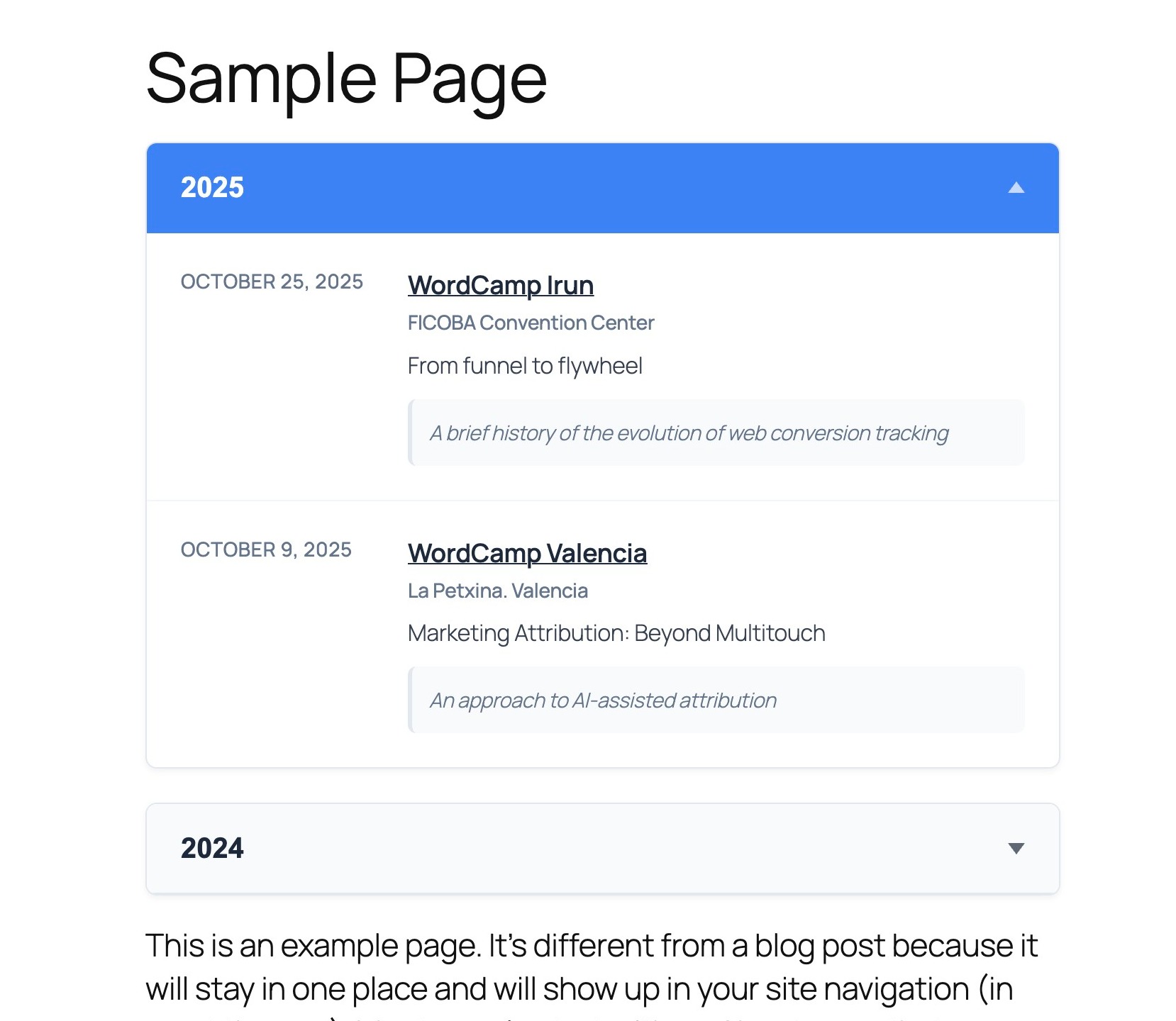
Expanded view showing all events for a selected year 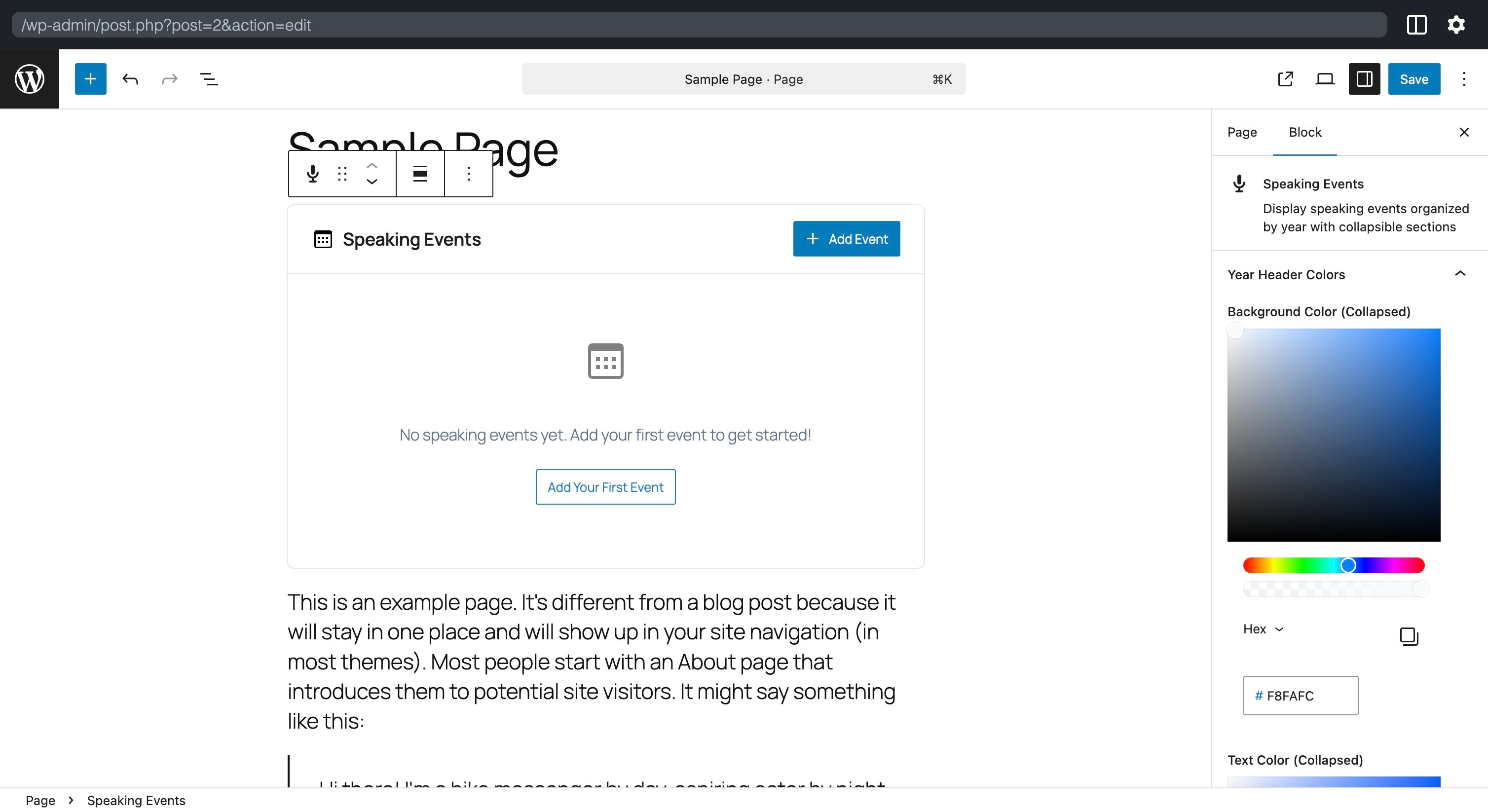
Block editor interface without events 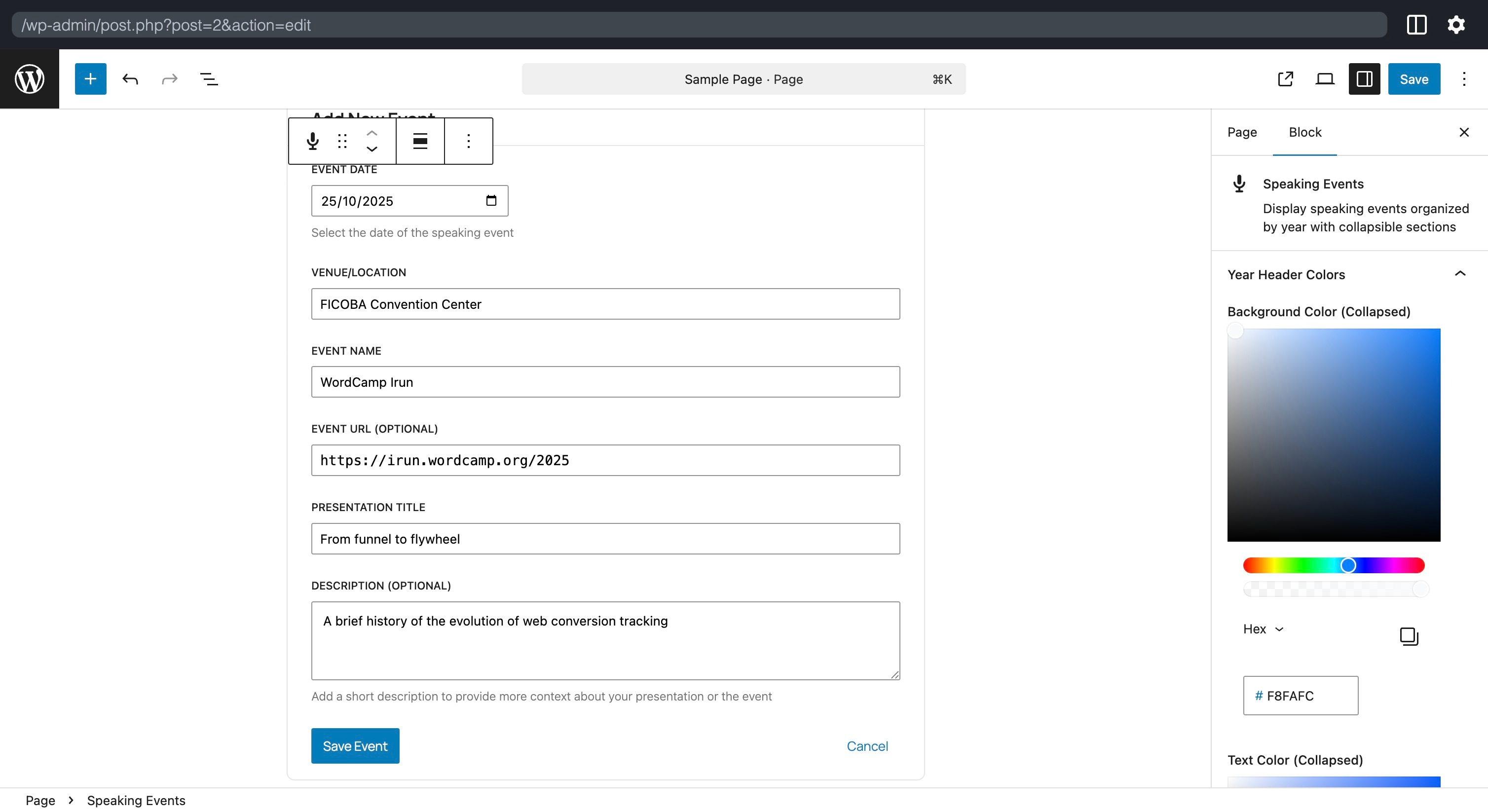
Block editor interface showing the form for adding speaking events 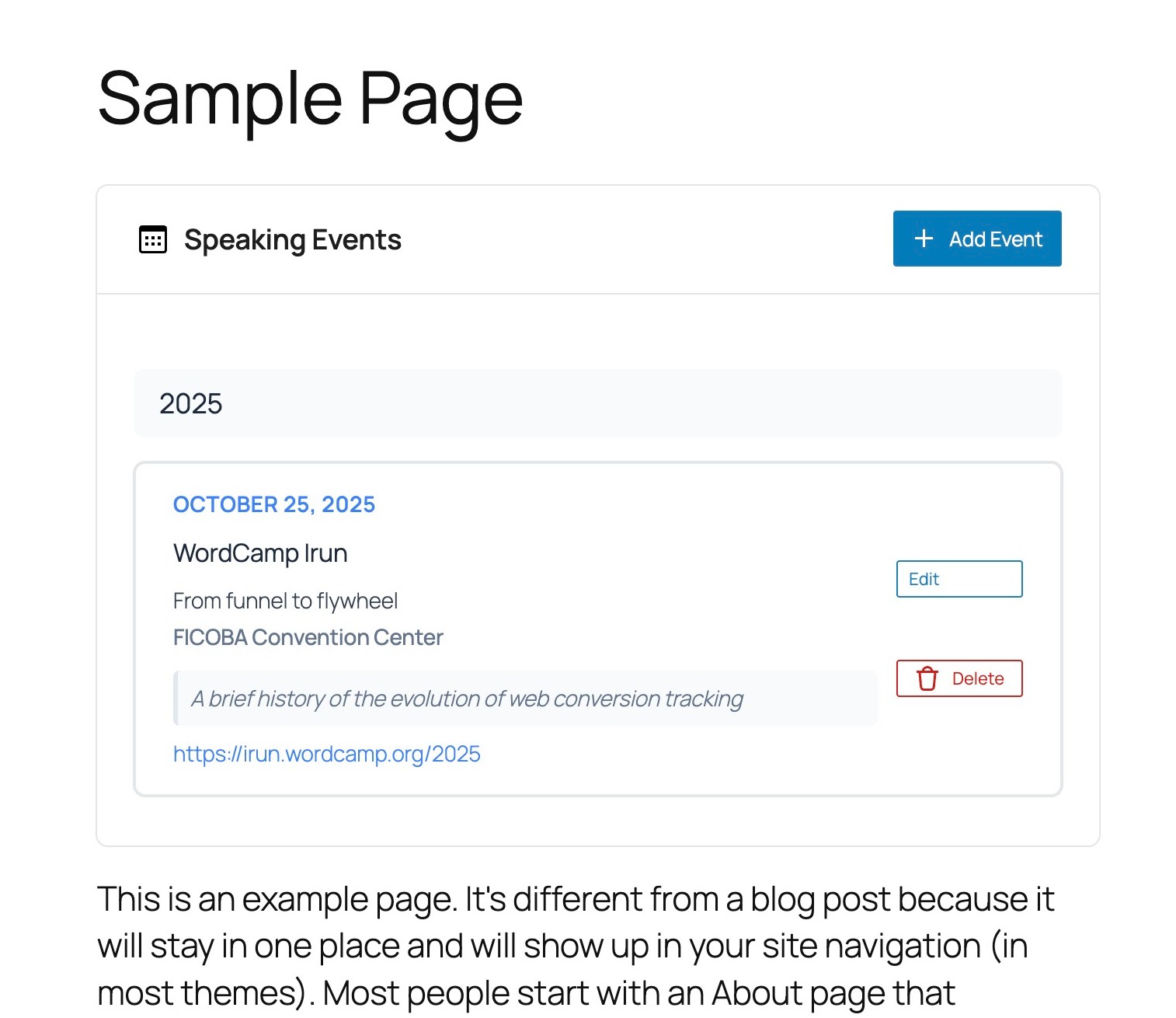
Viewing an event in the block editor 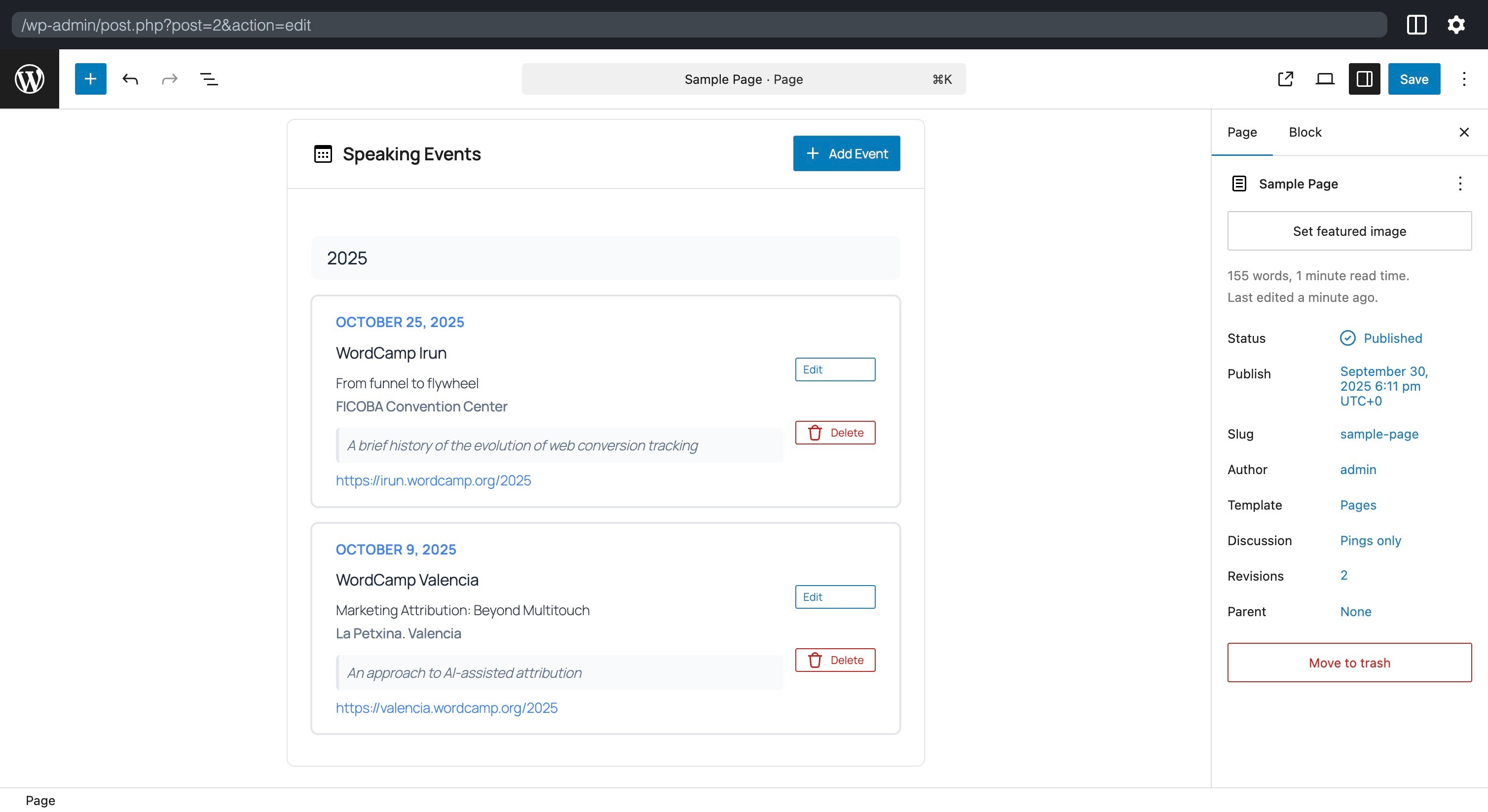
Viewing two events in the block editor
区块
该插件提供了 1 个区块.
- Speaking Events Display speaking events organized by year with collapsible sections
安装
- Upload the plugin files to the
/wp-content/plugins/speaking-eventsdirectory, or install the plugin through the WordPress plugins screen directly. - Activate the plugin through the ‘Plugins’ screen in WordPress.
- Add the “Speaking Events” block to any post or page using the block editor.
- Start adding your speaking events using the intuitive form interface.
常见问题
-
How do I add a new speaking event?
-
In the block editor, click the “Add New Event” button and fill in the five fields: event date, venue/location, event name, presentation title, and event URL. The block will automatically organize the event by year.
-
Can I reorder events manually?
-
Events are automatically sorted chronologically within each year group, with the most recent events appearing first. This ensures a consistent and logical organization.
-
What happens if I don’t provide an event URL?
-
The event URL field is optional. If not provided, the event will still display all other information without a clickable link.
-
How can I change the format in which the date is displayed?
-
Go to WordPress Admin > Settings > General and change the date format.
-
Is the block responsive on mobile devices?
-
Yes, the block is fully responsive and optimized for mobile viewing with touch-friendly collapsible sections.
-
Can I customize the styling?
-
Yes! The block includes color customization options for year headers in both collapsed and expanded states. You can also add custom CSS to match your theme’s design.
-
Is the plugin translation-ready?
-
Absolutely! The plugin is fully internationalized with proper text domains and translation functions. All user-facing strings can be translated using standard WordPress translation tools like Poedit.
-
How do I translate the plugin?
-
- Create a
/languages/folder in the plugin directory. - Use translation tools like Poedit to create .po/.mo files.
- Name them according to WordPress standards (e.g.,
speaking-events-es_ES.po). - WordPress will automatically load the translations.
- Create a
评价
此插件暂无评价。
贡献者及开发者

更新日志
0.1.2
- Minor changes in documentation
0.1.1
- The date format is now displayed as defined in the general site settings.
- Minor changes in documentation.
0.1.0
- Initial release with full speaking events functionality.
- Year-based collapsible organization.
- Responsive design and smooth animations.
- Comprehensive event data capture.
- Clean admin interface.
- Color customization for year headers.
- Full internationalization support.
- Keyboard navigation and accessibility features.