
描述
Role Based Hide Adminbar gives you complete control over the WordPress admin bar. You can easily hide it for any user role — like subscribers, contributors, or custom roles — without writing any code.
This plugin is especially useful for site owners who want to provide a distraction-free frontend experience for users who don’t need backend access or admin features.
Features
- Hide admin bar by user role
- Clean and simple settings page
- No coding required
- Works with custom user roles
- Lightweight and fast
- Frontend-only hiding (backend remains unchanged)
屏幕截图
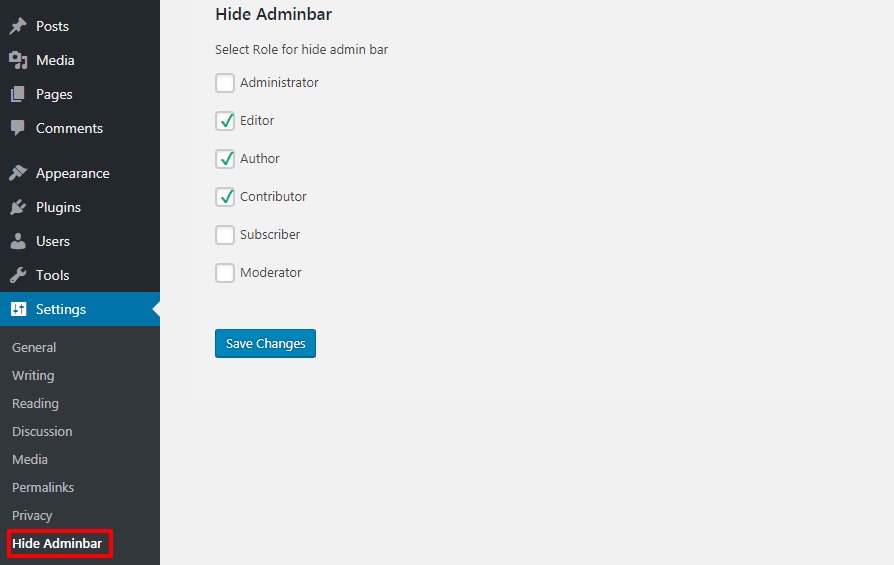
Settings screen where you choose which roles can see the admin bar.
安装
- Upload the plugin folder to the
/wp-content/plugins/directory. - Activate the plugin through the ‘Plugins’ menu in WordPress.
- Go to ‘Settings > Hide Adminbar’ to configure the visibility for user roles.
常见问题
-
Does this plugin hide the admin bar in the WordPress dashboard?
-
No. It only hides the admin bar on the frontend of your website. The admin bar still appears in the WordPress dashboard for users with access.
-
Will it work with custom user roles?
-
Yes, it detects all registered roles, including custom ones created by other plugins or themes.
-
Does this plugin slow down my site?
-
No, it’s lightweight and has no performance impact.
评价

2025 年 8 月 25 日
It’s a great solution for site owners who want to provide a clean, distraction-free experience for users without backend access. Simple, effective, and reliable! Highly recommended.

2022 年 11 月 28 日
a plugin is very easy to use work nicely

2022 年 7 月 21 日
great userability, good support when needs, great community, just great!

2022 年 2 月 4 日
Great Work! saves lots of time and energy.
Keep going, man.
Thank you for the plugin
贡献者及开发者

更新日志
1.0.1
- First version.
1.0.2
- Minnor css change to remove conflict with another plugin.
1.0.3
- Minnor css change to remove conflict with another plugin.
1.0.4
- Minor change for latest wordpress version.
1.0.5
- Minor change for latest wordpress version.
1.0.6
- Make Plugin Internationalization.
= 1.1=
* Recommended update for compatibility with WordPress 6.5 and UI improvements.