

描述
Post Timer is a simple and easy-to-use WordPress plugin designed to display a timer popup on selected posts, pages, or custom post types when a user adds or edits content.
With this plugin, you can:
– Customize the timer popup color and placement (e.g., top-left, top-right, bottom-left, bottom-right, left, right).
– Show the timer popup on specific posts, pages, or custom post types during the add/edit process.
屏幕截图
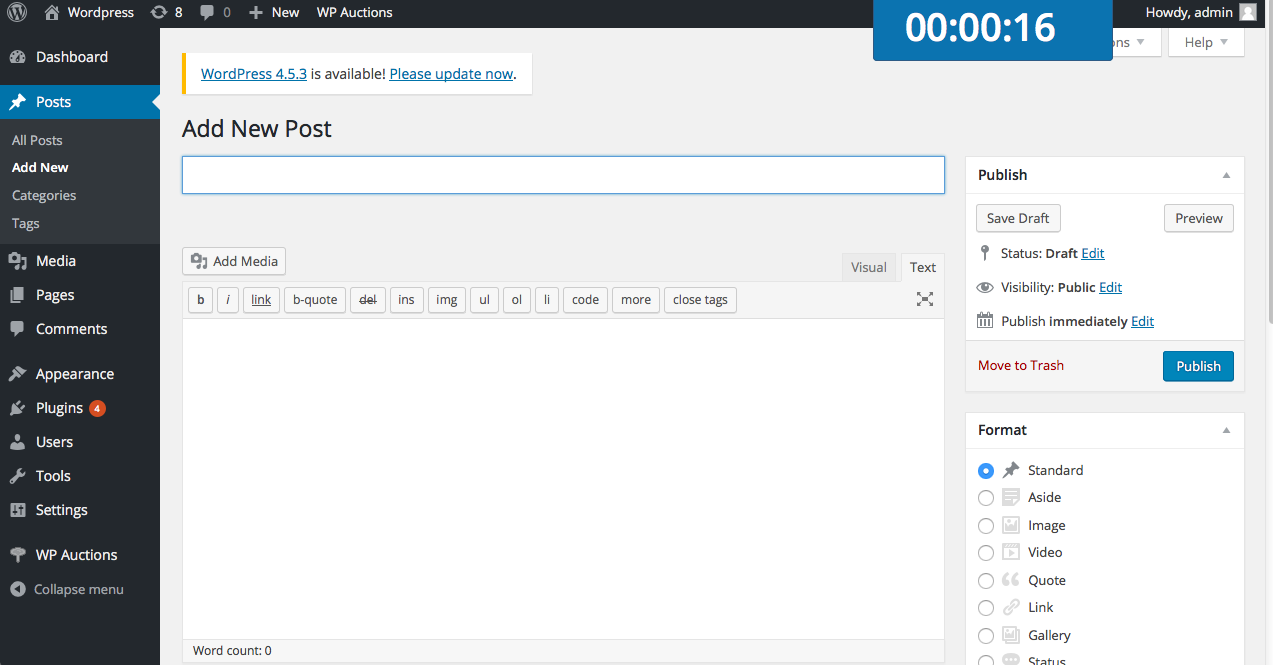
Appearance of the timer popup on your website. 
Plugin settings page.
安装
Installation Instructions & Configuration
- Download the zip file and extract its contents. Upload the ‘post_timer’ folder to your plugins directory (
wp-content/plugins/). - Activate the plugin through the ‘Plugins’ menu in WordPress.
- Go to Settings > Post Timer to configure the popup color, placement, and select which posts, pages, or custom post types will display the timer popup during post creation or editing.
常见问题
-
What is the use of this plugin?
-
Post Timer displays a timer popup when users add or edit a post. This allows users to track how much time they spend on creating or editing posts.
-
How do I change the popup settings?
-
You can change the popup settings by going to Dashboard > Settings > Post Timer.
评价

2018 年 8 月 12 日
Time saver for posts.

2018 年 3 月 30 日
superb!!

2016 年 9 月 10 日
Easy and quick. Good to use it!

2016 年 9 月 3 日
It is easy to set up and it works as advertised.
贡献者及开发者


更新日志
5.0
- Updated the plugin for compatibility with the latest WordPress version (6.7.1).
- Fixed some bugs and warnings to improve overall functionality and performance.
4.0
- Updated settings & About Us section.
3.9
- Updated Author details.
3.8
- Compatibility check with WordPress 6.3.
3.7
- UI fixes and enhancements.
3.6
- Minor fixes and enhancements.
3.5
- Minor fixes and enhancements.